---
title: "Add Auth0 Documentation to Claude Code"
description: "Eliminate context-switching during authentication development. Learn how to connect the Auth0 MCP Server to Claude Code for real-time access to the complete Auth0 documentation directly inside your terminal terminal workspace."
authors:
- name: "Jessica Temporal"
url: "https://auth0.com/blog/authors/jessica-temporal/"
date: "Jun 29, 2026"
category: "AI"
tags: ["mcp", "documentation", "ai", "ai agents"]
url: "https://auth0.com/blog/add-auth0-documentation-claude-code/"
---
# Add Auth0 Documentation to Claude Code
Keeping flow state is hard when you need to context switch to find information. This hits me even harder when I am deep into debugging a new auth flow and need to look up how a specific token exchange works or what parameters an endpoint expects.
As a developer advocate, I am constantly testing new features and staying in flow matters. It is how I stay productive and get feedback to the product team in a timely manner. Every tab switch to documentation is a small interruption that makes me lose time.
Since AI coding agents are my always available co-worker most days, I figured adding Auth0's documentation through MCP servers would keep me in flow and reduce hallucinations when I. m working. Here is how to get it working in your environment.
## What Are the Auth0 MCP Servers?
[MCP (Model Context Protocol)](https://www.google.com/url?q=https://modelcontextprotocol.io/&sa=D&source=docs&ust=1782403493728553&usg=AOvVaw1khwrLPg_PjWxOsGdcHhOP) servers let AI coding agents like Claude access external tools and data sources. Instead of relying on what the model learned during training, MCP servers give it live access to current information.
Auth0 has a few MCP servers. The [Auth0 MCP server](https://auth0.com/blog/announcement-auth0-mcp-server-is-here/) lets your AI coding agent manage your Auth0 tenant directly. Not to mention that you can even [use it in VS Code](https://auth0.com/blog/auth0-mcp-server-in-vscode/).
But today we are focusing on the two Auth0 documentation MCP servers:
* **Auth0 for AI Agents** - Documentation for [building AI agents with Auth0](https://auth0.com/blog/is-your-auth-ready-for-ai/). Covers [human-in-the-loop consent]((https://auth0.com/blog/why-ai-agents-need-their-own-permission-model/), CIBA (Client-Initiated Backchannel Authentication), and [token management for agentic workflows](https://auth0.com/blog/auth0-auth-for-mcp-servers-generally-available/).
* **Auth0 Docs** - The complete Auth0 documentation. Auth flows, SDKs, tenant configuration, quickstarts, and API references.
When you connect these servers, your AI agent searches the actual documentation instead of relying on whatever was in its training data. That means current information, correct SDK versions, and accurate API details.
## Why Use the Auth0 Documentation MCP Servers
MCP servers flip the traditional search model: Instead of you going to the documentation, the documentation comes to you. And because it's a live connection, you're always getting the current version, not whatever was scraped six months ago.
You could bookmark the Auth0 docs. You could keep a browser tab open. But every time you switch windows, you are betting against your own focus. For teams building with Auth0 regularly, the interruptions add up. You get fewer context switches, faster answers, and less *"Wait, which SDK version was that for?"*
## Connect the Auth0 Documentation Servers
To get these servers set up in Claude Code you just need two commands. Each command registers a server so Claude Code knows where to find the docs.
Let's start with the [Auth0 for AI Agents (A4AA) documentation](https://auth0.com/ai/docs). This one covers everything around protecting your agents with Auth0:
```bash
claude mcp add \
--transport http \
"Auth0-for-AI-Agents-docs" \
https://auth0.com/ai/docs/mcp
```
Next you can add the full [Auth0 docs](https://www.google.com/url?q=https://auth0.com/docs&sa=D&source=docs&ust=1782403493729766&usg=AOvVaw0u1mECI3pai93wJxcDl4UJ). This server covers all auth flows, SDKs, quickstarts, and all the docs you already know and love:
```bash
claude mcp add \
--transport http \
Auth0-docs \
https://auth0.com/docs/mcp
```
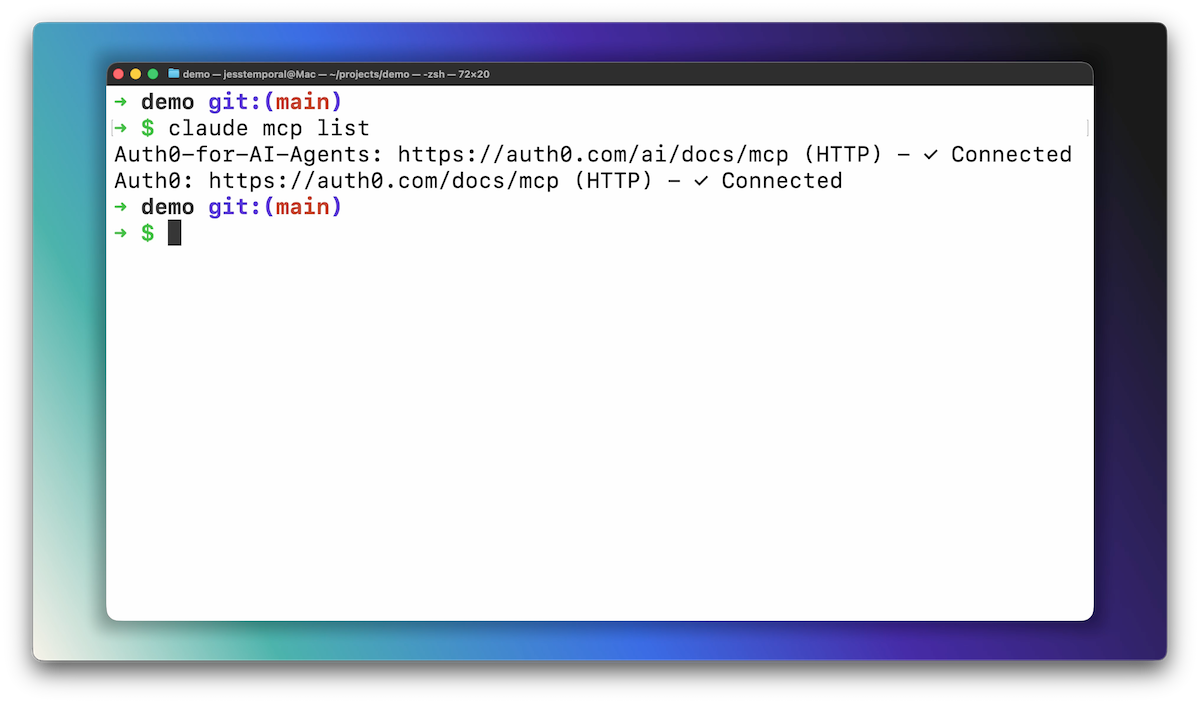
To verify they are connected you can run the following:
```bash
claude mcp list
```
You should see both Auth0-for-AI-Agents-docs and Auth0-docs in the output like in the image below. That is it. No API keys, no configuration files, no dashboard clicks.
You might be wondering why there are two separate servers instead of one. Auth0 for AI Agents is its own product with its own documentation scope. Keeping it separate helps focus the context your AI coding agent gets back. When you ask about CIBA for your AI Agent or other consent flows, Claude searches only the AI Agents docs without wading through hundreds of unrelated pages. When you need general Auth0 info, the full docs server has you covered. Two focused indexes beat one giant one.
## See The Auth0 Documentation MCP Servers in Action
Ask Claude Code a question and it pulls directly from the docs. Here are a few to try:
```
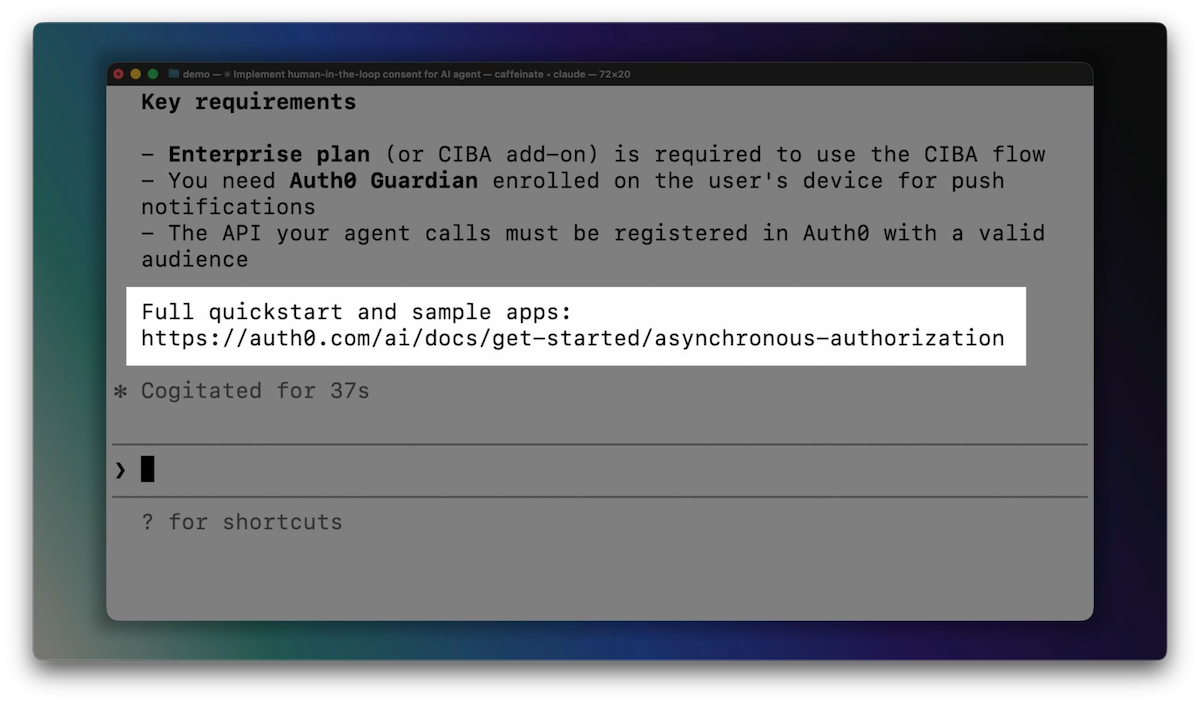
How do I implement human-in-the-loop consent for my AI agent with Auth0?
```
Claude searches the AI Agents documentation and returns an explanation of CIBA, implementation details for the Auth0 SDKs, and pointers to quickstarts:
```
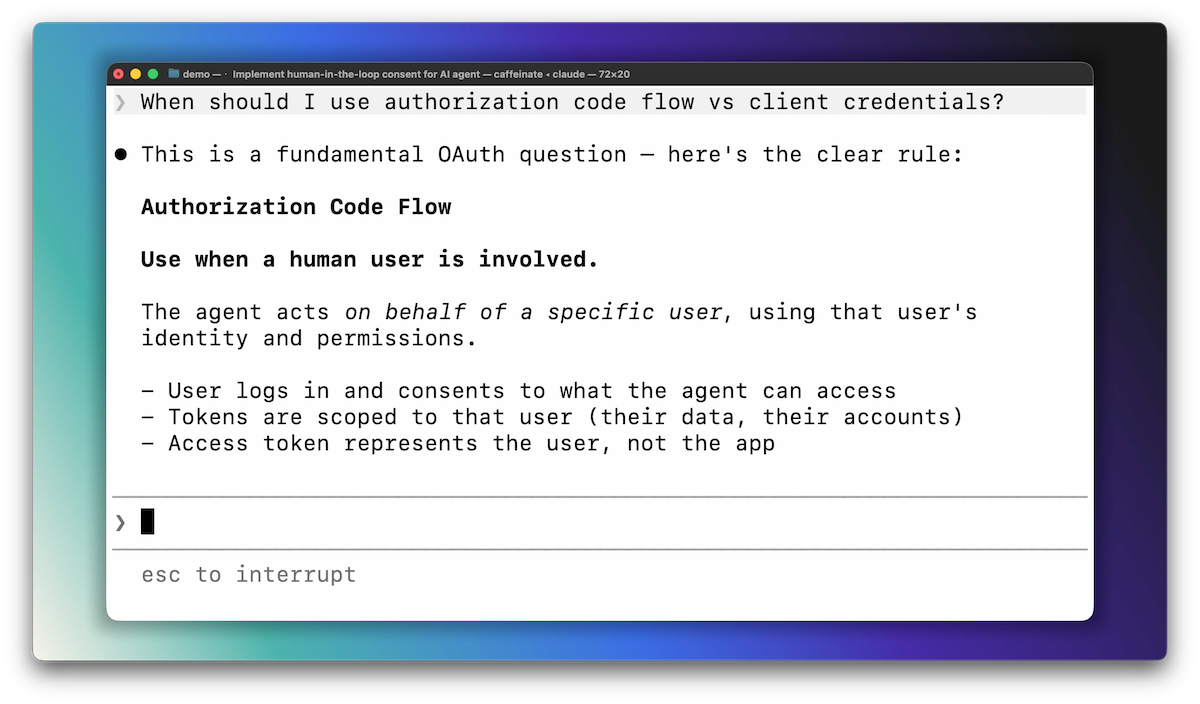
When should I use authorization code flow vs client credentials?
```
You get decision criteria for each flow, use-case breakdowns, and links to the relevant docs pages. You see the beginning of the answer below:
No tab switching. No search results to sift through. Just answers in your terminal.
## What Is Next
If you want Claude to actually implement Auth0 in your app (not just answer questions), check out the [Auth0 plugin for Claude Code](https://claude.com/plugins/auth0). It can scaffold authentication into your project with a single prompt.
For now, you have got [Auth0's entire documentation](https://auth0.com/docs) available in your terminal. Ask away.