---
title: "Angular 2 Series - Part 2: Domain Models and Dependency Injection"
description: "Learn about Angular 2's new Dependency Injection system and how to use models to organize your app."
authors:
- name: "Ryan Chenkie"
url: "https://auth0.com/blog/authors/ryan-chenkie/"
date: "Sep 17, 2015"
category: "Developers,Deep Dive,Angular"
tags: ["angular2", "angularjs", "models", "dependency-injection", "javascript", "post-series"]
url: "https://auth0.com/blog/angular-2-series-part-2-domain-models-and-dependency-injection/"
---
# Angular 2 Series - Part 2: Domain Models and Dependency Injection
---
**TL;DR:** Domain models are important for defining and enforcing business logic in applications and are especially relevant as apps become larger and more people work on them. In this article, we show how this can be done in an Angular 2 app by moving logic out of the component and into a model. We also cover how to inject model classes using Angular 2's new Dependency Injection system. Check out the [repo](https://github.com/auth0/angular2-models-di) for the article to see the code.
This is the second part of our Angular 2 series. You can also check out the first part about [Angular 2 pipes](https://auth0.com/blog/2015/09/03/angular2-series-working-with-pipes/).
---
> Auth0's Angular 2 series brings you tutorials on how to implement the latest features from the framework using the most recent Alpha release at the time of writing.
As applications grow in size, it becomes increasingly important that they be well organized with a solid structure in place. This is especially critical as increasing numbers of developers are added to the team. Application architecture should also strongly focus on the business rules that govern the application and protect sensitive methods from being exposed where they shouldn't be.
At the same time, it is important that we keep our applications DRY and maintainable by moving logic out of components themselves and into separate classes that can be called upon. A modular approach such as this makes our app's business logic reusable.
One way we can achieve this type of structure in Angular 2 applications is by using models to organize our business logic. Whereas the term "model" in Angular has typically been used to refer to the View-Model, what we're discussing here is the domain model-or the set of rules and business logic that an application implements for it to adhere to the organization's needs.
The term "domain model" is, of course, a generic one. Domain models are relevant in any kind of application. In this tutorial, we will see how we can abstract business logic to a model in an Angular 2 app and use the new **Dependency Injection (DI)** system to call upon these models. We will also explore the DI system's features and various ways it can be used.
## Getting Started with an Angular 2 app
We'll be writing our app in TypeScript, but everything will work just fine in ES6. If you'd like an Angular 2 starter app in ES6, checkout [Pawel Kozlowski's](https://twitter.com/pkozlowski_os) [ng2-play](https://github.com/pkozlowski-opensource/ng2-play/) repo.
Our sample app will take a user's details as input and use a model to handle those values. Let's start with a simple component called `UsersAppComponent`.
```js
// app.ts
///
import {Component, View, bootstrap, bind, FORM_DIRECTIVES} from 'angular2/angular2';
import {Inject} from 'angular2/di';
@Component({
selector: 'users'
})
@View({
// Form directives to be used in the template
directives: [FORM_DIRECTIVES],
templateUrl: 'userTemplate.html'
})
class UsersAppComponent {
constructor() {}
}
bootstrap(UsersAppComponent);
```
Our template has some simple inputs for the user to provide their information, including checkboxes for them to select which programming languages they know.
```html
```
## Handling User Data
For our app, we'll want to take the user's input to see how it can be handled with a model. For simplicity, we'll just log the info to the console in these examples, but you would typically be doing HTTP requests to send the user data off to a server to be persisted.
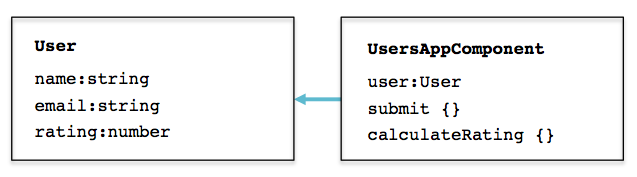
We could set up a simple `User` class that acts as a model for our data and have some additional methods in our `UsersAppComponent` that act upon the form data. We can do this right within our component, but as will become evident later, there are some drawbacks to this. Let's see what it would look like for now. The class arrangement will be:
```js
// app.ts
...
class User {
name: string;
email: string;
rating: number;
}
@Component({
selector: 'users'
})
@View({
directives: [FORM_DIRECTIVES],
templateUrl: 'userTemplate.html'
})
class UsersAppComponent {
// We instantiate the user class.
user = new User();
submit(userInfo) {
// HTTP request would go here
console.log(
this.user.name,
this.user.email,
this.calculateRating(this.user)
);
}
// Method to calculate the user's points
calculateRating(userInfo) {
var rating = 0;
if(userInfo.javascript) {
rating += 30;
}
if(userInfo.ruby) {
rating += 20;
}
if(userInfo.php) {
rating += 50;
}
return rating;
}
}
...
```
We have two-way data binding set up on our form inputs, and they are bound to the instance of our `User` model. The `submit` method in our component's constructor logs the all the data to the console, including a calculation for the user's rating that it runs with the `calculateRating` method. How the heck did PHP get to be worth 50 points? I guess we'll never know.
## Improving the Model
While this approach works sufficiently well when an application is small, the way we have set things up does have a few drawbacks:
1. The `User` class isn't enforcing which values should be present or not. This can have implications if some operation downstream expects certain values to always be present.
2. The model doesn't have methods of its own to handle the calculation of the user's rating or the submission of the data. What if we wanted to have this same functionality in another of our app's components? We would need to duplicate the code in those other components.
3. While `calculateRating` is trivial in this example, what if we had some important and sensitive method with business logic that is meant only for specific circumstances? We need a way to be certain that such methods can't be used in places they're not supposed to be.
4. We currently have no ability to potentially share models with a JavaScript backend.
Let's see how we can tackle some of these issues. We'll start by moving the model to its own file. We'll eventually want to end up with classes that look more like this:

```js
// models/user.ts
export class User {
name: string;
email: string;
rating: number;
constructor(userInfo:any) {
this.name = userInfo.name;
this.email = userInfo.email;
this.rating = this.calculateRating(userInfo);
}
private calculateRating(userInfo) {
var rating = 0;
if(userInfo.javascript) {
rating += 30;
}
if(userInfo.ruby) {
rating += 20;
}
if(userInfo.php) {
rating += 50;
}
return rating;
}
save() {
// HTTP request would go here
console.log(this.name, this.email, this.rating);
}
}
```
We're now using a constructor in our `User` method, which will set the values for `name`, `email`, and `rating` when the class is instantiated. We've got our `calculateRating` method in our class now, along with a `save` method to take care of making an HTTP request to save the data.
In our template, let's switch from using `ng-model` for two-way data binding to `ng-control` to get the form values when the form is submitted.
```html
```
We can now modify the `UsersAppComponent` to instantiate and save a new instance of the model when the form is submitted.
```js
// app.ts
...
import {User} from 'models/user';
...
class UsersAppComponent {
submit(userInfo) {
// Instantiate and save when the form is submitted
this.user = new User(userInfo);
this.user.save();
}
}
...
```
The model and the methods that it relies on are now in the same spot and can be used in other parts of the application as well. In the model, we specified that we want `calculateRating` to be `private`, but as it stands, we would still be able to gain access to it from outside the `User` model. This is part of [TypeScript's design](http://typescript.codeplex.com/discussions/451129), but we can put a workaround in if we really wanted to protect `calculateRating`. Although it might not work as an architectural approach in every situation, we could define `calculateRating` as a function within the class constructor, which would prevent it from being accessed elsewhere. The downside here is that the function is not available to other methods within the class.
```js
// models/user.ts
...
constructor(userInfo:any) {
this.name = userInfo.name;
this.email = userInfo.email;
this.rating = calculateRating(userInfo);
// Function is only available inside the constructor
// when the logic really needs to be protected.
function calculateRating(userInfo) {...}
}
...
```
## Moving to Factories
We've seen how we can instantiate a new model and access methods on it, but what if we wanted to take the factory approach? In this approach, instead of instantiating the model directly in our components, we would call a method like `create` on the factory. As applications grow and classes become increasingly complex, this can have certain advantages, especially for maintainability. For example, if we wanted to change the name of a class that gets instantiated, the factory approach allows us to make a change solely to the factory itself and not all the instantiation points around the app.
This is also where Angular 2's Dependency Injection comes in, as we'll need to inject the factory to make use of it.
```js
// models/userFactory.ts
import {User} from './user';
export class UserFactory {
// Uses the User model to create a new User
create(userInfo:any) {
return new User(userInfo);
}
}
```
We'll need to inject the `UserFactory` into our component's constructor. Angular 2 comes with an `@Inject` decorator, which is used to attach metadata to the component. We also need to include `UserFactory` in an array when the app is bootstrapped so that it is included as a binding.
```js
// app.ts
...
import {UserFactory} from 'models/userFactory';
...
class UsersAppComponent {
userName: string;
userRating: number;
rating: number;
// We inject the UserFactory
constructor(@Inject(UserFactory) UserFactory) {
this.UserFactory = UserFactory;
}
...
}
// We bind the UserFactory when the component is bootstrapped
bootstrap(UsersAppComponent, [UserFactory]);
```
With `this.UserFactory` pointing to the `UserFactory`, we can now make use of its methods. Let's adjust the `submit` method to use the factory.
```js
// app.ts
...
submit(userInfo) {
this.user = this.UserFactory.create(userInfo);
this.user.save();
}
...
```
Now when the user submits the form, `create` and `save` are called with the form data.
We can also use the model approach to get the data for the user that just submitted the form. For example, we could add a `get` method to the `User` class that returns (or in this case logs to the console) the user's data.
```js
// models/user.ts
...
get() {
console.log(this.name, this.email, this.rating);
}
...
```
Then within the component we can create a `getUser` method to retrieve it.
```js
// app.ts
...
getUser() {
this.user.get();
}
...
```
## More on Dependency Injection
We used the `@Inject` decorator to bring in `UserFactory` above; however, TypeScript also allows us to use type annotations, which means the constructor can be written as:
```js
// app.ts
...
constructor(UserFactory: UserFactory) {...}
...
```
The array syntax we used to bind `UserFactory` to our component is the shorthand way of doing it. We can also explicitly state what we want to bind to, which gives us the option of binding to other classes. For example, we could bind `User` to `UserFactory` directly.
```js
// app.ts
...
// The UserFactory can be bound to another name, in this case, User
bootstrap(UsersAppComponent, [bind(User).toClass(UserFactory)]);
...
```
With this, `UserFactory` becomes `User` when used in our component.
## Aside: Using Angular with Auth0
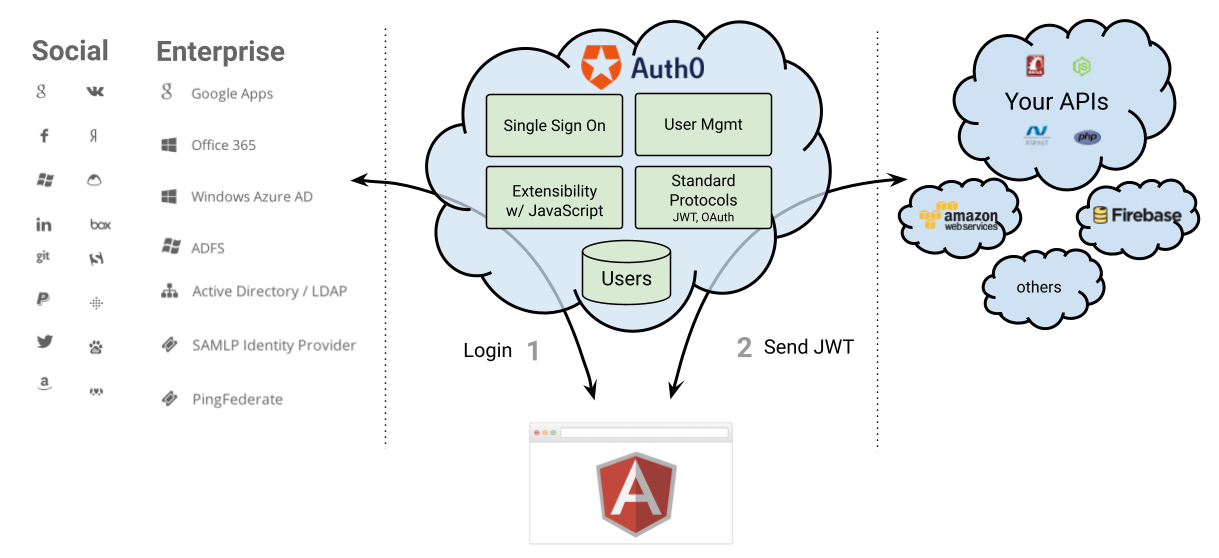
Auth0 issues [JSON Web Tokens](http://jwt.io) on every login for your users. This means that you can have a solid [identity infrastructure](https://auth0.com/docs/identityproviders), including [Single Sign On](https://auth0.com/docs/sso/single-sign-on), User Management, support for Social (Facebook, Github, Twitter, etc.), Enterprise (Active Directory, LDAP, SAML, etc.) and your own database of users with just a few lines of code. We implemented a tight integration with Angular 1. Angular 2 integration is coming as soon as it's on Beta! You can read the [documentation here](https://auth0.com/docs/client-platforms/angularjs) or you can checkout the [SDK on Github](https://github.com/auth0/auth0-angular).
 ## Wrapping Up
It's important that thought be given to how applications are architected so that they are easier to maintain and can be collaborated on by more developers as team sizes grow. It's also important to protect business logic and keep sensitive methods from being accessed outside the class to which they belong. These effects can be achieved by moving logic into models.
Angular 2 gives us a new Dependency Injection system that allows us to inject classes into our components easily. We had a brief look at how the new DI system works, but for a more thorough overview, we recommend you check out [Pascal Precht](https://twitter.com/PascalPrecht)'s post on [Dependency Injection in Angular 2](http://blog.thoughtram.io/angular/2015/05/18/dependency-injection-in-angular-2.html).
## Wrapping Up
It's important that thought be given to how applications are architected so that they are easier to maintain and can be collaborated on by more developers as team sizes grow. It's also important to protect business logic and keep sensitive methods from being accessed outside the class to which they belong. These effects can be achieved by moving logic into models.
Angular 2 gives us a new Dependency Injection system that allows us to inject classes into our components easily. We had a brief look at how the new DI system works, but for a more thorough overview, we recommend you check out [Pascal Precht](https://twitter.com/PascalPrecht)'s post on [Dependency Injection in Angular 2](http://blog.thoughtram.io/angular/2015/05/18/dependency-injection-in-angular-2.html).