---
title: "Get Started with Custom Error Handling in Spring Boot (Java)"
description: "Learn how to implement custom error handling logic in Spring Boot. You will see two approaches based on the @ControllerAdvice annotation. Similarly, you will learn how to deal with authentication and access denied errors in Spring Security."
authors:
- name: "Antonello Zanini"
url: "https://auth0.com/blog/authors/antonello-zanini/"
date: "Sep 27, 2021"
category: "Developers,Tutorial,Spring Boot"
tags: ["spring-boot", "java", "api"]
url: "https://auth0.com/blog/get-started-with-custom-error-handling-in-spring-boot-java/"
---
# Get Started with Custom Error Handling in Spring Boot (Java)
**TL/DR:** Let’s take a look at everything required to build custom error handling logic in both Spring Boot Web and Spring Boot Security
REST applications developed in Spring Boot automatically take advantage of its default error handling logic. Specifically, whenever an error occurs, a default response containing some information is returned. The problem is that this information may be poor or insufficient for the API callers to deal with the error properly. This is why implementing custom error handling logic is such a common and desirable task. Achieving it requires more effort than you might think, and you need to delve into a few essential Spring Boot notions. Let's see everything required to get started with custom error handling in Spring Boot and Java.
## Prerequisites
This is the list of all the prerequisites for following the article:
* Java >= 1.8 (Java >= 13 recommended)
* Spring Boot >= 2.5
* [Spring Boot Starter Web](https://mvnrepository.com/artifact/org.springframework.boot/spring-boot-starter-web) >= 2.5
* [Spring Security](https://mvnrepository.com/artifact/org.springframework.security/spring-security-core) >= 5.5
* [Project Lombok](https://mvnrepository.com/artifact/org.projectlombok/lombok) >= 1.18
* Gradle >= 4.x or Maven 3.6.x
## Default Error Handling in Spring Boot
By default, Spring Boot offers a fallback error-handling page, as well as an error-handling response in case of REST requests. Particularly, Spring Boot looks for a mapping for the `/error` endpoint during the start-up. This mapping depends on what is set on a [`ViewResolver`](https://docs.spring.io/spring-framework/docs/current/javadoc-api/org/springframework/web/servlet/ViewResolver.html) class. When no valid mappings can be found, Spring Boot automatically configures a default fallback error page. This so-called _Whitelabel Error Page_ is nothing more than a white HTML page containing the HTTP status code and a vague error message. This is what such a page looks like:
```html
Whitelabel Error Page
This application has no explicit mapping for /error, so you are seeing this as a fallback.
Sun Aug 15 14:32:17 UTC 2021
There was an unexpected error (type=Internal Server Error, status=500).
```
This is what the _Whitelabel_ HTML page looks like in your browser:
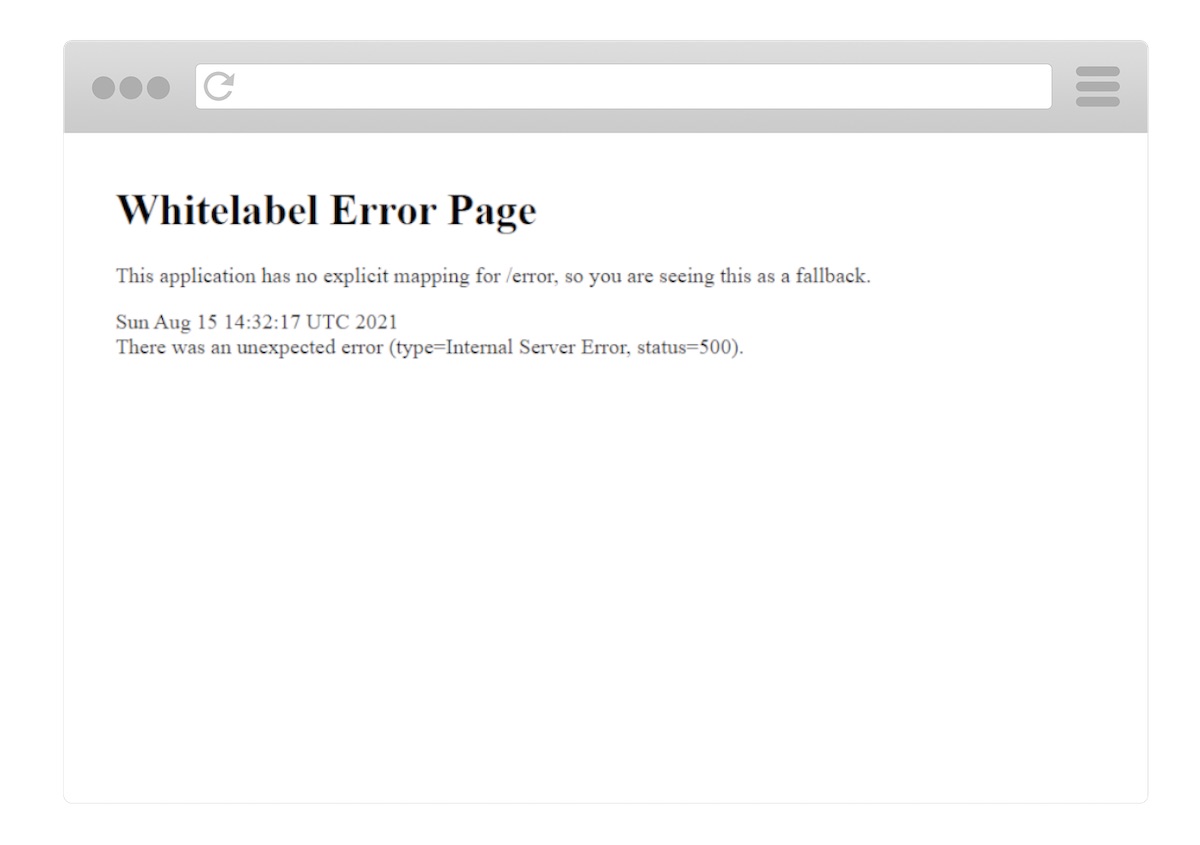
The Spring Boot Whitelabel HTML Error Page
Similarly, when dealing with REST requests, Spring Boot automatically returns a default JSON response in case of errors. This contains the same information as the aforementioned _Whitelabel_ HTML error page and looks as follows:
```json
{
"timestamp": "2021-15-08T14:32:17.947+0000",
"status": 500,
"error": "Internal Server Error",
"path": "/test"
}
```
As you can see, the default Spring Boot error handling responses for REST does not provide much information. This can quickly become a problem, especially when trying to debug. It is also problematic for front-end developers, who need detailed information coming from API error response messages to be able to explain to the end users what happened properly.
Let’s see how to replace this default response with custom-defined messages. While this may appear like an easy task, this is actually a tricky one. To achieve it, you first need to know a few Spring Boot fundamentals. Let's learn more about them.
## Custom Error Handling in Spring Boot
You are about to see two different approaches to custom error handling in Spring Boot REST applications. Both are based on a `@ControllerAdvice` annotated class handling all exceptions that may occur. So, let’s first see what a `@ControllerAdvice` annotated class is, why to use it, how, and when. Then, you will learn how to implement the two different approaches in detail. Finally, the pros and cons of each method will be explained.
## Handling Exceptions with `@ControllerAdvice`
The [`@ControllerAdvice`](https://docs.spring.io/spring-framework/docs/current/javadoc-api/org/springframework/web/bind/annotation/ControllerAdvice.html) annotation was introduced in [Spring 3.2](https://docs.spring.io/spring-framework/docs/3.2.8.RELEASE/changelog.txt) to make exception handling logic easier and entirely definable in one place. In fact, `@ControllerAdvice` allows you to address exception handling across the whole application. In other words, a single `@ControllerAdvice` annotated class can handle exceptions thrown from any place in your application. Thus, classes annotated with `@ControllerAdvice` are powerful and flexible tools. Not only do they allow you to centralize exception-handling logic into a global component, but also give you control over the body response, as well as the HTTP status code. This is especially important when trying to achieve custom error handling. Let’s see `@ControllerAdvice` in action.
Now, you are about to see everything required to implement two custom error handling approaches based on `@ControllerAdvice`. First, you should clone [the GitHub repository](https://github.com/Tonel/spring-boot-custom-error-handling) supporting this article. By analyzing the codebase, going through this article will become easier. Also, you will be able to immediately see the two approaches in action.
So, clone the repository with the following command:
```bash
git clone https://github.com/Tonel/spring-boot-custom-error-handling
```
Then, run the `DemoApplication` main class by following [this guide from the Spring Boot official documentation](https://docs.spring.io/spring-boot/docs/2.0.x/reference/html/using-boot-running-your-application.html), and reach one of the following 4 endpoints to see the custom error handling responses:
1. `http://localhost:8080/test-custom-data-not-found-exception`
2. `http://localhost:8080/test-custom-parameter-constraint-exception?value=12`
3. `http://localhost:8080/test-custom-error-exception`
4. `http://localhost:8080/test-generic-exception`
The first two APIs apply the first approach to error handling you are about to see, while the third API uses the second approach. The fourth and last API shows the fallback error handling logic presented above in action. Now, let's delve into implementing these two approaches to custom error handling in Spring Boot.
Both of them rely on an `ErrorMessage` class representing the custom error body placed in an `error` package, containing everything needed to deal with custom error handling logic. This can be implemented as follows:
```java
// src/main/java/com/customerrorhandling/demo/errors/ErrorResponse.java
package com.customerrorhandling.demo.errors;
import com.fasterxml.jackson.annotation.JsonFormat;
import lombok.Getter;
import lombok.Setter;
import org.springframework.http.HttpStatus;
import java.util.Date;
@Getter
@Setter
public class ErrorResponse {
// customizing timestamp serialization format
@JsonFormat(shape = JsonFormat.Shape.STRING, pattern = "dd-MM-yyyy hh:mm:ss")
private Date timestamp;
private int code;
private String status;
private String message;
private String stackTrace;
private Object data;
public ErrorResponse() {
timestamp = new Date();
}
public ErrorResponse(
HttpStatus httpStatus,
String message
) {
this();
this.code = httpStatus.value();
this.status = httpStatus.name();
this.message = message;
}
public ErrorResponse(
HttpStatus httpStatus,
String message,
String stackTrace
) {
this(
httpStatus,
message
);
this.stackTrace = stackTrace;
}
public ErrorResponse(
HttpStatus httpStatus,
String message,
String stackTrace,
Object data
) {
this(
httpStatus,
message,
stackTrace
);
this.data = data;
}
}
```
The [`@Getter`](https://projectlombok.org/features/GetterSetter) and [`@Setter`](https://projectlombok.org/features/GetterSetter) annotations used in the code examples above are part of the [`Project Lombok`](https://projectlombok.org/). They are used to automatically generate getters and setters. This is not mandatory and is just an additional way to avoid boilerplate code. Read [this](https://auth0.com/blog/a-complete-guide-to-lombok/) article to find out more about Lombok.
`ErrorResponse` carries information such as an HTTP status `code` and `name`, a `timestamp` indicating when the error occurred, an optional error `message`, an optional [`exception stacktrace`](https://en.wikibooks.org/wiki/Java_Programming/Stack_trace), and an optional object containing any kind of `data`. You should try to provide values to the first three fields, while the latter should be used only when required. In particular, the `stackTrace` field should be valorized only in staging or development environments, as explained [here](https://betterprogramming.pub/environment-based-error-handling-with-spring-boot-and-kotlin-b36b901135ad). Similarly, the data field should be used only when additional data is required. Specifically, to explain in detail what happened or let the front-end better handle the error.
This class can be used to achieve a custom response when handling exceptions with `@ControllerAdvice` as below:
```java
// src/main/java/com/customerrorhandling/demo/errors/CustomControllerAdvice.java
package com.customerrorhandling.demo.errors;
import exceptions.CustomDataNotFoundException;
import exceptions.CustomErrorException;
import exceptions.CustomParameterConstraintException;
import org.springframework.http.HttpStatus;
import org.springframework.http.ResponseEntity;
import org.springframework.web.bind.annotation.ControllerAdvice;
import org.springframework.web.bind.annotation.ExceptionHandler;
import java.io.PrintWriter;
import java.io.StringWriter;
@ControllerAdvice
class CustomControllerAdvice {
@ExceptionHandler(NullPointerException.class) // exception handled
public ResponseEntity handleNullPointerExceptions(
Exception e
) {
// ... potential custom logic
HttpStatus status = HttpStatus.NOT_FOUND; // 404
return new ResponseEntity<>(
new ErrorResponse(
status,
e.getMessage()
),
status
);
}
// fallback method
@ExceptionHandler(Exception.class) // exception handled
public ResponseEntity handleExceptions(
Exception e
) {
// ... potential custom logic
HttpStatus status = HttpStatus.INTERNAL_SERVER_ERROR; // 500
// converting the stack trace to String
StringWriter stringWriter = new StringWriter();
PrintWriter printWriter = new PrintWriter(stringWriter);
e.printStackTrace(printWriter);
String stackTrace = stringWriter.toString();
return new ResponseEntity<>(
new ErrorResponse(
status,
e.getMessage(),
stackTrace // specifying the stack trace in case of 500s
),
status
);
}
}
```
As you can see, `@ControllerAdvice` works by employing the [`@ExceptionHandler`](https://docs.spring.io/spring-framework/docs/current/javadoc-api/org/springframework/web/bind/annotation/ExceptionHandler.html) method-level annotation. This annotation allows you to define which method should be called in case of an error. Specifically, the exception thrown is compared to the exceptions passed as parameters to `@ExceptionHandler` based on type. The first method where there is a match is called. If none matched, then the exception's parent class is tested, and so on. This is also why you should implement a fallback method to cover all remaining cases. You can achieve this by passing the [`Exception`](https://docs.oracle.com/en/java/javase/13/docs/api/java.base/java/lang/Exception.html) class to the `@ExceptionHandler` annotation, just like in the `handleExceptions` method. In fact, any exception in Java must have `Exception` as one of its ancestors in their inheritance chain. So, they all extend directly — or as subclasses — the `Exception` [superclass](https://docs.oracle.com/javase/tutorial/java/IandI/subclasses.html).
Then, each method handles the error and might even implement custom logic, such as logging. In this example, each exception is handled by returning a [`ResponseEntity`](https://docs.spring.io/spring-framework/docs/current/javadoc-api/org/springframework/http/ResponseEntity.html) having the desired [`HttpStatus`](https://docs.spring.io/spring-framework/docs/current/javadoc-api/org/springframework/http/HttpStatus.html). This will be used as an HTTP status code associated with the error response. Similarly, the `ErrorResponse` instance passed to the `ResponseEntity` constructor will be automatically serialized in JSON and used as the message body. This way, custom error handling has just been achieved.
Now, you will dive into how to use `@ConfrollerAdvice` to implement two different approaches to custom error handling for REST in Spring Boot Web. The first one involves boilerplate code, but it is clean and best-practice based. In contrast, the second represents a good solution in terms of convenience, although it is a bit dirty.
### Defining Many Custom Exceptions
This approach involves having as many methods in your `@ControllerAdvice` as many HTTP error status codes you want to handle. These methods will be related to one or more exceptions and return an error message with a particular HTTP status code. Implementing such an approach required three steps. First, you have to think about all the HTTP error status codes you want your application to return. Then, you have to define a method for each of them in your `@ControllerAdvice` annotated class. Lastly, you have to associate these methods with their exceptions with the `@ExceptionHandler` annotation.
This means that all exceptions of a particular type will be traced back to their relative method in the `@ControllerAdvice` annotated class. This may represent a problem, especially considering some exceptions are more common than others, such as [`NullPointerException`](https://docs.oracle.com/en/java/javase/13/docs/api/java.base/java/lang/NullPointerException.html). Since these exceptions can be thrown in many parts of your logic, they might have different meanings. Thus, they represent various errors and, therefore, other HTTP status codes.
The solution is to introduce new custom exceptions wrapping these frequent exceptions. For example, a `NullPointerException` can become a `CustomParameterConstraintException` exception at the controller layer, and a `CustomDataNotFoundException` at the DAO ([Data Access Object](https://it.wikipedia.org/wiki/Data_Access_Object)) layer. In this case, the first one can be associated with a _400 Bad Request_, and the second with a _404 Not Found_ HTTP status. The idea behind these exceptions is to give the error that occurred a more specific meaning. This better characterizes the error and makes it more handleable in the `@ControllerAdvice` annotated class accordingly. So, you should define a custom exception for each particular error you want to handle. Also, using custom exception classes represents undoubtedly a clean code principle. Thus, by adopting it, you are going to have more than one benefit.
So, let’s see this approach in action through an example. Firstly, you have to define custom exceptions, as shown here:
```java
// src/main/java/exceptions/CustomParameterConstraintException.java
package exceptions;
public class CustomParameterConstraintException extends RuntimeException {
public CustomParameterConstraintException() {
super();
}
public CustomParameterConstraintException(String message) {
super(message);
}
}
```
```java
// src/main/java/exceptions/CustomDataNotFoundException.java
package exceptions;
public class CustomDataNotFoundException extends RuntimeException {
public CustomDataNotFoundException() {
super();
}
public CustomDataNotFoundException(String message) {
super(message);
}
}
```
Then, use them to wrap frequent exceptions, or to throw them in case of particular circumstances representing errors in your business logic. Let’s see how with two examples:
```java
// DAO-level method
public Foo retrieveFooById(
int id
) {
try {
// data retrieving logic
} catch (NullPointerException e) {
throw new CustomDataNotFoundException(e.getMessage());
}
}
```
As shown above, a generic `NullPointerException` is turned into a more meaningful `CustomDataNotFoundException`.
```java
// controller-level method method
public ResponseEntity performOperation(
int numberOfAttempts
) {
if (numberOfAttempts <= 0 || numberOfAttempts >= 5)
throw new CustomParameterConstraintException("numberOfAttempts must be >= 0 and <= 5!");
// business logic
}
```
Here, a particular behavior that should not happen is intercepted. Then, the custom `CustomParameterConstraintException` exception describing it is thrown.
Finally, all you have to do is add two particular methods to your `@ControllerAdvice` annotated class, one for each specific error.
```java
// src/main/java/com/customerrorhandling/demo/errors/CustomControllerAdvice.java
package com.customerrorhandling.demo.errors;
import exceptions.CustomDataNotFoundException;
import exceptions.CustomErrorException;
import exceptions.CustomParameterConstraintException;
import org.springframework.http.HttpStatus;
import org.springframework.http.ResponseEntity;
import org.springframework.web.bind.annotation.ControllerAdvice;
import org.springframework.web.bind.annotation.ExceptionHandler;
import java.io.PrintWriter;
import java.io.StringWriter;
@ControllerAdvice
class CustomControllerAdvice {
// ...
@ExceptionHandler(CustomDataNotFoundException.class)
public ResponseEntity handleCustomDataNotFoundExceptions(
Exception e
) {
HttpStatus status = HttpStatus.NOT_FOUND; // 404
// converting the stack trace to String
StringWriter stringWriter = new StringWriter();
PrintWriter printWriter = new PrintWriter(stringWriter);
e.printStackTrace(printWriter);
String stackTrace = stringWriter.toString();
return new ResponseEntity<>(
new ErrorResponse(
status,
e.getMessage(),
stackTrace, // assuming to be in staging environment, otherwise stackTrace should not be valorized
),
status
);
}
@ExceptionHandler(CustomParameterConstraintException.class)
public ResponseEntity handleCustomParameterConstraintExceptions(
Exception e
) {
HttpStatus status = HttpStatus.BAD_REQUEST; // 400
return new ResponseEntity<>(
new ErrorResponse(
status,
e.getMessage()
),
status
);
}
// ...
}
```
Et voilà! Both errors originally related to the same exception were first characterized and then handled accordingly.
Now, let's see the difference. This is what the default error response would look like on a 404 error:
```json
{
"timestamp": "2021-15-08T14:32:17.947+0000",
"status": 404,
"error": "Not Found",
"path": "/test404"
}
```
And this is what the custom error response just implemented looks like:
```json
{
"timestamp": "2021-15-08 14:32:17",
"code": 404,
"status": "NOT_FOUND",
"message": "Resource not found",
"stackTrace": "Exception in thread \"main\" com.example.demo.exceptions.CustomDataNotFoundException
at com.example.demo.AuthorController.getAuthor(AuthorController.java:16)
at com.example.demo.AuthorService.getAuthor(AuthorService.java:37)
at com.example.demo.AuthorDao.getById(AuthorDao.java:24)"
}
```
### Defining a Single Custom Exception Carrying All Data
This approach involves defining a custom exception carrying the HTTP status to use, and all the data required to describe the error that occurred. The idea is to turn every exception you want to handle, or you would like to throw under special circumstances, into an instance of this particular exception. This way, you are spreading the error characterization logic into all your code. So, you will only have to add a new method in your `@ControllerAdvice` annotated class to handle this custom exception accordingly.
First, you have to define a custom error handling exception. This can be achieved as follows:
```java
// src/main/java/exceptions/CustomErrorException.java
package exceptions;
import lombok.Getter;
import lombok.Setter;
import org.springframework.http.HttpStatus;
@Getter
@Setter
public class CustomErrorException extends RuntimeException {
private HttpStatus status = null;
private Object data = null;
public CustomErrorException() {
super();
}
public CustomErrorException(
String message
) {
super(message);
}
public CustomErrorException(
HttpStatus status,
String message
) {
this(message);
this.status = status;
}
public CustomErrorException(
HttpStatus status,
String message,
Object data
) {
this(
status,
message
);
this.data = data;
}
}
```
Again, the [`@Getter`](https://projectlombok.org/features/GetterSetter) and [`@Setter`](https://projectlombok.org/features/GetterSetter) annotations were used to avoid boilerplate code and are not mandatory. As you can see, the `CustomErrorException` class carries the same data used in the `ErrorResponse` class to better describe what happened and present the errors to the end-users.
So, you can use this exception to wrap other exceptions, or you can throw it in case of particular circumstances constituting errors in your business logic. Now, let’s see how with two examples:
```java
// DAO-level method
public Foo retrieveFooById(
int id
) {
try {
// data retrieving logic
} catch (NullPointerException e) {
throw new CustomErrorException(
HttpStatus.NOT_FOUND,
e.getMessage(),
(Integer) id
);
}
}
```
Here, an insufficiently significant `NullPointerException` is turned into a more detailed `CustomErrorException` containing all the data to describe why the error occurred.
```java
// controller-level method method
public ResponseEntity performOperation(
int numberOfAttempts
) {
if (numberOfAttempts <= 0 || numberOfAttempts >= 5) {
throw new CustomErrorException(
HttpStatus.BAD_REQUEST,
"numberOfAttempts must be >= 0 and <= 5!",
(Integer) numberOfAttempts
);
}
// business logic
}
```
Similarly, a particular behavior that is not supposed to happen is intercepted. Consequently, a `CustomErrorException` exception containing all the useful data to represent the error is thrown.
Lastly, add one method to handle `CustomErrorException` exception instances to your `@ControllerAdvice` annotated class, as below:
```java
// src/main/java/com/customerrorhandling/demo/errors/CustomControllerAdvice.java
package com.customerrorhandling.demo.errors;
import exceptions.CustomDataNotFoundException;
import exceptions.CustomErrorException;
import exceptions.CustomParameterConstraintException;
import org.springframework.http.HttpStatus;
import org.springframework.http.ResponseEntity;
import org.springframework.web.bind.annotation.ControllerAdvice;
import org.springframework.web.bind.annotation.ExceptionHandler;
import java.io.PrintWriter;
import java.io.StringWriter;
@ControllerAdvice
class CustomControllerAdvice {
// ...
@ExceptionHandler(CustomErrorException.class)
public ResponseEntity handleCustomErrorExceptions(
Exception e
) {
// casting the generic Exception e to CustomErrorException
CustomErrorException customErrorException = (CustomErrorException) e;
HttpStatus status = customErrorException.getStatus();
// converting the stack trace to String
StringWriter stringWriter = new StringWriter();
PrintWriter printWriter = new PrintWriter(stringWriter);
customErrorException.printStackTrace(printWriter);
String stackTrace = stringWriter.toString();
return new ResponseEntity<>(
new ErrorResponse(
status,
customErrorException.getMessage(),
stackTrace,
customErrorException.getData()
),
status
);
}
// ...
}
```
Note that `@ExceptionHandler` can accept more than one exception type. This means that the parameter of the method representing the exception must be downcasted. Otherwise, a [`ClassCastException`](https://docs.oracle.com/en/java/javase/13/docs/api/java.base/java/lang/ClassCastException.html) will be throw. So, upcast the exception `e` to `CustomErrorException` inside the method. Then, you will be able to access its particular fields and define a valid `ErrorResponse` instance.
Done! This way each error that occurs is encapsulated into an exception containing everything required to describe it.
Now, let's see the difference. This is what the default error response on a 404 error would look like:
```json
{
"timestamp": "2021-15-08T14:32:17.947+0000",
"status": 404,
"error": "Not Found",
"message": "",
"path": "/test404"
}
```
And this is what the custom error response just implemented looks like:
```json
{
"timestamp": "2021-15-08 14:32:17",
"code": 404,
"status": "NOT_FOUND",
"message": "Resource not found",
"stackTrace": "Exception in thread \"main\" com.example.demo.exceptions.CustomErrorException
at com.example.demo.AuthorController.getAuthor(AuthorController.java:16)
at com.example.demo.AuthorService.getAuthor(AuthorService.java:37)
at com.example.demo.AuthorDao.getById(AuthorDao.java:24)"
}
```
### Pros and Cons of Each Approach
The first approach should be used when you do not want to spread error handling logic all over your codebase. In fact, the HTTP status code is only associated with errors in your `@ControllerAdvice` annotated class. This means that no layer knows how the error will be handled and presented to users. Although this should be the desired behavior because it respects the [principle of least privilege](https://en.wikipedia.org/wiki/Principle_of_least_privilege), it does involve boilerplate code. In fact, you may easily end up with dozens of custom exceptions, and define them is a tedious and not-scalable approach.
So, you may want a less restricting approach, and this is why the second approach was presented. Unfortunately, this one is definitely dirtier. In fact, it requires you to spread detail about error handling logic in many different points of your code. In contrast, it is scalable and quicker to be implemented. So, despite not being the cleanest approach, it allows you to achieve the desired result with little effort. Plus, it is more maintainable than the first approach because it involves only a custom exception.
## Custom Error Handling in Spring Security
[Spring Security](https://spring.io/projects/spring-security) is a powerful and highly customizable framework that provides both authentication and authorization. It is one of the most widely used Spring dependencies and represents the de-facto standard for securing a Spring Boot application.
In case of authentication and authorization failures, [`AuthenticationException`](https://docs.spring.io/spring-security/site/docs/current/api/org/springframework/security/core/AuthenticationException.html) and [`AccessDeniedException`](https://docs.spring.io/spring-security/site/docs/current/api/org/springframework/security/access/AccessDeniedException.html) are thrown respectively. Then, Spring Security takes care of encapsulating them in default error handling responses. If you want to customize them, the two approaches presented above are of no use. This is because `@ControllerAdvice` can handle only exceptions thrown by controllers, but `AuthenticationException` and `AccessDeniedException` are thrown by the Spring Security [`AbstractSecurityInterceptor`](https://docs.spring.io/spring-security/site/docs/current/api/org/springframework/security/access/intercept/AbstractSecurityInterceptor.html) component - which is not a controller. In other words, a `@ControllerAdvice` annotated class cannot catch them. Achieving this requires custom logic.
### Implementing Custom Error Handling Logic in Spring Security
Let’s take a look at how to implement custom error handling in Spring Security. Luckily, this is not too complex since you can easily provide Spring Security with two components to handle authentication and authorization errors, respectively. What you need to do is to provide the [`AuthenticationFailureHandler`](https://docs.spring.io/spring-security/site/docs/current/api/org/springframework/security/web/authentication/AuthenticationFailureHandler.html) interface with implementation, as follows:
```java
// src/main/java/com/auth0/hotsauces/security/CustomAuthenticationFailureHandler.java
package com.auth0.hotsauces.security;
import com.fasterxml.jackson.annotation.JsonFormat;
import com.fasterxml.jackson.databind.ObjectMapper;
import org.springframework.http.HttpStatus;
import org.springframework.security.core.AuthenticationException;
import org.springframework.security.web.authentication.AuthenticationFailureHandler;
import java.util.*;
import javax.servlet.http.HttpServletRequest;
import javax.servlet.http.HttpServletResponse;
import java.util.HashMap;
public class CustomAuthenticationFailureHandler implements AuthenticationFailureHandler {
// Jackson JSON serializer instance
private ObjectMapper objectMapper = new ObjectMapper();
@Override
public void onAuthenticationFailure(
HttpServletRequest request,
HttpServletResponse response,
AuthenticationException exception
) throws IOException, ServletException {
HttpStatus httpStatus = HttpStatus.UNAUTHORIZED; // 401
Map data = new HashMap<>();
data.put(
"timestamp",
new Date()
);
data.put(
"code",
httpStatus.value();
);
data.put(
"status",
httpStatus.name();
);
data.put(
"message",
exception.getMessage()
);
// setting the response HTTP status code
response.setStatus(httpStatus.value());
// serializing the response body in JSON
response
.getOutputStream()
.println(
objectMapper.writeValueAsString(data)
);
}
}
```
This will be used to handle `AuthenticationExceptions`.
Similarly, you can provide the [`AccessDeniedHandler`](https://docs.spring.io/spring-security/site/docs/current/api/org/springframework/security/web/access/AccessDeniedHandler.html) interface with implementation to handle `AccessDeniedExceptions`.
```java
// src/main/java/com/auth0/hotsauces/security/CustomAccessDeniedHandler.java
package com.auth0.hotsauces.security;
import com.fasterxml.jackson.annotation.JsonFormat;
import com.fasterxml.jackson.databind.ObjectMapper;
import org.springframework.http.HttpStatus;
import org.springframework.security.core.AuthenticationException;
import org.springframework.security.web.authentication.AuthenticationFailureHandler;
import java.util.*;
import javax.servlet.http.HttpServletRequest;
import javax.servlet.http.HttpServletResponse;
import java.util.HashMap;
public class CustomAccessDeniedHandler implements AccessDeniedHandler {
// Jackson JSON serializer instance
private ObjectMapper objectMapper = new ObjectMapper();
@Override
public void handle(
HttpServletRequest request,
HttpServletResponse response,
AccessDeniedException exception
) throws IOException, ServletException {
HttpStatus httpStatus = HttpStatus.FORBIDDEN; // 403
Map data = new HashMap<>();
data.put(
"timestamp",
new Date()
);
data.put(
"code",
httpStatus.value();
);
data.put(
"status",
httpStatus.name();
);
data.put(
"message",
exception.getMessage()
);
// setting the response HTTP status code
response.setStatus(httpStatus.value());
// serializing the response body in JSON
response
.getOutputStream()
.println(
objectMapper.writeValueAsString(data)
);
}
}
```
Now, you just need to register these two custom implementations as authentication and authorization error handlers. You can do this as below:
```java
// src/main/java/com/auth0/hotsauces/security/SecurityConfig.java
package com.auth0.hotsauces.security;
import org.springframework.beans.factory.annotation.Value;
import org.springframework.context.annotation.Bean;
import org.springframework.security.config.annotation.web.builders.HttpSecurity;
import org.springframework.security.config.annotation.web.configuration.EnableWebSecurity;
import org.springframework.security.config.annotation.web.configuration.WebSecurityConfigurerAdapter;
import org.springframework.security.oauth2.core.DelegatingOAuth2TokenValidator;
import org.springframework.security.oauth2.core.OAuth2TokenValidator;
import org.springframework.security.oauth2.jwt.*;
import org.springframework.security.oauth2.server.resource.web.BearerTokenAuthenticationFilter;
import org.springframework.security.web.access.AccessDeniedHandler;
import org.springframework.security.web.authentication.AuthenticationFailureHandler;
@EnableWebSecurity
public class SecurityConfig extends WebSecurityConfigurerAdapter {
// ...
@Override
protected void configure(HttpSecurity http)
throws Exception {
http
.authorizeRequests()
.anyRequest()
.authenticated()
.and()
.formLogin()
.failureHandler(authenticationFailureHandler())
.and()
.exceptionHandling()
.accessDeniedHandler(accessDeniedHandler());
}
@Bean
public AuthenticationFailureHandler authenticationFailureHandler() {
return new CustomAuthenticationFailureHandler();
}
@Bean
public AccessDeniedHandler accessDeniedHandler() {
return new CustomAccessDeniedHandler();
}
}
```
Et voilà! Custom error handling in Spring Boot has just been achieved thanks to the `failureHandler` and `accessDeniedHandler` methods, which allows you to register a custom authentication error handler and a custom authorization error handler.
### Spring Security Custom Error Handling in Action
Now, let’s see how to implement it in a real-world example. First, read [this](https://auth0.com/blog/build-and-secure-an-api-with-spring-boot/) article on how to protect APIs with Spring Security and Auth0. In the demo application produced in that article, no custom error handling is implemented. So, by making a request to a protected API including a wrong access token, the default Spring Boot error handling logic is applied. Let’s test it out.
If you are a macOS or Linux user, enter this command into the terminal:
```
curl -i --request GET \
--url http://localhost:8080/api/hotsauces/ \
-H "Content-Type: application/json" \
-H "authorization: Bearer wrong-token"
```
Otherwise, if you are a Windows user, enter this command into PowerShell:
```
$accessToken = "wrong-token"
$headers = @{
Authorization = "Bearer $accessToken"
}
$response = Invoke-RestMethod "http://localhost:8080/api/hotsauces/" `
-Headers $headers
$response | ConvertTo-Json
```
Then, the following response will be returned:
```
Invoke-WebRequest: The remote server returned an error: (401) Unauthorized.
At line:1 char:1
+ Invoke-WebRequest "http://localhost:8080/api/hotsauces/"
+ ~~~~~~~~~~~~~~~~~~~~~~~~~~~~~~~~~~~~~~~~~~~~~~~~~~~~~~~~
+ CategoryInfo : InvalidOperation: (System.Net.HttpWebRequest:HttpWebRequest) [Invoke-WebRequest], WebExc
eption
+ FullyQualifiedErrorId : WebCmdletWebResponseException,Microsoft.PowerShell.Commands.InvokeWebRequestCommand
```
As you can see, a 401 error status code is returned, but with no details on what happened.
Now, let’s test the demo application extended with custom error handling logic. You can find it in [this GitHub repository](https://github.com/Tonel/HotSauces). The application is exactly the same as the previous one, except for the error handling logic. In particular, the aforementioned presented logic was implemented.
In this case, by launching the commands above, this message will be returned:
```
Invoke-RestMethod : {"code":401,"message":"An error occurred while attempting to decode the Jwt: Invalid JWT serialization: Missing dot delimiter(s)","timestamp":1629880611013,"status":"UNAUTHORIZED"}
At line:1 char:1
+ $response = Invoke-RestMethod "http://localhost:8080/api/hotsauces/" ...
+ ~~~~~~~~~~~~~~~~~~~~~~~~~~~~~~~~~~~~~~~~~~~~~~~~~~~~~~~~
+ CategoryInfo : InvalidOperation: (System.Net.HttpWebRequest:HttpWebRequest) [Invoke-WebRequest], WebExc
eption
+ FullyQualifiedErrorId : WebCmdletWebResponseException,Microsoft.PowerShell.Commands.InvokeWebRequestCommand
```
As you can see, a JSON message representing the custom error handling logic was returned as expected. This contains the status code, the exception message, a timestamp, and the HTTP status code name, as follows:
```json
{
"code": 401,
"message": "An error occurred while attempting to decode the Jwt: Invalid JWT serialization: Missing dot delimiter(s)",
"timestamp": 1629880611013,
"status": "UNAUTHORIZED"
}
```
## Conclusion
In this article, we looked at how to implement custom error handling logic when dealing with REST applications in Spring Boot. This is not as easy a task as it may seem, and it requires knowing a few Spring Boot fundamentals. First, we delved into default error handling in Spring Boot and saw how poor the responses are. Then, we looked at `@ControllerAdvice` and learn everything required to implement custom error handling logic. In particular, two different approaches were shown. Both allow you to define custom error handling responses but have specific pros and cons. Finally, we learned how to achieve the same result when dealing with Spring Boot Security errors, which requires specific logic. As shown, achieving custom error handling in Spring Boot is not easy but definitely possible, and explaining when, why, and how to do it was what this article was aimed at.
Thanks for reading! I hope that you found this article helpful. Feel free to reach out to me with any questions, comments, or suggestions.