---
title: "Google I/O 2018 Summary - Day 2"
description: "Check out our summary of the Google I/O Conference 2018, Day 2."
authors:
  - name: "Prosper Otemuyiwa"
    url: "https://auth0.com/blog/authors/prosper-otemuyiwa/"
date: "May 10, 2018"
category: "Developers,Events,Google I/O"
tags: ["conference", "googleio", "io18", "googleio18", "google", "google-io", "io"]
url: "https://auth0.com/blog/googleio-summary-day-two/"
---

# Google I/O 2018 Summary - Day 2


The second day of the Google I/O 18 consisted of several talks including Web Assembly, Polymer, Chrome Dev Tools, Flutter and Artificial Intelligence.

Let's dive in to know what's new and the improvements that have been made to the web!

## What's new in Chrome DevTools

There is a new shortcut, Ctrl + F, that will pull up a new search sidebar in the Network pane of Chrome DevTools. With this search sidebar, you can search through headers and their values.

![Network Search](https://images.ctfassets.net/23aumh6u8s0i/1VOWD9cirzXmdCSM2l9top/ae746fd0ad397c3ebf7215497adb964f/network-search)

![Regex](https://images.ctfassets.net/23aumh6u8s0i/5c0P5eoibLJRO65UzqWE9T/41eec340eb3ad20bce70a5e47552ce80/regex)

The Performance panel has been improved to provide flame charts for every process. The charts show the total work each process does. You need to make sure **Site Isolation** for Chrome is enabled by heading to `chrome://flags#enable-site-per-process` and activating it.

![Performance Isolation](https://images.ctfassets.net/23aumh6u8s0i/1j4heZ9lidrx6RlTdrGKAX/cc7222c28f3dde544073d8417a91fd68/perf-isolation)
_Performance Isolation_

The Security panel now provides the ability to show the certificate transparency information of a secure website.

![Certificate Transparency](https://images.ctfassets.net/23aumh6u8s0i/7keXfaTVTb6etZsbgWLbfL/ed8b810f71b19e9634674d421a8cf69b/certificate-transparency)
_Certificate Transparency_

The Sources Panel has a _Network tab_. The Network tab is now called the Page tab.

![Sources Panel](https://images.ctfassets.net/23aumh6u8s0i/4nNsIhZXFSE4HbLsbZxxLj/3a6c5462ab79e829f6ff3a1be4409d1c/page)
_Sources Panel_

<blockquote class="twitter-tweet" data-lang="en"><p lang="en" dir="ltr">In Chrome DevTools you can inspect colours, see their contrast ratio, and visiblly see what colours would meet the WCAG thresholds! <a href="https://twitter.com/hashtag/IO18?src=hash&amp;ref_src=twsrc%5Etfw">#IO18</a> <a href="https://t.co/meTJbXJdI6">pic.twitter.com/meTJbXJdI6</a></p>&mdash; Ire Aderinokun (@ireaderinokun) <a href="https://twitter.com/ireaderinokun/status/994285517784076288?ref_src=twsrc%5Etfw">May 9, 2018</a></blockquote>
<script async src="https://platform.twitter.com/widgets.js" charset="utf-8"></script>

## Do It Yourself Artificial Intelligence

Google introduced the **AIY Kits:** a series of open source projects that include hardware and software tools, showcasing on-device artificial intelligence.

With AIY Kits, users can use artificial intelligence to make human-to-machine interaction more like human-to-human interactions.

<include src="TweetQuote" quoteText="With AIY Kits, users can use artificial intelligence to make human-to-machine interaction more like human-to-human interactions."/>

The first open source project is the Voice Kit. The speech recognition ability in this kit allows you to add voice recognition to assistive robots, talk to control devices such as light bulbs and replace physical buttons on household appliances and consumer electronics.

![Introducing Voice Kit](https://images.ctfassets.net/23aumh6u8s0i/2SEjJ6SWtCXSZCCoZRUJXi/05689ee7134ef43c5a23698cbe555c57/introvoicekit)

![Voice Kit](https://images.ctfassets.net/23aumh6u8s0i/5Nf44KM9WMutWhNCHFxmWo/a6d347b7e1aea3c42752b47b5bcfc3a4/voicekit)

## Web Performance

Google analyzes a lot of sites and has learned over time how to make them extremely fast. The **Web Performance made easy** talk by Eva and Addy Osmani showed how to fix common web performance bottlenecks and take advantage of the latest browser APIs to improve loading experience.

* **New Lighthouse Web Performance Audits**
* Optimizing Caching Strategies - Cache as many resources as possible efficiently.
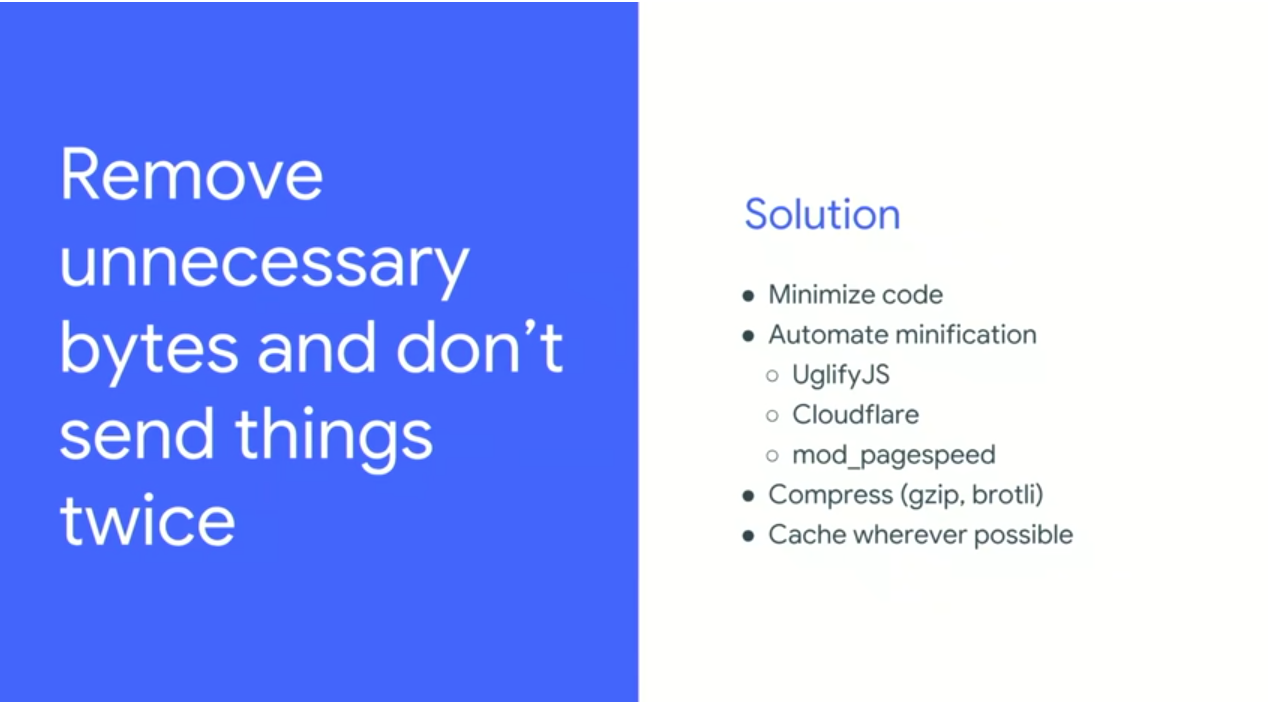
* Remove unnecessary bytes and don't send things twice - Optimize Caching strategies. Cache as many resources as possible.
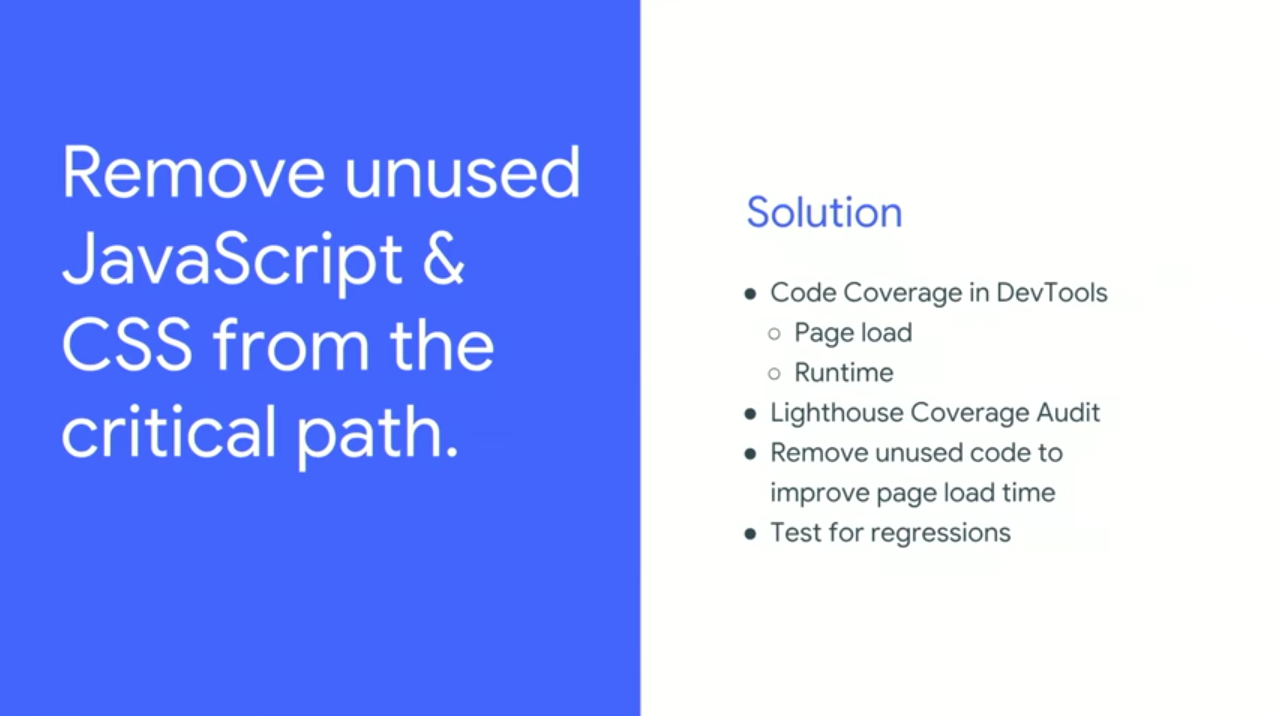
* Remove unused JavaScript and CSS from the Critical Path.
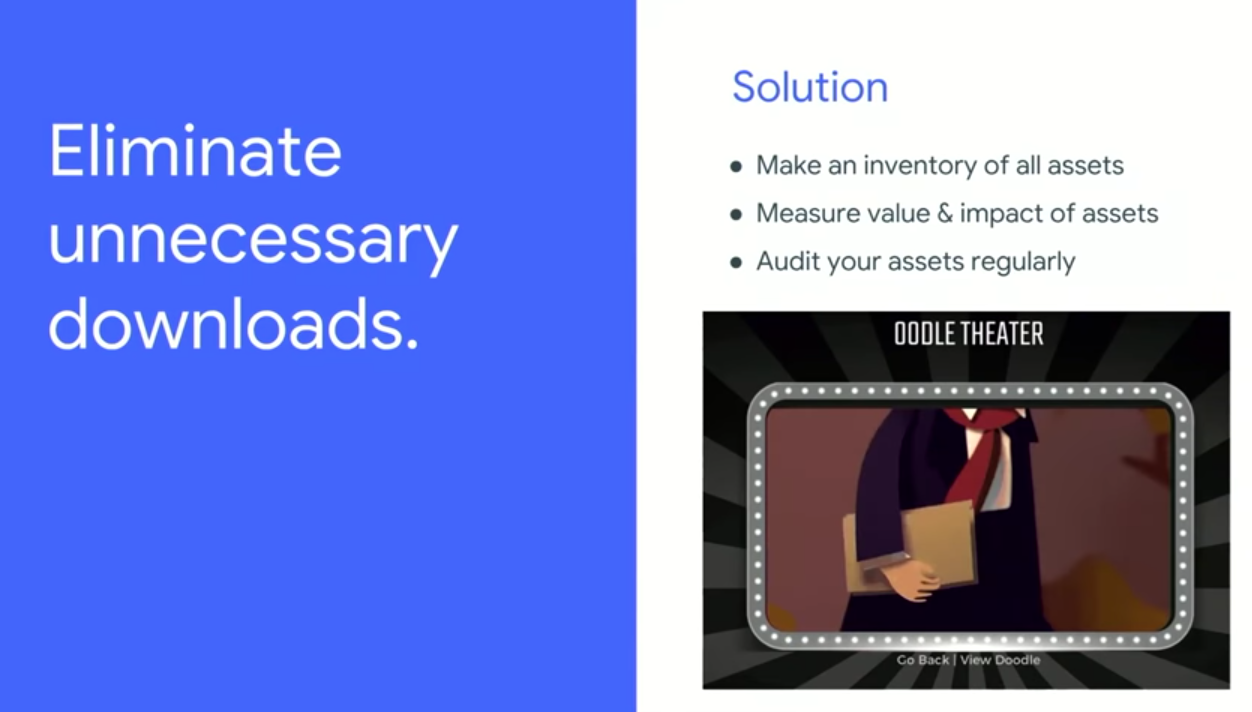
* Eliminate unnecessary downloads.
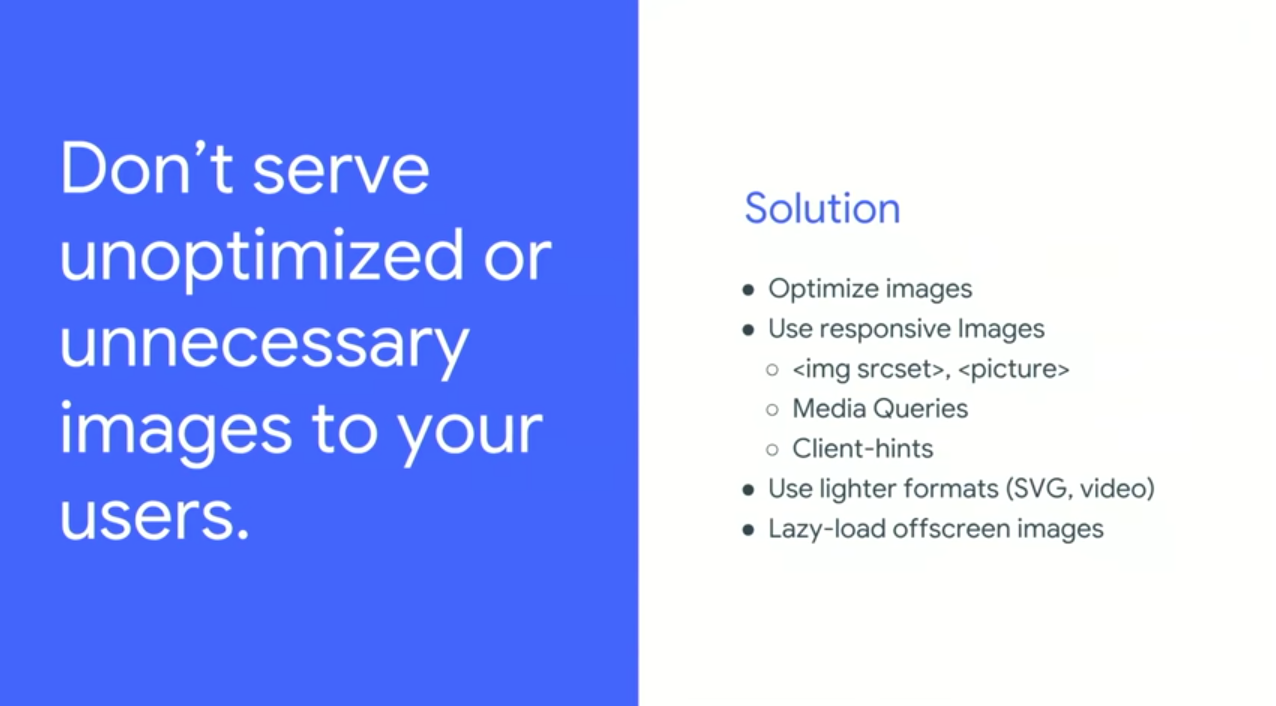
* Don't serve unoptimized or unnecessary images to your users.
* Help browsers deliver critical resources.
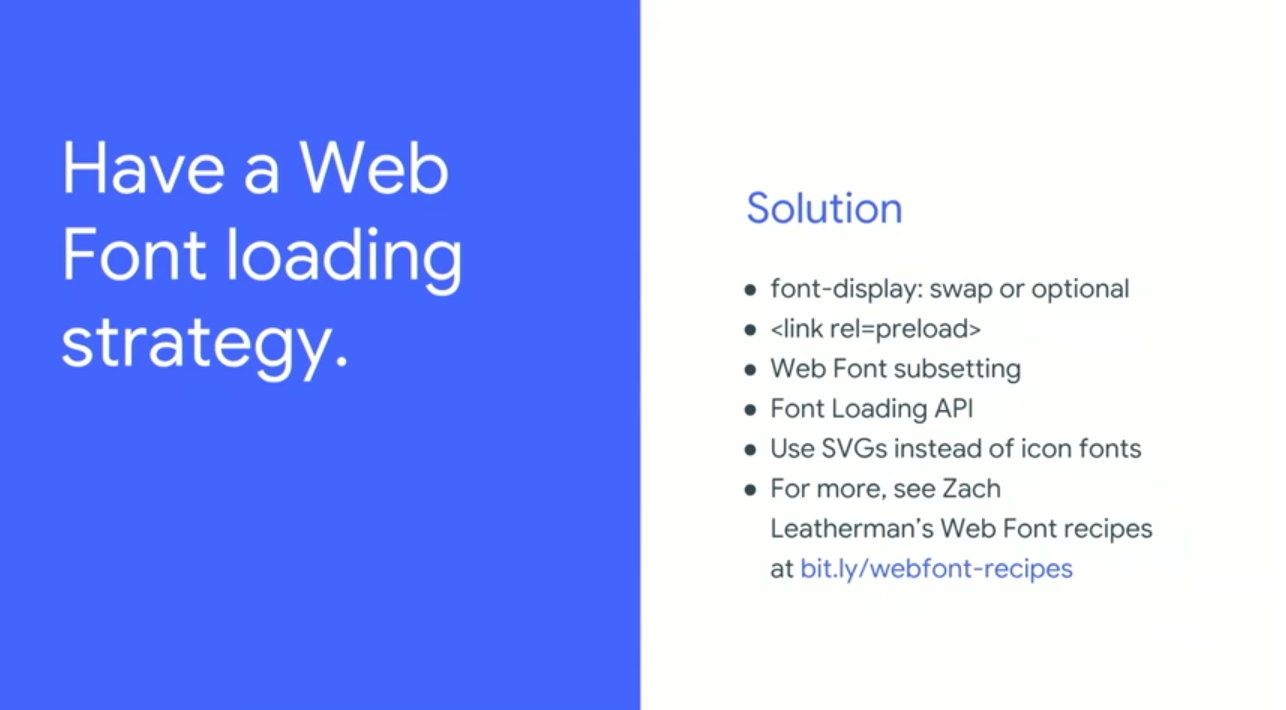
* Have a Web Font Loading Strategy.

Google announced a new experimental browser feature called `Priority Hints`. It allows you to specify the importance of a resource like so:

```
<img src="kit.png" importance="high" />
```

```
<link rel="preload" as="style" href="theme.css" importance="low">
```

The browser loads the resources with high importance first before the others.
![Dont send twice](https://images.ctfassets.net/23aumh6u8s0i/5HKKPPeaoo5PAhW3dG1gx1/df23889e9d8a428accbe2d3f1656ea52/dontsendtwice)
![Remove Unused JavaScript](https://images.ctfassets.net/23aumh6u8s0i/7ofCAI5E91SwJH0Op1Bvli/aeb70a894fb4b98807f1f0396c9f1100/removeunusedjs)
![Eliminate unnecessary downloads](https://images.ctfassets.net/23aumh6u8s0i/4R5Zwz6IYRC4slZXq9IAf1/b7ecddad95c75badad34b9f577d82373/eliminateunecessarydownloads)
![Unoptimized images](https://images.ctfassets.net/23aumh6u8s0i/3gBa0sK46OHQj9jrqkLTRx/de54107094c77709ed548257f5909f4a/unoptimized)
![Web Font Loading strategy](https://images.ctfassets.net/23aumh6u8s0i/1fVHCmCGoWGCAy39BROJrq/4b6f5d5efd872f2781a63dd8cb245c82/webfontloadingstrategy)

Addy Osmani announced [Guess.js](https://github.com/guess-js/guess), a toolkit for enabling data-driven user-experiences on the Web.


<include src="TweetQuote" quoteText="Addy Osmani announced Guess.js, a toolkit for enabling data-driven user-experiences on the Web"/>

It provides the following shown in the diagram below:

![Guessjs](https://images.ctfassets.net/23aumh6u8s0i/5Hq8hRGV5VaHQYidZ0wftr/76fa4dd6dd91fb1098cff1a0531cce1a/guessjs)

Read more about [Guessjs](https://blog.mgechev.com/2018/05/09/introducing-guess-js-data-driven-user-experiences-web/)

<blockquote class="twitter-tweet" data-lang="en"><p lang="en" dir="ltr">‘Web Performance made Easy’<br>Lighthouse Web Performance audits in chrome Dev tools are super useful. Solutions to improve the UX of your web apps <br>Day 2 <a href="https://twitter.com/hashtag/io18?src=hash&amp;ref_src=twsrc%5Etfw">#io18</a> <a href="https://twitter.com/hashtag/AfricaAtIO?src=hash&amp;ref_src=twsrc%5Etfw">#AfricaAtIO</a> <a href="https://t.co/vgnHYlmMNR">pic.twitter.com/vgnHYlmMNR</a></p>&mdash; Sandra Israel-Ovirih (@SandraIsrael_O) <a href="https://twitter.com/SandraIsrael_O/status/994454557559148544?ref_src=twsrc%5Etfw">May 10, 2018</a></blockquote>
<script async src="https://platform.twitter.com/widgets.js" charset="utf-8"></script>


## Web Assembly

Google is working really hard to allow developers import web assembly modules into their JavaScript apps and have Chrome render it effectively.

With Web Assembly, software like AutoCAD and Complex3 have created complex but fast UI web experiences.

<blockquote class="twitter-tweet" data-lang="en"><p lang="en" dir="ltr">Web Assembly - The Journey <a href="https://twitter.com/hashtag/io18?src=hash&amp;ref_src=twsrc%5Etfw">#io18</a> <a href="https://t.co/gDeBaLSitP">pic.twitter.com/gDeBaLSitP</a></p>&mdash; Prosper @ Google I/O 18 🔥🚀 (@unicodeveloper) <a href="https://twitter.com/unicodeveloper/status/994336938957066240?ref_src=twsrc%5Etfw">May 9, 2018</a></blockquote>
<script async src="https://platform.twitter.com/widgets.js" charset="utf-8"></script>

<blockquote class="twitter-tweet" data-lang="en"><p lang="it" dir="ltr">Autocad Web Software Stack <a href="https://twitter.com/hashtag/io18?src=hash&amp;ref_src=twsrc%5Etfw">#io18</a> <a href="https://t.co/i26G6bnLoF">pic.twitter.com/i26G6bnLoF</a></p>&mdash; Prosper @ Google I/O 18 🔥🚀 (@unicodeveloper) <a href="https://twitter.com/unicodeveloper/status/994336060506173440?ref_src=twsrc%5Etfw">May 9, 2018</a></blockquote>
<script async src="https://platform.twitter.com/widgets.js" charset="utf-8"></script>

<blockquote class="twitter-tweet" data-lang="en"><p lang="en" dir="ltr">Figma uses C++. and WebAssembly <a href="https://twitter.com/hashtag/io18?src=hash&amp;ref_src=twsrc%5Etfw">#io18</a> <a href="https://t.co/EbwAYoSGfD">pic.twitter.com/EbwAYoSGfD</a></p>&mdash; Prosper @ Google I/O 18 🔥🚀 (@unicodeveloper) <a href="https://twitter.com/unicodeveloper/status/994333999936913408?ref_src=twsrc%5Etfw">May 9, 2018</a></blockquote>
<script async src="https://platform.twitter.com/widgets.js" charset="utf-8"></script>

Check out some updates from my developer friend, [Ire Aderinokun](https://twitter.com/ireaderinokun), that attended other sessions below.

<blockquote class="twitter-tweet" data-lang="en"><p lang="en" dir="ltr">With the Accessibility Object Model we can create accessible elements from previously inaccessible elements like canvas!<br><br>You can use the AOM to create elements that don&#39;t exist in the DOM, but that can be interacted with assistive technology 🔥<a href="https://twitter.com/hashtag/io18?src=hash&amp;ref_src=twsrc%5Etfw">#io18</a> <a href="https://t.co/8gWHYh2S9x">pic.twitter.com/8gWHYh2S9x</a></p>&mdash; Ire Aderinokun (@ireaderinokun) <a href="https://twitter.com/ireaderinokun/status/994292868498972672?ref_src=twsrc%5Etfw">May 9, 2018</a></blockquote>
<script async src="https://platform.twitter.com/widgets.js" charset="utf-8"></script>

<blockquote class="twitter-tweet" data-lang="en"><p lang="en" dir="ltr">The new :focus-visible pseudoclass will only apply when a user is focusing via a keyboard or other assistive tech (or if a user opts in)<br><br>This will allow us to have more visible focus styles for users that need it and less obvious ones for mouse users 👏🏾<a href="https://twitter.com/hashtag/io18?src=hash&amp;ref_src=twsrc%5Etfw">#io18</a> <a href="https://t.co/sMeRpc5oId">pic.twitter.com/sMeRpc5oId</a></p>&mdash; Ire Aderinokun (@ireaderinokun) <a href="https://twitter.com/ireaderinokun/status/994289136826703872?ref_src=twsrc%5Etfw">May 9, 2018</a></blockquote>
<script async src="https://platform.twitter.com/widgets.js" charset="utf-8"></script>

<blockquote class="twitter-tweet" data-lang="en"><p lang="en" dir="ltr">The &quot;Accessibility&quot; tab in Chrome DevTools shows you any properties related to an element and how it looks in the Accessibility tree <a href="https://twitter.com/hashtag/io18?src=hash&amp;ref_src=twsrc%5Etfw">#io18</a> <a href="https://t.co/TaRPjBRkhE">pic.twitter.com/TaRPjBRkhE</a></p>&mdash; Ire Aderinokun (@ireaderinokun) <a href="https://twitter.com/ireaderinokun/status/994286888868429824?ref_src=twsrc%5Etfw">May 9, 2018</a></blockquote>
<script async src="https://platform.twitter.com/widgets.js" charset="utf-8"></script>


<include src="asides/AboutAuth0" />


## Conclusion

Google I/O, Day 2 was amazing. I was able to attend a few critical sessions as seen above. Looking forward to the **#Day3**.

If you were around for _#GoogleIO - Day 2_, let me know the announcements and talks that inspired you in the comment section. 😃