---
title: "Customizing create-react-app: How to Make Your Own Template"
description: "Create React App (CRA) is a very good tool for creating React apps from the CLI without build configuration."
authors:
- name: "Prosper Otemuyiwa"
url: "https://auth0.com/blog/authors/prosper-otemuyiwa/"
date: "Feb 6, 2017"
category: "Developers,Deep Dive,React"
tags: ["create-react-app", "script", "react", "react-native"]
url: "https://auth0.com/blog/how-to-configure-create-react-app/"
---
# Customizing create-react-app: How to Make Your Own Template
---
**TL;DR:** There are several tools available for developers to aid the building of various types of websites and applications. One such tool is [**Create React App(CRA)**](https://github.com/facebookincubator/create-react-app), the CLI tool that helps JavaScript developers create react apps with no build configuration. As awesome as **CRA** is, developers still need a way of tweaking, adding special scripts and modules that doesn't come bundled with **CRA**. Today, I'll teach you how to create custom `create-react-app` scripts for you and your team!
---
Many developers already use [create-react-app](https://github.com/facebookincubator/create-react-app) to build their React applications, but like I mentioned earlier, developers are still screaming for more configuration options! Some are interested in having support for:
* PostCSS
* CSS Modules
* LESS
* SASS
* ES7
* MobX
* Server Rendering
..and a lot more out of the box!
A lot of developers, including JavaScript newbies create *React* apps from scratch daily, so the *CRA* team at Facebook built the *create-react-app* tool to make the process of creating such apps less tedious and error-prone.
As a developer that needs support for some of the technologies I highighted earlier, one way of going about it is running `npm run eject`. This command copies all the config files and dependencies right into your project, then you can manually configure your app with all sorts of tools to satisfaction.
One major challenge developers might face with *eject* is not been able to enjoy the future features of *CRA* . Another challenge with *eject* would be ineffecient synchronised setup across React developers working in team. One great way of solving this later challenge is publishing a fork of `react-scripts` for your team, then all your developers can just run `create-react-app my-app --scripts-version mycompany-react-scripts` and have the same setup across board. Let's learn how to accomplish that!
## Create a Fork
Open up your GitHub repo and fork the [create-react-app repo](https://github.com/facebookincubator/create-react-app)
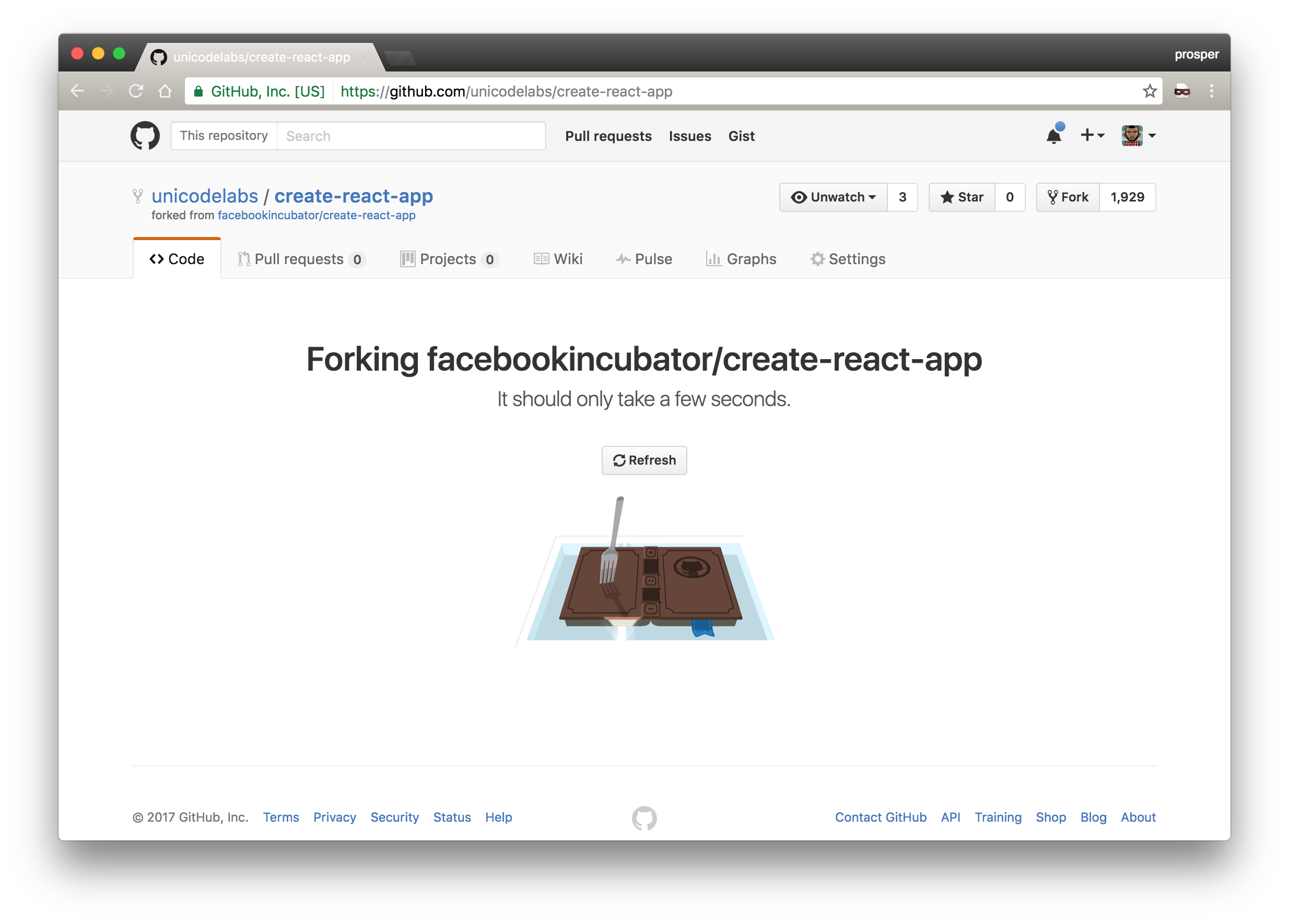
_Creating a fork of create-react-app_
**Note:** It is recommended that you fork from the latest stable branch. Master is unstable.
Inside the `packages` directory, there is a folder called `react-scripts`. The `react-scripts` folder contains scripts for building, testing and starting your app. In fact, this is where we can tweak, configure and add new scripts and templates.
## Tweak the Configuration
Clone the directory and open up the `react-scripts/scripts/init.js` in your code editor. Let's add some few console messages like so:
```js
......
......
console.log(chalk.red('VERY IMPORTANT:'));
console.log('Create a .env file at the root of your project with REACT_APP_EMPLOYEE_ID and REACT_APP_POSITION_ID');
console.log(' You can find these values in the company dashboard under application settings.');
console.log(' https://company.bamboohr.com/settings');
console.log();
.......
```
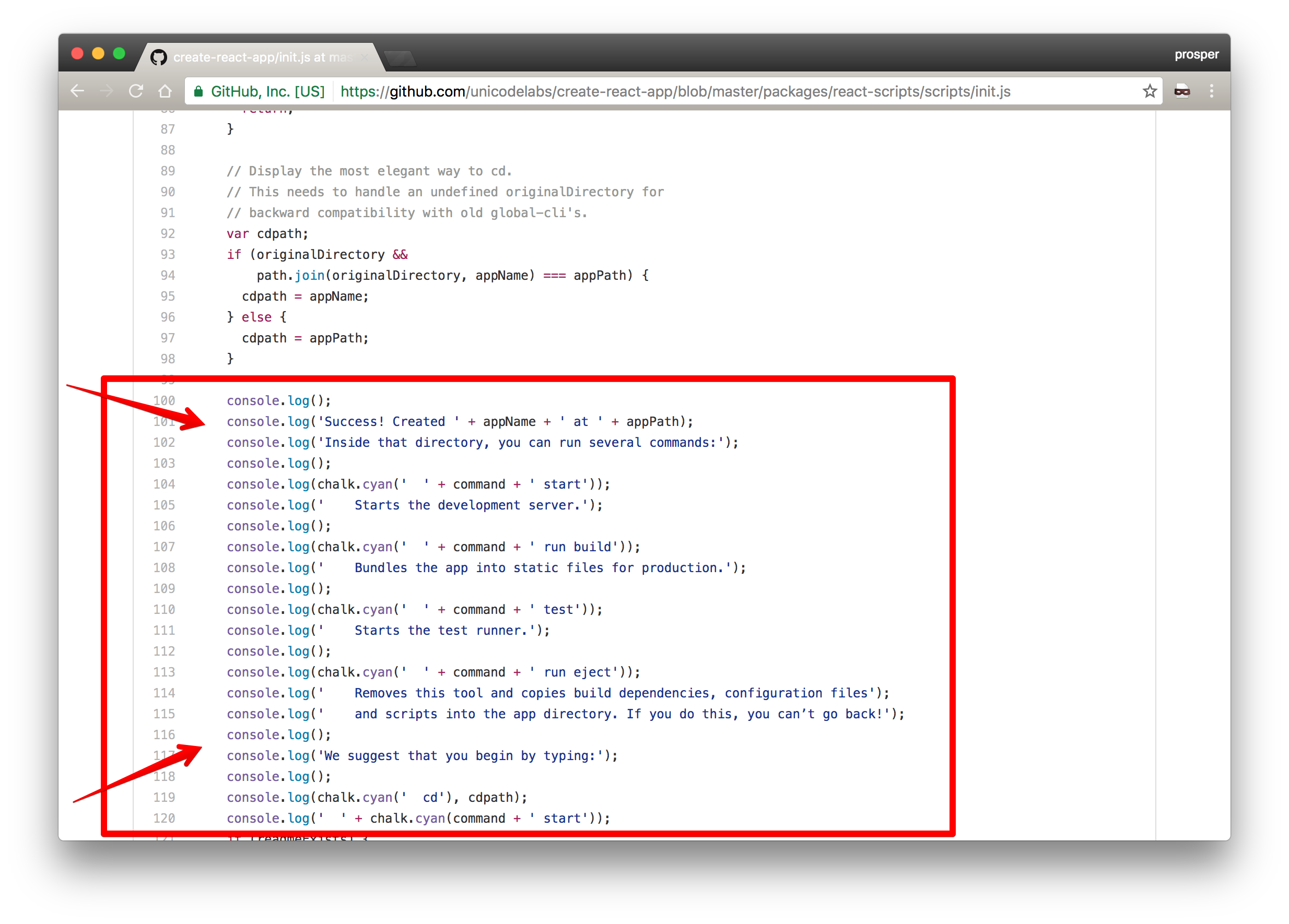
_Add the important message during installation here_
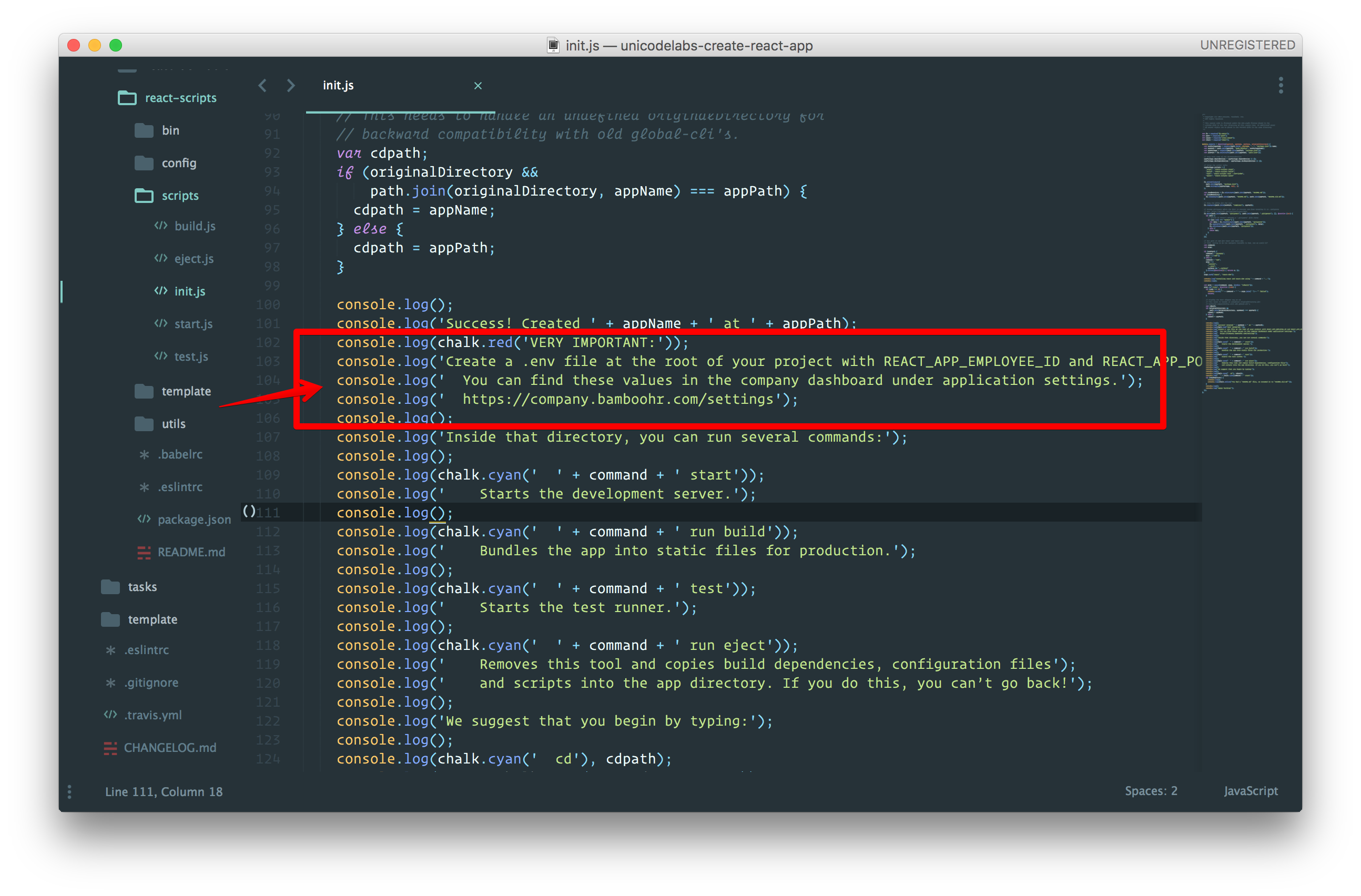
_Added important message to show during installation_
**Now, Let's change templates**
Open up `react-scripts/template/src/App.js` and replace it with this:
```js
import React, { Component } from 'react';
import logo from './logo.svg';
import './App.css';
class App extends Component {
getEnvValues() {
if (!process.env.REACT_APP_EMPLOYEE_ID || !process.env.REACT_APP_POSITION_ID) {
throw new Error('Please define `REACT_APP_EMPLOYEE_ID` and `REACT_APP_POSITION_ID` in your .env file');
}
const employeeID = process.env.REACT_APP_EMPLOYEE_ID
const position = process.env.REACT_APP_POSITION_ID;
return { employeeID, position };
}
render() {
const { employeeID, position } = this.getEnvValues();
return (
Welcome to Unicode Labs
Employee ID: { employeeID }
Position: { position }
);
}
}
export default App;
```
Now, go to `react-scripts/template/public` directory. Open the `index.html` file and change the value of the `` tag to `Unicode Labs`.
You can also change the favicon to your company's favicon. You can change as many things as you want and add custom components that your team uses frequently.
Create an `.env.example` in the `react-scripts/template` directory that contains the following:
```bash
REACT_APP_EMPLOYEE_ID='44566'
REACT_APP_POSITION_ID='ENGR'
```
A user will have to rename it to `.env` once the `create-react-app` tool is done installing the `react-scripts`. You should add this instruction to the `README` file.
**Note:** *CRA* already includes support for custom env variables if you're open to prefixing their names with **REACT_APP**.
That's all we need!
## Publish react-scripts to NPM
Before publishing to npm, we need to change the value of the `name` key of the `package.json` file in `react-scripts` directory to `unicodelabs-react-scripts`.
Change the value of the `description` key to `Unicodelabs Configuration and scripts for Create React App.` Also, point the value of the `repository` key to the right location. In my case, it is `unicodelabs/create-react-app`.
Now, `cd` to the `react-scripts` directory from your terminal like so:

_Change into this directory on your terminal_
You need to login to npm like so:

_Log into Npm_
Go ahead and publish

_Published unicodelabs-react-scripts to npm_
## Test Your Custom Script
Head over to your terminal and run:
```bash
create-react-app test-app --scripts-version unicodelabs-react-scripts
```
In your own case it would be `yourname-react-scripts`, where `yourname` is your company name or whatever name you choose to give it.
*CRA* would install it and then you will see a notice like so:

_Important Warning_
Remember, when we put this message in the code earlier? Awesome!
Now, `cd` into the `test-app` directory, rename the `.env.example` to `.env` and run `npm start` command.
Your app will spin up with the new template like so:
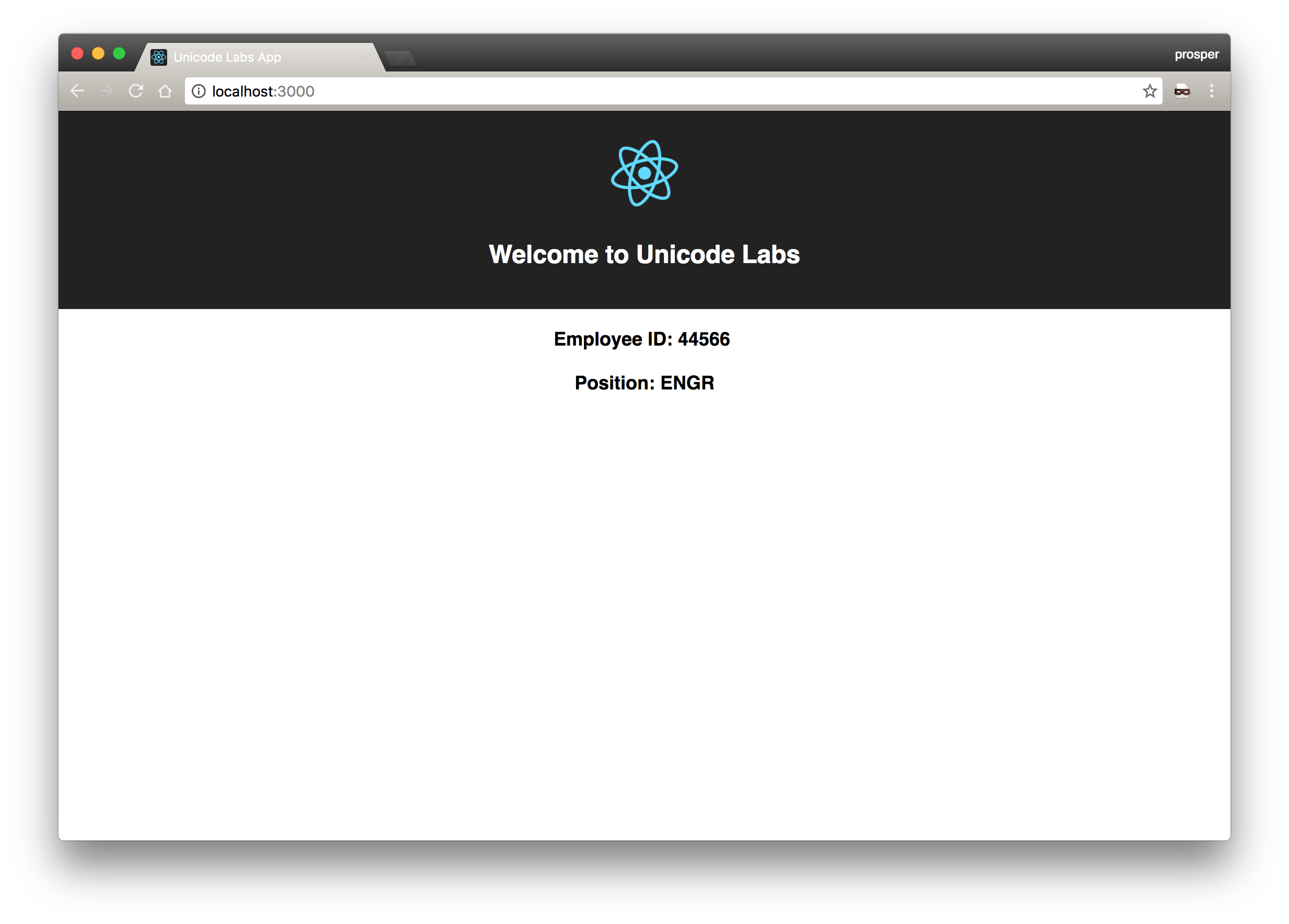
**Note**: If you have yarn installed, then create-react-app would install your app using Yarn.
<include src="asides/React" />
## Conclusion
Great programmers constantly sharpen their tools daily to increase productivity. *CRA* is a great tool for quickly building React Applications. In addition, having your own customized fork of `react-scripts` helps you and your team easily add all the configurations you need. You'll need to maintain your fork, and [make sure it is synced](https://help.github.com/articles/fork-a-repo/#keep-your-fork-synced) with the upstream to have all updates. [Backstroke](https://github.com/1egoman/backstroke) is a bot that can help you with this.
Have a very productive time hacking away!