---
title: "How to Control Hue Lights with JavaScript"
description: "Learn how to control Hue lights with JavaScript"
authors:
- name: "James Quick"
url: "https://auth0.com/blog/authors/james-quick/"
date: "Jan 15, 2021"
category: "Developers,Tutorial,JavaScript"
tags: ["javascript", "nodejs", "tutorial"]
url: "https://auth0.com/blog/how-to-control-hue-lights-with-javascript/"
---
# How to Control Hue Lights with JavaScript
[Philips Hue lights](https://www.philips-hue.com/en-us) are easy to setup and control from a mobile app, but what if you wanted to control them from JavaScript? In this article, you'll find out how.
## Getting Started
First, you'll need to get yourself a bulb or two. You can find lots of options on Amazon. Then, to control your lights programmatically, you need a [Hue Bridge](https://www.amazon.com/Philips-Hue-Stand-Alone-Bridge/dp/B016H0QZ7I) (which is sometimes called a “Smart Hub”) connected to your router.

For details on setting up the hub and your bulb(s), refer to their [official documentation](https://www.philips-hue.com/en-ca/get-started). After you finish this setup, you should be able to control your light(s) from the Hue mobile app.
## Prerequisites
You will need Node.js installed to send HTTP requests to control your bulbs. For making those requests, you need three things.
- the IP address of your hub
- a username
- the ids of your bulbs
You can the first two by following the [official documentation](https://developers.meethue.com/develop/get-started-2/).
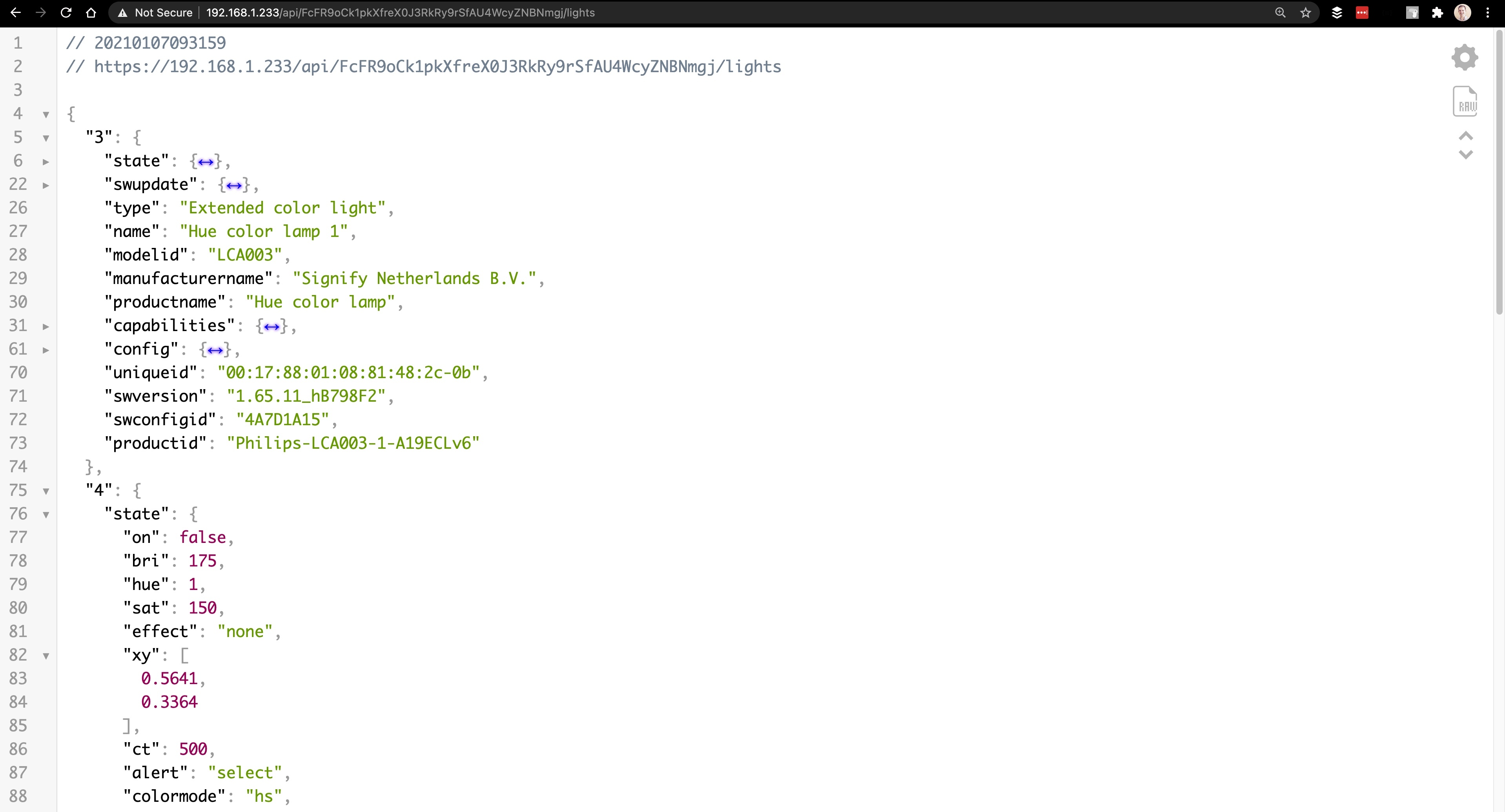
To find the id of your bulbs, you'll need to type the following url into your browser.
`https:///api//lights`
This will show you relevant information about your lights. **Note that the top-level object keys are the ids for your bulbs**. Also, take a look at the `state` info for each. We'll be updating the state of our bulbs next.
## Turn Lights On/Off
To control a given light, you'll need to send a **PUT** request to the following endpoint.
``` bash
http:///api//lights//state
```
In that request, you'll need to include a body object with a property of `on` which is set to a boolean. Here's what it would look like to turn on a bulb with an id of 3.
``` javascript
const test = async () => {
const url = `http://${process.env.HUE_BRIDGE_IP}/api/${process.env.HUE_USERNAME}/lights/3/state`;
try {
return await axios.put(url, {
on: true,
});
} catch (err) {
console.error(err);
}
};
test();
```

To turn that light off, you can set the `on` property to `false`. However, we can do a bit better with this code by creating a general function like so:
``` javascript
const turnLightOnOrOff = async (lightId, on) => {
const url = `http://${process.env.HUE_BRIDGE_IP}/api/${process.env.HUE_USERNAME}/lights/${lightId}/state`;
try {
return await axios.put(url, {
on,
});
} catch (err) {
console.error(err);
}
};
```
Then call it appropriately.
``` javascript
turnLightOnOrOff(3, true); //turn light 3 on
turnLightOnOrOff(3, false); //turn light 3 off
```
## Set Lights to Christmas Colors
Hue allows you to control the color of your bulb by using values for hue, saturation, and brightness ([HSB](https://learnui.design/blog/the-hsb-color-system-practicioners-primer.html)). Therefore, you can update your `turnLightOnOrOff` function to accept values for each and conditionally pass them in the body of your request.
``` javascript
const turnLightOnOrOff = async (lightId, on, hue, sat, bri) => {
const url = `http://${process.env.HUE_BRIDGE_IP}/api/${process.env.HUE_USERNAME}/lights/${lightId}/state`;
try {
return await axios.put(url, {
on,
...(hue && { hue }),
...(sat && { sat }),
...(bri && { bri }),
});
} catch (err) {
console.error(err);
}
};
```
There is one caveat with the Hue values used in these bulbs. Traditionally, the hue value in HSB is a number between 0 and 360. However, Hue bulbs use a value between 0 and 65,535.
So, if you want to set your bulbs to Christmas colors (one red and one green), create a function like this.
``` javascript
const setLightsForChristmas = () => {
const lightIds = [3, 4];
turnLightOnOrOff(lightIds[0], true, 27306, 150, 175);
turnLightOnOrOff(lightIds[1], true, 1, 150, 175);
};
```
...and voila!

## Set Lights to Random Colors
Let's say you want to spice it up a bit and set your lights to random colors. All you need to do is calculate a random hue value for each bulb. You can hardcode the saturation and brightness values to any you prefer.
``` javascript
const setLightsToRandomColors = async () => {
const lightIds = [3, 4];
lightIds.forEach((id) => {
const hue = Math.floor(Math.random() * 65535) + 1;
const sat = 200;
const bri = 175;
turnLightOnOrOff(id, true, hue, sat, bri);
});
};
```
...and voila!

## Wrap Up
JavaScript is an empowering language, and I'm excited to explore what other fun ideas I can come up with. I've already tied these hue lights into command bot on Twitch. More on that to come!