---
title: "Announcing the General Availability of the Auth0 SPA JS SDK"
description: "Auth0 has a new SDK for securing single page applications with industry best practices."
authors:
- name: "Sam Julien"
url: "https://auth0.com/blog/authors/sam-julien/"
date: "Jul 2, 2019"
category: "Announcements,Features,Auth0 SPA SDK"
tags: ["javascript", "react", "angular", "vue", "ember", "sdk", "spa", "auth0", "authentication", "development"]
url: "https://auth0.com/blog/introducing-auth0-single-page-apps-spa-js-sdk/"
---
# Announcing the General Availability of the Auth0 SPA JS SDK
We are excited to announce the release of our new JavaScript SDK for Single Page Applications (SPAs) called [auth0-spa-js](https://auth0.com/docs/libraries/auth0-spa-js).
## Why a New SDK?
The [`auth0.js`](https://github.com/auth0/auth0.js) library has been our default browser-based SDK for the last few years and has been a key part of our product and success. It has over 100K+ weekly downloads and is used by almost every Auth0 customer in one way or the other.
Over this time, we have developed a large set of capabilities in the core product. As the platform has moved forward, `auth0.js` has grown in size and capabilities. While `auth0.js` is an extremely powerful SDK that can handle a large number of different scenarios, this versatility comes at a price.
We went back to the drawing board and we re-imagined how a web platform SDK should work for the most common scenarios developers will be implementing. This new SDK:
- integrates with [Universal Login](https://auth0.com/docs/universal-login), our flagship login experience
- is much easier to integrate into Single Page Apps and requires less code
- abstracts the developer from standards and protocols
- frees the developer from having to specify the grant or other protocol details, manage token expiration and renewal, or store and cache tokens
- follows industry and service best practices and protects developers from security pitfalls
- weights around 7kb minified and gzipped
We're excited about these changes and hope our customers and [developer community](https://community.auth0.com/) find this new SDK easy to use yet still powerful and secure.
## When to Use `auth0-spa-js` (and When Not to)
The new SDK is designed for use in SPAs to keep them secured using industry best practices.
The OAuth2 working group has published a new general [best current practices document](https://tools.ietf.org/html/draft-ietf-oauth-security-topics-11) for using OAuth2 to invoke APIs from Single Page Applications. The recommendation is now to use the authorization code grant with Proof Key for Code Exchange (PKCE), as opposed to using the implicit grant as described in the original OAuth2 spec. You can find more details in [this blog post from our Principal Architect Vittorio Bertocci](https://auth0.com/blog/oauth2-implicit-grant-and-spa/).
This new JavaScript SDK implements the authorization code grant with PKCE for authentication, so by using this new library, you will be following the latest industry best practices when it comes to security in Single Page Applications.
Don't worry, we will not be discontinuing support of `auth0.js`. In fact, if you still use embedded login or need to call the [management API](https://auth0.com/docs/api/info#management-api-v2) or [authentication API](https://auth0.com/docs/api/info#authentication-api), you'll want to stick with `auth0.js`. We encourage you to switch to `auth0-spa-js` if you're using Universal Login in a SPA.
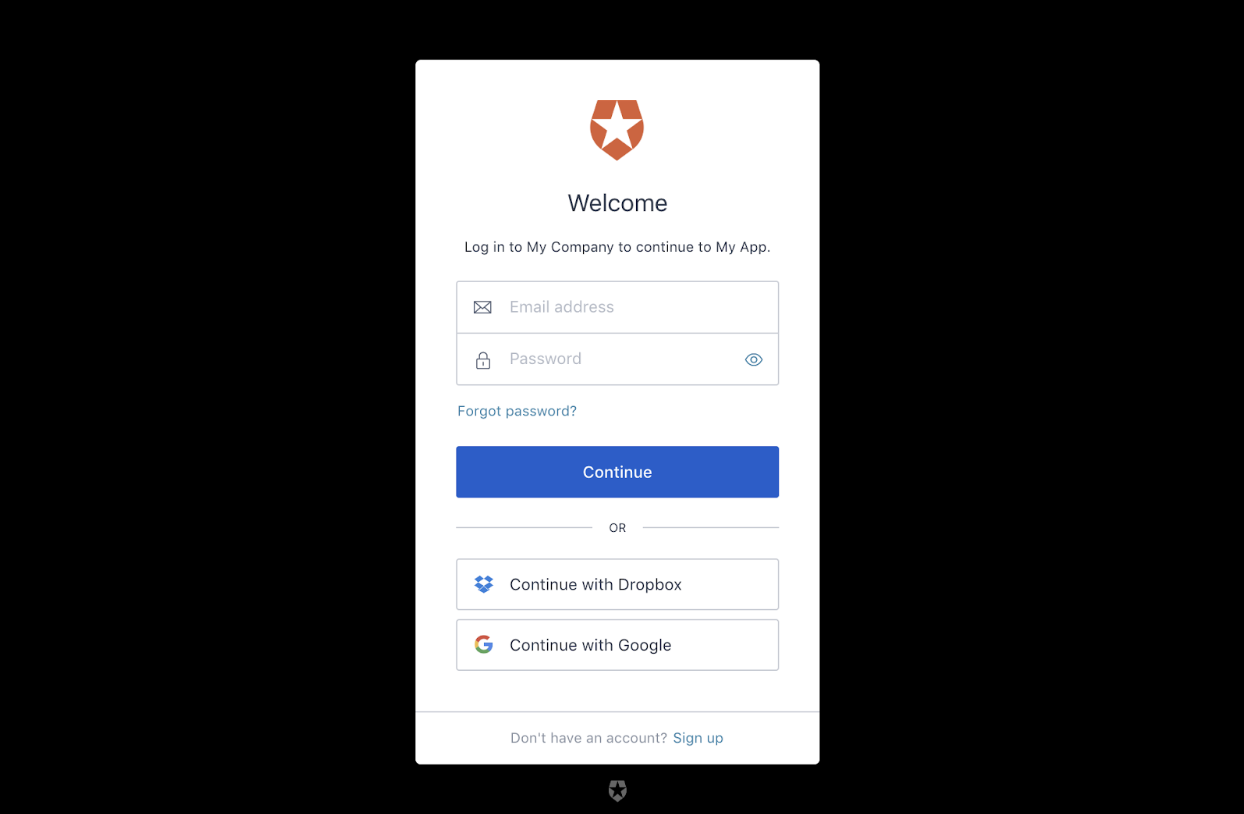
## How to Use Auth0 SPA JS SDK
So how do you start using the new SDK? Here are some steps for vanilla JavaScript that can then be applied to the framework of your choice.
### Installation
To use the new SDK, first install it from npm:
```bash
npm install @auth0/auth0-spa-js
```
Alternatively, you can include it in your project using our CDN:
### Create the client
Once `auth0-spa-js` is added to your project, you'll need to create an instance of the Auth0 client in your application. Ideally, you should have only one instance of the client. Do this before rendering or initializing your application.
You can do this using async/await:
```javascript
//with async/await
const auth0 = await createAuth0Client({
domain: '',
client_id: ''
});
```
Or with promises:
```javascript
//with promises
createAuth0Client({
domain: '',
client_id: ''
}).then(auth0 => {
//...
});
```
### Logging in
Adding the ability to log in to your application is easy. Given the following button:
You can add a click handler and then call the [`loginWithRedirect()`](https://auth0.github.io/auth0-spa-js/classes/auth0client.html#loginwithredirect) method:
```javascript
document.getElementById('login').addEventListener('click', () => {
return auth0.loginWithRedirect();
});
```
Once the user is redirected back to the app after authenticating with Auth0, your app will need to call [`handleRedirectCallback()`](https://auth0.github.io/auth0-spa-js/classes/auth0client.html#handleredirectcallback):
```javascript
await auth0.handleRedirectCallback();
```
This is what parses the result from Auth0, stores the tokens, and sets up the session. You'll then be able to get the user or token as needed:
```javascript
const user = await auth0.getUser();
const token = await auth0.getTokenSilently();
```
### Calling an API
You can also use the SDK to silently get a token and then use that token in a call to an API.
Given the following button:
You'll add a click handler, call [`getTokenSilently()`](https://auth0.github.io/auth0-spa-js/classes/auth0client.html#gettokensilently), and then use the returned token in your API call.
Here it is with async/await:
```javascript
//with async/await
document.getElementById('call-api').addEventListener('click', async () => {
const accessToken = await auth0.getTokenSilently();
const result = await fetch('https://myapi.com', {
method: 'GET',
headers: {
Authorization: `Bearer ${accessToken}`
}
});
const data = await result.json();
console.log(data);
});
```
And with promises:
```javascript
//with promises
document.getElementById('call-api').addEventListener('click', () => {
auth0
.getTokenSilently()
.then(accessToken =>
fetch('https://myapi.com', {
method: 'GET',
headers: {
Authorization: `Bearer ${accessToken}`
}
})
)
.then(result => result.json())
.then(data => {
console.log(data);
});
});
```
If there's a valid token stored, `getTokenSilently` will return it. Otherwise, it opens an iframe with the `/authorize` URL using the parameters provided as arguments and returns the token.
### Logging out
Finally, logging out of your application is a matter of adding an event handler to your log out button and then calling Auth0's [`logout()`](https://auth0.github.io/auth0-spa-js/classes/auth0client.html#logout) method.
Here's the button:
And here is the click handler and the call to `logout()`:
```javascript
document.getElementById('logout').addEventListener('click', () => {
auth0.logout();
});
```
## Behind the Curtain
Since many developers (myself included) are wary of black boxes, let's take a moment to look at the protocols behind the new SDK.
While our intent is to abstract away all the implementation details in this new SDK so you don't need to worry about them, identity geeks will be pleased to know that `auth0-spa-js` is compliant with OAuth 2.0 specifications:
* `loginWithRedirect` uses [authorization code with PKCE](https://tools.ietf.org/html/rfc7636)
* `loginWithPopup` uses authorization code with PKCE + [`web_message`](https://tools.ietf.org/html/draft-sakimura-oauth-wmrm-00)
* `getTokenSilently` uses authorization code with PKCE + `web_message`
Auth0 takes our commitment to security best practices seriously. Luckily, we do all the heavy lifting so you don't have to!
## Where to Go Next
To learn more about using `auth0-spa-js`, check out the Auth0 Single Page Applications [SDK introduction documentation](https://auth0.com/docs/libraries/auth0-spa-js), [repository](https://github.com/auth0/auth0-spa-js), and [the SDK's full documentation](https://auth0.github.io/auth0-spa-js/index.html). There are also [Quickstarts](https://auth0.com/docs/quickstarts) that will walk you through integration step-by-step for popular front-end frameworks like React and Angular. We hope you're as excited about this new SDK as we are, and look forward to hearing feedback from the [developer community](https://community.auth0.com/)!