---
title: "Take a No-Compromise Approach to the Login Experience Using Custom Domains"
description: "Auth0 now provides your own custom domain for login with a central authorization server."
authors:
- name: "Justin Hinerman"
url: "https://auth0.com/blog/authors/justin-hinerman/"
date: "Apr 6, 2018"
category: "Announcements,Features,Custom Domains"
tags: ["custom-domains", "single-sign-on", "features"]
url: "https://auth0.com/blog/introducing-custom-domains-preview-with-auth0/"
---
# Take a No-Compromise Approach to the Login Experience Using Custom Domains
## Using Custom Domains to Brand Central Authorization Servers
Authenticating with a provider through a central authorization server provides you with a standards-based, maintainable, and secure login approach. This type of login also provides single sign-on benefits and a modern user experience. You can explore the[ benefits of this architecture further in this blog post](https://auth0.com/blog/authentication-provider-best-practices-centralized-login/).
For those who are not familiar with the concept, you may have noticed that you are always redirected to [accounts.google.com](https://accounts.google.com) when you log into Google sites such as Gmail or Youtube. Google has a _central authorization server_ that is used across all of their applications and third-party apps.
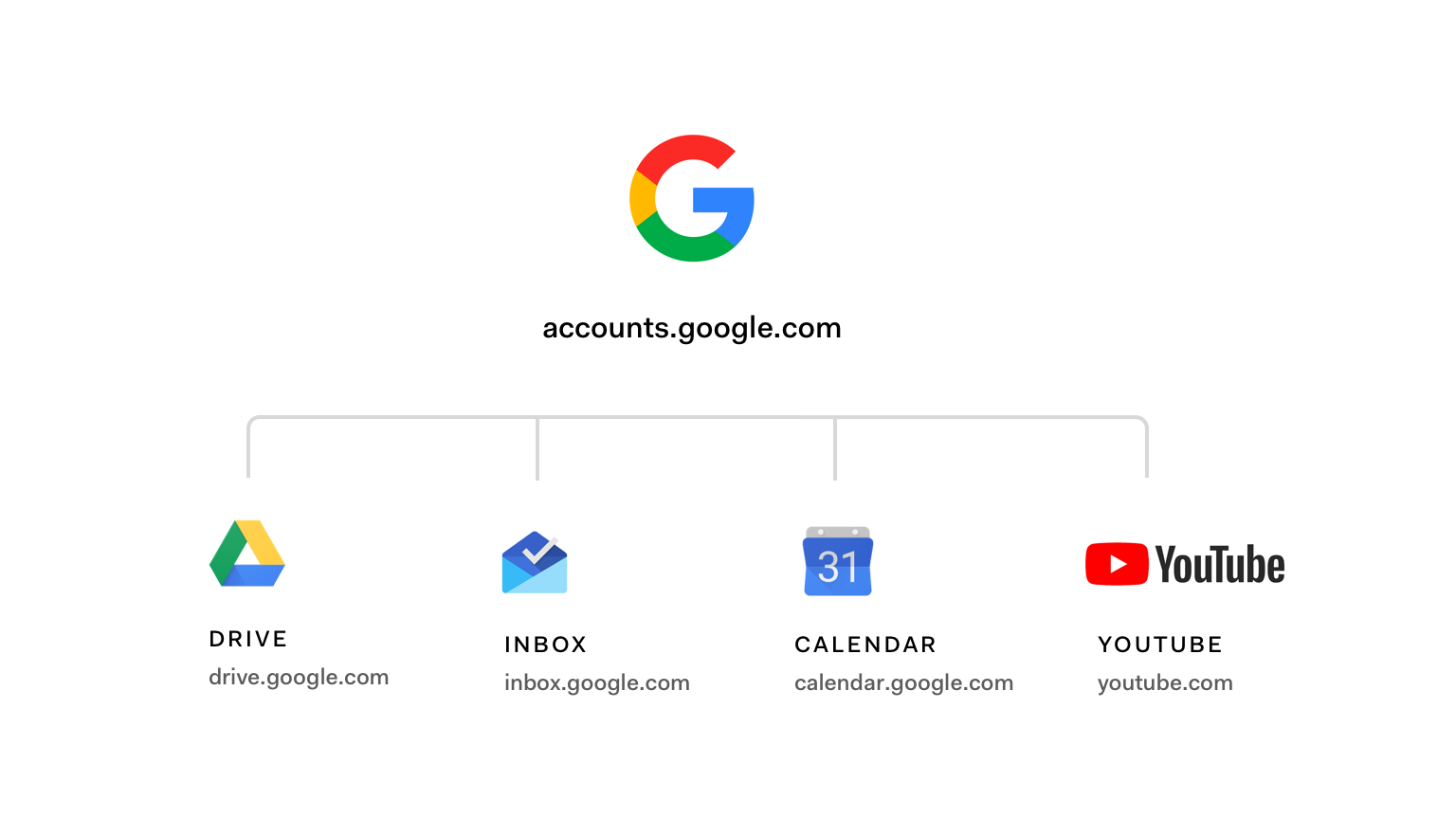
Auth0 provides this same capability out of the box, allowing you to unify login for your own brand and products. Enabling Auth0's central authorization provider, [Universal Login](https://auth0.com/docs/hosted-pages/login), is easy, straightforward, simple to configure, and can be customized to suit your brand.
Customers who prefer this experience to be served from their own domain, instead of `[your-account].auth0.com`, can configure their own custom domain in Auth0. This feature is available for all free-tier customers. Adding your own custom domain to an existing implementation only requires small code changes thoroughly detailed in our [custom domain setup docs](https://auth0.com/docs/custom-domains#step-3-complete-feature-specific-setup). Simple configuration can be completed within your Auth0 dashboard.
## Benefits of Using a Custom Domain
### End-User Benefits
By using a custom domain for your authentication page, you keep your users interacting with you within the context of your brand, which helps you build brand loyalty. Users are not redirected to a third-party site that breaks the branding context. This prevents users from becoming confused about whether or not they are still running a transaction or operation with you.
For example, if your Auth0 domain is `northwind.auth0.com`, you can have your users to see, use, and remain on `login.northwind.com`.
Auth0 support for custom domains allows us to do the authentication heavy lifting for you without compromising your branding experience.
### Customer Benefits
Brand loyalty from users is a pillar for the success of an organization of any size. One of the ways to build brand loyalty is by offering a consistent branding experience to users. It's important that your users always feel that they are interacting directly with you to avoid confusion or session abandonment.
From the security point-of-view, using [Universal Login](https://auth0.com/docs/hosted-pages/login) is the preferred way to handle end-user credentials. It allows you to have comprehensive control of authentication in one centralized place, as opposed to having individual applications handling credentials. Consequently, having your authentication services contained in one place will make your application architecture more maintainable. Applications are only given the access they need and authentication services can be scaled easily.
You can mitigate certain phishing attacks when your users expect to run transactions within your domain. Having that domain consistency will allow your users to easily and quickly reject phishing attempts.
Universal Login also offers you simplicity as an implementation advantage. You don't have to worry about integrating login user interfaces into different applications. When you use Auth0 Universal Login, you get all the features you need in the fastest possible way: redirecting to a common login interface. Adding custom domains to this workflow creates a seamless experience for your developers and end-users.
## Custom Domain Authentication Features
Core Auth0 features and flows support the use of custom domains:
* OAuth 2.0/OIDC-Compliant Flows (those using the `/authorize` and `/oauth/token` endpoints).
* Database and Social Connections.
* SAML Clients and Connections.
* A full list of features supporting the use of custom domains is available in the [feature section](https://auth0.com/docs/custom-domains#features-supporting-use-of-custom-domains) of our custom domains document. New features, such as enterprise connections, will be added to the list as they become available. Keep an eye on that space!
## How It Works
To [configure your custom domain with Auth0](https://auth0.com/docs/custom-domains#how-to-configure-custom-domains), go to your account settings, select Custom Domains, add your own domain, and follow the instructions.
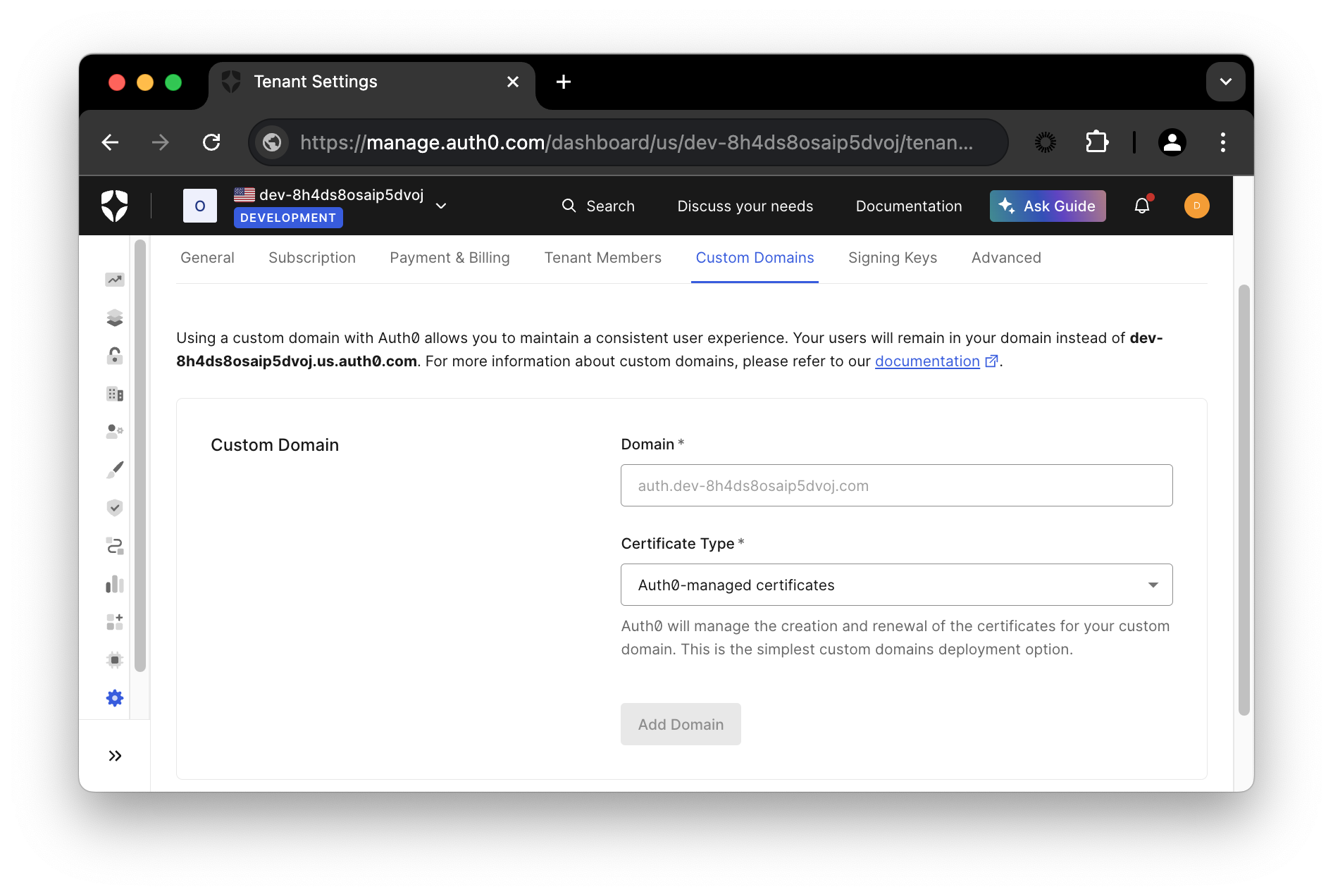
You will need to complete a [verification process](https://auth0.com/docs/custom-domains#step-2-verify-ownership) for your domain that varies depending on whether you decide to use an Auth0-managed or a [self-managed certificate](https://auth0.com/docs/custom-domains/self-managed-certificates#step-2-verify-ownership).
Your existing integrations using your `[your-account].auth0.com` domain will continue to work. After migration to your custom domain is complete, users will have to log in again since existing sessions will no longer be valid.
## Custom Domain Self-Service
Different than other solutions, Auth0 not only gives you the option to use a custom domain, but Auth0 also empowers you with full control over setting up and using your custom domain for authentication. Flexible self-service options are available through our Dashboard for you to directly handle selecting, verifying, and implementing your custom domain. You don't have to wait on us for anything to complete this process. You are in charge.
## Using Custom Domains with Auth0
[Atlassian](https://www.atlassian.com/) is an early-adoption Auth0 customer using a custom domain. Atlassian is consolidating all of their B2B and B2C products under a central authorization provider at [id.atlassian.com](https://id.atlassian.com).
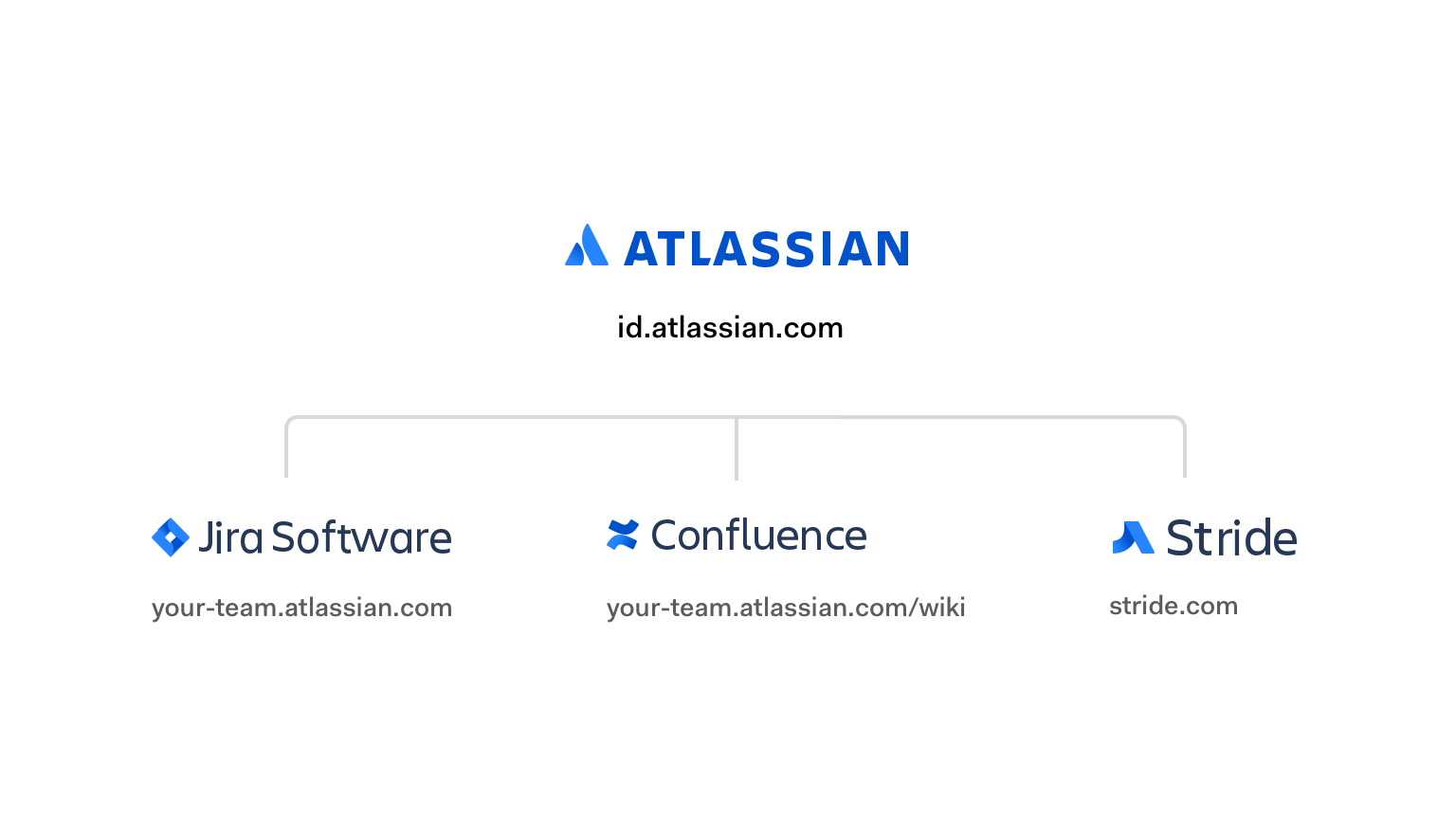
Other Auth0 customers currently using custom domains with a central authorization server include [AGL](https://www.agl.com.au/residential), [National Life Group](https://www.nationallife.com/), and [News UK](https://www.news.co.uk/).
With the launch of custom domains with Auth0, your users will benefit from a first-class login experience, while keeping your brand through a trustworthy domain.
For more information, check out our [Custom Domains documentation here](https://auth0.com/docs/custom-domains).