---
title: "Keep API Backward Compatibility with Express Gateway"
description: "Learn how this API gateway, built on Express.js, can help you retain API compatibility with old clients while evolving the product according to new business needs."
authors:
- name: "Vincenzo Chianese"
url: "https://auth0.com/blog/authors/vincenzo-chianese/"
date: "Jul 5, 2018"
category: "Developers,Co-marketing,Express"
tags: ["microservices", "api", "gateway", "compatibility", "javascript", "nodejs", "authentication", "auth", "rest", "apigateway"]
url: "https://auth0.com/blog/keep-api-backward-compatibility-with-express-gateway/"
---
# Keep API Backward Compatibility with Express Gateway
**TL;DR:** In this article, you will learn how an API gateway can help you retaining API compatibility with **old** clients while _evolving_ the product according to the new needs of your business. If needed, you can find [the code shown here in this GitHub repository](https://github.com/XVincentX/apigateway-playground/tree/gateway-request-response-modification).
---
## Why Do I Need Backward-Compatible APIs?
Systems evolve continuously, and so do their WebAPIs. As they represent the interface for external clients to interact with your system, they're the first line **reflecting changes** in your organization.
Such API changes can happen for a number of reasons. Technological advancements, change in the line of business, important bug fixes, and so on.
Chances are these needs can end up introducing **breaking** changes in your WebAPI, which in turn means **breaking your clients**. Usually, to make these clients operational again, you will need to make changes to their source code and you will need to release new versions of them.
Sometimes, changes are **inevitable** and you need to deal with them in a way or in another. However, there's an entire class of problems that can be handled in a different way rather than breaking your API.
Among the possible solutions, you can:
1. Use a [Hypermedia API](https://medium.com/unexpected-token/how-your-api-could-benefit-from-hypermedia-b62780771ccb) that, with the forewords of putting the understanding in the runtime instead of sharing it ahead of the time, is prepared by definition to handle changes. Clients, if correctly coded, can handle such intrinsic changes in a non-breaking way and adjust the user experience accordingly.
2. Employ an [API Gateway][express-gateway] to retain the old compatibility while rolling out the new changes. This is a simple, yet effective, way to mask the internal changes of your services while keeping the same interface. In such way, you can extend the runaway of your API while evolving your services. Think about it as the WebAPI version of the [adapter pattern](https://en.wikipedia.org/wiki/Adapter_pattern).
In this article, you're going to explore the second approach. However, keep in mind that Hypermedia APIs are a good solution and that big companies have been employing such approach for ages.
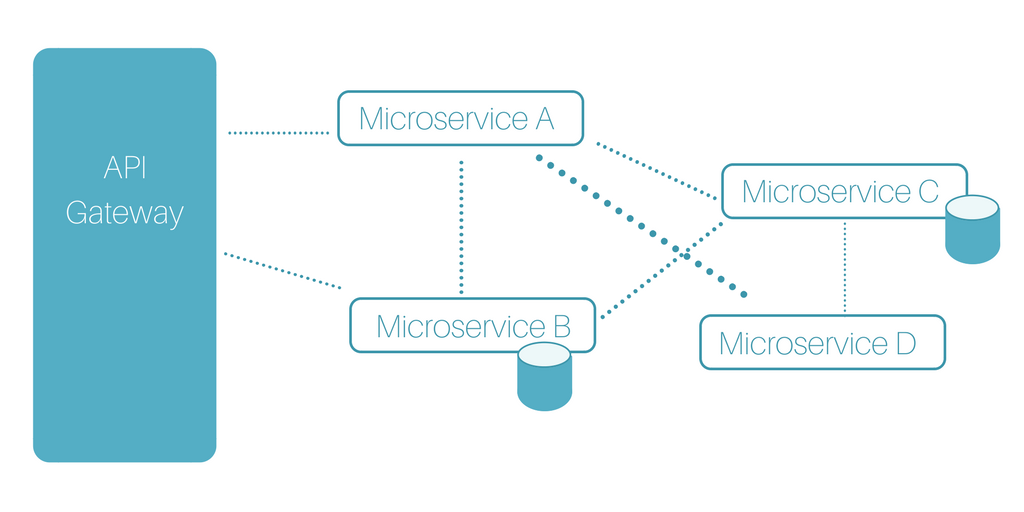
## Express Gateway to the Help
It turns out [Express Gateway][express-gateway] is a **perfect** candidate for such task. In this example, you will learn two important things:
- how you can change the shape of a request's body coming into a service;
- and how you can modify the response body to keep the same interface exposed to the clients.
### Depicting the Problem
Imagine a simple use case where keeping an API compatibility with the clients is important (probably any note-worthy app needs this). Suppose you have a service, coded by your internal development team, that exposes an API able to return a customer by its ID on HTTP GET requests. The response would be similar to this:
```json
{
"customerId": "123456789",
"name": "Clark",
"surname": "Kent"
}
```
Also, your API would accept new customers with a `POST` request using the following payload:
```json
{
"name": "Clark",
"surname": "Kent"
}
```
This operation would then return the created customer with a generated `customerId` and the operator that created such user:
```json
{
"customerId": "123456",
"createdBy": "vncz"
}
```
Suppose now that, given your business is growing, you decide that it makes sense to **replace your homemade customer service** with a third-party cloud service that's offering better customer management capabilities that perfectly fits your company needs.
Most likely, the offered API, as well as the provided features, will differ in multiple parts. For example, the URL space is going to be different as well as the accepted and returned payloads.
In this example, suppose the new service has an endpoint on `/v1/cust` (instead of `/customers`) and, instead of accepting a `name` and `surname` properties, it requires a unique `fullname` property. Also, as it's an external service, it does not include any `createdBy` property, as it's a property that exists exclusively in your system.
While these changes most likely make sense for your internal clients (due to business requirements for example), your existing third-party clients do not care that much about this change. So, while willing to migrate at a certain point in the future, flipping directly the switch would not be an option.
### Keeping the Legacy API Intact Using Express Gateway
It turns out that an [API Gateway][express-gateway] can solve this problem for you. Being an intermediate layer between the public interface **AND** the internal services, an Express Gateway can manipulate the requests and the responses during their journey.
Here's what you would need to do to set up a gateway:
- You would need to configure the [`proxy`][proxy] policy so that the request to the old endpoint get routed to the new, correct internal services.
- You would need to configure the `bodyModifier` policy to modify the request's body so that the new customer service can consume it. In the same way, you would use the same policy this time to modify the response object to make sure the `createdBy` property is correctly added.
### Installing Express Gateway
To solve these problems with Express Gateway, you would install and use a beta version of the framework. This version will most likely land in the `master` branch (thus as an official version) soon (the team supporting Express Gateway is still in the process of discussing some internal requirements, so they weren't able to make it happen officially yet).
```bash
npm install expressgateway/express-gateway#feat/proxy-events
```
### Set up Pipelines to Proxy Objects Back and Forth
Then, after installing this beta version, you would set up two pipelines that would proxy the requests to the new `/cust/v1` endpoint:
```yaml
apiEndpoints:
customers:
path: '/customers*'
serviceEndpoints:
v1Cust:
url: 'https://cool.Cloud.service/v1/cust'
policies:
- proxy
- bodyModifier
pipelines:
customers:
apiEndpoints:
- customers
policies:
- proxy:
- action:
serviceEndpoint: v1Cust
```
### Using Express Gateway to Change the Request and Response Body
After that, you would use the `bodyModifier` policy to modify request/response payloads so they conform to the new service API.
```yaml
- bodyModifier:
- action:
request:
add:
- name: fullname
value: "req.body.name + ' ' + req.body.surname"
remove:
- name: name
- name: surname
response:
add:
- name: createdBy
value: "req.user.id"
```
It should be easy to understand what's going on in the configuration above. This is concatenating the `name` and `surname` properties from the current request body and forming a new `fullname` property out of it. Once that's done, it removes these properties as they're not required by the new service.
Then, this configuration is performing a similar task for the response. That is, it is adding back the `createdBy` property based on the current user registered in the gateway.
If you put your system up now, you would be able to test the new features with the following command:
```bash
curl -X POST http://localhost:9876/customers/ -H "Content-Type: application/json" -d '{"name":"Clark", "surname": "Kent"}'
```
The system, despite the code changes in the internal service, would still be working (and, more importantly, responding) in the same way it did before.
## Conclusions
It is important to note that this approach would keep the whole object in memory and would be taking the burden of parsing it. In case of huge payloads (several MBs), a more efficient way would be to parse the content as a stream, using [JSONStream](https://github.com/dominictarr/JSONStream) for example. This article won't explore this solution, but it should be the way to go in case you're expecting huge JSON objects. For small payloads the JSON parsing, although sync, the default solution wouldn't take more than 1ms.
[express-gateway]: https://express-gateway.io
[proxy]: https://express-gateway.io/docs/policies/proxy