---
title: "Mocking API calls in Python"
description: "Let's learn how to test Python APIs with mocks."
authors:
- name: "O'Brian Kimokot"
url: "https://auth0.com/blog/authors/o'brian-kimokot/"
date: "Dec 6, 2017"
category: "Developers,Tutorial,Python"
tags: ["python", "api", "mocking", "testing"]
url: "https://auth0.com/blog/mocking-api-calls-in-python/"
---
# Mocking API calls in Python
**TL;DR:** In this article, we are going to learn the basic features of mocking API calls in Python tests. We'll start by exploring the tools required, then we will learn different methods of mocking, and in the end we will check examples demonstrating the outlined methods. The final code can be found on [this GitHub repository](https://github.com/kimobrian/Python-API-Testing).
## Introduction
A mock is a fake object that we construct to look and act like the real one. We swap the actual object with a mock and trick the system into thinking that the mock is the real deal.
By mocking out external dependencies and APIs, we can run our tests as often as we want without being affected by any unexpected changes or irregularities within the dependencies. Mocking also saves us on time and computing resources if we have to test HTTP requests that fetch a lot of data.
### Setup
For this tutorial, we will require [Python 3](https://www.python.org/download/releases/3.0/) installed. Having it on our machine, let's set up a simple folder structure:
```sh
python-api-mocks/
├── users_test/
└── test_users.py
└── __init__.py
├── __init__.py
├── requirements.txt
├── users.py
```
We will make use of [virtualenv](https://virtualenv.pypa.io/en/stable/); a tool that enables us to create isolated Python environments. These environments help us to manage dependencies separately from the global packages directory. Let's first install `virtualenv`, then let's create a virtual environment for our project, and then let's activate it:
```sh
$ pip3 install virtualenv
$ virtualenv -p python3 venv # Create virtual environment
$ source venv/bin/activate # Activate virtual environment
```
After that, let's install the required packages:
```sh
$ pip install nose2 requests
```
To make future installations easier, we can save the dependencies to a `requirements.txt` file:
```sh
$ pip freeze > requirements.txt
```
* The `nose2` library extends the built-in Python `unittest` module to make testing easier. You can use `unittest` or other third-party libraries such as [`pytest`](https://docs.pytest.org/en/latest/) to achieve the same results.
* The `requests` library simplifies HTTP calls in Python.
For this tutorial, we will be communicating with a fake API on [JSONPlaceholder](http://jsonplaceholder.typicode.com/).
To find tests, `nose2` looks for modules whose names start with `test` in the current directories and sub-directories. In those modules, `nose2` will load tests from all `unittest.TestCase` subclasses, as well as functions whose names start with `test`.
### Test Driven Development (TDD)
TDD is an evolutionary approach to development that combines test-first development and refactoring. We write a test before we write just enough production code to fulfill that test. We then refactor the code to make the test pass. The main goal of TDD is the specification and not validation; it’s one way to think through our requirements before we write functional code. We will follow this approach and begin by writing a simple test to check our API's response's status code.
```python
# users_test/test_users.py
import unittest
from users import get_users
class BasicTests(unittest.TestCase):
def test_request_response(self):
response = get_users()
# Assert that the request-response cycle completed successfully with status code 200.
self.assertEqual(response.status_code, 200)
if __name__ == "__main__":
unittest.main()
```
To run this test we can issue `nose2 --verbose`. The test will fail with an error since we are missing the module we are trying to test.
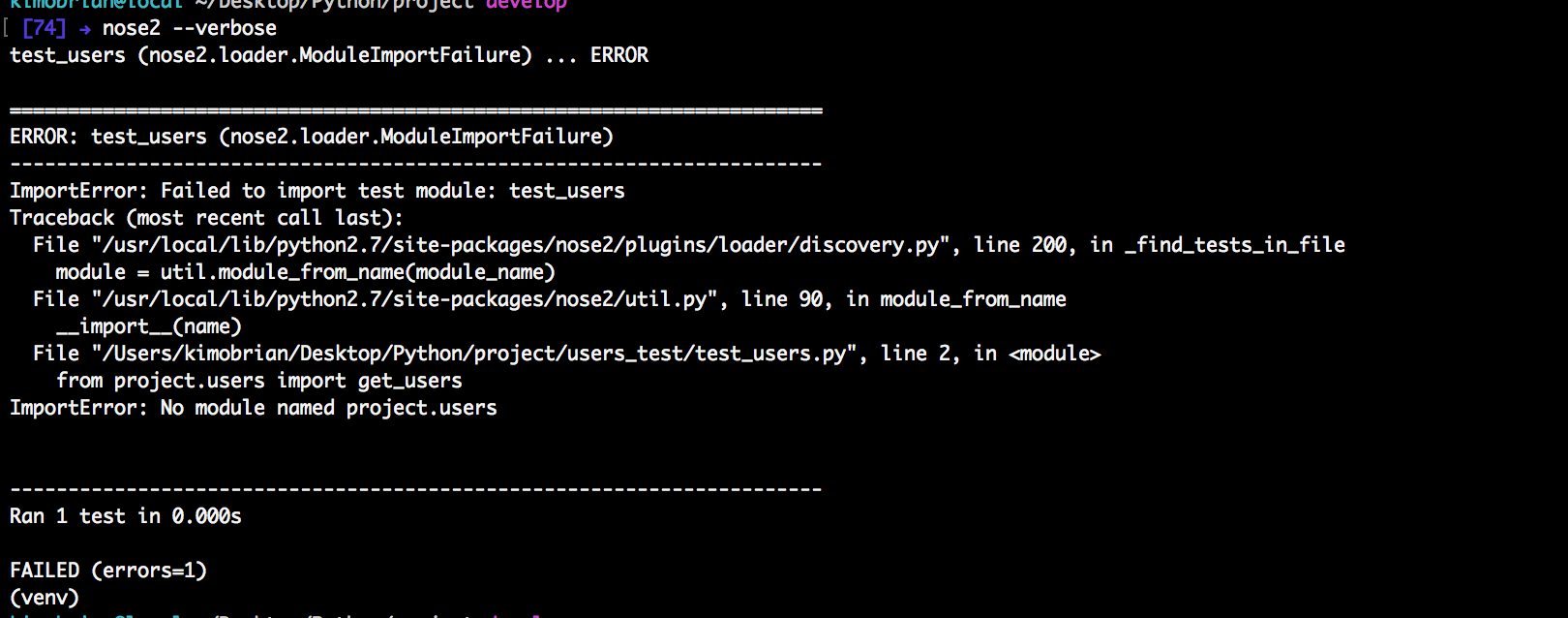
We then refactor the functionality to make it pass.
```python
# users.py
import requests
USERS_URL = 'http://jsonplaceholder.typicode.com/users'
def get_users():
"""Get list of users"""
response = requests.get(USERS_URL)
if response.ok:
return response
else:
return None
```
We then re-run the tests again using `nose2 --verbose` and this time, our test will pass.
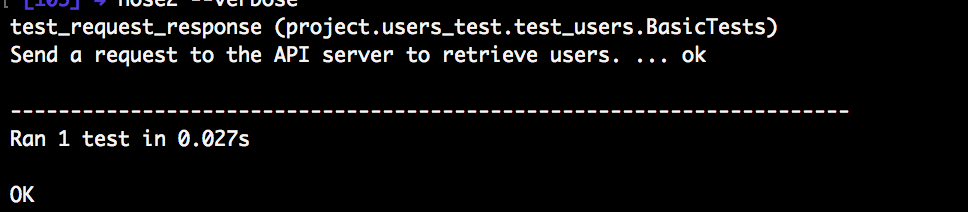
Up to this point, we wrote and tested our API by making real API requests during the tests.
## Utilizing Mocks
The code is working as expected because, until this point, the test is actually making an HTTP request. Real-world applications will result to increased complexity, more tests, and more API calls. If we wrote a thousand tests for our API calls and each takes a second to fetch 10kb of data, this will mean a very long time to run our tests. It will also require more computing and internet resources which eventually slows down the development process. In any case, our server breaks down and we stop the development of our client application since we cannot test it. In this section, we will learn how to detach our programming logic from the actual external library by swapping the real request with a fake one that returns the same data. Let's explore different ways of using mocks in our tests.
### Using Decorators
The first method is the use of decorators:
```python
# users_test/test_users.py
import unittest
from users import get_users
from unittest.mock import patch
class BasicTests(unittest.TestCase):
@patch('users.requests.get') # Mock 'requests' module 'get' method.
def test_request_response_with_decorator(self, mock_get):
"""Mocking using a decorator"""
mock_get.return_value.status_code = 200 # Mock status code of response.
response = get_users()
# Assert that the request-response cycle completed successfully.
self.assertEqual(response.status_code, 200)
if __name__ == "__main__":
unittest.main()
```
Running `nose2` again () will make our test pass without modifying our functions in any way.

Here is how it works. First, we import the `patch()` function from the mock library. Next, we modify the test function with the `patch()` function as a decorator, passing in a string representation of the desired method (i.e. `users.requests.get`). In the function itself, we pass in a parameter `mock_get`, and then in the body of the test function, we add a line to set `mock_get.return_value.status_code = 200`.
So what actually happens when the test is run? To answer this question, first let's understand how the `requests` library works. When we call the `requests.get()` function, it makes an HTTP request and then returns an HTTP response in the form of a response object. The `get()` function itself communicates with the external server, which is why we need to target it. We need to make the mock to look and act like the `requests.get()` function.
When the test function is run, it finds the module where the requests library is declared, `users`, and replaces the targeted function, `requests.get()`, with a mock. The test also tells the mock to behave the way the function expects it to act. Looking at `get_users()`, we see that the success of the function depends on if our response has an `ok` property represented with `response.ok` which translates to a status code of 200. That is what the line `mock_get.return_value.status_code = 200` is doing. When the `status_code` property is called on the mock, it will return 200 just like the actual object. The `get_users()` function will return the response, which is the mock, and the test will pass because the mock response status code is 200.
### Using a Context Manager
In this example, we explicitly patch a function within a block of code, using a context manager. The `with` statement patches a function used by any code in the code block. When the code block ends, the original function is restored.
```python
# users_test/test_users.py
import unittest
from unittest.mock import patch
from users import get_users
class BasicTests(unittest.TestCase):
# ... other tests
def test_request_response_with_context_manager(self):
"""Mocking using a context manager"""
with patch('users.requests.get') as mock_get:
# Configure the mock to return a response with status code 200.
mock_get.return_value.status_code = 200
# Call the function, which will send a request to the server.
response = get_users()
# Assert that the request-response cycle completed successfully.
self.assertEqual(response.status_code, 200)
if __name__ == "__main__":
unittest.main()
```
### Using a Patcher
Another way to patch a function is to use a patcher. We identify the source to patch and then we start using the mock. The patching does not stop until we explicitly tell the system to stop using the mock. This is more suitable when using the `setUp()` and `tearDown()` functions in tests where we can start the patcher in the `setup()` method and stop it in the `tearDown()` method.
```python
# users_test/test_users.py
import unittest
from unittest.mock import patch
from users import get_users
class BasicTests(unittest.TestCase):
# ... other tests
def test_request_response_with_patcher(self):
"""Mocking using a patcher"""
mock_get_patcher = patch('users.requests.get')
# Start patching 'requests.get'.
mock_get = mock_get_patcher.start()
# Configure the mock to return a response with status code 200.
mock_get.return_value.status_code = 200
# Call the service, which will send a request to the server.
response = get_users()
# Stop patching 'requests'.
mock_get_patcher.stop()
# Assert that the request-response cycle completed successfully.
self.assertEqual(response.status_code, 200)
if __name__ == "__main__":
unittest.main()
```
## Mocking a Whole Function
In the previous examples, we have implemented a basic mock and tested a simple assertion. In this section, we focus on mocking the whole functionality of `get_users()`. When using `@patch()`, we provide it a path to the function we want to mock. The function is found and `patch()` creates a `Mock` object, and the real function is temporarily replaced with the mock. When `get_users()` is called by the test, the function uses the `mock_get` the same way it would use the real `get()` method. That means that it calls `mock_get` like a function and expects it to return a response object.
```python
# users_test/test_users.py
import unittest
from unittest.mock import patch, Mock
from users import get_users
class BasicTests(unittest.TestCase):
# ... other tests
def test_mock_whole_function(self):
"""Mocking a whole function"""
mock_get_patcher = patch('users.requests.get')
users = [{
"id": 0,
"first_name": "Dell",
"last_name": "Norval",
"phone": "994-979-3976"
}]
# Start patching 'requests.get'.
mock_get = mock_get_patcher.start()
# Configure the mock to return a response with status code 200 and a list of users.
mock_get.return_value = Mock(status_code = 200)
mock_get.return_value.json.return_value = users
# Call the service, which will send a request to the server.
response = get_users()
# Stop patching 'requests'.
mock_get_patcher.stop()
# Assert that the request-response cycle completed successfully.
self.assertEqual(response.status_code, 200)
self.assertEqual(response.json(), users)
if __name__ == "__main__":
unittest.main()
```
In this case, `get_users()` function that was patched with a mock returned a mock object response. Whenever the `return_value` is added to a mock, that mock is modified to be run as a function, and by default it returns another mock object. In this example, we made it more clear by explicitly declaring the Mock object: `mock_get.return_value = Mock(status_code=200)`. The response object has a `status_code` property, so we added it to the Mock.
The response object also has a `json()` function that returns a list of users. We added it to the mock and appended it with a `return_value`, since it will be called like a function. Notice that the test now includes an assertion that checks the value of `response.json()`. We want to ensure that the `get_users()` function returns a list of users, just like the actual server does.
## Mocking Third-Party Functions
The above example has been fairly straightforward. Envision a situation where we create a new function that calls `get_users()` and then filters the result to return only the user with a given ID. In such a case, we mock `get_users()` function directly. For `get_users()`, we know that it takes no parameters and that it returns a response with a `json()` function that returns a list of users. What we care most about is not its implementation details. but the fact that `get_users()` mock returns what the actual `get_users()` function would have returned.
```python
#users_test/test_users.py
import unittest
from users import get_users, get_user
from unittest.mock import patch, Mock
class BasicTests(unittest.TestCase):
@patch('users.get_users')
def test_get_one_user(self, mock_get_users):
"""
Test for getting one user using their userID
Demonstrates mocking third party functions
"""
users = [
{'phone': '514-794-6957', 'first_name': 'Brant', 'last_name': 'Mekhi', 'id': 0},
{'phone': '772-370-0117', 'first_name': 'Thalia', 'last_name': 'Kenyatta', 'id': 1},
{'phone': '176-290-7637', 'first_name': 'Destin', 'last_name': 'Soledad', 'id': 2}
]
mock_get_users.return_value = Mock()
mock_get_users.return_value.json.return_value = users
user = get_user(2)
self.assertEqual(user, users[2])
if __name__ == "__main__":
unittest.main()
```
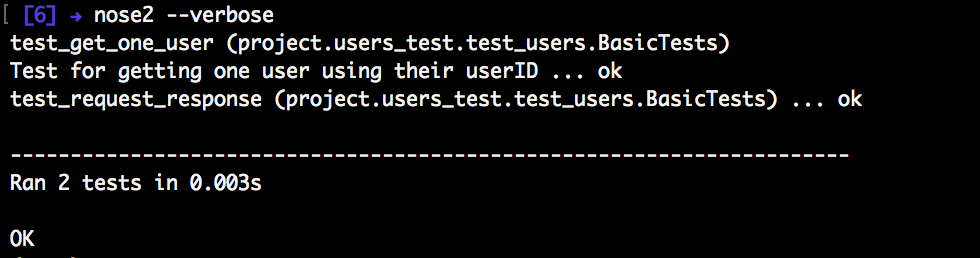
In the above snippet, we mock the functionality of `get_users()` which is used by `get_user(user_id)`. When we run our tests with `nose2 --verbose`, our test passes successfully with the following implementation of `get_user(user_id)`:
```python
#users.py
import requests
# ... USERS_URL and get_users definitions ...
def get_user(user_id):
"""Get a single user using their ID"""
all_users = get_users().json()
for user in all_users:
if user['id'] == user_id:
return user
```
## Conclusion
Mocking API calls is a very important practice while developing applications and, as we could see, it's easy to create mocks on Python tests. This technique introduces several advantages including, but not limited to, faster development and saving of computing resources.