---
title: "Using TikTok as a Custom Social Connection in Auth0"
description: "Auth0 allows you to create custom social connections. In this post you'll learn how to create and set up Auth0 with TikTok"
authors:
- name: "Tyler Keesling"
url: "https://auth0.com/blog/authors/tyler-keesling/"
date: "Jan 31, 2023"
category: "Developers,Tutorial,Auth0"
tags: ["authentication", "authorization", "social-connection", "auth0"]
url: "https://auth0.com/blog/using-tik-tok-as-a-custom-social-connection-in-auth0/"
---
# Using TikTok as a Custom Social Connection in Auth0
To follow this tutorial, you need a production application with a Terms of Service, Privacy Policy, etc. TikTok currently doesn’t support non-production apps.
With nearly one billion users across 154 different countries, TikTok has become one of the most popular social media platforms worldwide. As a developer, you will want to create an app that delights users by letting them choose their favorite social media login, including TikTok.
In this tutorial, you'll learn how to add social login with TikTok to your application using Auth0. Marketplace [supports over 50 out-of-the-box social connections](https://marketplace.auth0.com/features/social-connections), with social identity providers like Google, LinkedIn, and Twitter. If your social provider of choice isn't there yet (in this case, TikTok), it is possible to [create a custom social connection.](https://auth0.com/docs/authenticate/identity-providers/social-identity-providers/oauth2)
## How Does Auth0 Connect to TikTok?
Most social identity providers enable third-party applications to allow end-users to log in with their social credentials by acting as an OAuth 2.0 provider. TikTok is no different in that regard.
In the [OAuth 2.0 authorization code flow](https://auth0.com/docs/get-started/authentication-and-authorization-flow/authorization-code-flow#how-it-works), the identity provider (TikTok) must publish an authorization endpoint and a token endpoint that are using a standard set of parameters. Auth0 will use the authorization endpoint to redirect users to TikTok and the token endpoint to exchange the authorization code for an access token to fetch the user profile.
TikTok deviates from the standard OAuth naming conventions by using `client_key` as the parameter name instead of `client_id` for both the authorization and the token endpoint. The `client_id` is the application's identifier asking for authorization. In other words, the Client ID identifies your application to TikTok. By default, Auth0 uses the `client_id` nomenclature, so you will need to transform the `client_id` request parameter to use `client_key` for both requests.
## Getting Started
To get started with this tutorial, you will need the following prerequisites:
1. A [developer account with TikTok](https://developer.tiktok.com/)
2. An
Auth0 account
with a deployed app using Auth0 as the means to authenticate your users
3. A proper Terms of Service and Privacy Policy for your app [for the TikTok app review process](https://developers.tiktok.com/doc/getting-started-app-review-process)
4. [Node.js](https://nodejs.org/en/) and [ngrok](https://ngrok.com/) installed on your local environment.
You can
sign-up for a free account
. With a free account, you can add authentication to up to 10 apps with support for up to 10,000 users and unlimited logins- plenty for your prototyping, development, and testing needs.
## Configuring TikTok's Integration
Once your developer account has been created:
* Go to **Manage apps** and create a new app connection
This will generate a `Client Key` and `Client Secret` under app details
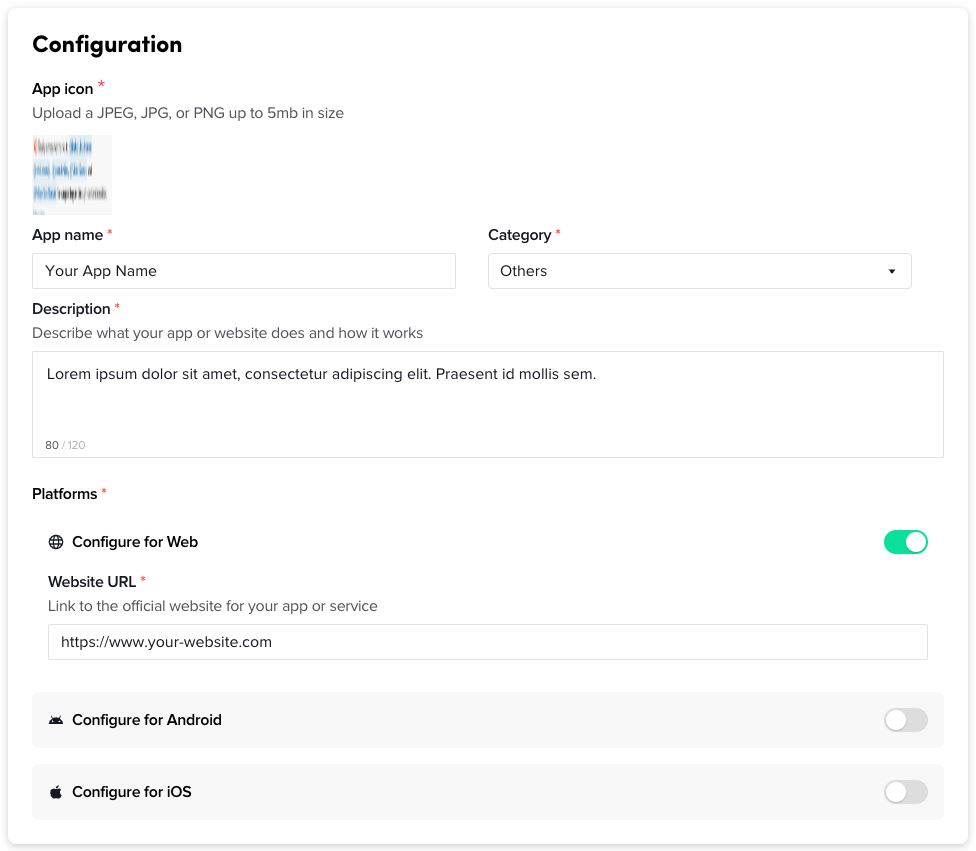
Complete the fields for **App icon, App name, Category, Description, and Website URL**
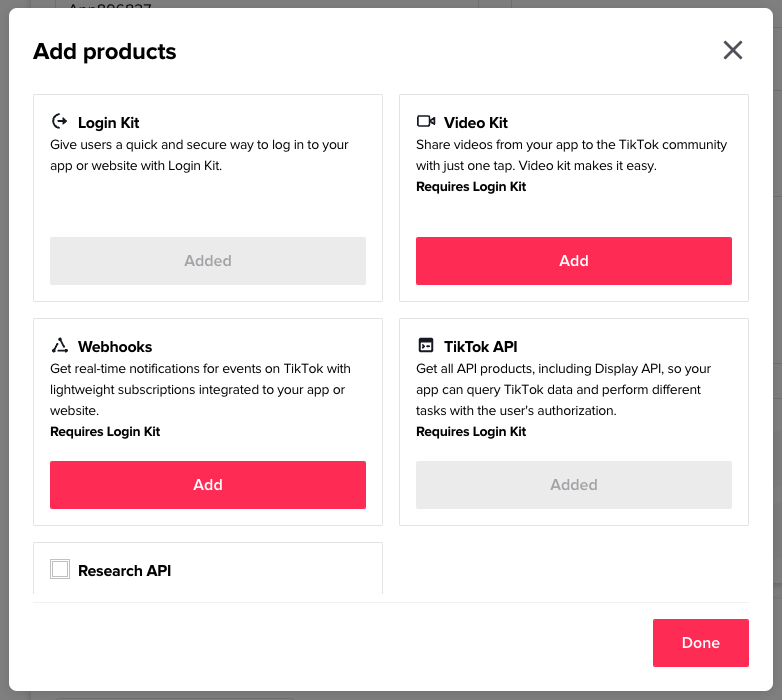
* On the left under **Products**, click **Add products** and add the **Login Kit** and the **TikTok API**
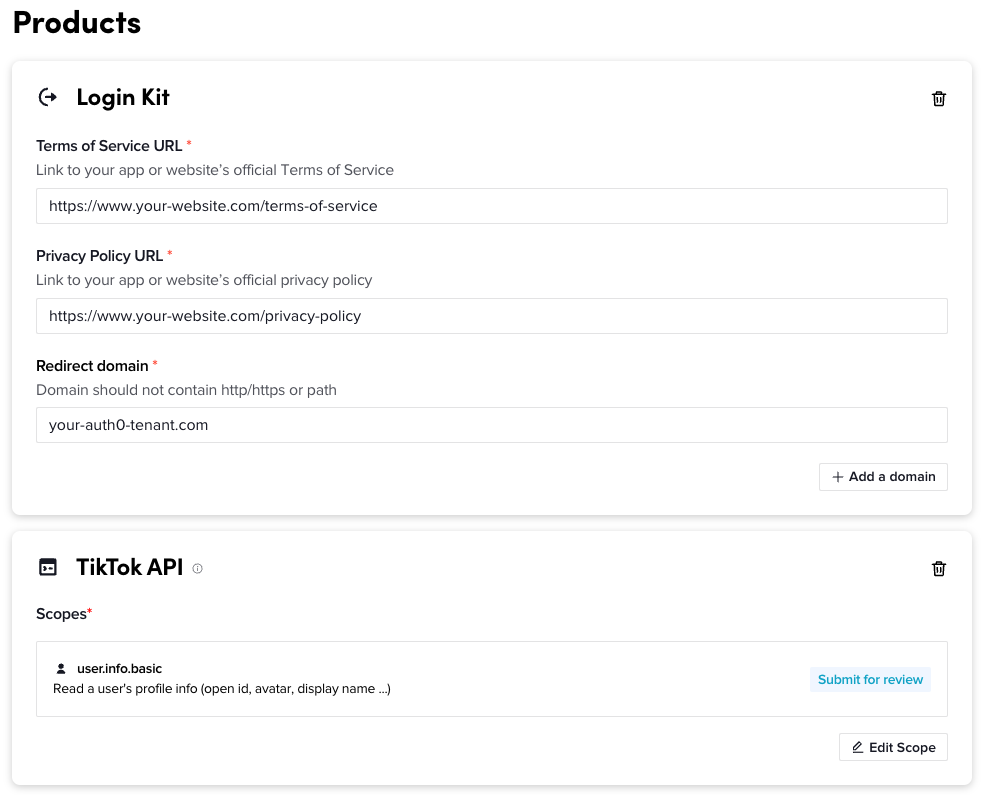
* Configure the **Login Kit** with your** Terms of Service URL, Privacy Policy URL, and Redirect domain**
The redirect domain is your base [Auth0 tenant](https://auth0.com/docs/get-started/auth0-overview/create-tenants) URL found in [Application Settings](https://auth0.com/docs/get-started/applications/application-settings)
* Save your changes and [submit your app for review](https://developers.tiktok.com/doc/getting-started-app-review-process)
> Your app connection is in _Staging_ status. It may take a few hours for TikTok to review your submission before it’s moved to _Production_ status, which is required for the integration to work.
## Integrate TikTok with Auth0
Once you integrate Auth0 into your application, you will want to implement TikTok as a custom social connection.
To create a custom social connection, head to Authentication → Social → and click “Create Connection”. Find the **Create Custom** option. Populate the form with the values as follows:
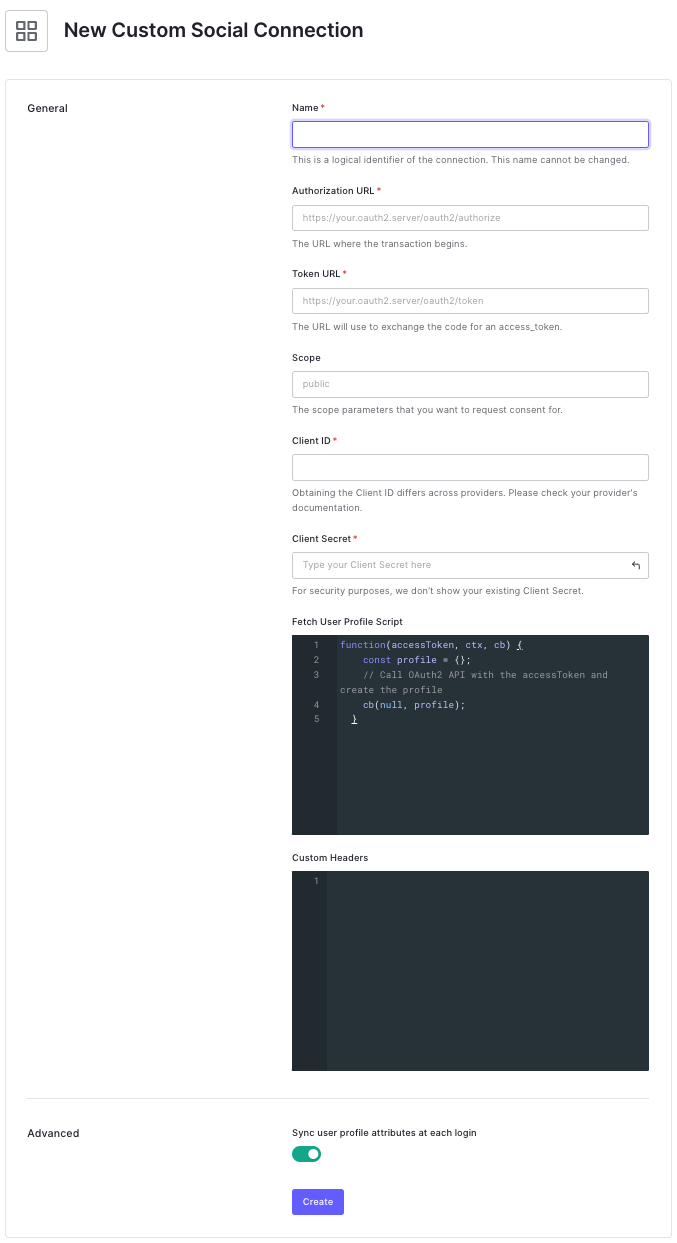
* **Name**: TikTok
* **Authorization URL**: TikTok’s Authorization URL `https://www.tiktok.com/v2/auth/authorize/`
* **Token URL**: This will eventually be your proxy. You’ll learn about this in a minute. For now, use a dummy URL like `https://example.com`
* **Scope**: `user.info.basic`
* **Client ID:** `Client Key` assigned to you by TikTok
* **Client Secret**: `Client Secret` assigned to you by TikTok
* **Fetch User Profile Script**: [Script](https://auth0.com/docs/authenticate/identity-providers/social-identity-providers/oauth2#fetch-user-profile-script) to fetch profile information from [TikTok’s user info endpoint](https://developers.tiktok.com/doc/tiktok-api-v2-get-user-info/) and map to [Auth0’s normalized user profile](https://auth0.com/docs/manage-users/user-accounts/user-profiles/normalized-user-profiles). Auth0 only requires the `user_id` attribute, which corresponds to TikTok’s `union_id`
```javascript
function fetchUserProfile(accessToken, context, cb) {
const axios = require('axios@0.22.0');
const userInfoEndpoint = 'https://open.tiktokapis.com/v2/user/info?fields=union_id';
const headers = { 'Authorization': 'Bearer ' + accessToken };
axios
.get(userInfoEndpoint, { headers })
.then(res => {
if (res.status !== 200) {
return cb(new Error(res.data))
}
const profile = {
user_id: res.data.user.union_id,
};
cb(null, profile);
})
.catch(err => cb(err));
}
```
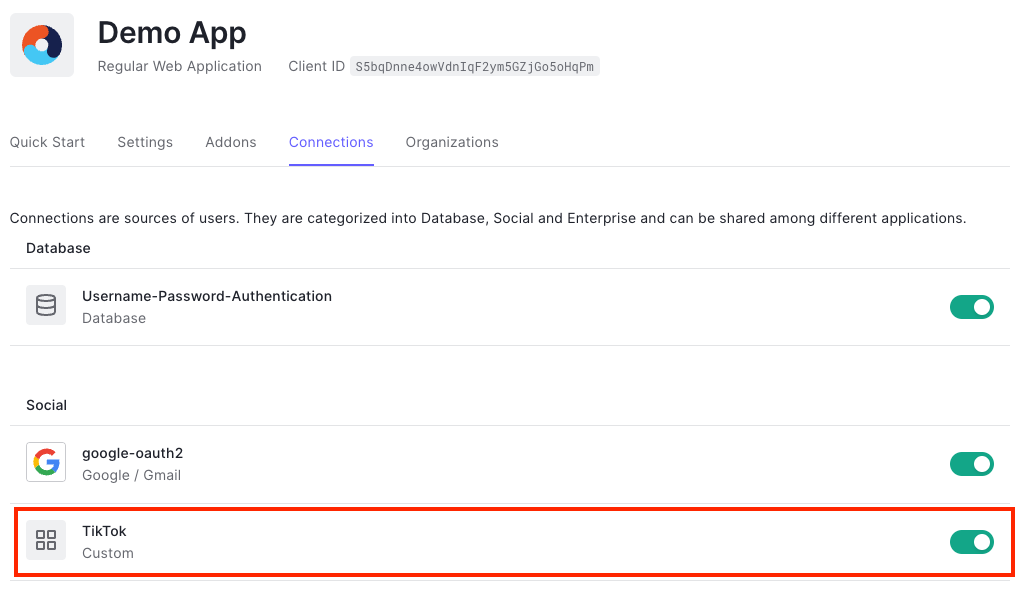
Click **Save** and then enable this connection to the applications that require sign-in with TikTok:
## Using the Management API Explorer to Pass Custom Parameters to TikTok
[TikTok’s authorization endpoint](https://developers.tiktok.com/doc/login-kit-web/) specifies `client_key` instead of `client_id`. Auth0 allows us to [pass provider-specific parameters to an identity provider](https://auth0.com/docs/authenticate/identity-providers/pass-parameters-to-idps) during authentication.
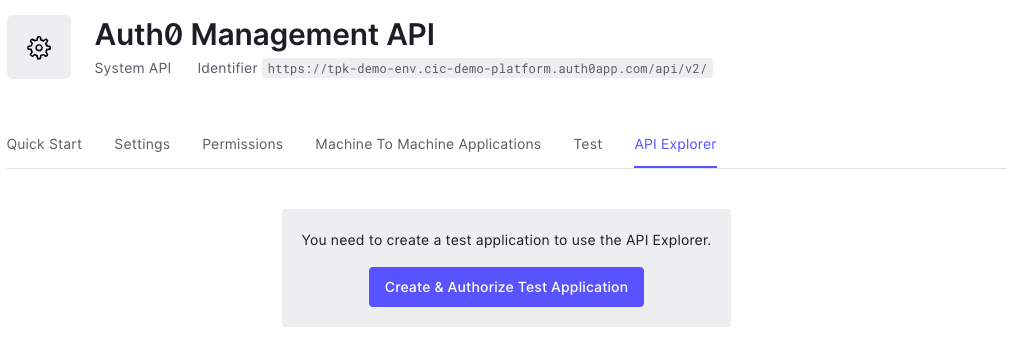
To add client_key as a parameter, you will first need to generate an [access token](https://auth0.com/docs/secure/tokens/access-tokens) for the [Management API Explorer](https://auth0.com/docs/api/management/v2). In the Auth0 dashboard, go to **Applications → APIs →** and select **Auth0 Management API**. Next, head to the **API Explorer** tab and click **Create & Authorize Test Application.**
To use Management API Explorer, follow these steps:
1. Copy the access token and go to the [Management API Explorer.](https://auth0.com/docs/api/management/v2)
2. Click the **Set API Token** button at the top left.
3. Set the **API Token** by pasting the API Token that you copied in the first step.
4. Click the **Set Token** button.
You should now be able to use the Management API Explorer to modify the configuration of your Auth0 tenant.
First, use the [Get a connection endpoint](https://auth0.com/docs/api/management/v2#!/Connections/get_connections_by_id) to retrieve the existing values of the `options` object. It will look something like this:
```json
{
"options": {
"client_id": "",
"client_secret": "",
"scope": "user.info.basic"
}
}
```
Add the `upstream_params` object with the `client_key` field.
```json
{
"options": {
"client_id": "",
"client_secret": "",
"scope": "user.info.basic",
"upstream_params": {
"client_key": { "value": "" }
}
}
}
```
Next, use the [Update a connection](https://auth0.com/docs/api/management/v2#!/Connections/patch_connections_by_id) endpoint with the new `options` object as the body. Auth0 will send the `client_key=` parameter to [TikTok’s authorization endpoint. ](https://developers.tiktok.com/doc/login-kit-web/)
The [access token endpoint](https://developers.tiktok.com/doc/login-kit-manage-user-access-tokens/) requires a different solution which you’ll learn about next.
## Proxying the Request for the Access Token
Auth0 does not allow you to pass custom query parameters for a request to an OAuth provider’s token endpoint. One solution for this problem is to proxy the request to the token endpoint and append the `client_key` parameter programmatically.
### Technical details
The diagram below illustrates a modified [Authorization Code flow. ](https://auth0.com/docs/get-started/authentication-and-authorization-flow/authorization-code-flow)
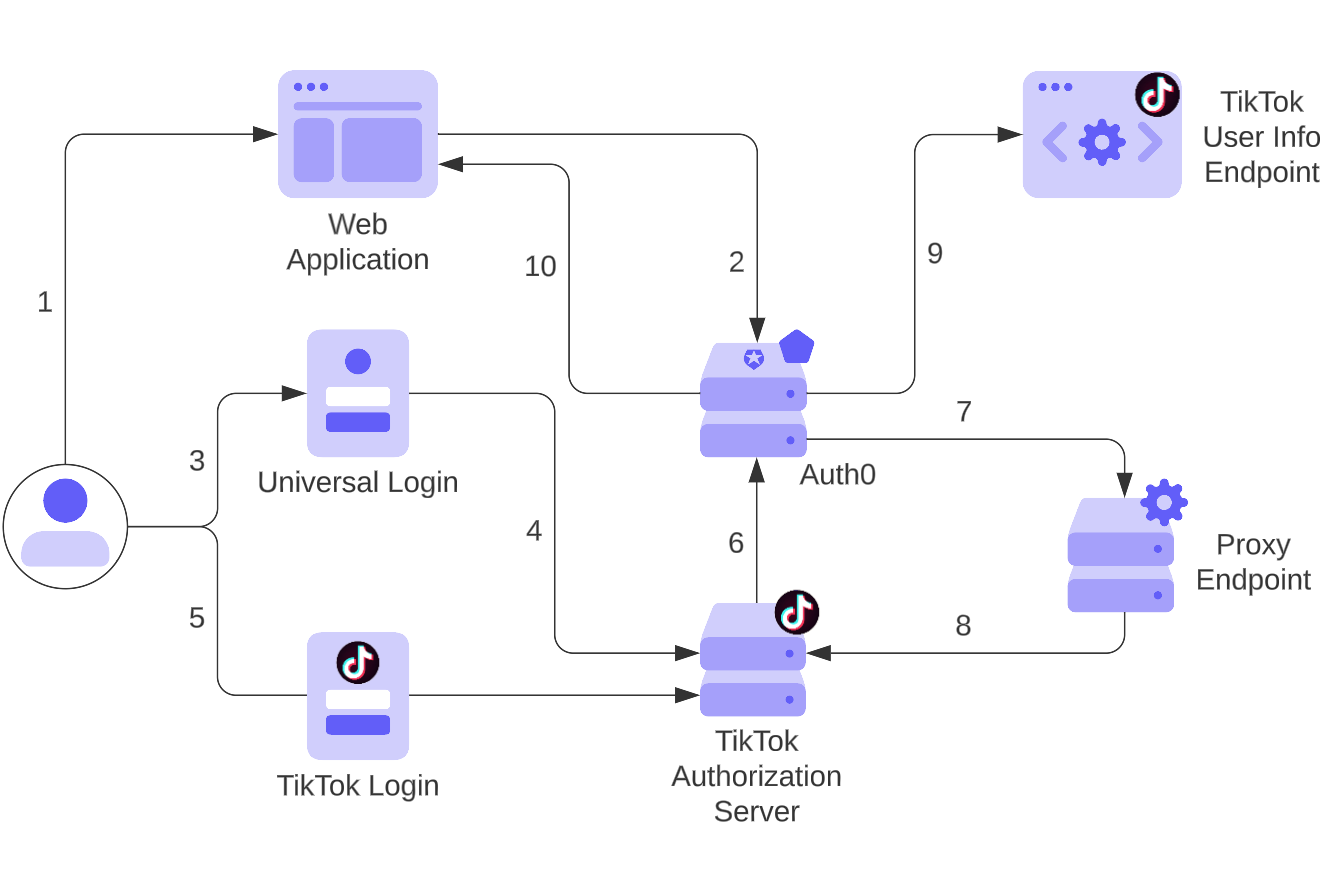
1. User visits an application that requires authentication against Auth0
2. Auth0 detects no session and redirects to the Universal Login page
3. User selects login with TikTok from available login options
4. Auth0 initiates login with TikTok and redirects to TikTok login
5. User authenticates with TikTok and consents to share their user profile
6. TikTok redirects a callback to Auth0’s `/login/callback` endpoint with authorization code
7. Auth0 connects to the proxy `/token` endpoint to exchange authorization code and modifies the `client_id` parameter to `client_key`
8. Proxy endpoint requests an access token from TikTok’s `/oauth/access_token` endpoint and returns it to Auth0
9. Auth0 uses the access token to fetch the user’s profile from TikTok’s `/user/info` endpoint
10. Auth0 issues its own `id_token` and redirects back to the application, completing the sign-in flow
For this tutorial, the proxy endpoint will be created with vanilla [Express.js](https://expressjs.com/) and hosted with [ngrok](https://ngrok.com/), an open-source tool, to expose a local development server to the internet with minimal effort. For production, it's best to host proxy endpoints in your environment.
## Deploying TikTok Integration Proxy
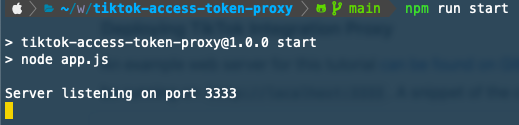
First, download the example code from [this GitHub repository](https://github.com/tylerkeesling/tiktok-access-token-proxy). Follow the `README` instructions to install the dependencies and start the development server. The example server has one POST route, `/token/proxy`. The server should be running on `http://localhost:3333:`
The proxy endpoint should be something similar to `https://405a-104-129-13B-250.ngrok.io/proxy/token`.
Then head back to your TikTok social connection configuration and update the **Token URL** that you set to `https://example.com` to your live URL address:
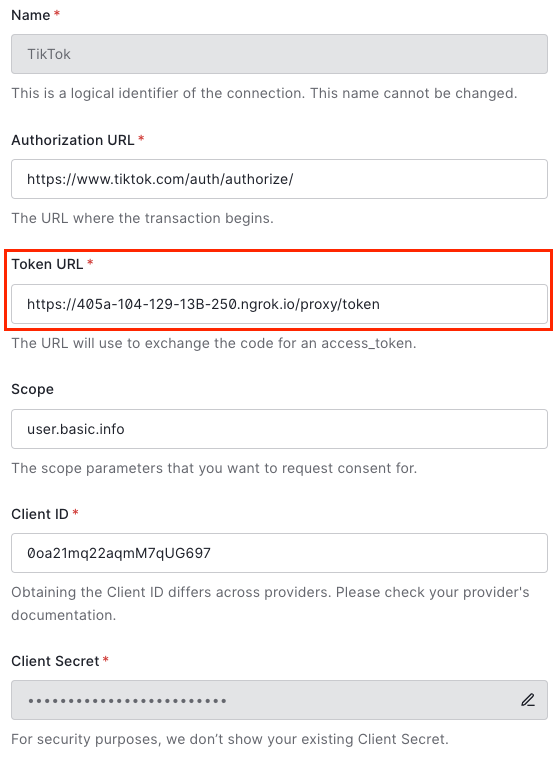
Once the configuration is saved, you should now be able to log in with TikTok.
## Conclusion
In summary, if your goal is to reduce sign-up friction, increase registrations, and improve the user-login experience, then [adding social login to your website is a must-have](https://auth0.com/resources/whitepapers/why-choose-social-login/). Auth0 makes it easy with our many out-of-the-box integrations. If an integration doesn't exist within our marketplace, you can make it possible with custom social connections.