---
title: "Vibe Production-Ready Apps with Auth0 and v0
"
description: "Stop relying on generic login forms. Use the new Auth0 v0 integration on the Vercel identity platform to build secure, production-ready AI app authentication."
authors:
- name: "Juan Cruz Martinez"
url: "https://auth0.com/blog/authors/juan-cruz-martinez/"
date: "Sep 16, 2026"
category: "Announcements"
tags: ["vercel", "ai", "b2b"]
url: "https://auth0.com/blog/vibe-production-ready-apps-auth0-v0/"
---
# Vibe Production-Ready Apps with Auth0 and v0
Today we are launching a new Auth0 integration for v0 that lets builders add real authentication to applications built through prompts. Ask v0 to add login, protect a route, support B2B use-cases, connect an enterprise identity provider, or require MFA, and v0 sets up Auth0 instead of generating a placeholder authentication screen.
That distinction matters more than it sounds. v0 is not just generating a login form anymore. The application you are building gets connected to Auth0 for identity, authenticated sessions, protected access, and the B2B and enterprise capabilities you will need once the product grows past the prototype.
## Real Authentication Is Where AI-Built Apps Grow Up
Ask any AI app builder for a "sign in" page and you will get one in seconds. That was never the hard part. What separates a demo from a production app is what is connected behind that screen: real sessions, real access control, and an identity foundation that holds up as the product grows.
That is the shift happening across AI app builders right now: identity infrastructure is becoming core to how these apps get built, not something bolted on after the fact. As more of what ships starts as a prompt, what is running underneath that prompt matters just as much as what is on screen.
We have written before about [why teams building fast still need a real identity plan](https://auth0.com/blog/whatever-you-are-building-auth0-has-a-plan), and this launch is Auth0 leaning into that same shift, starting with v0.
## Auth0 Now Works Without Leaving Your v0 Session
Starting today, v0 can configure real Auth0 resources directly from your prompts. Describe the identity experience your application needs and v0 connects it to your actual Auth0 tenant: creating applications, setting up connections, and wiring the SDK into the code it generates, without you leaving the conversational workflow you are already using to build everything else.
This builds on [Auth0's native integration with Vercel](https://auth0.com/blog/auth0-native-integration-with-vercel), which already syncs tenant configuration and credentials across your development, preview, and production environments. The v0 integration extends that same foundation into the prompt itself, so the identity layer keeps pace with however fast you are building.
## How to Use It
Here is how you can use the new Auth0 + v0 integration, step by step.
### 1. Connect Auth0 to you v0 project
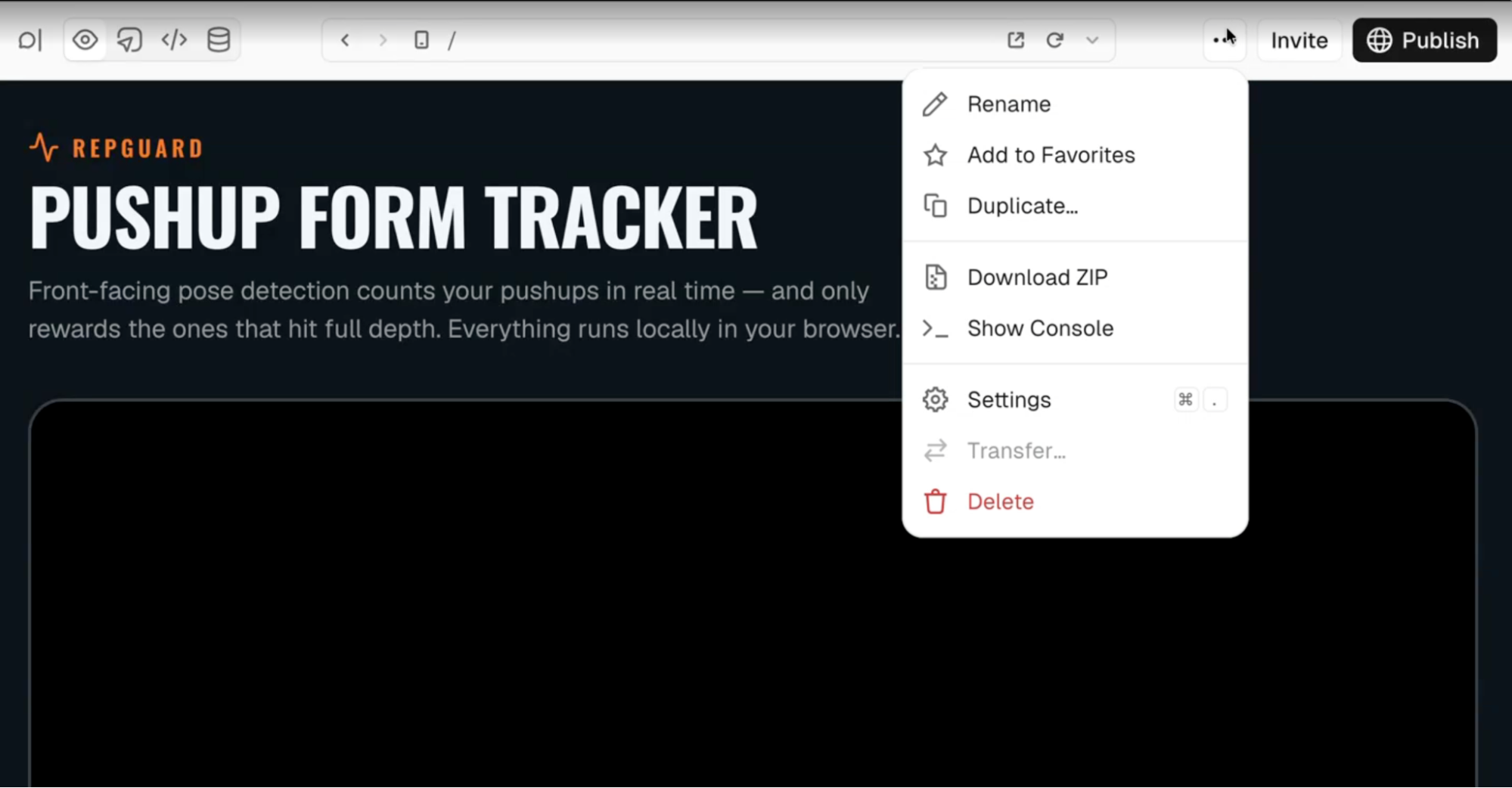
Visit your v0’s project settings page
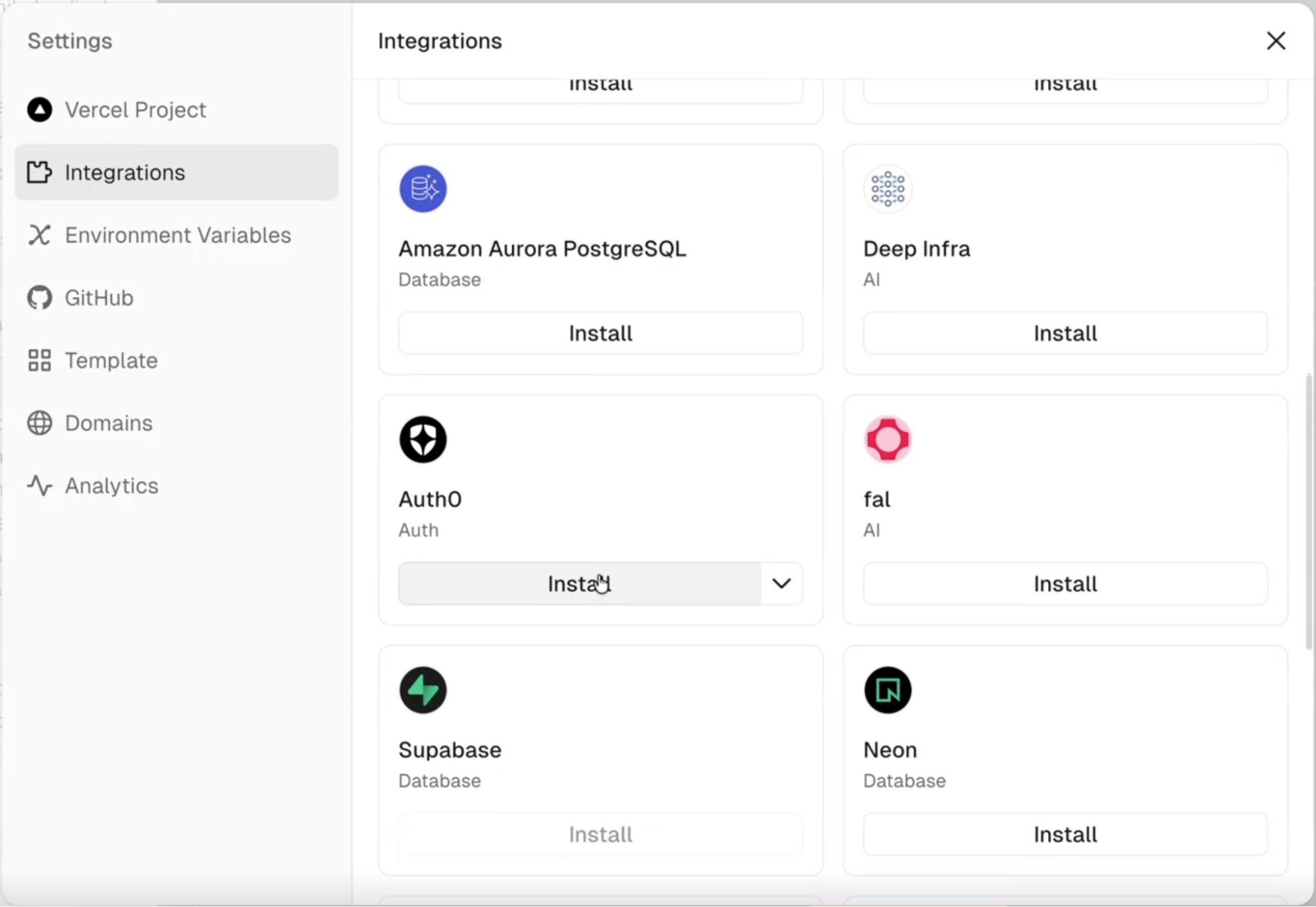
Then, in the side navigation, look for the “Integrations” tab, and search for Auth0
Click “Install” and set up your Auth0 account or create a new FREE account. Then follow the steps on the screen to complete the installation.
Once the installation is complete, you are ready to prompt your way to an Auth0 protected application.
Just try it now with a prompt like this:
```shell
Allow users sign up and log in to access the application using the Auth0 integration.
```
## Why This Goes Further Than a Login Screen
Plenty of tools can get you a working login form fast. What v0 gets when it builds against Auth0 is the part that shows up later: Organizations for B2B organizations, enterprise connections, and MFA that meets the bar security teams actually ask for.
That is the pattern we keep seeing. Teams do not outgrow authentication when they scale, they outgrow the assumptions baked into a generated login screen. [Building on a real identity platform from the start](https://auth0.com/blog/enterprise-readiness-is-not-what-you-support) means the enterprise deal that shows up in month three does not send you back to rebuild your auth layer.
Auth0-specific context also helps v0 generate a more secure implementation from the first prompt: real SDK patterns, real session handling, real protected routes, instead of generic boilerplate that happens to compile.
## Get Started
You can start using the integration in any [v0 project today](https://a0.to/v0). If you have not already, the video above walks through the full build in more depth than we will here.
Describing what you need and getting a real identity foundation back, in the same prompt, is the part that is new. Try it on your next v0 project and see how much of your auth setup you can skip entirely.