---
title: "Visualize the Power of Auth0 in Minutes"
description: "Cut through the complexities of identity with custom-branded end-user flows."
authors:
- name: "Shafiq Shivji"
url: "https://auth0.com/blog/authors/shafiq-shivji/"
date: "Oct 8, 2019"
category: "Announcements,Features,Auth0 Flows"
tags: ["auth0-flows", "auth0", "enterprise", "startup", "authentication", "flows", "architecture", "authorization"]
url: "https://auth0.com/blog/visualize-the-power-of-auth0-in-minutes/"
---
# Visualize the Power of Auth0 in Minutes
**TL:DR:** In this article, we'll walk you through setting up an Auth0 Flow so you and your end users can easily see the Auth0's impact. (Typical set up time: < 5 mins)
Are you looking to kick the proverbial Auth0 tires? Do you want to quickly understand our solution before taking the [_IDaaS_](https://auth0.com/blog/identity-as-a-service-in-2018/) plunge? Maybe you need your boss and/or colleagues to use Auth0 in your next project and want an easy way to present our features. Or perhaps you want to explain identity to your customer or client. Whatever the reason might be, [_Auth0 Flows_](https://flows.auth0.com/) is a great tool to help cut through the complexities of identity with branded visualizations of the end-users' journey.
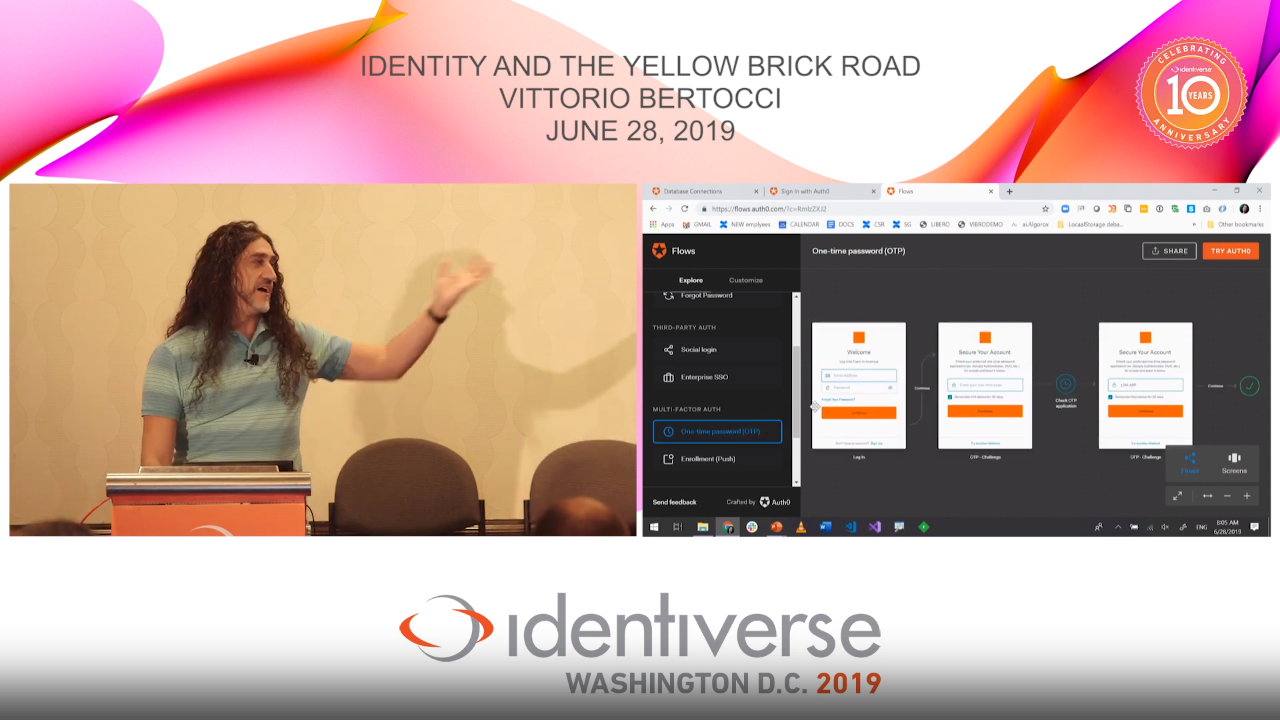
[_*Vittorio Bertocci*_](https://auth0.com/blog/authors/vittorio-bertocci/)_ using Auth0 Flows in a presentation at Identiverse_
## Getting Started
1. Navigate to [_flows.auth0.com_](https://flows.auth0.com/).
2. Run through the quick guide and then enter your organization's name to customize the login experience.
3. If your company is already populated, select it from the drop-down list. Otherwise, select “Add [Your Org's Name]” at the bottom of the list. Confirm your organization's name, enter the URL to your company's logo, and provide a primary color in hexadecimal value. Finally, select “EXPLORE FLOWS.”
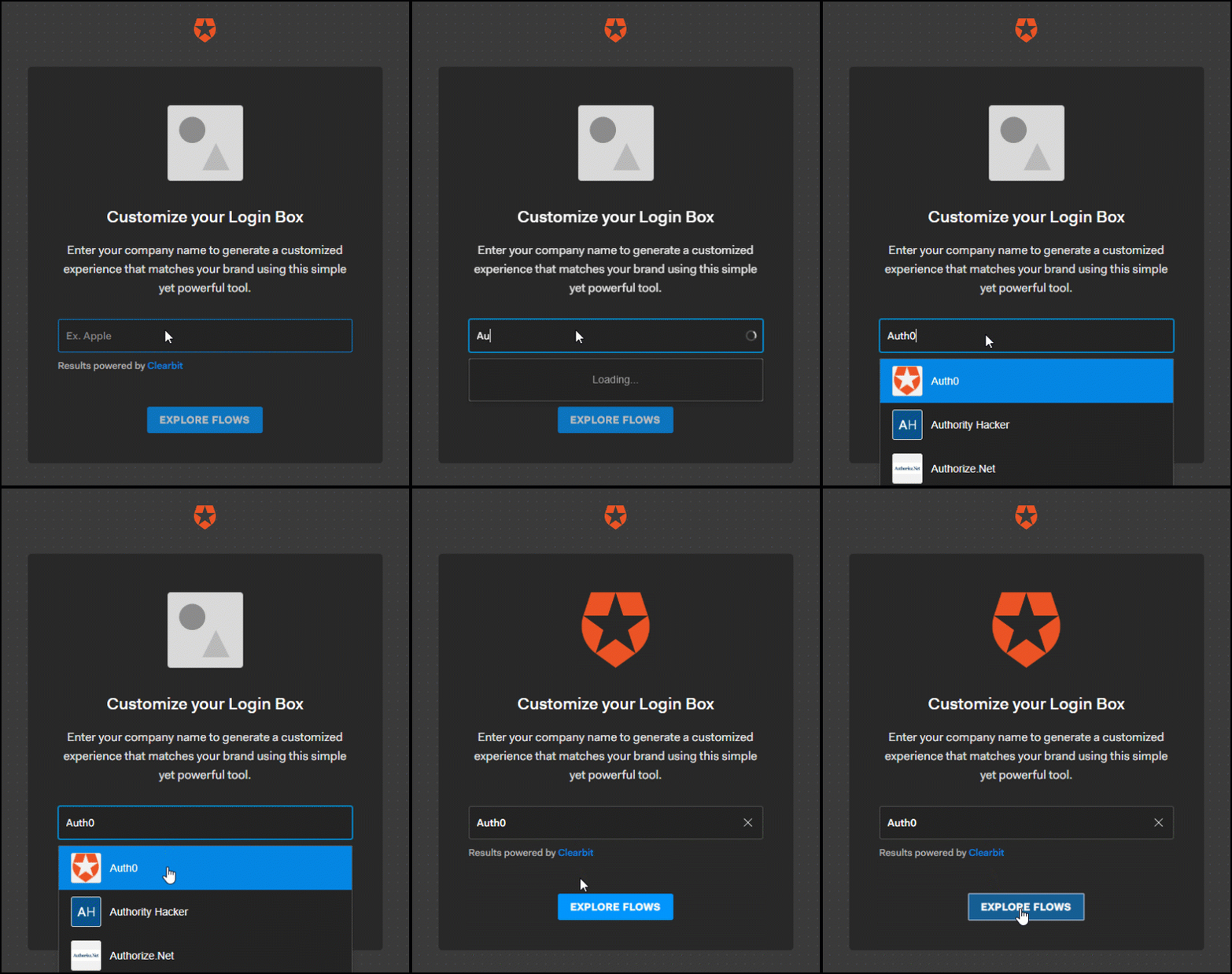
_Select your organization_
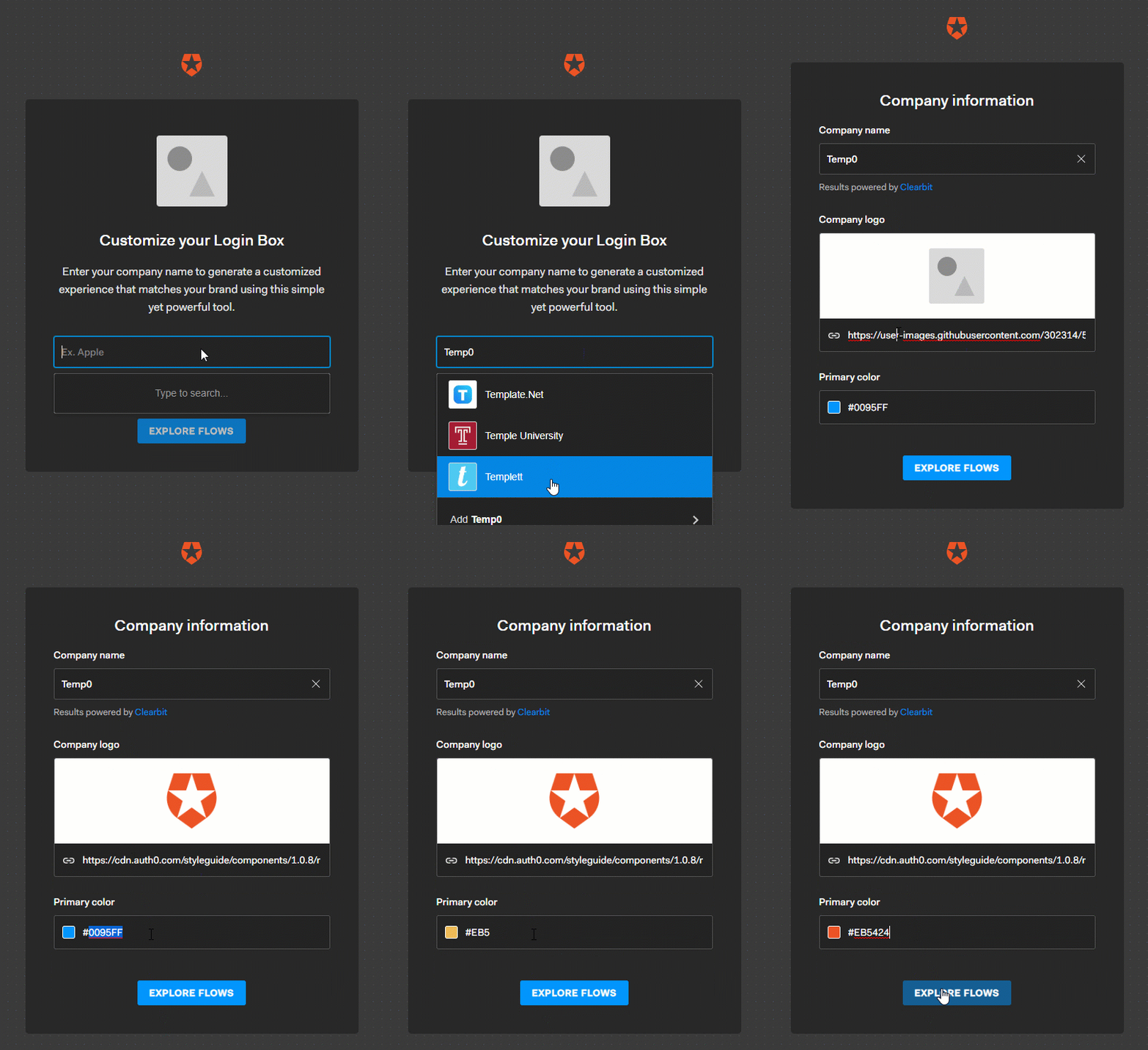
_Custom-brand your organization_
## Auth0 Flows Interface
The Explore page is organized into two panes. In the left pane, you'll find a list of features organized by the authentication type. Simply, click on each feature to see the branded end-user experience in the right pane. You can pan in any direction and zoom in/out to adjust the view to your liking. You'll find a set of controls to further help you adjust the view on the bottom-right side of your screen. You can also switch from the "Flows" view, which shows the entire path of the feature, to a "Screens" view, which zooms into a particular screen. Select the left and right arrows in the control box to navigate through the various screens.
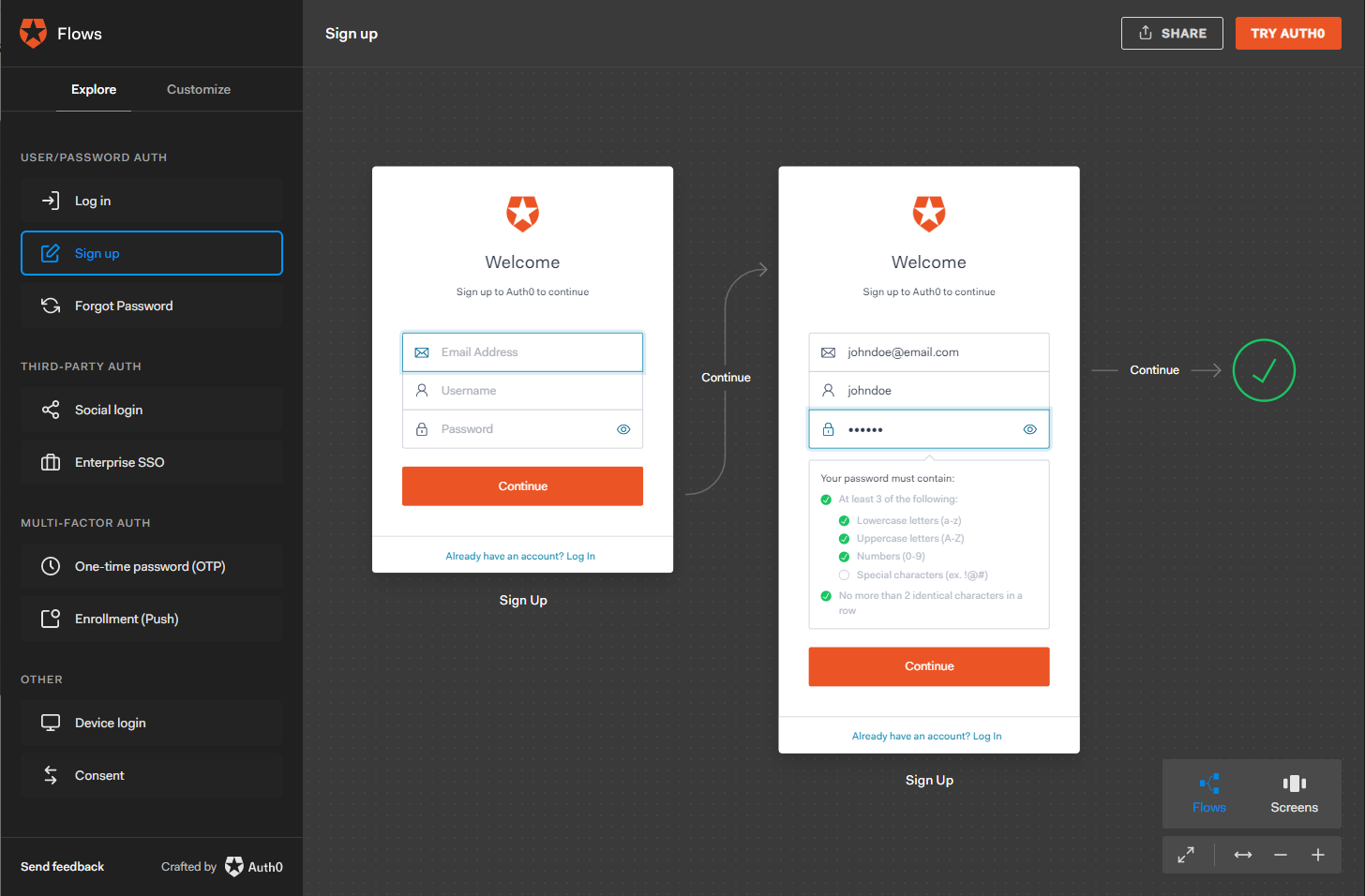
_Auth0 Flows UI_
## Share Your Custom Flows
It's simple to share your custom-branded flows with colleagues and managers. Select "SHARE" from the top-right of your screen to display a public-facing URL. **Hint:** You can also copy/paste the URL from your browser's navigation bar.