---
title: "Launching WebAuthn.me - Overview & Login Demo"
description: "Learn about WebAuthn with the interactive playground WebAuthn.me"
authors:
  - name: "Kapehe Jorgenson"
    url: "https://auth0.com/blog/authors/kapehe-jorgenson/"
date: "Jan 23, 2019"
category: "Developers,Product,WebAuthn"
tags: ["web-authentication", "webauthn", "auth", "authentication", "web", "auth0", "demo", "security", "identity"]
url: "https://auth0.com/blog/web-authentication-webauthn-overview-demo-tool/"
---

# Launching WebAuthn.me - Overview & Login Demo


<div class="alert alert-info alert-icon">
  <i class="icon-budicon-500"></i>
 Got a WebAuthn issue you can't wrap you head around? We have added a new online debugger tool that lets you play with different configurations and test them on the fly. <strong><a href="https://webauthn.me/debugger">Try it now</a></strong>
</div>

**TL;DR:** In this article, we will go over the WebAuthn specification and the newest resource, [WebAuthn.me, a fully interactive demo of the WebAuthn spec](https://webauthn.me/). We will go over how the identity scene is evolving and trending towards the mainstream adoption and enablement of strong authentication. Although the username and password combination will not be going anywhere for now, soon we may see more biometrics for authentication purposes.

## What is WebAuthn

[WebAuthn](https://www.w3.org/TR/webauthn/), otherwise known as Web Authentication, is an effort to strengthen the process that takes place on websites and applications when accepting user credentials. Extensive data breaches and user credential compromises keep the industry on its toes, always looking for stronger ways to authenticate.

We previously posted a great [introduction to web authentication, the new W3C spec](https://auth0.com/blog/introduction-to-web-authentication/). In summary, Web Authentication is a new W3C standard backed by major industry players like Google, Microsoft, and Mozilla. It aims at defining a web-browser API for the creation and use of strong authentication credentials based on public key cryptography. The core goal is to increase security for the authentication process by removing or complementing password-based authentication while remaining convenient for end-users.

<include src="TweetQuote" quoteText="WebAuthn is an effort to strengthen the process that takes place on websites and applications when accepting user credentials."/>

### How Does WebAuthn Work?

![Web Authentication (WebAuthn) Flow Example Diagram](https://images.ctfassets.net/23aumh6u8s0i/3Mrv3KSQL4dmgJmxzrwY9A/f3111e352a69f70fa914e614807acf59/flow.png)

[Source](https://webauthn.me/introduction)

The web browser is where most of the authentication process happens. It carries out two different actions:

1. Registration
2. Authentication 

### Registration

The registration process generates a new public key and then signs a challenge for the particular website you are trying to authenticate with. [The public part of these new credentials, along with the signed challenge, can be sent back to the relying party for storage.](https://webauthn.me/introduction)

> A [challenge](https://www.w3.org/TR/webauthn/#cryptographic-challenges), generally implemented with a very large random number, is used to avoid [replay attacks](https://en.wikipedia.org/wiki/Replay_attack).

![Web Authentication (WebAuthn) Registration Flow Example Diagram](https://images.ctfassets.net/23aumh6u8s0i/2rW0LG4aFyAtVOdpzcMWf2/31e57349a36a64f9fa2d60fb7690529c/updated-registration-flow.png)

[Source](https://webauthn.me/introduction)

### Authentication

The authentication process involves the user logging in to a website that they have already registered with. The challenge is sent to the “authenticator” to ensure that the connection between the user and the website is valid. Once authenticated, the sign-in process can continue and sign the user in fully.

![Web Authentication (WebAuthn) Authentication Flow Example Diagram](https://images.ctfassets.net/23aumh6u8s0i/50Bx4D6yPoeOH0W94mnhCn/87dc7bdd53eca6d5b4ca3bf9dbfbf239/updated-authentication-flow.png)

[Source](https://webauthn.me/introduction)

## [WebAuthn.me - Credential and Login Demo Site](https://webauthn.me/)

At Auth0, our mission is to make the internet safer. Identity and security are at our core. We have created an easy authentication process demonstration for users that shows how WebAuthn can ensure their security consistently.

<blockquote class="twitter-tweet" data-lang="en"><p lang="en" dir="ltr">At Auth0 we love creating tools that help developers 🎯. With <a href="https://t.co/WO25Momvyl">https://t.co/WO25Momvyl</a> you will learn everything you need to know about the <a href="https://twitter.com/hashtag/WebAuthn?src=hash&amp;ref_src=twsrc%5Etfw">#WebAuthn</a> protocol.<a href="https://twitter.com/hashtag/authentication?src=hash&amp;ref_src=twsrc%5Etfw">#authentication</a> <a href="https://twitter.com/hashtag/w3c?src=hash&amp;ref_src=twsrc%5Etfw">#w3c</a> <a href="https://twitter.com/hashtag/passwordless?src=hash&amp;ref_src=twsrc%5Etfw">#passwordless</a> 🔐</p>&mdash; Auth0 (@auth0) <a href="https://twitter.com/auth0/status/1084870715474612225?ref_src=twsrc%5Etfw">January 14, 2019</a></blockquote>
<script async src="https://platform.twitter.com/widgets.js" charset="utf-8"></script>

If we head over the [WebAuthn.me](https://webauthn.me/), we will see a six-step, interactive process that demonstrates how WebAuthn works. 

### Step 1: 

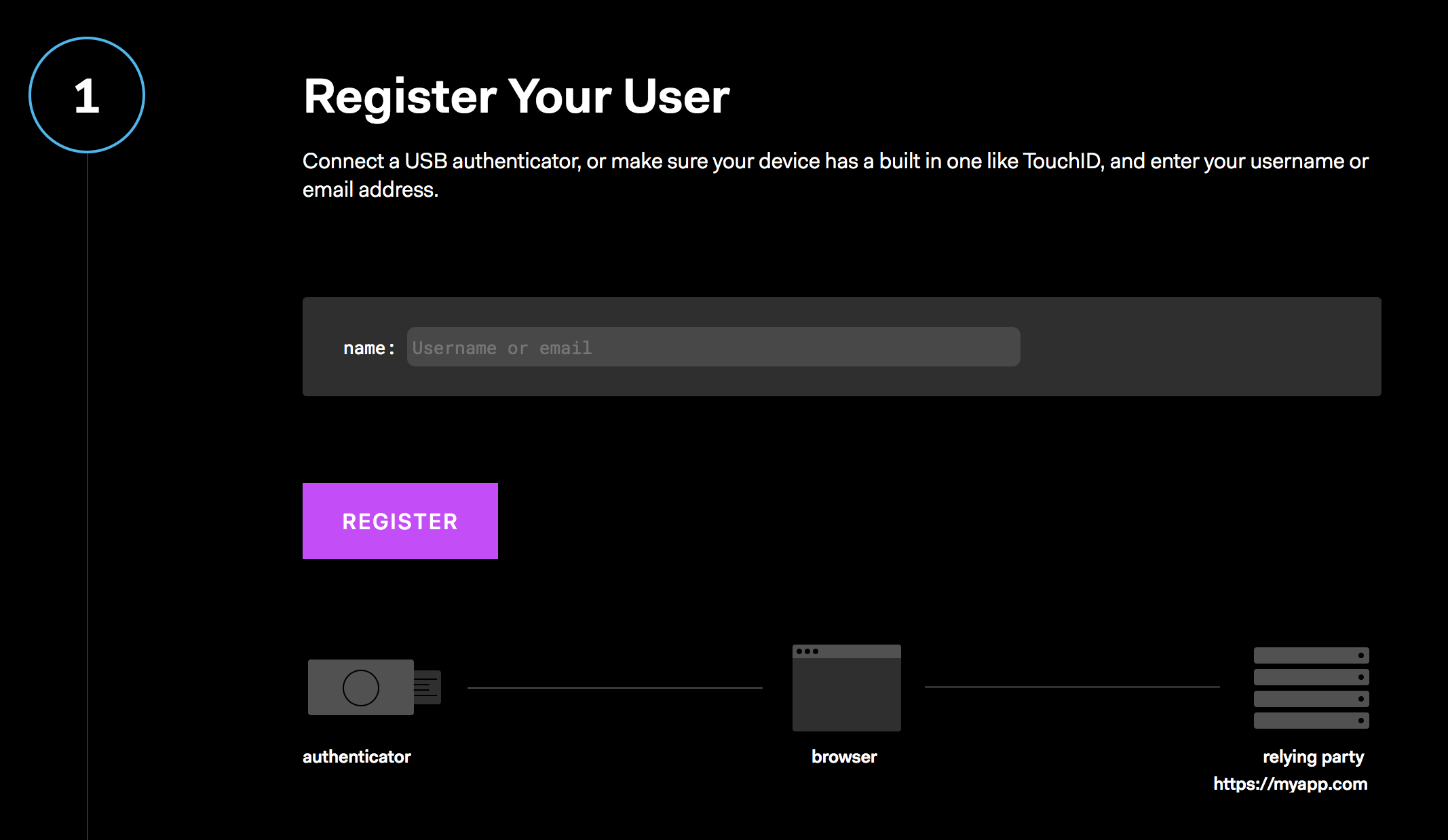
We will need to connect a USB authenticator or ensure that our device has a built-in one, like [Touch ID](https://support.apple.com/en-us/HT207054) for example. If we were on a mobile device, there is support for [NFC](https://www.gsmarena.com/glossary.php3?term=nfc) and [BLE](https://www.blemobileapps.com/ble-mobile/).

> When using the built-in authenticator device, like Touch ID on the Mac or fingerprint authentication on Android, these only work in Chrome at the moment.

Once we enter our username or email address and click the `Register` button, we are ready to continue on.
![WebAuthn Credentials and Login Demo - Step 1 - Register user on WebAuthn.me](https://images.ctfassets.net/23aumh6u8s0i/2n3WEZJkjWhzUgCLD93tPK/faacd2b9639fc4ccb4996ef85b02fa13/step-1)

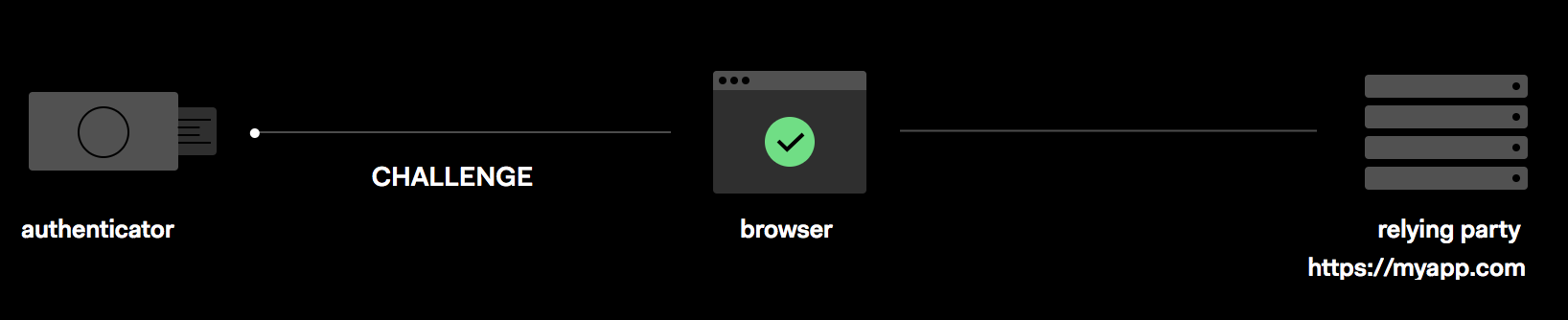
While it is working, we will see an animation of a green dot being passed between the authenticator, the browser, and the relying party:
![WebAuthn Credentials and Login Demo - Step 1 Green dot animation moving](https://images.ctfassets.net/23aumh6u8s0i/6F7rFbwBYI8bPC20jqqxWk/14f094f53262a87dbf9f64814db7006d/step-1-process)

> In this particular step, it is the `challenge` that is being passed around.

### Step 2:

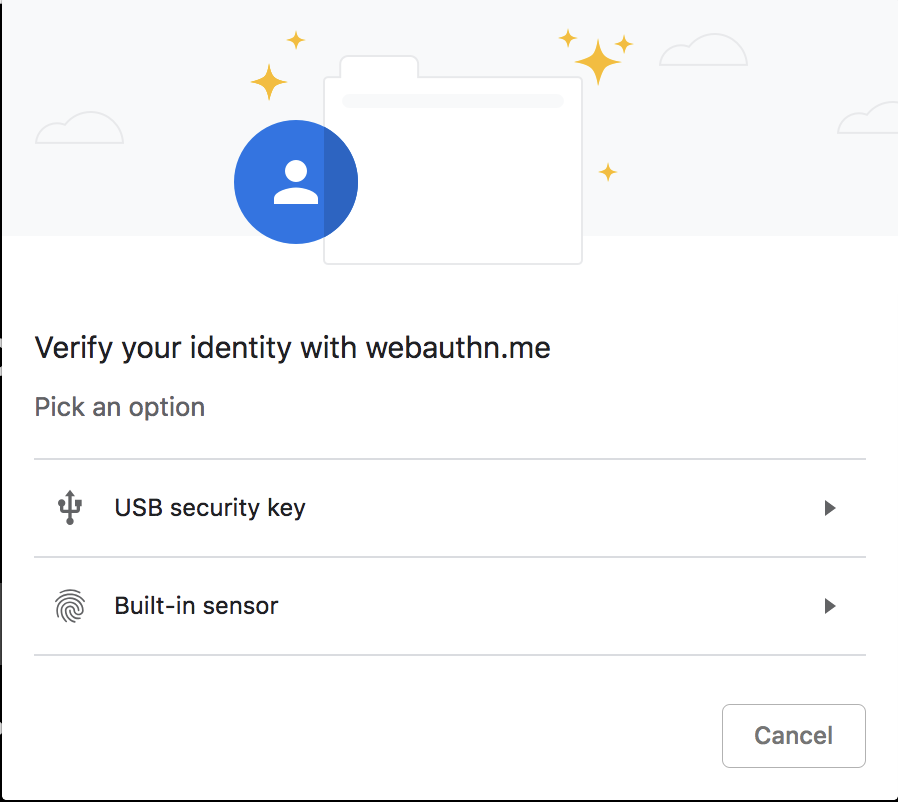
Once it continues on to step two, we will be prompted to choose which method we would like to use:
![WebAuthn Credentials and Login Demo - Step 2 Authentication method selection on WebAuthn.me](https://images.ctfassets.net/23aumh6u8s0i/6ORCofkcMxZjlgmIqNroYg/d0e9c53be49dc6d5020b9a90edb52b0e/options)

For this example, we are going to choose the "Built-in sensor" option.

> On my MacBook, I will be using my built-in Touch ID fingerprint sensor.

It will then prompt us to touch the `Authenticator` so it can read our fingerprint in order to continue on. Once we put our finger on the sensor, it will verify our fingerprint and move us on to step three of the process.

### Step 3: 

We now have our new credentials, our `rawId`, and our `public key`. These new credentials will be what is passed to the website that is needing to authentication. 

![WebAuthn Credentials and Login Demo - Step 3 rawId and public key created on WebAuthn.me](https://images.ctfassets.net/23aumh6u8s0i/6Y2XlxKk1Mz89apU7hqmVT/b5bdb6ec25c7e46f40f067b54b4ba249/step3)

Let's move on to step four of the process by clicking the `Next` button.

### Step 4: 

By using our new `rawId`, we can be authenticated as the authorized user! We will see our `rawId` was passed on to step four for us and by clicking `Login`, we can see the green dot get passed through the process again and then move us on to step five.
![WebAuthn Credentials and Login Demo - Step 4 rawId passed to Login on WebAuthn.me](https://images.ctfassets.net/23aumh6u8s0i/7wBlFVXXyx9J2xZnPa4sVz/fffc39da44fac332ee2b777aedb8d363/step4-login)

### Step 5:

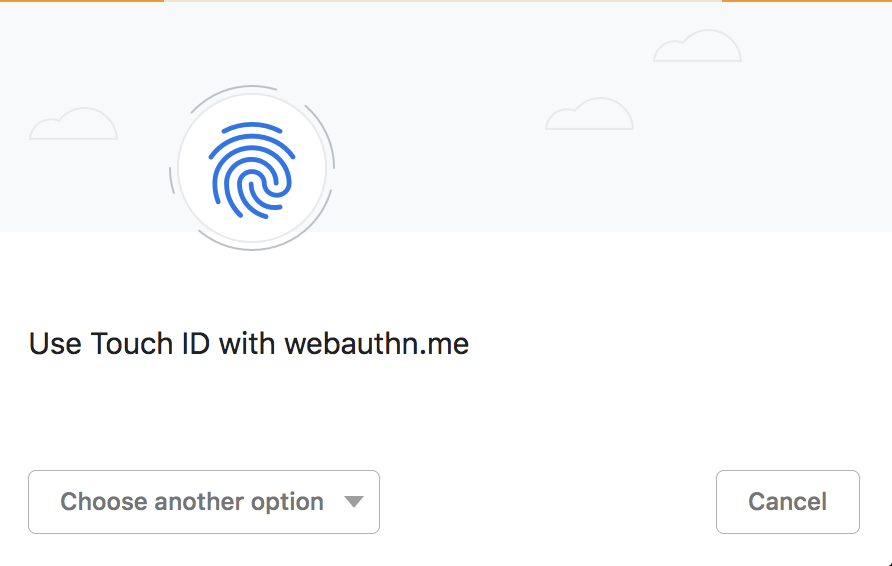
In this step, we will be need to verify our fingerprint again so that we can complete the login process.

We will need to touch the `Authenticator` again. For us, that is verifying our fingerprint by using the built-in Touch ID: 
![WebAuthn Credentials and Login Demo - Step 5 Fingerprint verification with built-in Touch ID on WebAuthn.me](https://images.ctfassets.net/23aumh6u8s0i/1AujQZe2rKTvS4OjaanuU8/1a18383460e5ce8b2b07cb6ee41108f1/fingerprint-auth)

Once we do so, it will move us on to step six.

### Step 6:

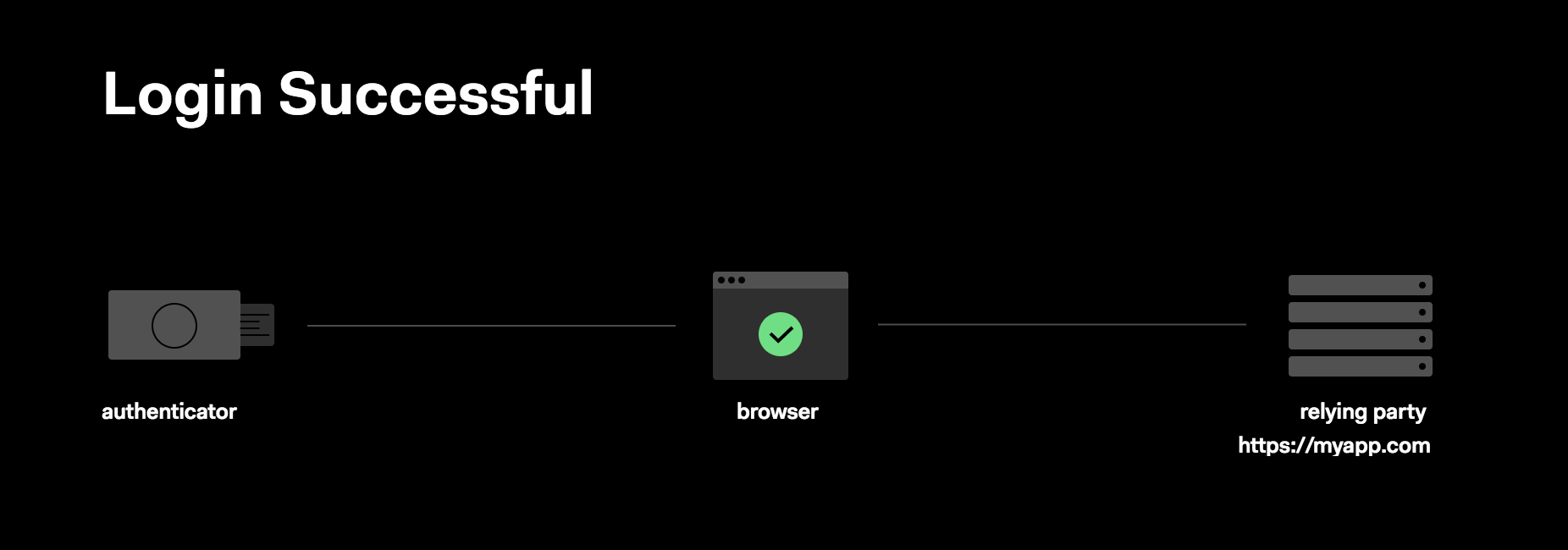
The final step is seeing that our login process was successful!
![WebAuthn Credentials and Login Demo - Step 6 Authentication and Login successful on WebAuthn.me](https://images.ctfassets.net/23aumh6u8s0i/1pKD3sBF9uniyNKyRPPIQR/c88f078821dbf0a9d9c9871373d7434e/login-successful)

<include src="TweetQuote" quoteText="Head on over to webauthn.me to see a demonstration of the WebAuthn login and credential verification."/>

## Which Browsers Support WebAuthn?

Currently, only three main browsers support Web Authentication:

1. Chrome
2. Firefox
3. Edge

> To see a full list, [visit this website.](https://caniuse.com/#feat=webauthn)

And even with those, it is only partially implemented. This new way of authentication is still a work-in-progress.

WebAuthn is also available on [Safari Technology Preview](https://webkit.org/blog/6017/introducing-safari-technology-preview/), a version of Safari for OS X. The web authentication feature is behind a flag in a special version of Safari Tech Preview that needs to be enabled by the user. To learn more about it, visit the [Release Notes for the Safari Technology Preview 71](https://webkit.org/blog/8517/release-notes-for-safari-technology-preview-71/).

## Will This Get Rid of Passwords?

The username and password combination is not going anywhere, but we need to do more to mitigate phishing attempts. WebAuthn could fully replace the need for the username/password method, but for now, usernames and passwords will be sticking around. 

When using WebAuthn, the user's credentials that were stored cannot be used to impersonate the user even if they are stolen because they are encrypted with the authenticator's internal private key. That allows for databases to store user credentials in an encrypted form.

<include src="asides/AboutAuth0" />

## Conclusion

WebAuthn is another way to authenticate that could allow for less attacks on user's information. For now, the username and password combo is still alive and well, but WebAuthn could be what we see being implemented to authenticate users in the future. 

Auth0 provides the interactive playground [WebAuthn.me](https://webauthn.me/) to give a better understanding of this concept of authentication.
