 ### ユーザー登録前トリガーにアクションを作成する
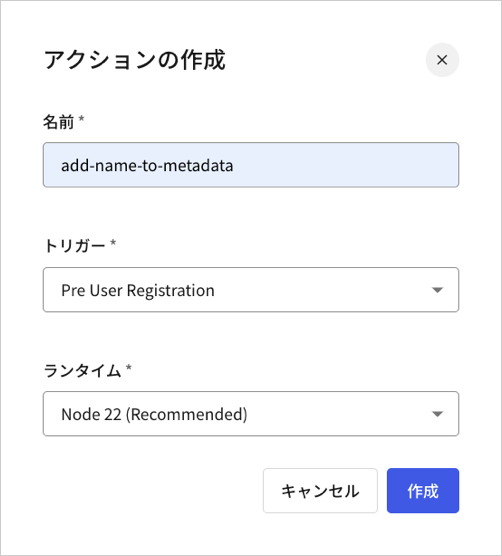
カスタムのpre-user registration(ユーザー登録前)アクションを構築するには、[**[Actions(アクション)] > [Library(ライブラリー)] > [Build Custom(カスタムの構築)]** ](https://manage.auth0.com/dashboard/us/dev-6endizjt/actions/library)**に移動します。**
### ユーザー登録前トリガーにアクションを作成する
カスタムのpre-user registration(ユーザー登録前)アクションを構築するには、[**[Actions(アクション)] > [Library(ライブラリー)] > [Build Custom(カスタムの構築)]** ](https://manage.auth0.com/dashboard/us/dev-6endizjt/actions/library)**に移動します。**
 コードエディターで、以下のように`onExecutePreUserRegistration`ハンドラーを更新します。
```lines theme={null}
exports.onExecutePreUserRegistration = async (event, api) => {
const firstName = event.request.body['ulp-first-name'];
api.user.setUserMetadata("firstName", firstName);
};
```
ユーザー入力を任意で検証し、`api.validation.error`を呼び出して検証エラーを送信してから、アクションをデプロイすることもできます。
```lines theme={null}
exports.onExecutePreUserRegistration = async (event, api) => {
const firstName = event.request.body['ulp-first-name'];
if(!firstName) {
api.validation.error("invalid_payload", "Missing first name");
return;
}
api.user.setUserMetadata("firstName", firstName);
};
```
### フローにアクションを追加する
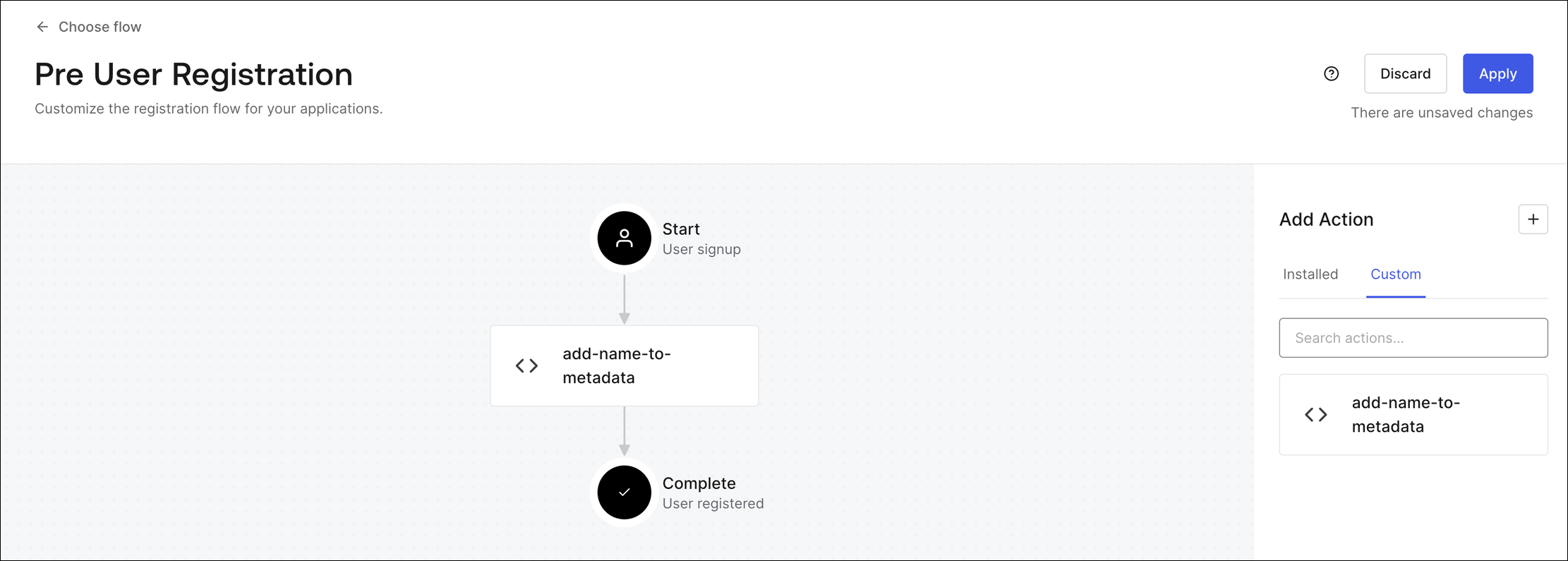
[**[Actions(アクション)] > [Flows(フロー)] > [Pre User Registration(ユーザー登録前)] > [Add Action(アクションの追加)] > [Custom(カスタム)]**](https://manage.auth0.com/dashboard/us/dev-6endizjt/actions/flows/pre-user-signup/)に移動し、新しいアクションを登録フローにドラッグ&ドロップしてから、**[Apply(適用)]** を選択します。
コードエディターで、以下のように`onExecutePreUserRegistration`ハンドラーを更新します。
```lines theme={null}
exports.onExecutePreUserRegistration = async (event, api) => {
const firstName = event.request.body['ulp-first-name'];
api.user.setUserMetadata("firstName", firstName);
};
```
ユーザー入力を任意で検証し、`api.validation.error`を呼び出して検証エラーを送信してから、アクションをデプロイすることもできます。
```lines theme={null}
exports.onExecutePreUserRegistration = async (event, api) => {
const firstName = event.request.body['ulp-first-name'];
if(!firstName) {
api.validation.error("invalid_payload", "Missing first name");
return;
}
api.user.setUserMetadata("firstName", firstName);
};
```
### フローにアクションを追加する
[**[Actions(アクション)] > [Flows(フロー)] > [Pre User Registration(ユーザー登録前)] > [Add Action(アクションの追加)] > [Custom(カスタム)]**](https://manage.auth0.com/dashboard/us/dev-6endizjt/actions/flows/pre-user-signup/)に移動し、新しいアクションを登録フローにドラッグ&ドロップしてから、**[Apply(適用)]** を選択します。
 ### アクションをテストする
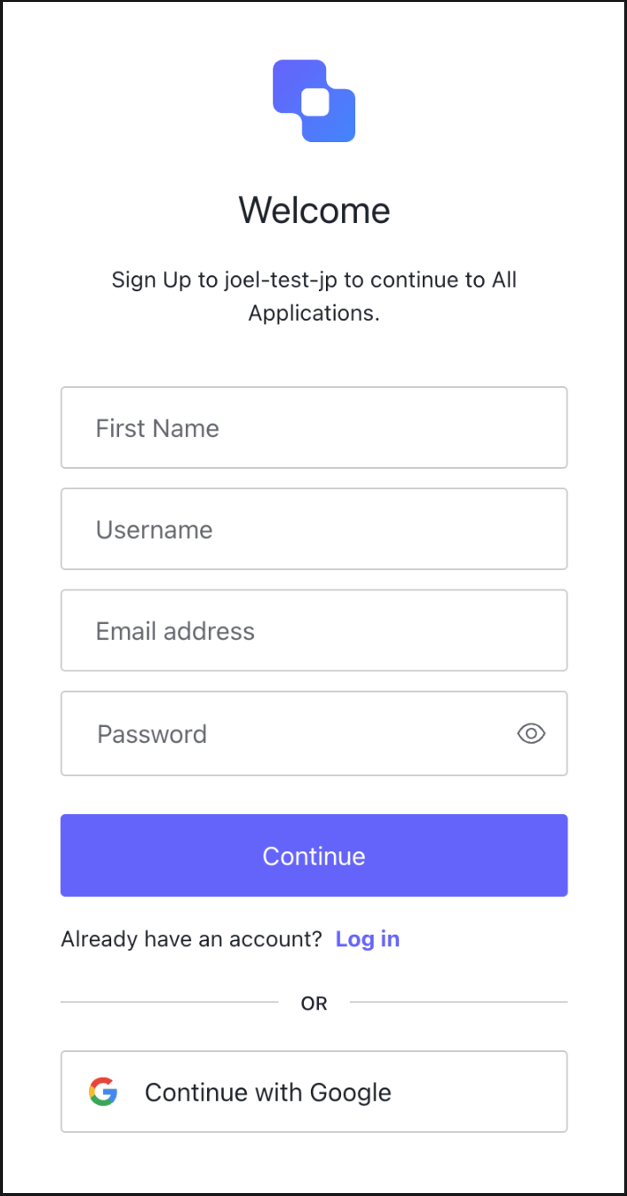
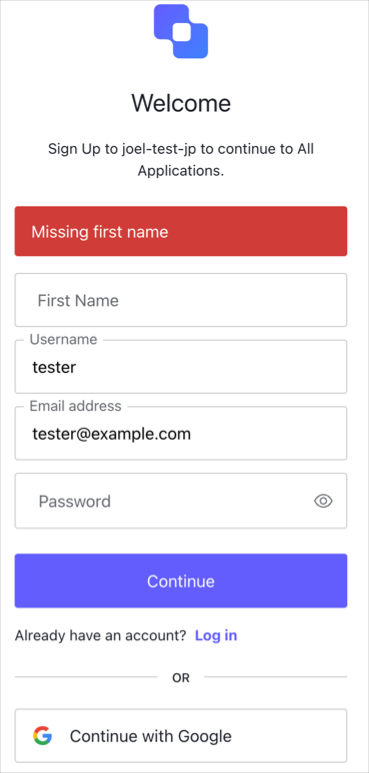
テストフローでアカウントにサインアップして、**[First Name(名)]** フィールドを空のままにします。送信すると、エラーが表示されます。
### アクションをテストする
テストフローでアカウントにサインアップして、**[First Name(名)]** フィールドを空のままにします。送信すると、エラーが表示されます。
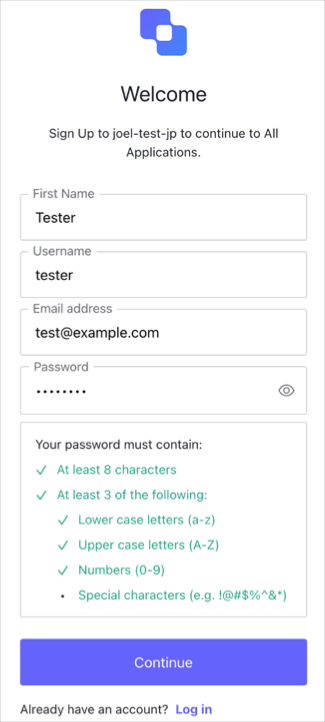
 **[First Name(名)]** フィールドに名前を入力すると、送信が成功します。
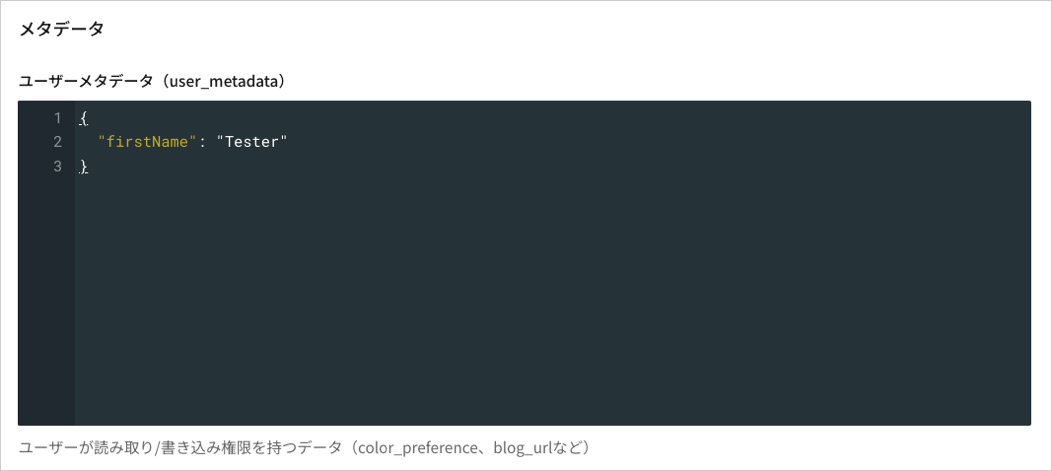
 ### user\_metadataにデータが保存されたことを確認する
[**[User Management(ユーザー管理)] > [Users(ユーザー)]** ](https://manage.auth0.com/dashboard/us/dev-6endizjt/users)に移動し、[Details(詳細)]タブでデータが保存されていることを確認します。
### user\_metadataにデータが保存されたことを確認する
[**[User Management(ユーザー管理)] > [Users(ユーザー)]** ](https://manage.auth0.com/dashboard/us/dev-6endizjt/users)に移動し、[Details(詳細)]タブでデータが保存されていることを確認します。