

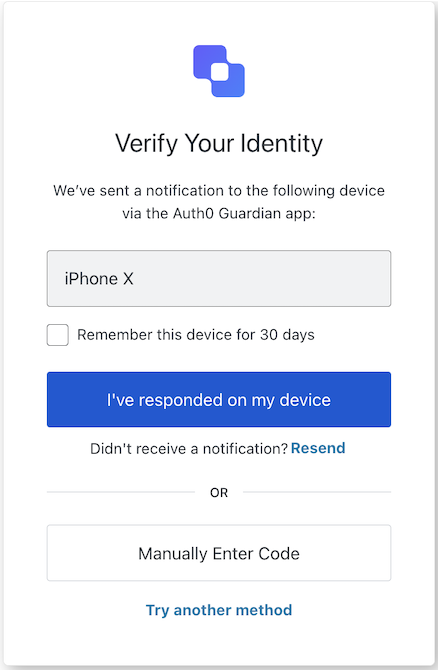
mfa-push-challenge-push screen functionality. This screen is shown when a user needs to confirm a push notification during MFA.
Constructors
Create an instance of MFA Push Challenge Push screen manager:Example
Properties
Provides branding-related configurations, such as branding theme and settings.
Provides client-related configurations, such as
id, name, and logoUrl, for the mfa-push-challenge-push screen.Provides country code data for phone number entry, such as
available and recommended, for the mfa-push-challenge-push screen.The active Experiment Center experiment for this screen, or
null when no experiment is active (or the screen has not opted in via context_configuration).Provides information about the user’s Organization, such as
id and name.Contains data about the current prompt in the authentication flow.
Contains details specific to the
mfa-push-challenge-push screen, including its configuration and context.Contains data related to the tenant, such as
id and associated metadata.Provides transaction-specific data for the
mfa-push-challenge-push screen, such as active identifiers and flow states.Handles untrusted data passed to the SDK, such as user input during MFA push challenge.
Details of the active user, including
username, email, and roles.Methods
This method changes the display language of the Universal Login page.Method Parameters
Example
Error[]
This method retrieves the array of transaction errors from the context, or an empty array if none exist.
This method starts and manages polling for an MFA push challenge.Creates a polling session that repeatedly checks the MFA push challenge endpoint at the specified interval until the challenge is approved or an error occurs. When the approval condition is met, the provided onCompleted callback is invoked and polling stops automatically.Use the returned MfaPushPollingControl to start, stop, or check the status of the polling process at any time.Returns an MfaPushPollingControl instance exposing:Remarks
startPolling()— Starts or resumes polling.stopPolling()— Cancels polling immediately.isRunning()— Indicates whether polling is currently active.
Example
- HTTP 429 (rate limit) responses are handled internally: polling automatically waits until the rate limit resets before retrying.
- Safe to call
startPolling()multiple times; it has no effect if already running.
Resends the push notification to the user’s mobile device.This method submits a form that asks Auth0 to send a new push notification. Auth0 renders this screen again, so the browser reloads the page and the JavaScript context, including component state, timers, and active polling, is lost.When you call Method Parameters
resendPushNotification(), keep the following in mind:- Code that runs after
await resendPushNotification()can’t rely on state that the code sets, such as a “notification sent” message. - Server-side errors appear in
transaction.errorsafter the page reloads. These errors don’t reject the returned promise. - The returned promise resolves when the form is submitted, before the page reloads. The promise doesn’t confirm that Auth0 sent a new notification.
Example