

 Authenticate
 Manage Users
 Customize
 Platform
- Client Credentials Flow: The application acts on its own behalf and authenticates as itself. The request may have been initiated by a user, but that context will be lost. The downstream service only knows the identity of the calling application.
- On-Behalf-Of (OBO) Token Exchange: The application receives a user-scoped token and can exchange it for a new token to call downstream services. This preserves the identity and context of the original end user throughout the call chain.
- Maintains the original user’s identity and permissions
- Is scoped specifically for Service B
- Enables Service B to make authorization decisions based on the end user
post-login Action trigger, where:
- The
event.transaction.protocolis set tooauth2-token-exchange. - The
event.transaction.actortracks the complete delegation chain.
When you purchase the Auth0 for AI Agents add-on, you can use your subscription tier’s maximum Authentication API rate limit for OBO token exchanges. For example, if you are on Private Cloud 100 RPS, you can exceed the OBO token exchange rate limit of 30 RPS and leverage the full 100 RPS capacity for your OBO token exchange requests. The Authentication API limit is shared and acts as the global ceiling for all Authentication API requests, including logins, token refreshes, and token exchanges combined. Reach out to your Technical Account Manager for more information.
Use cases
Common use cases for the OBO Token Exchange include:- MCP servers that need to call first-party APIs on the user’s behalf
- Microservices that need to call downstream services on the user’s behalf
How it works
OBO token exchange enables middle-tier services to exchange an incoming user token for a new token scoped to a downstream service. The new token preserves the original user’s identity while tracking the chain of services involved in the JSON Web Token (JWT) payload.Example: MCP server calls first-party API
A user authenticates with Auth0 to a client application, which then calls an MCP server, which in turn needs to call a first-party API.Step 1: User authentication
When the user logs in, Auth0 issues an access token scoped for the MCP server with the following claims in the JWT payload:Step 2: OBO exchange
Using the OBO token exchange, the MCP server presents the user’s token to Auth0 and requests an access token scoped to the first-party API. Auth0 issues a new access token scoped for the API with the following claims:The act claim
The act (actor) claim tracks the complete delegation chain. Each act level represents a service in the call chain, with the outermost act.sub identifying the current actor that performed the token exchange.
In our example:
- Outermost
act.sub:mcp_server_client_id(the MCP server that just exchanged the token) - Nested
act.sub:spa_client_id(the original client application)
azp claim should match the outermost act.sub value, identifying the service that most recently performed the token exchange.
If the first-party API calls another downstream service (https://calendar-api.acme.com), the delegation chain would extend:
act levels.
Cache access tokens for the lifetime of the token instead of requesting a new token for each API call. Access tokens are reusable until they expire; repeated token exchanges waste resources, increase latency, and may trigger rate limits.
User > MCP server > API flow
The following diagram shows an end-to-end OBO token exchange flow where an MCP server calls a first-party API on the user’s behalf:- User authentication: The user authenticates with the client application. The Auth0 Authorization Server issues Token A, scoped for the MCP server.
- Initial request: The client application calls the MCP Server, passing Token A in the
Authorization: Bearerheader. - Validation and token exchange: The MCP server receives Token A, validates it, and passes it to the Auth0 Authorization Server’s
/oauth/tokenendpoint. Using the OBO token exchange, the MCP server presents Token A as thesubject_tokenand requests a new token for the first-party API. - Token issuance: The Auth0 Authorization Server issues Token B. Token B has the same
sub(user ID) as Token A, but theaud(audience) is now the first-party API. - Downstream call: The MCP Server calls the first-party API using Token B. The API validates Token B and sees that the request is legitimately being made “on behalf of” the original user.
User > API1 > API2 > API3
The following diagram shows an end-to-end flow of a chain of microservices making downstream calls on the user’s behalf:- User authentication: The user successfully authenticates with a client application. The Auth0 Authorization Server issues Token A, scoped for API1.
- Initial request: The client application calls API1, passing Token A in the
Authorization: Bearerheader. - API1 delegates to API2: API1 receives Token A, validates it, then passes it to the Auth0 Authorization Server’s
/oauth/tokenendpoint. Using the OBO token exchange, API1 presents Token A as thesubject_tokenand requests a new token for API2. - Token issuance: The Auth0 Authorization Server grants a new access token, Token B, to API1. Token B has the same
sub(user ID) as Token A, but theaud(audience) is now API2. - Downstream call: API1 makes a request to API2 using Token B.
- API2 delegates to API3: API2 receives Token B, validates it, then passes it to the Auth0 Authorization Server’s
/oauth/tokenendpoint. Using the OBO token exchange, API2 presents Token B as thesubject_tokenand requests a new token for API3. - Token issuance: The Auth0 Authorization Server grants a new access token, Token C, to API2. Token C has the same
sub(user ID) as Token A and B, but theaud(audience) is now API3. - Downstream call: API2 makes a request to API3 using Token C. API3 validates Token C and sees that the request is legitimately being made “on behalf of” the original user.
Prerequisites
Only Custom API clients associated with a resource server can use the OBO token exchange. A Custom API client is linked to a resource server when they share the same identifier. Custom API clients have the following requirements:- Set
app_typetoresource_server. - Set
resource_server_identifierto the valid resource server, i.e.,https://my-api.example.com. Auth0 uses the resource server identifier as the audience parameter in authorization calls.
Create Custom API client
You can create a Custom API client using the Auth0 Dashboard or Management API.- Auth0 Dashboard
- Management API
To create a Custom API client in the Auth0 Dashboard:
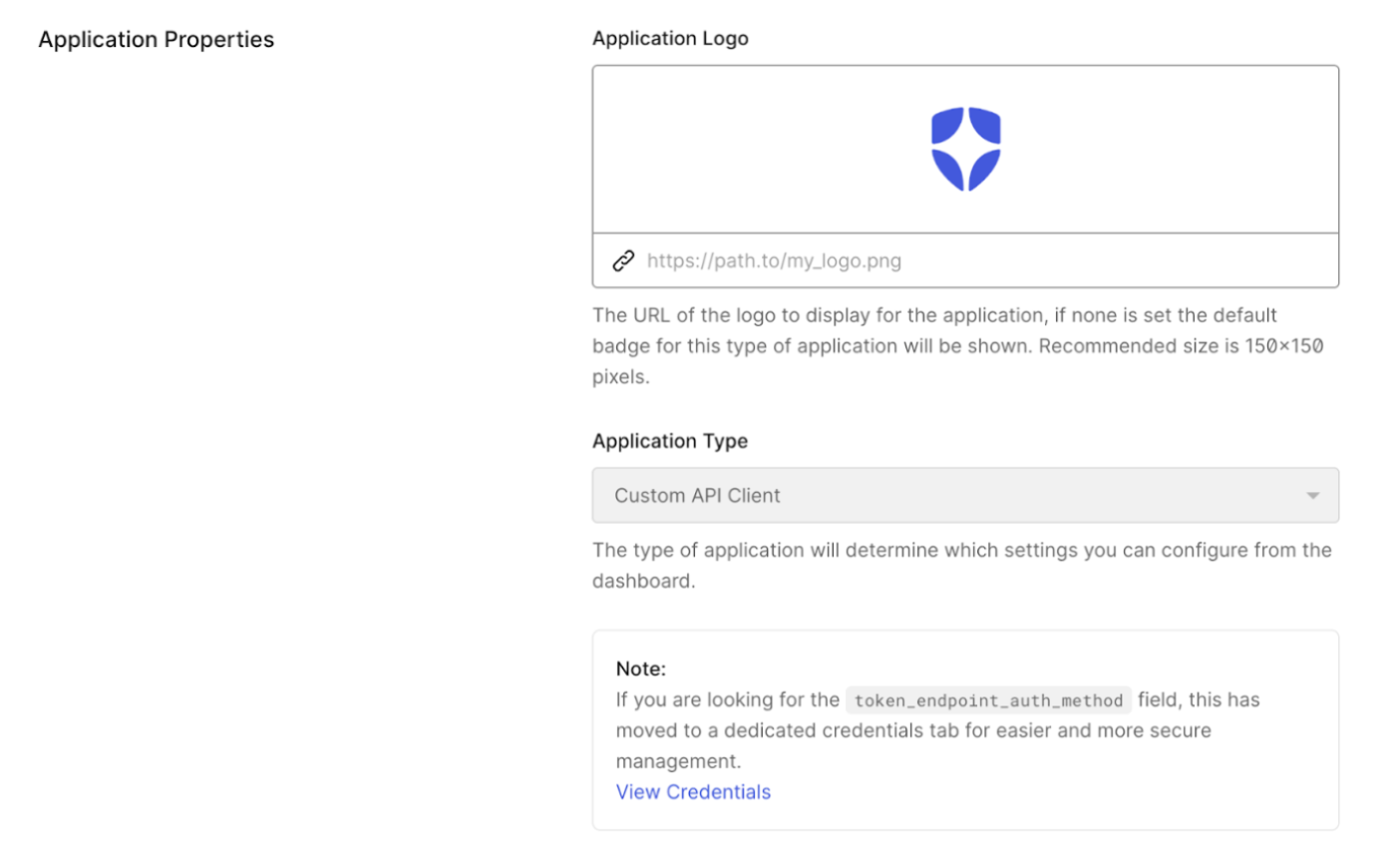
- Navigate to Applications > APIs and select your backend API.
- Select Add Application and enter an application name.
- Select Add.
Create client grant
You need to create a user-delegated client grant between the Custom API client and the downstream API to authorize access.- Auth0 Dashboard
- Management API
- Navigate to Applications > Applications and select your Custom API client.
- Under API Access, find your resource server (i.e.,
https://my-api.example.com) and select Edit. - Under User-Delegated Access, select Grant Access, then select the permissions you want to grant or Always grant all permissions.
- Select Save.
Configure the OBO token exchange
Learn how to configure your Custom API client with the OBO token exchange grant.- Auth0 Dashboard
- Management API
- Navigate to Applications > Applications and select your Custom API client.
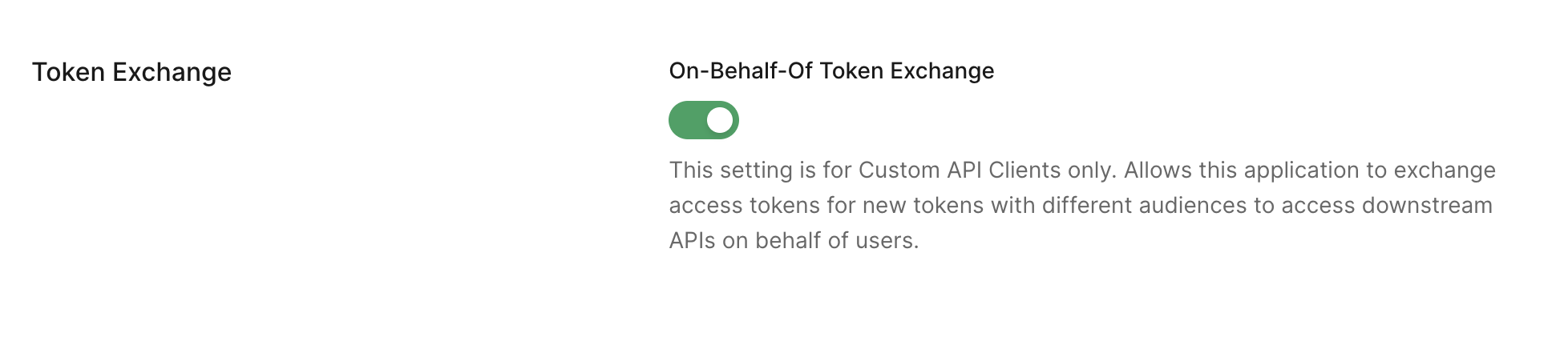
- Under Token Exchange, toggle on On-Behalf-Of Token Exchange.
- Select Save.
Perform OBO token exchange
To perform the OBO token exchange, you can useauth0-api-js, auth0_api_python, or the Authentication API.
Cache access tokens for the lifetime of the token instead of requesting a new token for each API call. Access tokens are reusable until they expire; repeated token exchanges waste resources, increase latency, and may trigger rate limits.
- JavaScript
- Python
- cURL
Before you begin, make sure you’ve installed the Then, use the
auth0-api-js library and its dependencies.First, initialize the ApiClient with your MCP server’s credentials:getTokenOnBehalfOf() method to exchange tokens:getTokenOnBehalfOf() returns an object containing:accessToken: The new token for your downstream APIscope: The granted scopesexpiresIn: Token expiration time in seconds
Token binding
Verifying token binding is the responsibility of the middle-tier service. Binding is a cryptographic proof that the token holder possesses the original holder’s key or certificate. Before exchanging a bound token, validate that the original token’s binding is verified:- DPoP: Compute the JWK SHA-256 thumbprint of the
jwkin the incoming DPoP proof (per RFC 7638) and verify it matches thecnf.jktclaim in the subject token. Auth0 does not perform this check during token exchange. - mTLS: Compute the base64url-encoded SHA-256 thumbprint of the client certificate’s DER encoding and verify it matches the
cnf.x5t#S256claim in the subject token.
/oauth/token endpoint.
If neither a DPoP proof nor an mTLS certificate is presented, Auth0 issues an unbound bearer token regardless of the original subject token’s binding status.
Binding mechanism transitions and mismatched capabilities: The middle-tier service can switch binding mechanisms during an OBO exchange (for example, from DPoP to mTLS), provided it possesses the necessary credentials for the new mechanism (for example, a provisioned mTLS certificate). The newly issued token reflects the new binding type.
Before exchanging, verify that the downstream API supports the binding mechanism you are presenting. Auth0 does not validate mechanism compatibility; it will issue the token regardless. If the downstream API does not support the presented mechanism, it will reject the token at runtime. If mechanisms cannot be reconciled, do not attempt the exchange; return an error to the caller instead.
DPoP nonces: If the original subject token was issued to a public client (such as a SPA or mobile app) using DPoP with a server-issued nonce, the middle-tier service may not have a valid nonce for re-binding at the
/oauth/token endpoint. In this case, Auth0 returns a use_dpop_nonce error with a fresh nonce in the DPoP-Nonce response header. Retry the request using that nonce in the new DPoP proof.
If the original subject token was sender-constrained but the middle-tier service does not present binding credentials (DPoP proof or mTLS certificate) to the
/oauth/token endpoint, Auth0 does not reject the request; instead, it issues an unbound bearer token without an error signal. The downstream API will accept it without proof of possession, making it replayable if intercepted. If the downstream resource server requires sender-constrained tokens, do not forward the unbound token. Reject it and return an error to the caller.Organizations support
When a user authenticates through an organization, the access token includes anorg_id claim. OBO token exchange preserves this organization context throughout the delegation chain.
When Auth0 receives an OBO token exchange request with an org-bound access token, it validates:
- The
org_idexists in your tenant - The user (identified by
sub) is a member of that organization
- Contains the same
org_idclaim as the original token - Applies the same organization-specific RBAC policies
- Makes the organization context available in the
post-loginActions trigger via theevent.organizationproperty