
Get access to Auth0 Management API

Create a Machine-to-Machine (M2M) Application authorized for Auth0 Management API.
Remember to authorize your M2M Application to access the Management API and select the right scopes following the Least Privilege Principle:
  • For Get User: read:users
  • For Create User: create:users
  • For Update User: update:users
No need for Auth0 Management API authorization to send notifications through the configured providers at your Auth0 Tenant.

Configure your Vault Connection

To configure an Auth0 Vault Connection for your Auth0 Flow Actions, set the required parameters based on the previous created M2M Application.
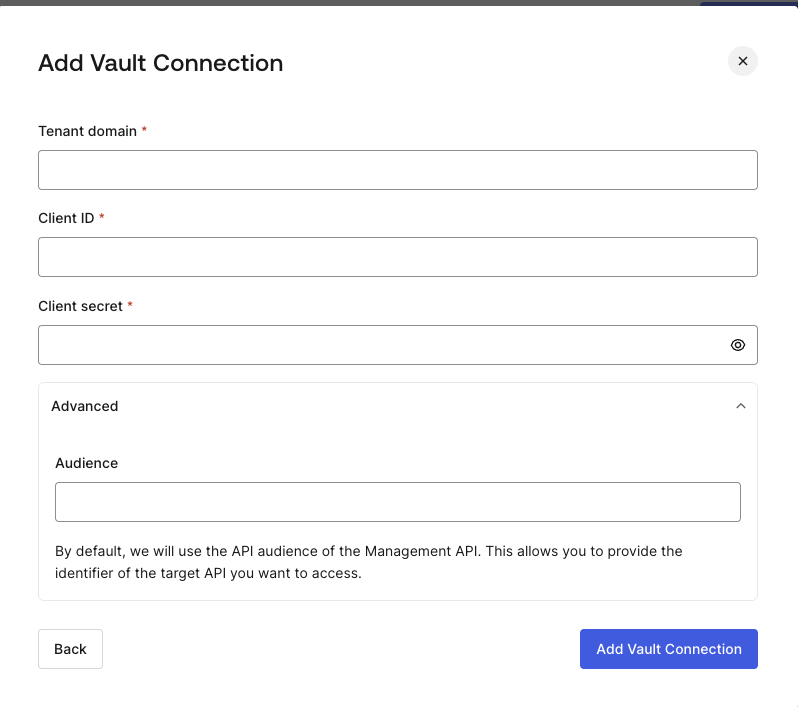
Dashboard > Actions > Forms > Vault > Auth0

Input settings

ParameterDescription
Tenant DomainTenant domain of your M2M Application.
Client IDClient ID of your M2M Application authorized for Auth0 Management API.
Client SecretClient Secret of your M2M Application authorized for Auth0 Management API.
Audience (Optional)Auth0 Management API Audience.
By default, the Audience will be based on the Tenant Domain.