

By Josh Cunningham
This tutorial demonstrates how to add authorization to a Ruby on Rails API.We recommend that you log in to follow this quickstart with examples configured for your account.New to Auth0? Learn how Auth0 works and read about implementing API authentication and authorization using the OAuth 2.0 framework.
Configure Auth0 APIs
Create an API
In the APIs section of the Auth0 dashboard, click Create API. Provide a name and an identifier for your API, for example,https://quickstarts/api. You will use the identifier as an audience later, when you are configuring the Access Token verification. Leave the Signing Algorithm as RS256.
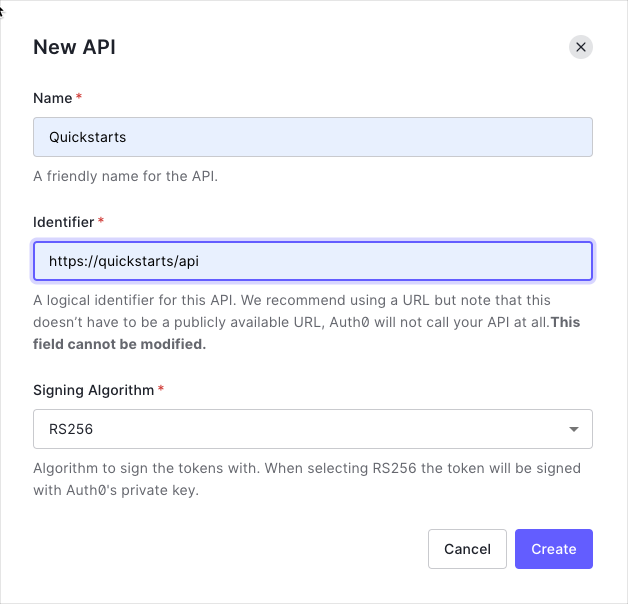
We recommend using the default RS256 signing algorithm for your API. If you need to use the HS256 algorithm, see the HS256 integration sample.
Define permissions
Permissions let you define how resources can be accessed on behalf of the user with a given access token. For example, you might choose to grant read access to themessages resource if users have the manager access level, and a write access to that resource if they have the administrator access level.
You can define allowed permissions in the Permissions view of the Auth0 Dashboard’s APIs section.
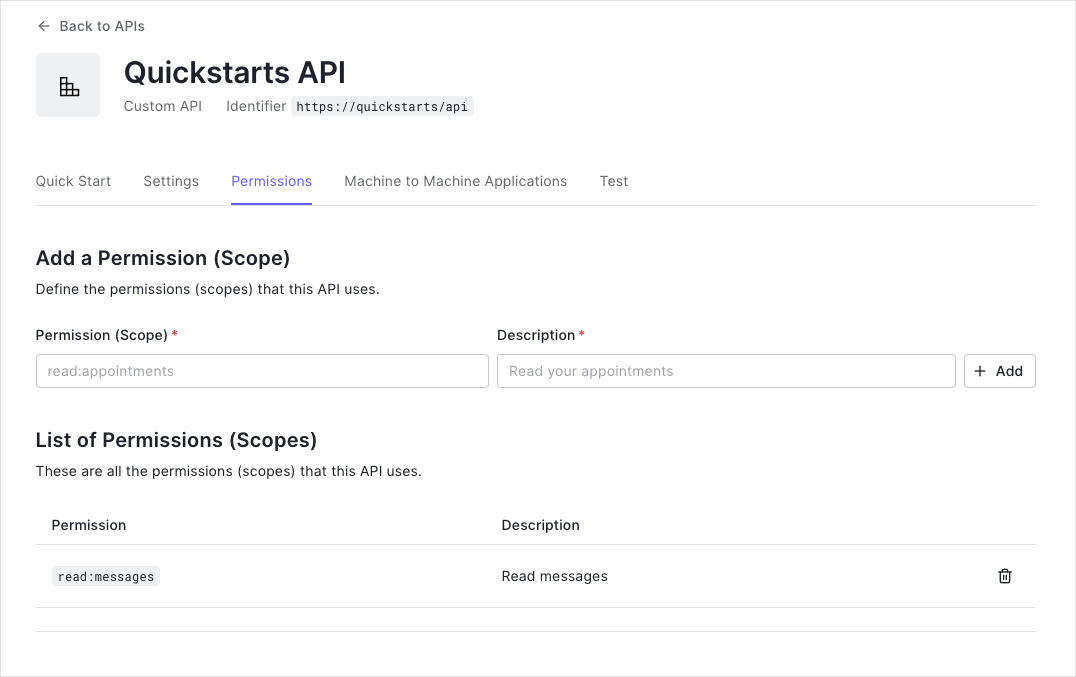
This example uses the
read:messages scope.- How to check for a JSON Web Token (JWT) in the
Authorizationheader of an incoming HTTP request. - How to check if the token is valid, using the JSON Web Key Set (JWKS) for your Auth0 account. To learn more about validating Access Tokens, see Validate Access Tokens.
Validate Access Tokens
Install dependencies
This tutorial performs access token validation using the jwt Gem within a customAuth0Client class. A Concern called Secured is used to authorize endpoints which require authentication through an incoming access token.
Install the jwt Gem.
Create an Auth0Client class
Create a class calledAuth0Client which decodes and verifies the incoming access token taken from the Authorization header of the request. The public key for your Auth0 tenant can be fetched to verify the token.
Define a Secured concern
Create a Concern calledSecured which looks for the access token in the Authorization header of an incoming request. If the token is present, it should be passed to Auth0Client.validate_token.
Validate scopes
TheAuth0Client.validate_token method above verifies that the access token included in the request is valid; however, it doesn’t yet include any mechanism for checking that the token has the sufficient scope to access the requested resources.
To look for a particular scope in an access token, create a new struct in your Auth0Client class called Token and define a new method inside, validate_permissions, that given an array of required scopes it will check if they are present in the payload of the token.
Go to the Auth0Client class. Add the new Token struct and update the return value of the validate_token method as follows:
Secured concern, define a new error constant INSUFFICIENT_PERMISSIONS to return a proper error message in case there was a attempt to request a resource without the right permissions. Next, update the return value of the Auth0Client.validate_token call and finally create a new method validate_permissions where to check if the token has the right permissions, or return a 403 FORBIDDEN status code with the INSUFFICIENT_PERMISSIONS error message otherwise.
Apply these changes in your Secured concern by adding the following code:
Protect API Endpoints
The routes shown below are available for the following requests:GET /api/public: available for non-authenticated requestsGET /api/private: available for authenticated requests containing an access token with no additional scopesGET /api/private-scoped: available for authenticated requests containing an access token with theread:messagesscope granted
Secured concern to the ApplicationController:
PrivateController as follows:
validate_permissions method as follows in the private-scoped action: