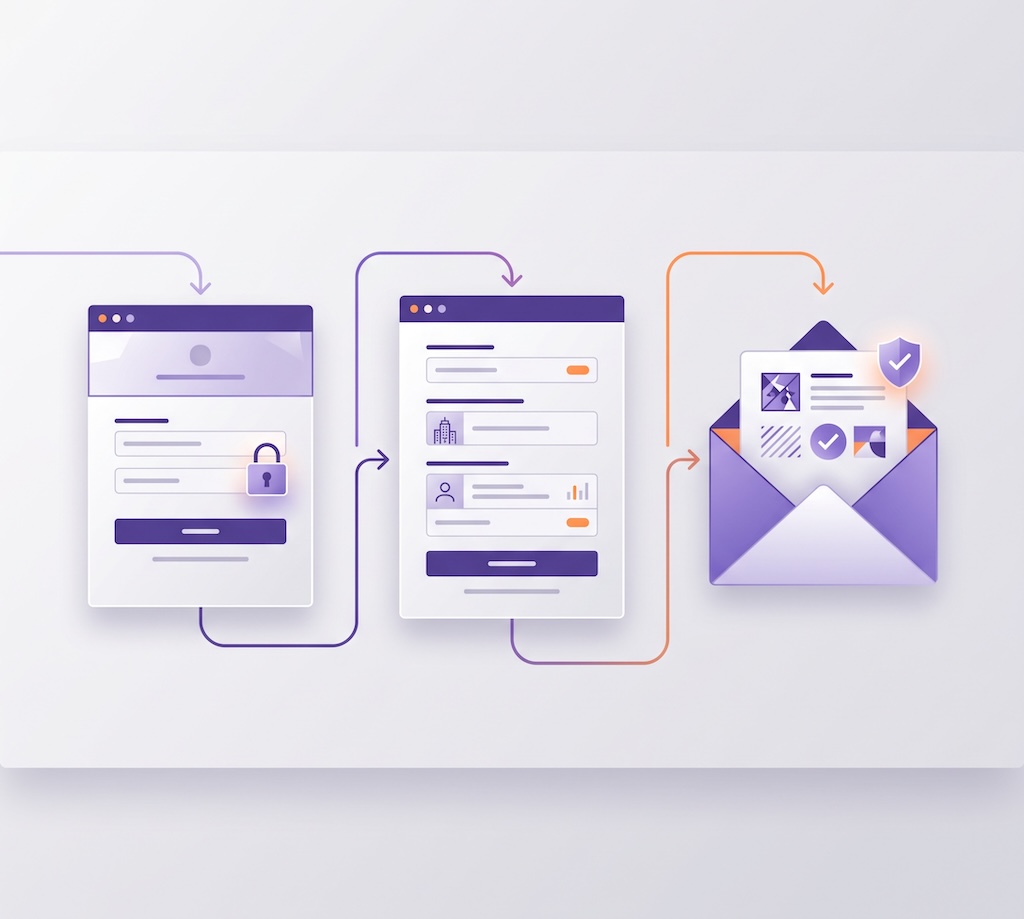
TL;DR: Default authentication setups send your users to third-party domains and trigger unstyled, generic emails. In production, this looks like a phishing attempt and breaks password managers. By implementing an Auth0 custom domain, capturing user metadata via Universal Login partials, and connecting a dedicated email provider to power your customized email workflows, you secure your identity pipeline. Offload authentication infrastructure while keeping a native, dependable user experience.
Most early-stage teams launch using standard developer defaults for authentication. When you are racing to ship an MVP, relying on default login endpoints (yourtenant.auth0.com) and standard verification emails gets your core application off the ground in hours.
However, as you scale, this default configuration becomes a liability. If the login domain does not match your app, users drop off. Developers and security-conscious users notice when app.yourcompany.com suddenly redirects to a generic Auth0 tenant URL.
Here is a technical guide on configuring your identity infrastructure for production.
1. Why Should You Configure a Custom Domain for Production Authentication?
When your application relies on a default canonical domain, you introduce several technical and security-related issues:
- Security Hesitation: A sudden domain shift during authentication looks like a phishing attack. Security-minded users check the browser address bar before typing credentials.
- Broken Password Managers: Password extensions (like 1Password or Bitwarden) bind saved credentials to exact domain origins. Switching origins breaks auto-fill, frustrating users.
- Cross-Origin Restrictions: Modern browser privacy rules restrict third-party cookie handling. Binding authentication directly to your primary domain keeps session persistence seamless across your app stack.
Executing an Auth0 custom domain configuration moves your entire identity origin directly under your primary brand space.
Implementation
In the Auth0 Dashboard, navigate to Settings > Custom Domains and enter your target hostname (for example, login.yourcompany.com). Auth0 generates a CNAME record for your DNS provider:
DNS Zone file
Type: CNAME
Name: login.yourcompany.com
Value: yourtenant.edge.auth0.com
Once verified, Auth0 automatically provisions your TLS certificates. From here, update your application's SDK configuration to point to your new custom domain rather than the default Auth0 tenant URL.
2. How Can You Add Custom Input Fields to Hosted Login Prompts Safely?
Often, developers need to capture extra data during signup, such as a company name or user role. Building a custom-hosted login page to handle this introduces significant maintenance overhead: you become responsible for patching XSS vulnerabilities, managing session state, and securely handling password fields.
Auth0’s Universal Login Partials allow you to inject custom HTML form inputs directly into hosted Auth0 screens without taking on auth state management:
<!-- Custom Company Field in Signup Partial (entry point: form-content-end) -->
<div class="ulp-field">
  <label for="company-name">Company Name</label>
  <input type="text" name="ulp-company-name" id="company-name" required>
</div>
You then use an Auth0 Action on the onExecutePreUserRegistration trigger to extract the form payload and store it directly in user metadata.
The reality of tech debt
Let’s be clear: this is not "zero tech debt." This is an architectural trade-off. You are avoiding the burden of hosting a custom authentication server, but you are coupling your signup logic to Auth0's APIs.
To manage this responsibly in production, do not paste JavaScript directly into the web editor. Treat Auth0 Actions like any other backend infrastructure:
- Store your Action scripts in version control (Git).
- Use the Auth0 Deploy CLI or Terraform Provider to manage your tenant configuration as code.
- Include basic error handling and validation in your Action payload parsing.
/**
 * Handler to execute before user registration.
 * Captures custom fields from Universal Login Partials.
 */
exports.onExecutePreUserRegistration = async (event, api) => {
  try {
    const companyName = event.request.body['ulp-company-name'];

    // Basic validation & sanitization
    if (companyName && typeof companyName === 'string' && companyName.length < 100) {
      api.user.setUserMetadata('company_name', companyName.trim());
    }
  } catch (error) {
    // Surface errors to your monitoring stack
    console.error("Error parsing custom registration fields:", error);
  }
};
3. How Do You Configure Custom Transactional Email Workflows for Deliverability?
Default system emails look suspicious and often get flagged by spam filters. To guarantee deliverability and maintain a native onboarding experience, you need to customize your transactional email workflows.
Auth0 allows you to modify templates using Liquid syntax to dynamically inject user_metadata or conditional logic based on the user's connection type:
<!-- Dynamic Welcome Email snippet using Liquid -->
<div class="email-card">
  <h2>Welcome to your workspace, {{ user.user_metadata.first_name | default: 'Developer' }}!</h2>
  <p>You’ve joined <strong>{{ user.app_metadata.company_name }}</strong>.</p>
</div>
Production email deliverability
Auth0 is an identity provider, not an email delivery engine. While Auth0 includes a built-in email provider for local development, it is strictly rate-limited and should not be used in production.
To ensure high deliverability, configure a custom email provider (such as Resend, Amazon SES, SendGrid, or Mailgun) in your Auth0 dashboard:
- DKIM & SPF: Configure proper DKIM, SPF, and DMARC DNS records for your domain so verification emails bypass spam filters.
- Sender Headers: Using a custom provider eliminates "sent via auth0.com" warnings in Gmail and Outlook.
- Monitoring: Use your provider's dashboard to track delivery rates, bounces, and dropped messages.
Production-Grade Identity Without the Maintenance Debt
Relying on generic endpoints and standard system text works for a weekend hackathon, but scaling a production application requires origin matching, infrastructure-as-code controls, and dependable email delivery workflows.
By setting up an Auth0 custom domain, managing signup partials via the Deploy CLI, and connecting a dedicated email provider, your engineering team offloads the burden of identity management while maintaining complete control over the user experience.
Explore our guides on Configuring Custom Domains, Customizing Signup Prompts with Partials, and Email Workflow Customization to optimize your production setup today.
To explore which self-service tier best fits your app's growth stage and unlocks features like custom domains and dedicated email workflows, check out our guide on From Building to Scaling: How to Choose the Right Auth0 Plan.
If you have questions about choosing a self-service tier or navigating your account transition as your user base expands, reach out to the Customer Advocacy team at customeradvocate@auth0.com. We are here to help you navigate your growth and scale smoothly.
About the author

Carlos Aguilar
Customer Advocate