In modern, scalable applications, authorization logic is critical. As your authorization model gets more and more complex, manually checking every possible permission change can quickly become a bottleneck, leading to errors that expose data or prevent legitimate access. Think of an example like Github: testing all scenarios for every permission change can become unmanageable as the model scales.
To maintain continuous correctness as your application and its permissions evolve, you need a robust, automated CI/CD testing strategy. This article will guide you through defining tests for your OpenFGA model and automating their execution using a GitHub Actions workflow, ensuring that every code change is secure before it reaches production.
Understanding the Core Components
Before we automate the process, let's briefly review the components required for testing OpenFGA models.
OpenFGA
OpenFGA centralizes authorization decisions. It relies on three core components:
- Authorization Model: Defined in the OpenFGA DSL, this is the schema of your permissions (for example, user has admin relation on document).
- Relationship Tuples: The actual data (for example, user:alice is admin of document:report).
- Authorization Checks: Queries asking if a specific relationship is true (for example, Can user:alice view document:report?).
OpenFGA models are tested using a standardized YAML format that lives alongside a .fga or .fga.yaml model file. This file defines a scenario by including:
- Model: The FGA DSL model being tested.
- Tuples: The initial relationship data that sets up the scenario.
- Tests: A list of permission checks with expected outcomes (true or false).
This format allows you to write isolated tests for your model logic, entirely separate from your application's code.
Designing the Authorization Model
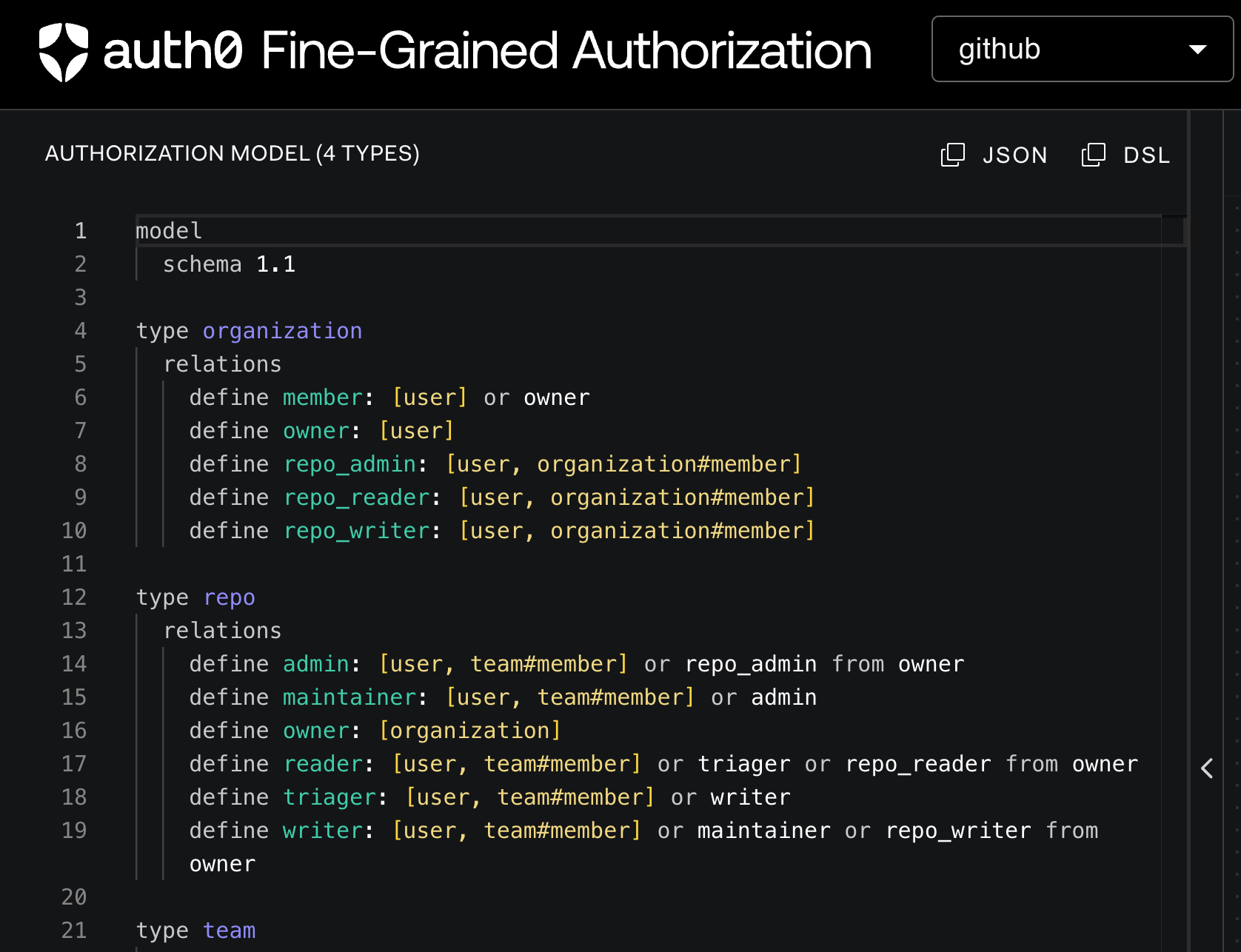
Let’s use a well-known example, think of a git repository management application, similar to this OpenFGA example, where the permissions are defined as follows:
- Users can be admins, maintainers, writers, triagers, or readers of repositories (each level inherits all access of the level lower than it, for example, admins inherit maintainer access and so forth)
- Teams can have members
- Organizations can have members
- Organizations can own repositories
- Users can have repository admin access on organizations, and thus have admin access to all repositories owned by that organization
Such an authorization model can be defined in a file: store.fga.yaml as follows:
store.fga.yaml
model
  schema 1.1

type user

type team
  relations
    define member: [user, team#member]

type repo
  relations
    define admin: [user, team#member] or repo_admin from owner
    define maintainer: [user, team#member] or admin
    define owner: [organization]
    define reader: [user, team#member] or triager or repo_reader from owner
    define triager: [user, team#member] or writer
    define writer: [user, team#member] or maintainer or repo_writer from owner

type organization
  relations
    define member: [user] or owner
    define owner: [user]
    define repo_admin: [user, organization#member]
    define repo_reader: [user, organization#member]
    define repo_writer: [user, organization#member]
Defining Tuples for Testing
Next, you’re going to define some tuples that will serve as data to test your model. When creating these tuples, it’s important to try to represent all of the relations and edge cases presented in your model. Consider the following criteria:
Focus on the edge cases
Define tuples that test the limits of your model's logic. Create tuples that use the following relation types:
- Direct Access: A tuple granting the most basic, explicit access (
user:aliceisowneroforganization:acme). - Non-existent Access: A user/object pair where no relationship exists, ensuring your model correctly denies permission (for example, check if a non-member can
viewthe organization). - Implicit/Inherited Access: Tuples that trigger a computed relationship, such as a user who is a
memberof anorganization, where theorganizationis anadminof adocument(e.g.,user:bobismemberofteam:devs,team:devs#memberisadminofrepo:x).
Cover all relation types (Role, Permission, and Userset)
Ensure you have at least one tuple for every distinct relation defined in your model's DSL. This includes:
- Role Assignments (if applicable):
user:carlahasrole:nameonobject:id. - Object Hierarchies:
document:childisparentofdocument:parent(which establishes inheritance). - Conditional Tuples: If you use FGA Conditions, create tuples where the condition is explicitly True and another where it's explicitly False
Validate recursion and intersections
Create tuples that specifically test paths involving multiple hops or userset intersections
- For Hierarchies (
fromclause): Set up a three-level hierarchy (for example, a grandparent, parent, and child object) and test if a user with permission on the grandparent correctly inherits access to the child. - For Intersection (
and): Create a user that satisfies both required relationships and another user that satisfies only one to ensure theandlogic is strict.
Simulate real-world scenarios
Design tuple sets for common, high-value business use cases to use as regression tests. For example:
- A set of tuples that correctly configures a
user:adminand verifies they can perform all management actions (create,delete,invite). - Tuples that assign an outside
user:guestread-only access to a single specificdocumentwithout making them a member of the parent organization. - This is best done in End-to-End tests.
With the above in mind, let’s update the store.fga.yaml file to have the following structure:
model:
    model
  schema 1.1

type user

type team
  relations
    define member: [user, team#member]

type repo
  relations
    define admin: [user, team#member] or repo_admin from owner
    define maintainer: [user, team#member] or admin
    define owner: [organization]
    define reader: [user, team#member] or triager or repo_reader from owner
    define triager: [user, team#member] or writer
    define writer: [user, team#member] or maintainer or repo_writer from owner

type organization
  relations
    define member: [user] or owner
    define owner: [user]
    define repo_admin: [user, organization#member]
    define repo_reader: [user, organization#member]
    define repo_writer: [user, organization#member]
tuples:
  # The OpenFGA organization is the owner of the openfga/openfga repository
  - user: organization:openfga
    relation: owner
    object: repo:openfga/openfga
  # Members of the OpenFGA organization have a repository admin base permission on the organization
  - user: organization:openfga#member
    relation: repo_admin
    object: organization:openfga
  # Erik is a member of the OpenFGA organization
  - user: user:erik
    relation: member
    object: organization:openfga
  # The openfga/core team members are admins on the openfga/openfga repository
  - user: team:openfga/core#member
    relation: admin
    object: repo:openfga/openfga
  # Anne is a reader on the openfga/openfga repository
  - user: user:anne
    relation: reader
    object: repo:openfga/openfga
  # Beth is a writer on the openfga/openfga repository
  - user: user:beth
    relation: writer
    object: repo:openfga/openfga
  # Charles is a member of the openfga/core team
  - user: user:charles
    relation: member
    object: team:openfga/core
  # Members of the openfga/backend team are members of the openfga/core team
  - user: team:openfga/backend#member
    relation: member
    object: team:openfga/core
  # Diane is a member of the openfga/backend team
  - user: user:diane
    relation: member
    object: team:openfga/backend
Creating Tests
Defining tests is one of the most important steps, so let’s take a look at some things to keep in mind before creating the tests:
- Test for Completeness: For every defined permission, create corresponding assertions that validate both the allowed and denied scenarios.
- Validate Complex Rules with Boundary Cases: Focus test cases specifically on logic that involves userset rewrites, rules using the
fromkeyword or logical operators. For instance, when testing a hierarchy, ensure the user inherits the permission across multiple levels. When testing anandrule, create a test that satisfies all conditions and another that satisfies only one. - Make Tests Atomic and Context-Specific: For any test requiring a complex or unique arrangement of relationships, use the dedicated
tuplesarray within that individual test block (such as this example). This practice ensures the test is completely self-contained, easily readable, and its result is independent of other unrelated data in the test file, simplifying maintenance and debugging.
With this in mind, let’s define and add the following tests to the end of the, adding them to the end of the store.fga.yaml file as follows:
# ....
tests:
  - name: Test individual user permissions on the openfga/openfga repo
    check:
      - user: user:anne
        object: repo:openfga/openfga
        assertions:
          reader: true
          triager: false
      - user: user:beth
        object: repo:openfga/openfga
        assertions:
          admin: false
      - user: user:charles
        object: repo:openfga/openfga
        assertions:
          writer: true
      - user: user:diane
        object: repo:openfga/openfga
        assertions:
          admin: true
      - user: user:erik
        object: repo:openfga/openfga
        assertions:
          reader: true

  - name: Test who are readers of the openfga/openfga repo
    list_users:
    - object: repo:openfga/openfga
      user_filter:
        - type: user
      assertions:
        reader:
          users:
            - user:diane
            - user:charles
            - user:beth
            - user:anne
            - user:erik

  - name: Test which repos can Diane read
    list_objects:
      - user: user:diane
        type: repo
        assertions:
          reader:
            - repo:openfga/openfga

  - name: Check if the right users have access to the right repositories
    list_users:
      - object: repo:openfga/openfga
        user_filter:
          - type: user
        assertions:
          writer:
            users:
              - user:charles
              - user:beth
              - user:diane
              - user:erik

      - object: repo:openfga/openfga
        user_filter:
          - type: team
            relation: member
        assertions:
          writer:
            users:
              - team:openfga/backend#member
              - team:openfga/core#member
Testing the model locally with the FGA CLI
Before integrating with GitHub Actions, developers should be able to run these tests locally. You can find installation instructions of the FGA CLI on the OpenFGA documentation page.
Once installed, you can execute the following command:
$ fga model test --test store.fga.yaml
This will produce the following output:
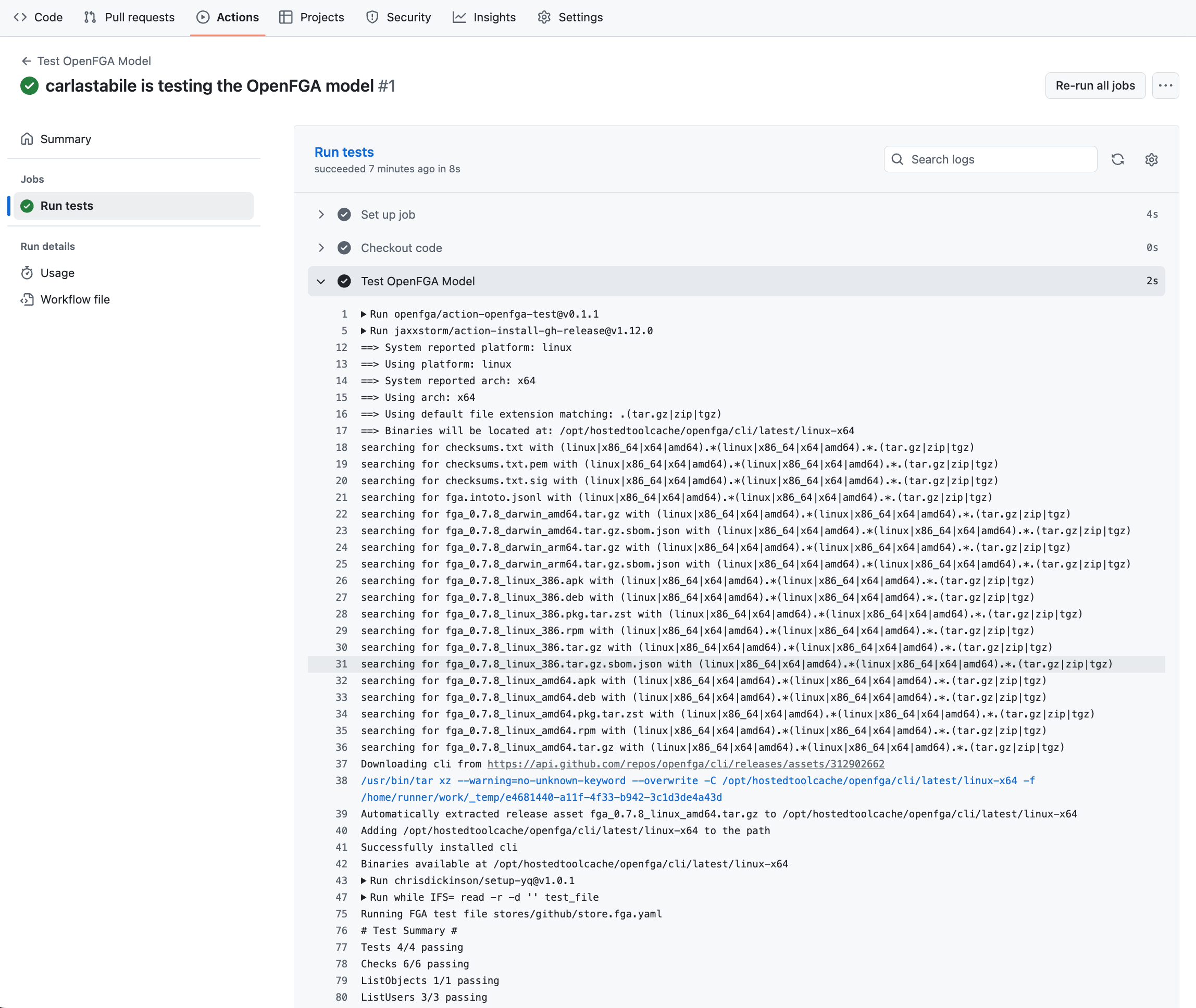
# Test Summary #
Tests 4/4 passing
Checks 6/6 passing
ListObjects 1/1 passing
ListUsers 3/3 passing
Automating FGA model tests with GitHub Actions
The goal is to run the tests whenever the model or test files are updated, ensuring we prevent deployment of a broken authorization model within the CI/CD pipeline.The OpenFGA team created a GitHub action action-openfga-test for this exact purpose.
To learn more about GitHub Actions Workflows, refer to the docs
In your project’s root folder, create a new file .github/workflows/fga-tests.yaml
name: Test FGA Model
run-name: ${{ github.actor }} is testing the FGA model
on:
  push:
    paths:
      - fga/**

jobs:
  test:
    name: Run tests
    runs-on: ubuntu-latest
    steps:
      - name: Checkout code
        uses: actions/checkout@v4

      - name: Test FGA Model
        uses: openfga/action-openfga-test@v0.1.1
        with:
          test_path: fga/store.fga.yaml
This GitHub Action will execute on every push involving the store.fga.yaml file. It will run on Ubuntu and execute two steps:
- Checkout the code’s repo using GitHub’s Checkout Action
- Run the tests using the OpenFGA Test Action
When you push a change to your repository, under the Actions tab you should see your action running, and if successful, you should see the exact same output provided by the FGA CLI earlier.
FGA and CI/CD: Continuous Validation for Authorization
By adopting this automated testing strategy, you move authorization testing from a tedious manual step to a reliable, repeatable process integrated into your CI/CD pipeline. FGA provides you with the declarative power to define complex permissions, and GitHub Actions enables you to deploy them safely within your CI/CD process with speed and confidence. Your application's authorization logic is now continuously validated, allowing you to focus on building features rather than debugging access control.
About the author

Carla Urrea Stabile
Staff Developer Advocate
I've been working as a software engineer since 2014, particularly as a backend engineer and doing system design. I consider myself a language-agnostic developer but if I had to choose, I like to work with Ruby and Python.
After realizing how fun it was to create content and share experiences with the developer community I made the switch to Developer Advocacy. I like to learn and work with new technologies.
When I'm not coding or creating content you could probably find me going on a bike ride, hiking, or just hanging out with my dog, Dasha.