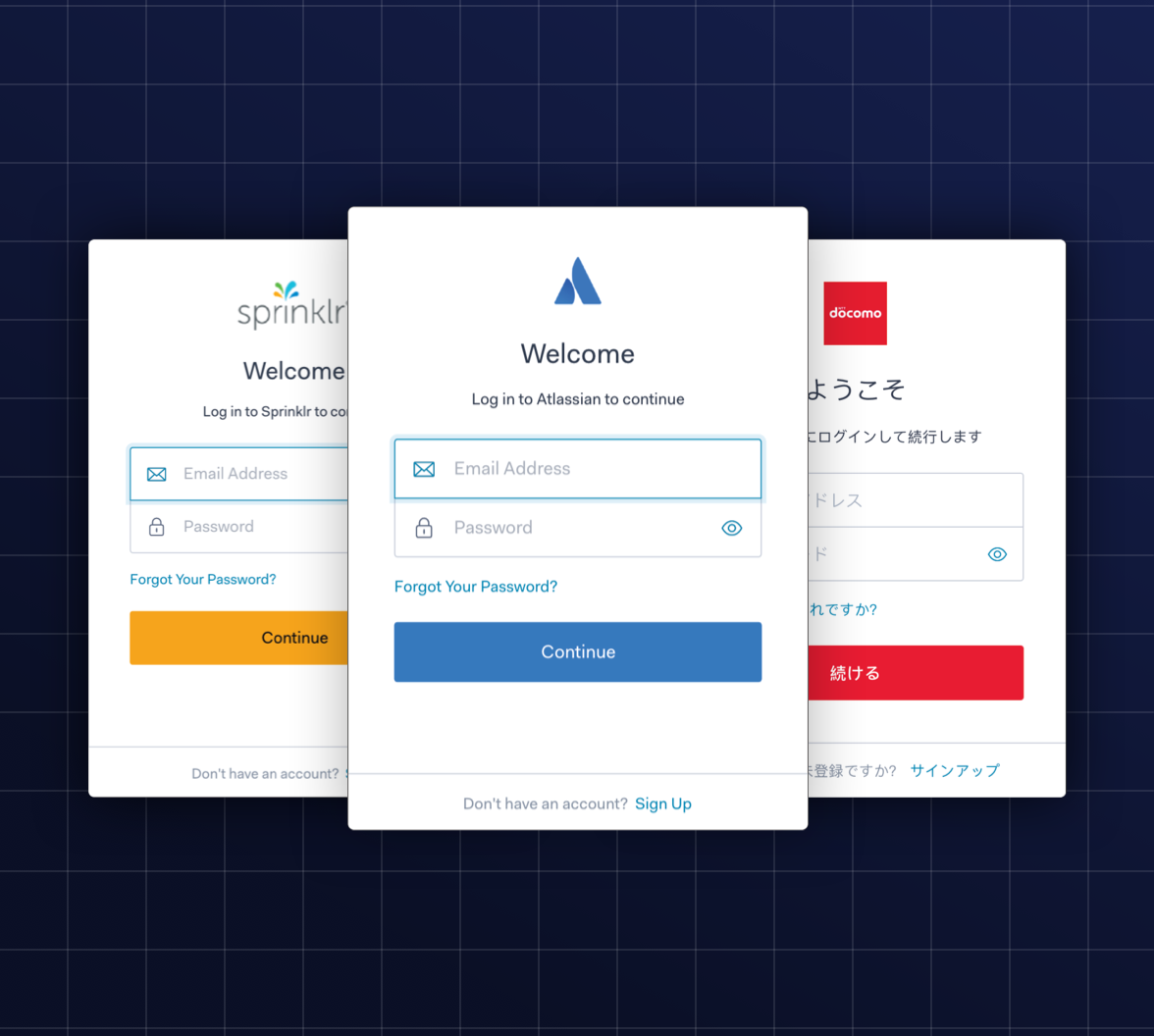
As digital ecosystems grow to include multiple brands and user segments, the complexity of managing identity grows with them. Providing a tailored authentication journey for each brand often introduces a difficult trade-off: the manual effort required to customize these flows can become a significant resource drain, pulling focus away from core product innovation.
To see this in practice, let’s look at two fictitious case studies: My Learning, a platform for students and teachers, and Streamward, a corporate training hub. Each platform faces unique requirements that a standard login experience may struggle to meet:
- Customizing Authentication Logic by User Type: You need the flexibility to enforce different rules in the same tenant. For instance, a My Learning flow requires low friction, perhaps skipping Multi-Factor Authentication (MFA), while still capturing compliance data like Terms of Service acceptance.
- Achieving Exact Branding Alignment: Every user interface must look and feel aligned with the brand, helping ensure the experience is never broken by an unbranded login redirect. For Streamward, this means maintaining a highly professional, corporate look at all times.
- Maintaining Domain Trust: Authentication flows must always use Branded URLs (Custom Domains) to eliminating inconsistent domains that confuse customers and erode brand trust.
Meeting these diverse, often contrasting, business objectives requires granular control over the user interface and the authentication logic. Advanced Customizations for Universal Login (ACUL) is designed to bridge this gap.
What Is Auth0 ACUL?
ACUL extends the capabilities of Universal Login to support multi-branding, complex security configurations, and integration of numerous analytic platforms.
The ACUL Architecture: Hosted Security, Custom UI
ACUL is built on the principle of decoupling frontend rendering from backend security. While Auth0 handles the authentication session and core security features, your engineering team owns the interface code using our ACUL SDKs and their preferred frontend stack, such as React.
The result is a feature that provides a strategic advantage by allowing teams to enable:
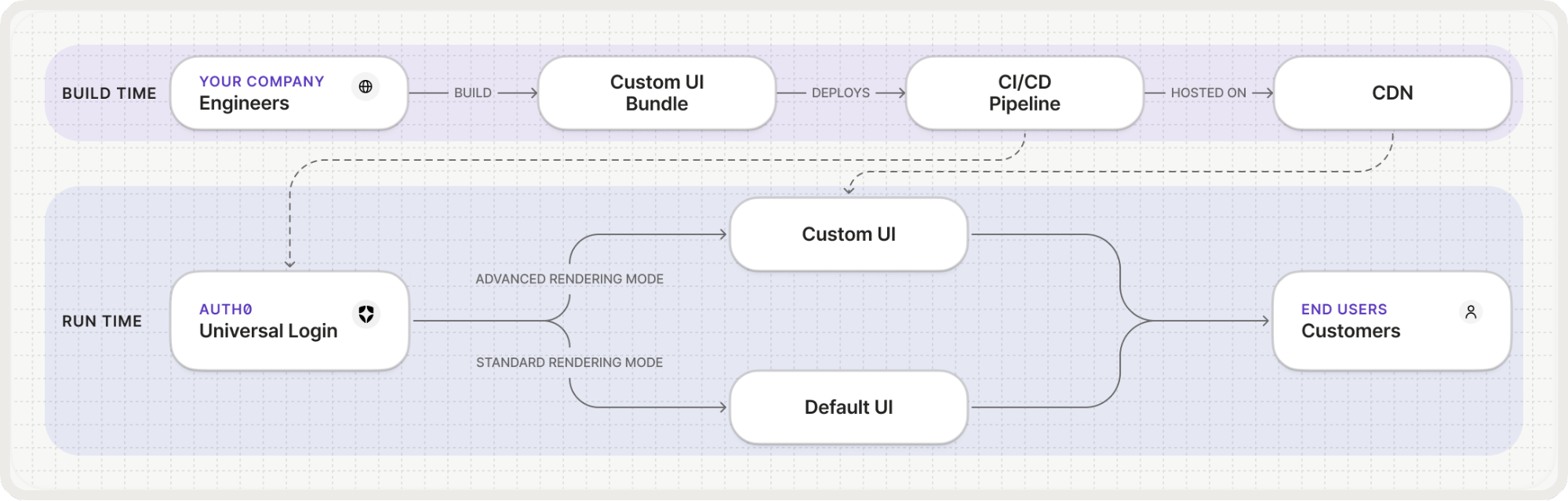
- Native Branding: Gain full control over the UI using your own code to create experiences that are native to your brand.
- Professional Workflow: Build, test, and deploy using the Auth0 CLI, React SDK, and Infrastructure-as-Code (IaC) tools like Terraform or the Auth0 Deploy CLI.
- Strategic Flexibility: Facilitate A/B testing, gather advanced analytics, and easily adjust UIs to meet regional requirements.
A High-Level of How ACUL Works: From Development to Deployment
While Standard Universal Login offers extensive no-code customization, ACUL introduces a workflow that mirrors modern application development. It allows your team to treat authentication screens as a first-class citizen of your codebase.
- Initialize & Build: Using the Auth0 CLI, developers can spin up a project using familiar frameworks like React. This means you can import your existing design system components directly into the login flow.
- Rapid Local Iteration: The Universal Login Context Inspector removes the need for frequent deployments by allowing you to test UIs locally with mock context data. You can simulate various tenant states instantly to ensure your design behaves correctly before it ever touches a live environment.
- Infrastructure as Code (IaC) Integration: To maintain consistency across environments, you can configure your ACUL settings using Terraform, the Auth0 Deploy CLI, or the Management API. This ensures your login experience is version-controlled and part of your standard CI/CD pipeline.
- End-to-End Validation: Before going live, "connected mode" in the CLI allows for full integration testing. This verifies that your custom UI correctly triggers backend logic, such as Auth0 Actions, while interacting with a live tenant.
The Developer Advantage
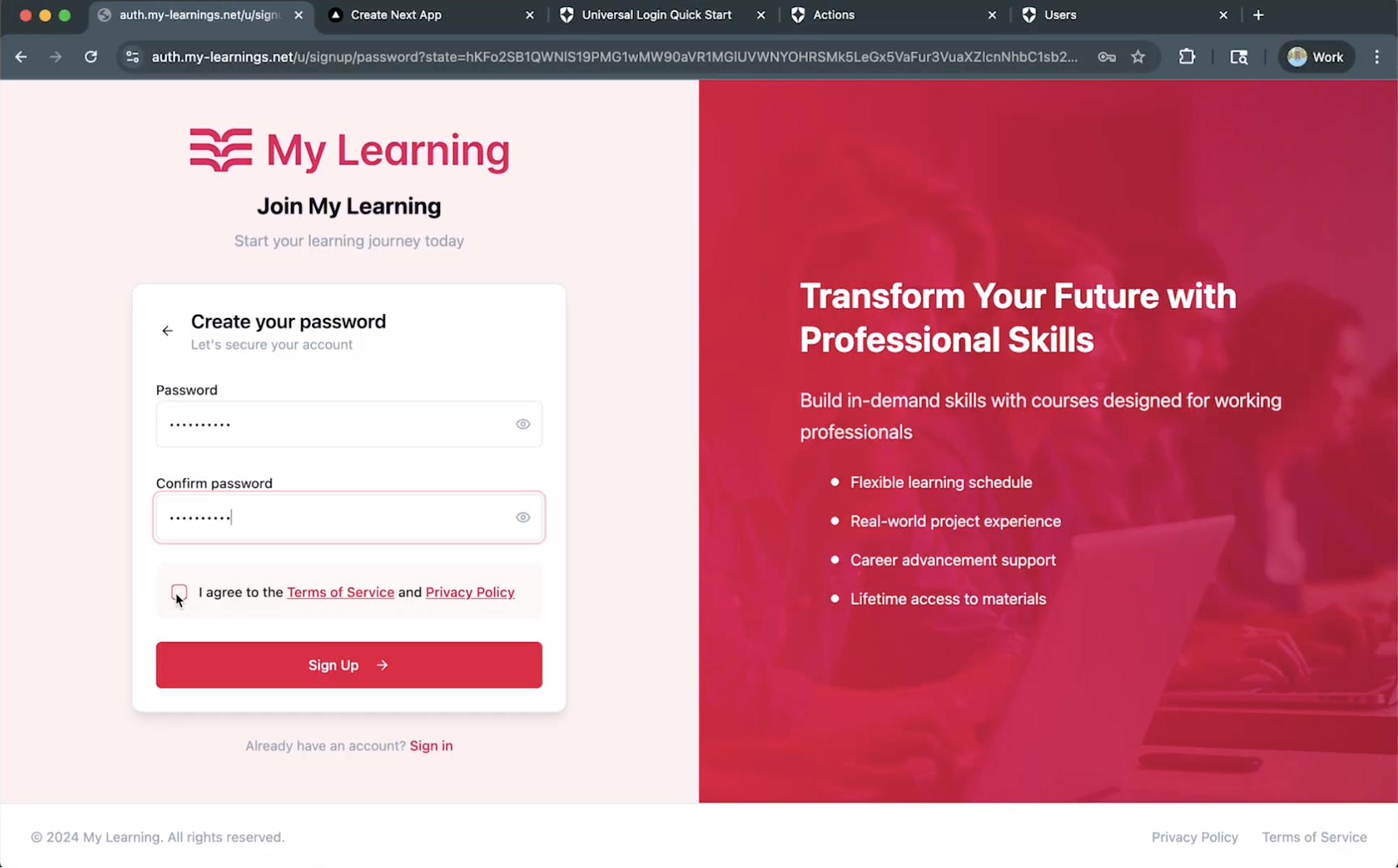
The true power of ACUL is seen when complex business requirements meet the user interface. Consider our student sign-up example:
Decoupled Data Capture: Instead of being restricted to standard fields, your team builds a custom React screen that captures Full Name and Terms of Service Acceptance. Because you own the frontend bundle hosted on your CDN, you have total control over the validation and user experience.
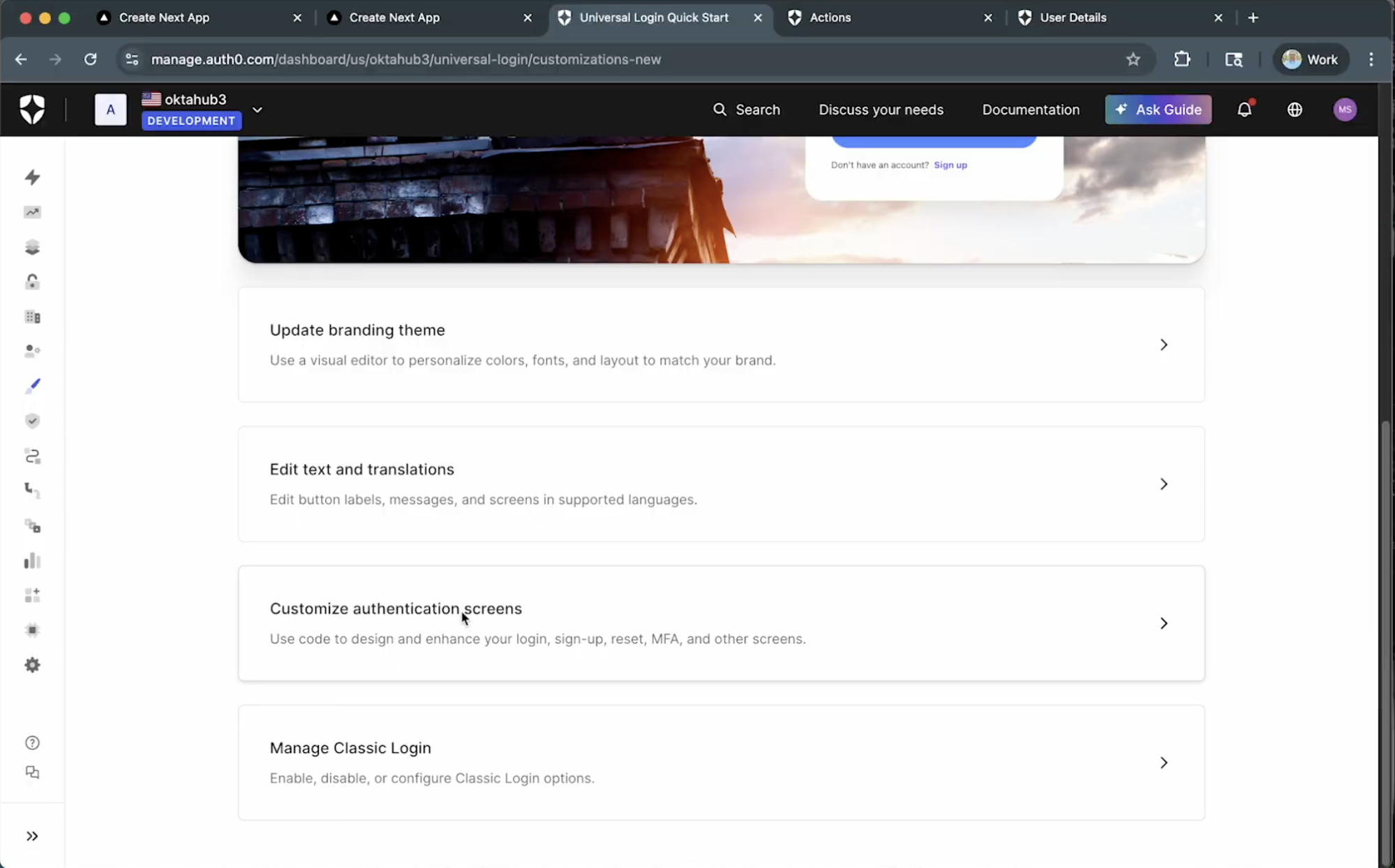
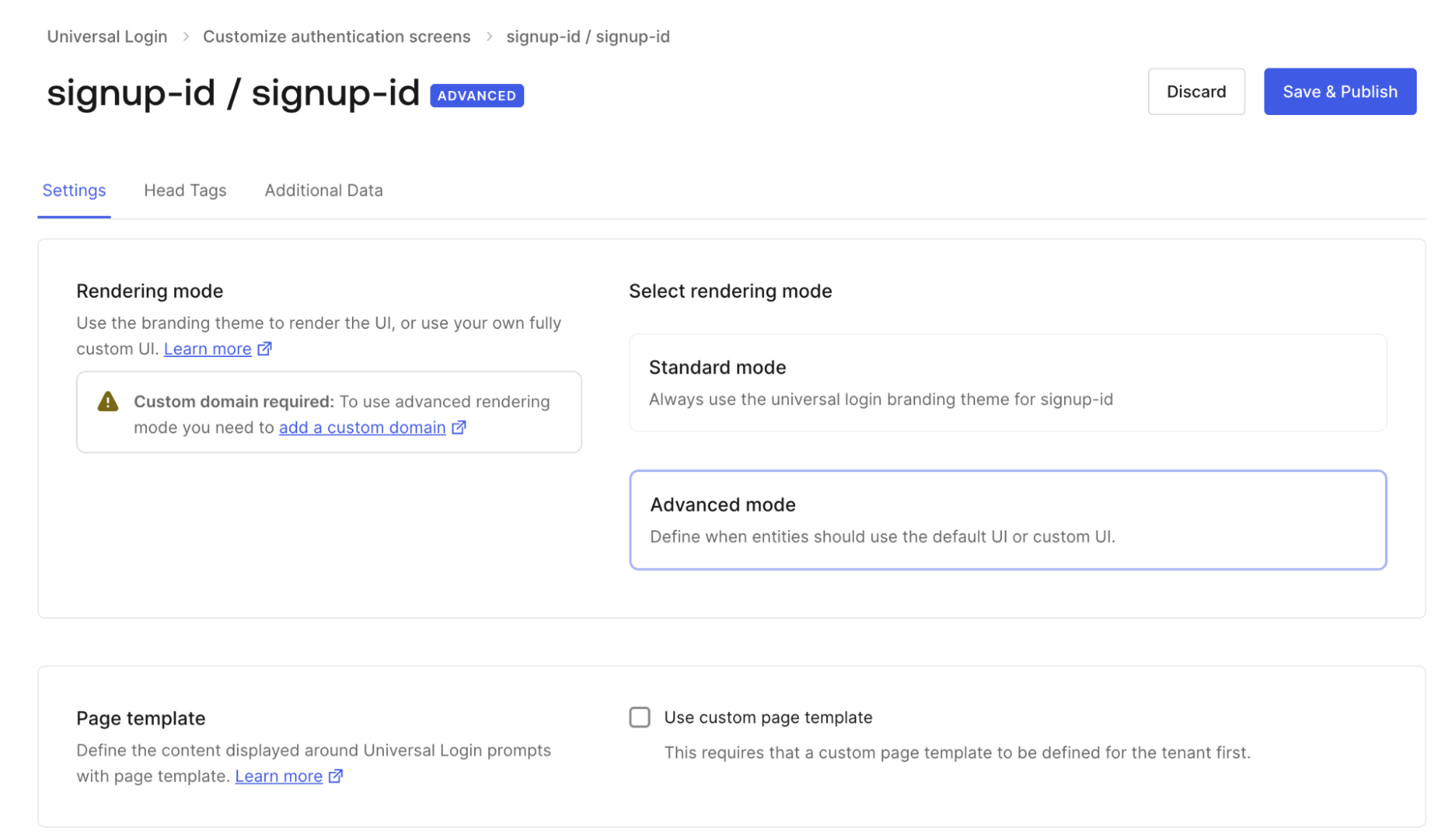
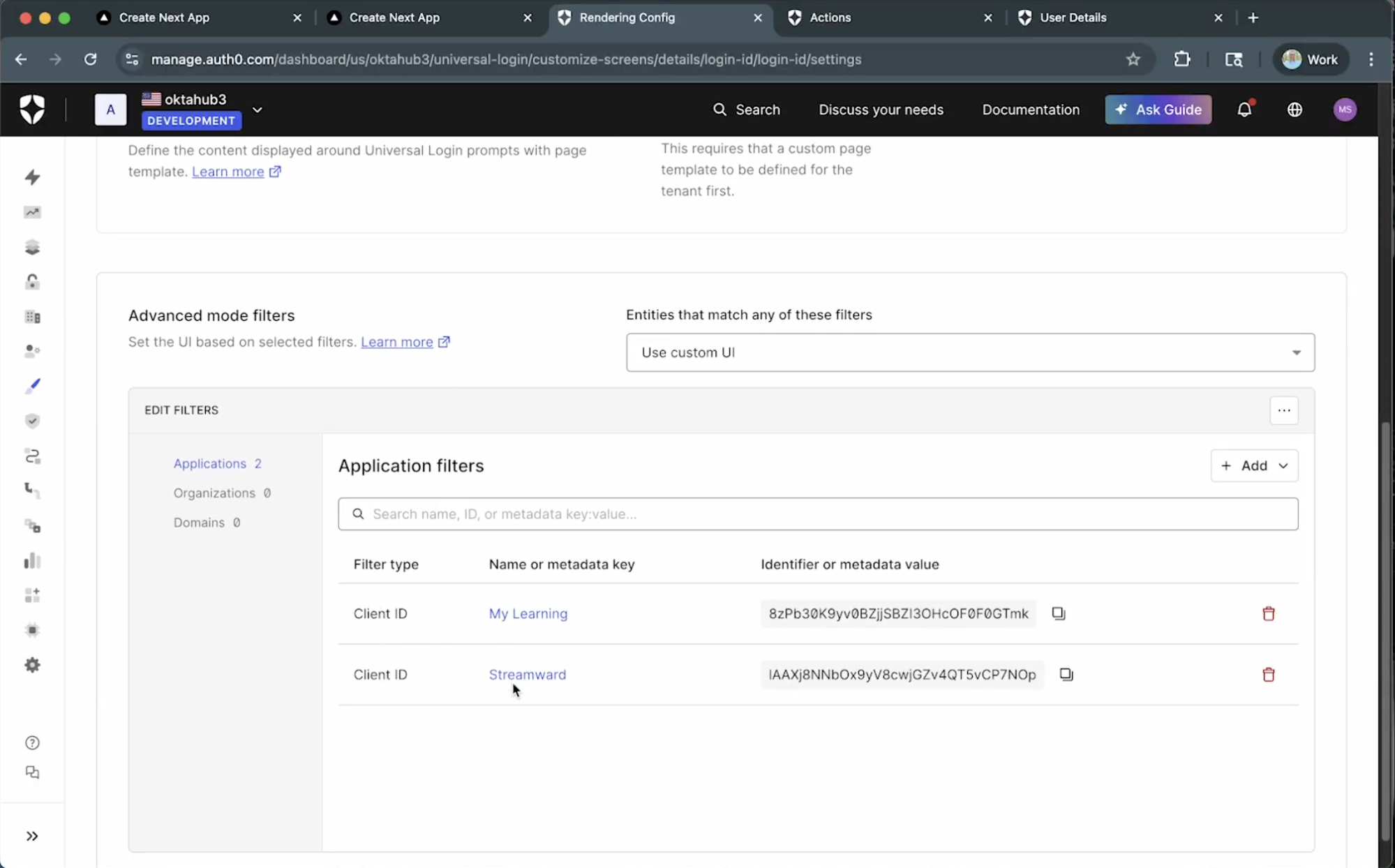
Controlled Rollout: You don't have to migrate every app at once. In the Auth0 Dashboard, you can enable Advanced Rendering Mode selectively. By using Advanced Mode Filters, you can ensure that only specific Client IDs, like the My Learning app, receive the custom UI, while others fall back to Standard Rendering Mode.
- Intelligence-Driven Flows: Once the custom UI captures the data, it hands off execution to the Auth0 pipeline. This is where Auth0 Actions take over. You can use a
Post-Login Actionto programmatically adjust the security posture:
The code below implements the data persistence logic:
// This Action executes after the custom sign-up flow submits

exports.onExecutePostLogin = async (event, api) => {

     // Logic to determine if the user is a 'student' based on client ID or domain…

    const customData = event.request.body.customData;

    // 1. Persist the required data submitted from the custom form

   if (customData && customData.fullName) {
           api.user.setUserMetadata('fullName', customData.fullName)
   }

   if (customData && customData.acceptedTerms) {
           api.user.setUserMetadata('acceptedTerms', true);
   }

   // 2. Custom Flow Logic (for example, skipping MFA for students)
   // …
};
Once a user completes the custom sign-up flow, you can verify the success of your logic directly within the Auth0 Dashboard.
By checking the user’s profile, you will see the new User Metadata populated with the fullName and acceptedTerms values.
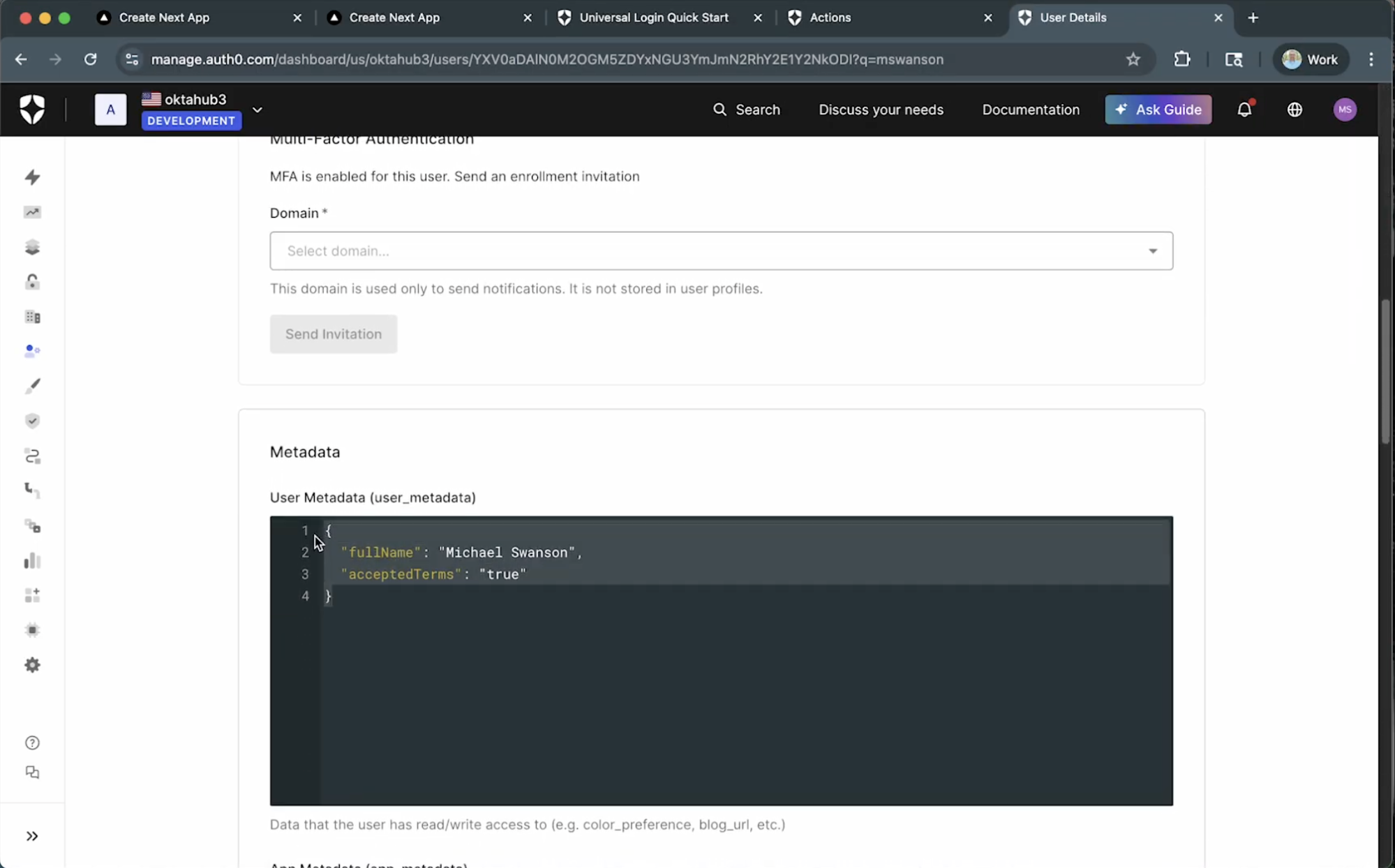
This confirms that your custom ACUL frontend successfully captured the data, passed it through the pipeline, and triggered the Post-Login Action to persist the information, validating that your custom branding and backend logic are working in perfect sync.
Take Control of the Login Experience
Advanced Customizations for Universal Login enables your organization to build and deploy complex, high-performing authentication experiences at scale. By leveraging ACUL, your teams can better deliver the tailored user experience your business demands while retaining the security and management benefits of a hosted Auth0 solution.
Ready to take full control of your login experience? Check out the ACUL documentation to start building today.
About the author

Meina Liu
Technical Product Marketing Manager Intern