
Hello again, it’s accessibility. You may have also come across the WCAG 3.3.8 (Accessible Authentication) topic on this blog a few weeks ago. That standard focused on the minimum requirements to ensure users with cognitive disabilities could log in without solving puzzles or memorizing complex strings of text. It’s like "Getting Compliant." Today, you are shifting gears to "Going for Gold".
The WCAG thinks similarly and didn’t leave accessibility at a slide success criterion. If WCAG 3.3.8 is the baseline, WCAG 3.3.9 (Accessible Authentication - Enhanced) is the advanced mode.
Understanding the Levels
Upgrading from Level AA compliance to Level AAA can make a big difference. But what do these levels mean?
- Conformance Levels: WCAG defines three levels of conformance: A (lowest), AA (mid-level), and AAA (highest).
- Level AA (Legal Baseline): Most governments and companies require this level (like the ADA in the US or the European Accessibility Act). It ensures the web is usable for most people.
- Level AAA (Gold Standard): It is stricter, more specialized, and often optional. However, it helps make the web accessible to everyone.
Let’s look at this from an Authentication lens:
- Level AA (3.3.8) says, "Don't make me solve puzzles... unless it's a specific type of puzzle."
- Level AAA (3.3.9) says, "No puzzles. Period."
You might wonder, "Why should I care about Level AAA if Level AA keeps my legal team satisfied?" The reason is simple: the exceptions in the minimum standard can still create barriers for users with severe cognitive impairments. WCAG 3.3.9 urges you to eliminate those barriers entirely.
The Core Difference: No More Shortcuts
To understand 3.3.9, you have to look at what 3.3.8 allowed you to get away with.
In the minimum standard (3.3.8), you are required to provide a login method that does not rely on a "cognitive function test". However, that rule came with exceptions. You could technically pass 3.3.8 while still using a cognitive test if it fell into specific categories, such as Object Recognition or Personal Content.
WCAG 3.3.9 removes these exceptions. Under this stricter standard, the safety net is no longer in place.
- Gone: Object Recognition. You cannot ask users to "Select all photos with crosswalks" or identify a blurry shape.
- Gone: Personal Content. You cannot ask users to "Select the security image you chose at signup."
The Trap Scenarios: What Will Fail Now?
Many developers believe their current setup is accessible because it passes the standard Level AA checks. However, there are common patterns that will trap you when you try to reach Level AAA.
Trap #1: The visual CAPTCHA
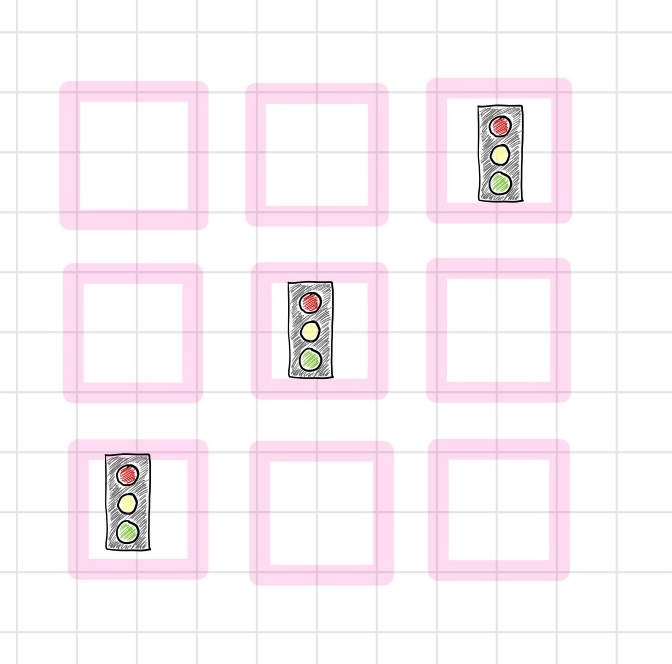
You know the grid of images asking you to identify traffic lights, buses, or stairs.
- Under 3.3.8: This is often permitted due to the Object Recognition exception. As long as the user only has to recognize a car, it meets the minimum bar.
- Under 3.3.9: This is a fail. Individuals with visual processing disorders or severe learning disabilities may struggle to solve these puzzles reliably. The Enhanced criteria treat this as a cognitive test without exception.
Trap #2: The security image
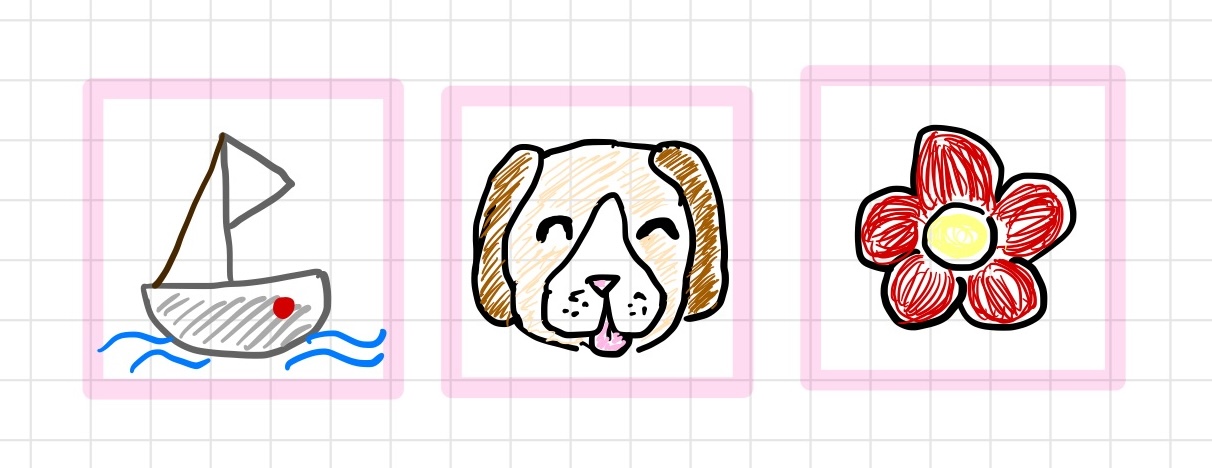
Some banks and security apps require users to select a specific image (such as a dog or a sailboat) during sign-up. When they log in later, they must choose the same image from a list. This is a textbook example of Personal Content Identification.
- Under 3.3.8: This is allowed under the Personal Content exception.
- Under 3.3.9: This is a fail. It requires memory recall. The user must remember an association they made in the past.
Trap #3: The split-field input
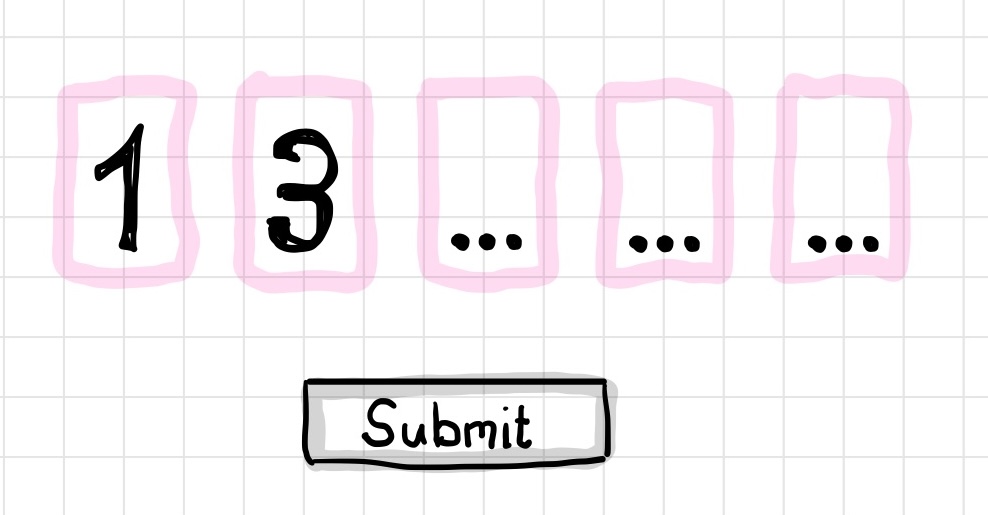
You have likely seen (or built) a 2FA screen that asks for a 6-digit code, but instead of one input box, there are six separate boxes.
- The Issue: Unless you write specific JavaScript to handle paste events, these fields often break copy-paste functionality. The user tries to paste "123456", but only "1" appears in the first box.
- The Verdict: If the user is forced to read the code from an SMS and type it digit-by-digit, this is a transcription task. This fails the requirement for accessible authentication.
The Mechanism Loophole
After learning all these traps, you might wonder: “Wait, isn't a password a memory test? Does WCAG 3.3.9 ban passwords?”
While a password is a cognitive test, it is allowed if a mechanism exists to help the user. In this context, password managers are the mechanism. If your website supports autocomplete attributes and allows pasting, the user does not have to use their memory.
This helps browsers and password managers correctly fill the fields:
<label for="username">Username:</label>
<input type="text" id="username" name="username" autocomplete="username">

<label for="password">Password:</label>
<input type="password" id="password" name="password" autocomplete="current-password">
If you help your users in this way, they will use the tool instead of relying on memory. This is why blocking copy/paste is such a critical failure. It breaks the mechanism that makes passwords compliant.
The Solution to Reach WCAG 3.3.9: If You Listened Last Time, You Are Already There
This might sound restrictive. You might feel like every tool in your security toolbox just got banned. Here is the good news. The best solutions for WCAG 3.3.8 are also the most effective solutions for 3.3.9. You do not need new technology. You just need to lean harder into the right technology.
Passkeys
This is the ultimate answer. Passkeys rely on possession (having your device) and biometrics (such as your fingerprint or face). It creates a cryptographic challenge that the device solves. The user does zero cognitive work. There is no typing, no memory, and no object recognition.
Social Login (OAuth)
Allowing users to "Log in with Google" or "Log in with Apple" is a valid strategy. It offloads the authentication burden to a provider that (hopefully) handles the accessibility for you. If the provider uses passkeys or 2FA, you get the benefit without building the UI.
Magic Links
It’s essential to note that biometrics aren’t perfect. Sometimes, they might not work for various reasons, such as wearing a face mask without the specific Face ID setting enabled. Some injuries or diseases might alter the look of your face or eyes. In my opinion, this highlights the fact of always providing options in authentication.
Email magic links are another robust option. The user enters their email, clicks a link in their inbox, and they are in. This removes the cognitive load of passwords and puzzles entirely while still taking limitations of biometrics into account.
Invisible security and QR Codes
For enhanced bot protection, consider shifting from the traditional Challenge-Response model to a Risk Analysis approach. Tools like invisible reCAPTCHA (for example, Google's reCAPTCHA v3) exemplify this by performing background behavioral analysis.
We already covered Google's reCAPTCHA in our first article. However, let’s refer back really quickly: The invisible CAPTCHA generates a risk score by analyzing user behavior. Developers can then use this score to decide whether to allow the user to proceed or to block them. These risk analysis systems assess potential threats using device signals and user behavior in the background, only intervening when a threat is likely.
By eliminating the cognitive challenge of puzzles, this method creates a smoother and more inclusive user experience, as the friction point is avoided altogether.
For authentication across multiple devices, consider using QR Codes. Instead of manually reading a code from an authenticator app and typing it into the desktop, the user simply scans a QR code displayed on the desktop screen with their phone. This substitutes a simple physical action (scanning) for the error-prone process of transcription (reading and typing).
Pro tip: The "Don't make me read" rule
The easiest way to think about WCAG 3.3.9 is to eliminate the need for transcription; in other words, a principle for clear communication that advises against forcing the audience to expend extra effort to understand content. This means for authentication: If a user has to read a code on one device (or screen) and type it into another, they are likely to fail. The goal is to make every action a "Click," "Tap," or "Scan" — never a "Read and Type".
How to Audit for WCAG 3.3.9
Ready to see where you stand? Here is a checklist to assess if your authentication flow meets the Level AAA standard.
- Do you use a visual CAPTCHA? If yes, replace it with invisible challenges or passkeys.
- Do you use Security Questions or Security Images? If yes, replace them with standard Multi-Factor Authentication (MFA).
- Is Copy/Paste enabled in your input fields? This is important. Specifically test your 6-digit input fields to ensure they accept a full string paste.
- Does your MFA require manual transcription (typing a code)? Consider Push notifications or One-Time Password (OTP) links to eliminate typing.
Reality Check: When to Build vs. Buy
Managing all these authentication methods, including passwords, passkeys, and social, requires a significant amount of development work. The smartest move? Use an expert-built identity platform. That way, you can avoid in-house development of a solution that already exists, speed up your accessibility while staying secure, and focus on what you do best.
- Using a service like Auth0's Universal Login gets you an accessible, compliant login page right out of the box. It handles essential tasks automatically: login, single sign-on, passwordless options, and accessible MFA.
- For use cases that demand greater UI customization, tools like Auth0 Labs’ UI components can be integrated directly into the application. These single, accessible components enable a custom login experience, supported by Auth0’s secure and robust backend.
Future-Proofing Your Auth
Aiming for WCAG 3.3.9 is not just about chasing compliance points; it's about achieving a higher standard of accessibility.
When you remove cognitive barriers for users with disabilities, you remove friction for everyone. Nobody likes identifying crosswalks. Nobody enjoys remembering which security image they picked three years ago. By designing for the strictest accessibility standard, you inevitably design the smoothest user experience.
If you are using Auth0, you have a head start. Universal Login supports passkeys and bot detection features, handling these requirements out of the box. You can implement high-security, low-friction flows without having to build your own invisible challenges.
Don't wait for AAA to become the law. Build for it now because it offers a significantly better user experience.
Further Reading
About the author

Ramona Schwering
Developer Advocate