TL;DR: Open the Auth0 Dashboard to visit the Subscriptions tab and review your current plan, billing details, included capabilities, available add-ons, and plan comparisons.
For startups, growth can happen quickly. A product launch can bring more users, a new customer can introduce additional requirements, or your team may be ready to add another application or AI-powered feature.
As your organization changes, your identity needs may change too. The Subscriptions tab in the Auth0 Dashboard gives you a simple way to understand your current plan and explore what is available as you grow.
From one place, you can review:
- Your current plan
- The payment card associated with your subscription
- Your plan cost
- The features included with your plan
- Available add-ons
- How other plans compare
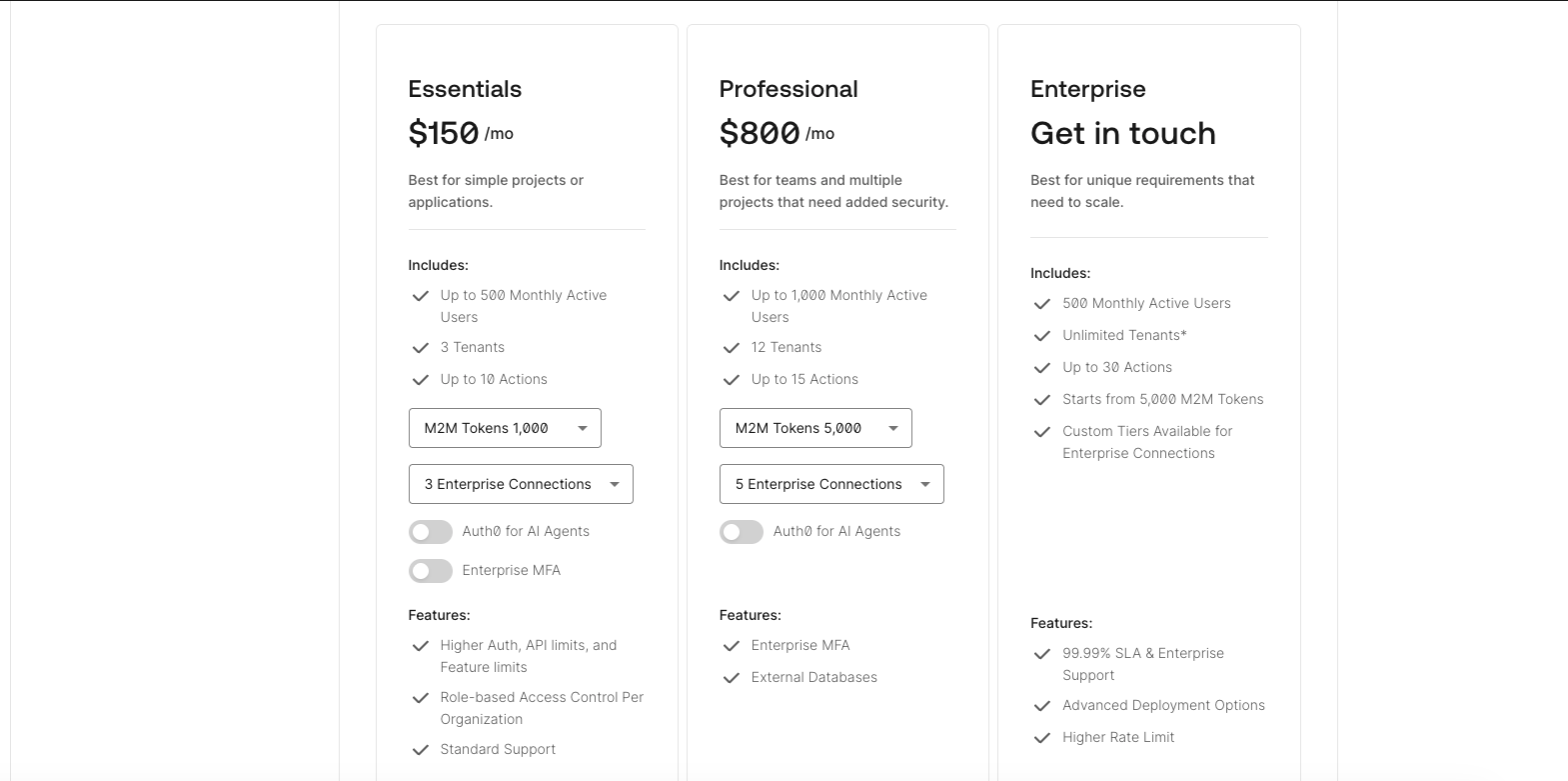
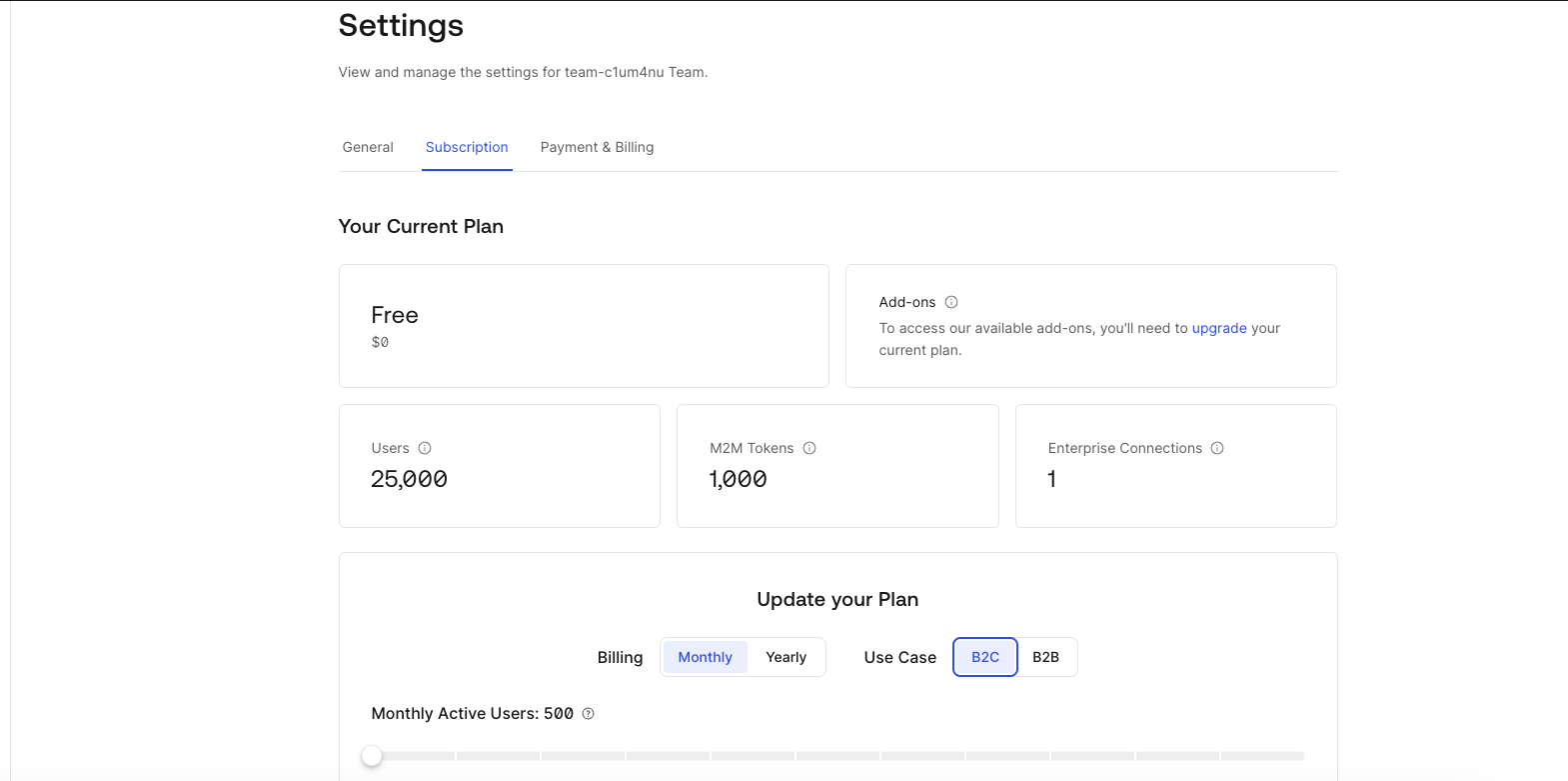
For founders, CTOs, and developers, the Subscriptions tab provides a shared view of your Auth0 subscription and helps connect your current capabilities to your product roadmap.
How to Understand Your Current Plan
The Subscriptions tab helps you answer some basic but important questions:
- What plan are we on?
- What does it include?
- How much does it cost?
- Which payment method is being used?
- Are there other plans that better fit our needs?
Reviewing this information makes it easier to identify what is already included and where you may need to plan for more. An early-stage startup may begin with a straightforward sign-up and login experience. As the product matures, the team may need support for business customers, stronger security controls, machine-to-machine access, or AI agents.
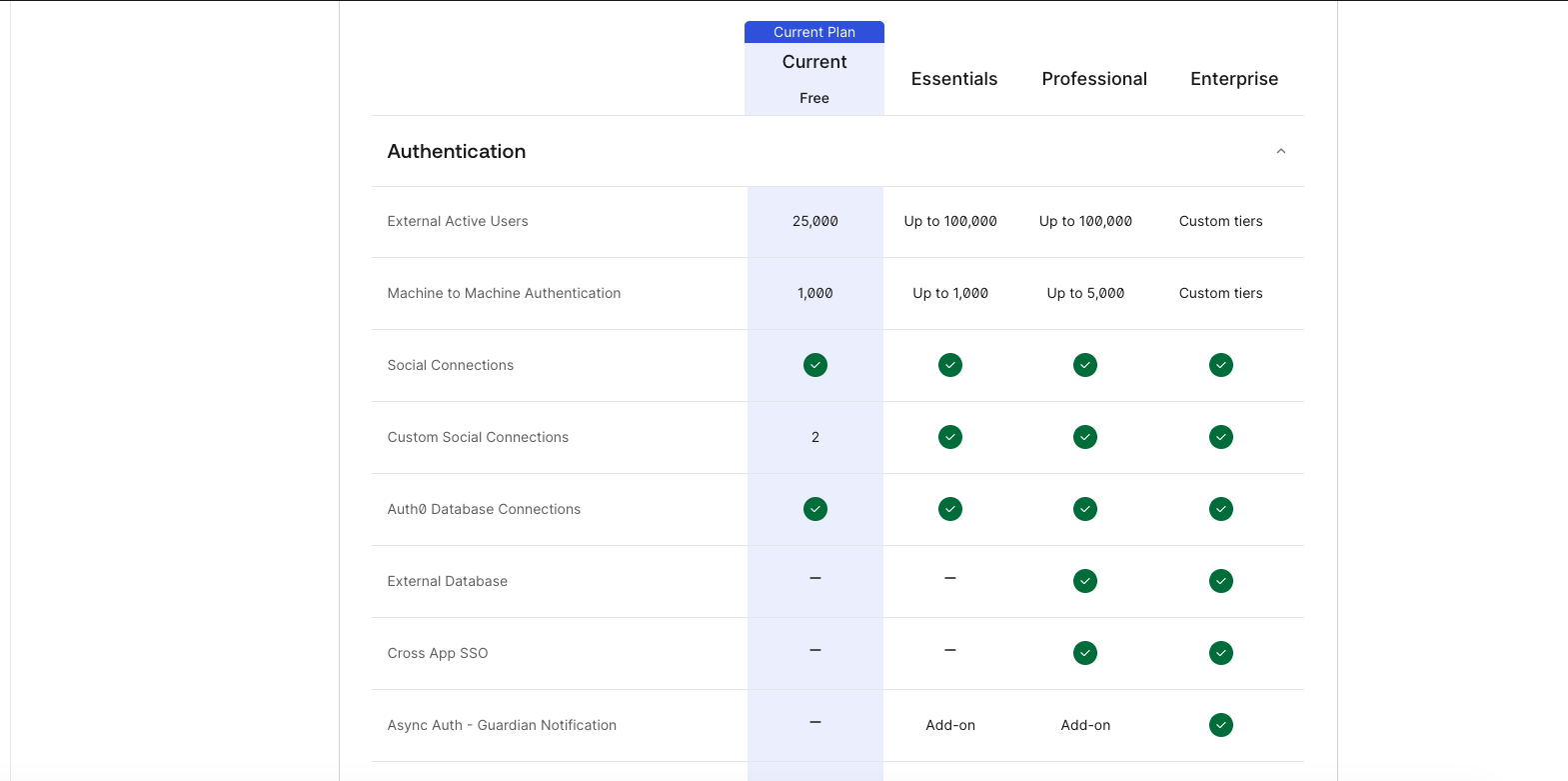
The Subscriptions tab also includes a side-by-side comparison of available plans. This gives you a quick way to see how plans differ and decide whether an add-on or a different plan makes sense for your roadmap.
How to Explore Add-Ons as Your Needs Evolve
Not every change requires moving to a different plan. Depending on your current plan, you may be able to add specific capabilities as your organization grows.
Available add-ons may include:
| If you need to… | You can add… | Available as an Add-on with |
|---|---|---|
| Connect users from partner or customer organizations | Enterprise Connections | All B2B Plans |
| Issue machine-to-machine access tokens | M2M Tokens | B2B Essentials, B2B Professional, and B2C Professional plans |
| Build authentication experiences for AI agents | Auth0 for AI Agents | All B2B and B2C plans |
| Add stronger authentication for enterprise users | Enterprise MFA | B2B Essentials |
For example, a B2B application may add Enterprise Connections when customers want to connect their own identity providers. A team building services that communicate with one another may need M2M Tokens. As AI-powered features become part of a product, Auth0 for AI Agents can help address new authentication requirements.
The add-ons available to you depend on your plan. Visit the Subscriptions tab to see what is available for your organization and how each option fits alongside your current subscription.
How to Monitor Usage and Limits
The Subscriptions tab shows what your plan includes. To see how your usage is tracking against your available quotas, go to: Reports > Quota Utilization
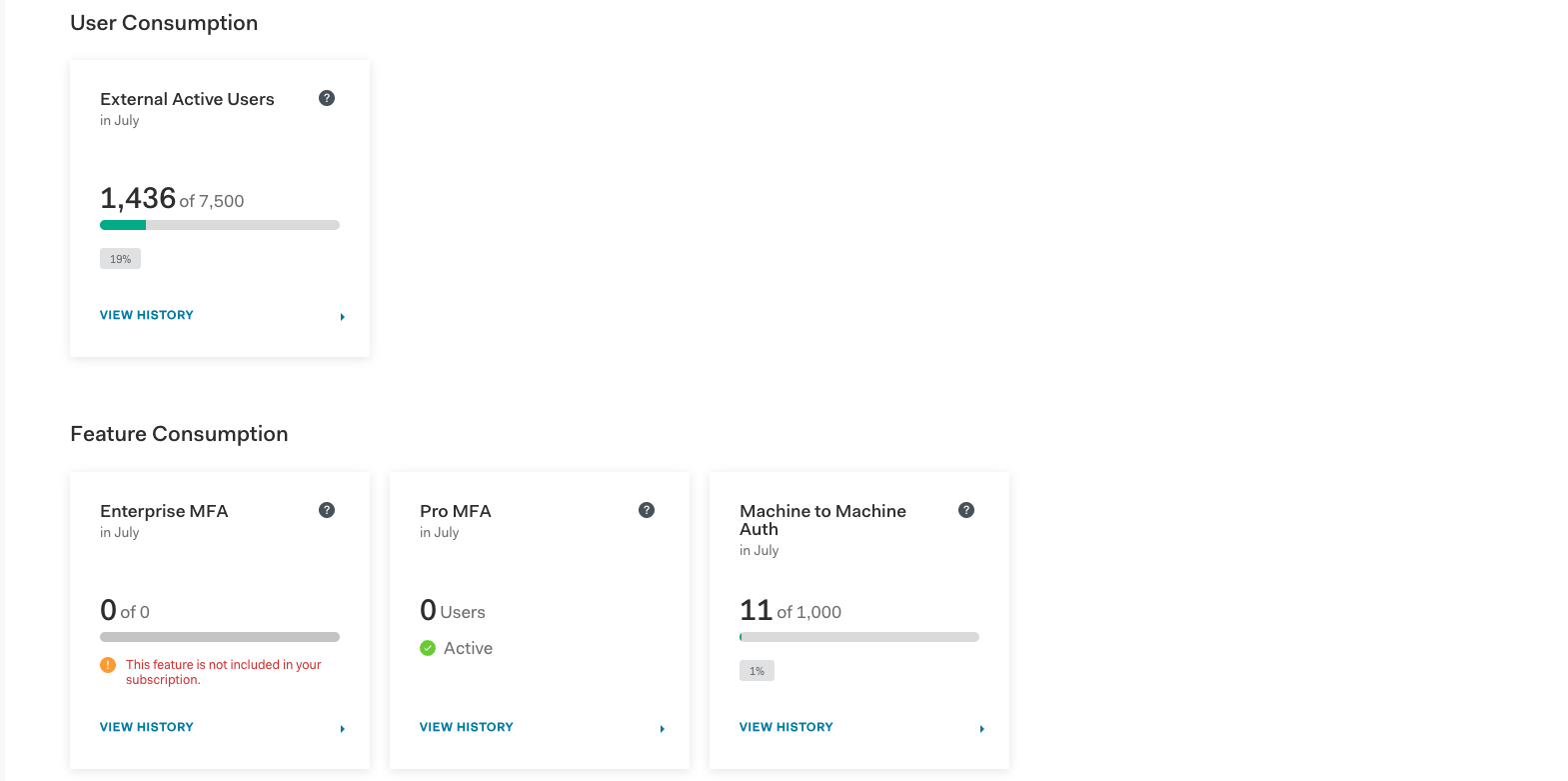
Keeping an eye on your usage can help you plan for launches, customer growth, and changes to your application. It can also help you avoid surprises in the long run.
If your plan limits are exceeded for three consecutive months, your plan is automatically upgraded. Reviewing your quota utilization regularly helps you understand how close you are to your limits and gives you time to evaluate your options.
For more guidance on usage metrics and monitoring, read How to Monitor Auth0 Usage Metrics.
Make It Part of Your Planning Routine
You do not need to monitor your subscription every day. A quick review during monthly or quarterly planning (or before a major launch) may be enough:
- Open the Subscriptions tab to confirm your plan, cost, payment card, and included features. What plan are we on, what does it cost, and what does it include?
- Compare available plans if your product or customer requirements have changed.
- Visit Reports > Quota Utilization to review your usage and limits. How are we using the quotas available to us?
- Explore available add-ons or plan options as you prepare for your next stage of growth.
These dashboards give engineering, product, finance, and leadership a shared view of your current subscription and future options.
You can also learn more about changes to your Auth0 bill by reading Why Did My Auth0 Bill Change?
The Subscriptions Tab Gives a Clearer Path for Growth
Your identity needs should evolve with your organization. The Subscriptions tab helps you understand where you are today and what’s available next.
Whether you are connecting enterprise customers, issuing M2M Tokens, building with AI agents, adding Enterprise MFA, or preparing for more users, you can review your options directly in the Auth0 Dashboard.
If you have questions about plans, pricing, add-ons, or limits, contact the Customer Advocates team at customeradvocate@auth0.com.
About the author

Alisha Tingle
Senior Customer Advocate, DLG