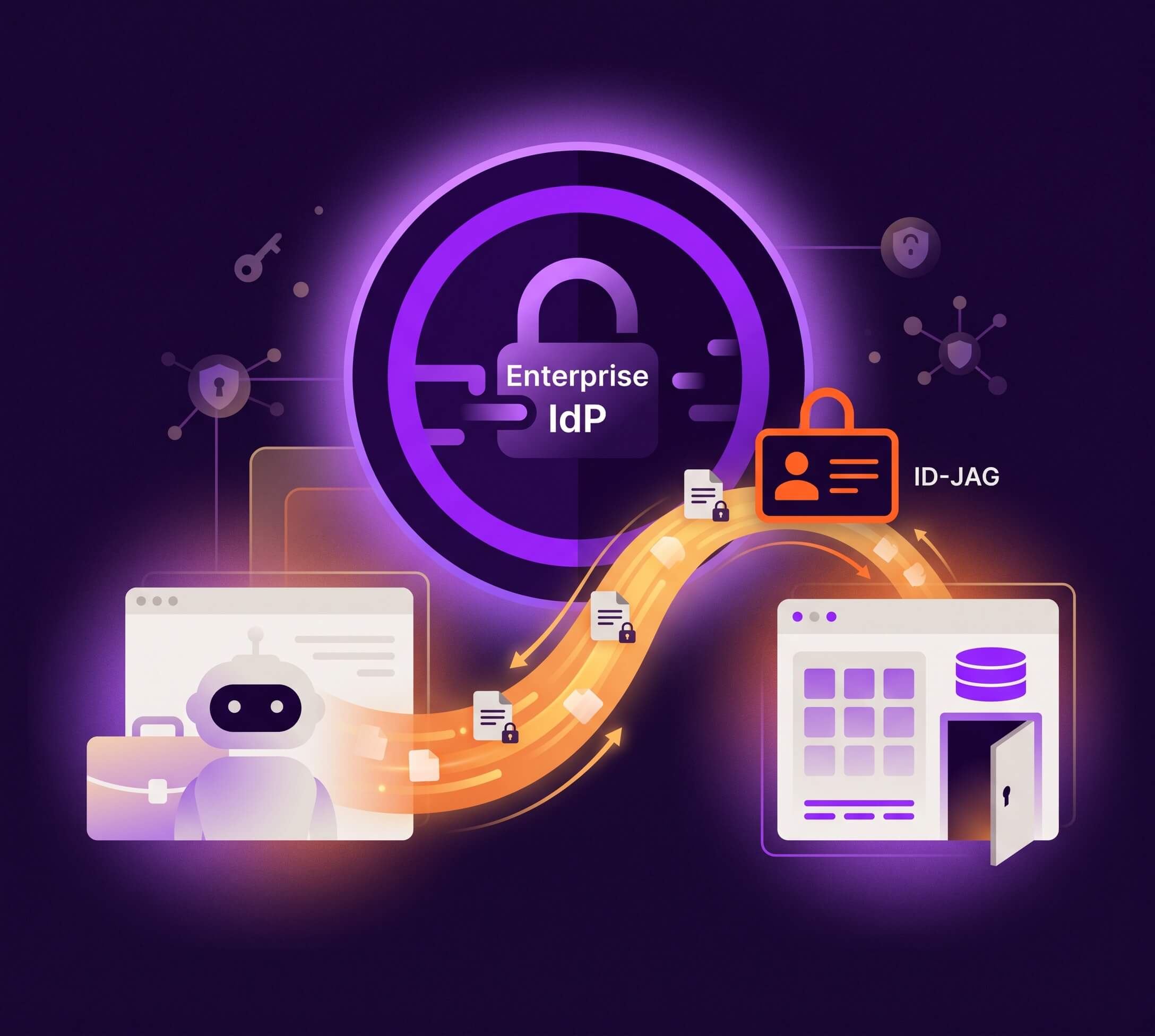
Let's say you have built an AI agent, or a SaaS app, that needs to interact with another app on a user's behalf. The way that usually works today is a consent screen. The user clicks allow, then clicks again for the next app, and the same thing repeats every time one app needs to talk to another. At the scale of a whole company with a growing number of agents, users, and MCP servers, people can stop reading those prompts, they lose track of which app is reaching into which, and on whose behalf.
There is a new OAuth authorization grant that aims to solve this problem and it is called ID-JAG. I have been digging into it because it sits right in the middle of the agent and MCP conversation happening right now. This post covers what it stands for, the problem it solves, and how the flow works.
What Is an ID-JAG?
ID-JAG stands for Identity Assertion JWT Authorization Grant.
It is a short-lived, signed token (a JWT) that an enterprise identity provider issues to say "This app is allowed to access that API on this user's behalf." It is an assertion and a grant. It is not the access token that calls the API, it is the artifact you trade for one.
The Three Actors
There are three roles doing all the work in an ID-JAG exchange:
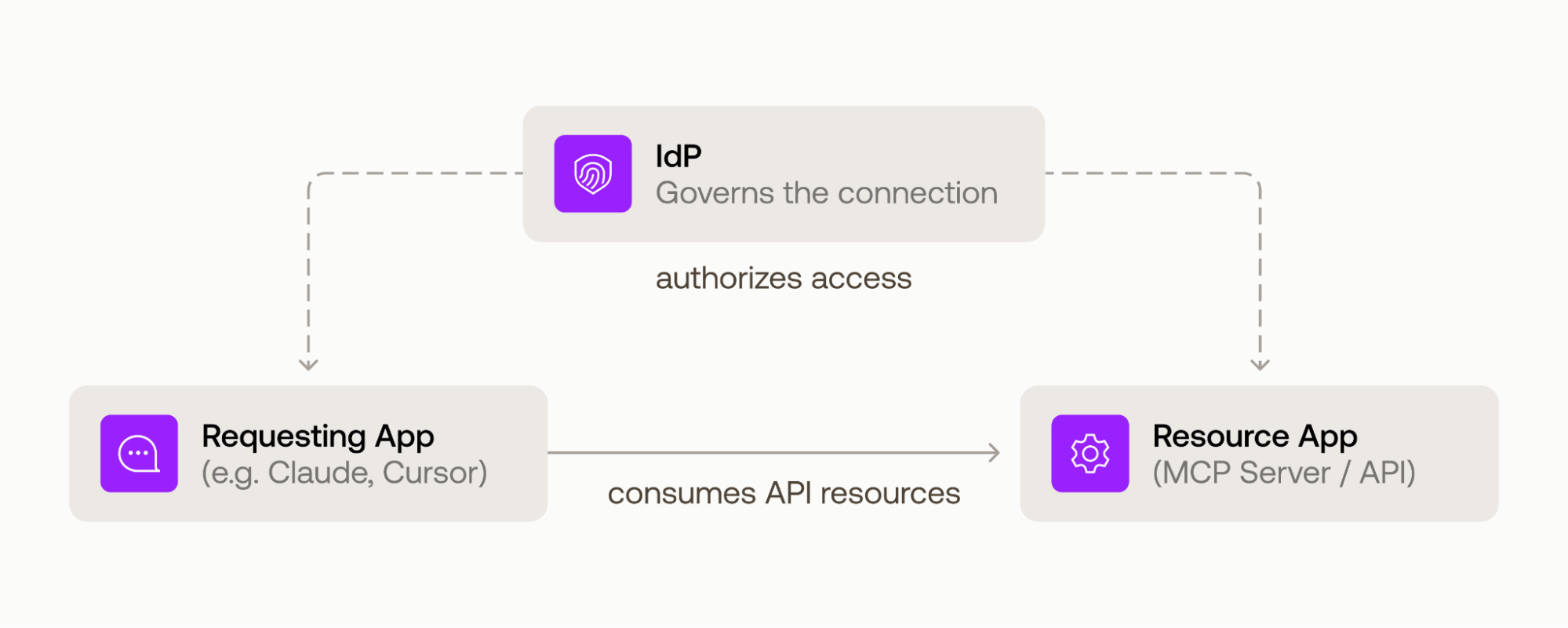
- Requesting App: the app or AI agent that needs data or an action from another app. Say an AI scheduling assistant that needs to read a user's calendar to book a meeting.
- Resource App: the app that owns that data and exposes it through an API. In this example, the calendar app that holds the events and has its own Authorization Server. The Resource App is really two pieces: the API itself and the authorization server that issues access tokens for it. They sit in the same trust domain, so this post treats them as one actor. That authorization server belongs to the Resource App, not to the enterprise.
- Enterprise IdP: the identity provider, like Okta, that authenticated the user and holds the policy that decides whether the assistant is allowed to reach the calendar in the first place.
The Problem ID-JAG Solves
When every app-to-app connection runs through user-driven OAuth, three things quietly break down.
- Consent fatigue: users click through prompts they cannot really evaluate, so consent stops meaning anything.
- No central visibility: The IT team cannot see or govern which app is reaching into which, and on whose behalf.
- It gets worse with agents: a single agent can touch many apps in one task, and the old redirect-and-consent model was not built for that.
The ID-JAG moves the decision from "ask the user to click yes" to "let the enterprise's policy decide," and it does that with a seamless non-interactive flow instead of a browser-based one that prompts the user for consent for every agent-app pair.
How the Flow Works
The flow follows five main steps, if we think about the three actors from above: the scheduling assistant is the Requesting App, the calendar is the Resource App, and the enterprise IdP sits in the middle. The user only shows up at the very start, to log in.
There is one prerequisite before any of this works: the Resource App's authorization server already has to trust the enterprise IdP, the same way it would for SSO. The ID-JAG builds on that existing relationship, it does not create it.
The IdP can authenticate users with either OpenID Connect or SAML. To keep things simple, this post only covers OIDC deployments.
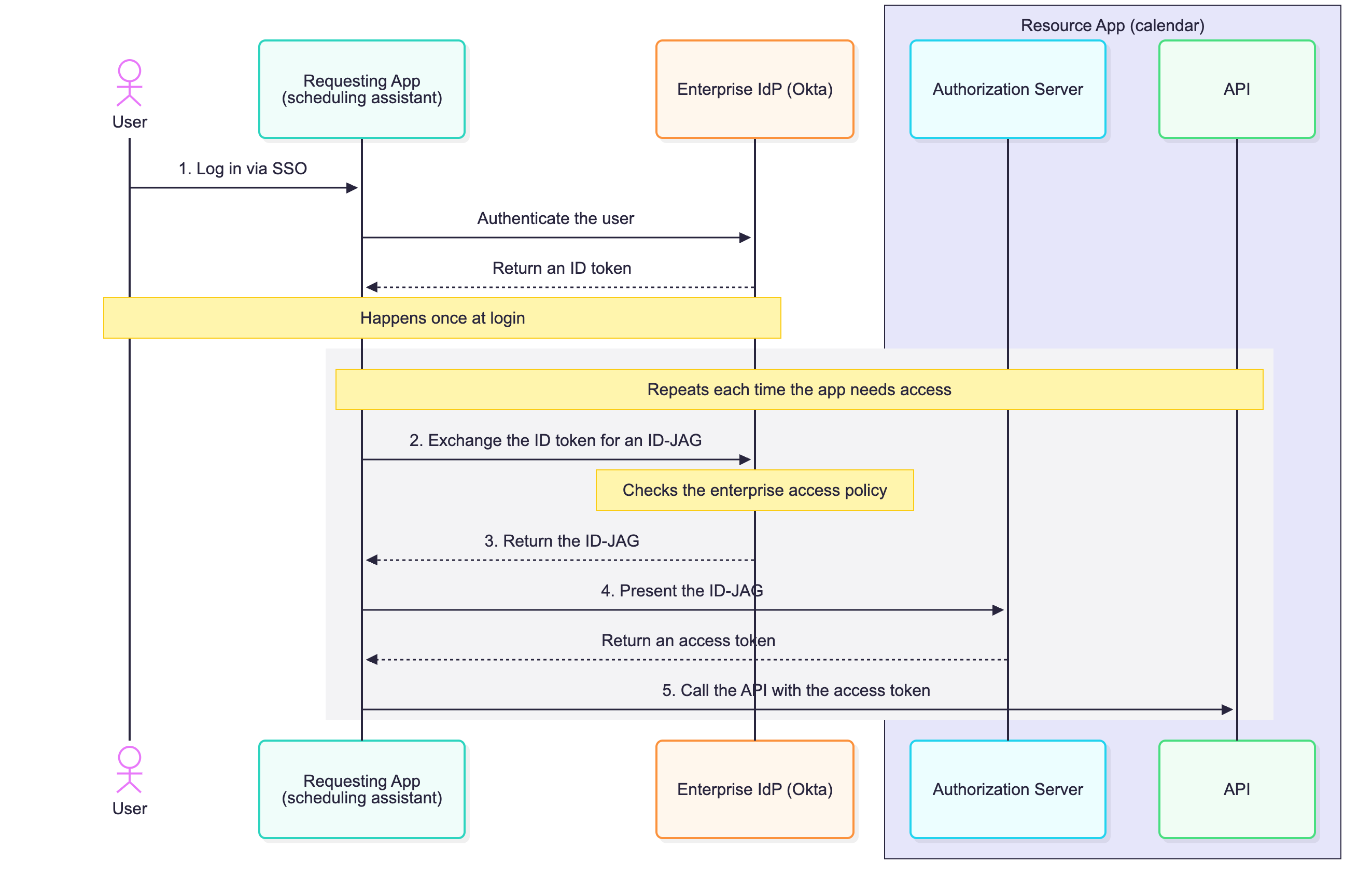
- The user logs in to the Requesting App through SSO with the enterprise IdP, and the Requesting App gets an ID token that verifies who the user is.
- The Requesting App exchanges that ID token with the IdP for an ID-JAG. In effect it's asking whether it can access the Resource App on this user's behalf, and the IdP checks the enterprise's access policy before answering.
- If the policy allows it, the IdP returns an ID-JAG.
- The Requesting App presents the ID-JAG to the Resource App's authorization server and gets an access token back.
- The Requesting App calls the Resource App's API with that access token.
After that first login, there is no user redirect and no consent prompt anywhere in the flow. The enterprise admin's policy made the decision ahead of time, and the ID-JAG is what proves it to the Resource App. The Resource App can trust the grant because of that pre-existing relationship. Its authorization server validates the ID-JAG's signature against the IdP's keys and checks that it was issued for it.
Want to see this flow with real requests instead of the concept version? Auth0's walkthrough on setting up and testing Cross App Access traces each step with the actual token exchange, the decoded ID-JAG claims, and an Inspector tool you can follow along with. It also walks through the SAML version of the flow.
Where the ID-JAG Fits
The ID-JAG shows up in three places you have probably already seen come up, and it is the same grant in all of them.
- Cross App Access (XAA) is Auth0's feature for governing agent-to-app and app-to-app access from one admin console. The ID-JAG is the grant it runs on. It is what the IdP issues and what gets exchanged for an access token every time XAA connects two apps. Auth0 offers two features, Auth0 as Resource App Authorization Server, and Auth0 as Requesting App, which allows Auth0 Token Vault to execute XAA exchanges for connected accounts.
- The Identity Assertion JWT Authorization Grant draft at the IETF is where the ID-JAG is actually defined.
- MCP's Enterprise-Managed Authorization uses the ID-JAG so an enterprise can decide which MCP clients reach which servers on a user's behalf, instead of every user approving those connections one by one. That is the reason it keeps coming up in the agent and MCP conversation right now.
How It Is Different From What You Have Used Before
The ID-JAG overlaps with a few things you already use. Here is how it is different from each, starting with the two tokens you work with most.
- Compared to an ID token: an ID token proves to your own app who the user is. An ID-JAG goes a step further and authorizes your app to access a different app's API on that user's behalf. You actually exchange the ID token for the ID-JAG, so it is the piece that turns "I know who this user is" into "I am authorized to act on this user's behalf over there
- Compared to an access token: an access token is what you present to an API to make the call and prove you are authorized to execute a certain action. An ID-JAG is not that, and you cannot call the Resource App's API with it directly. The Resource App's API only trusts access tokens from its own authorization server, so the IdP cannot issue one for it. What the IdP issues instead is the ID-JAG, and that is what convinces the Resource App's authorization server to give you an access token. The ID-JAG sits between the two, you trade an ID token to get it, and you trade it to get an access token.
- Compared to the OAuth consent flow: there is no user redirect and no per-app consent screen. The policy lives with the enterprise instead of with each click. Everything happens in background network calls and there is no browser involved.
- Compared to a long-lived API key or stored credential: the ID-JAG is short-lived and gets re-requested each time you need an access token to access a Resource App’s API. The Resource App's authorization server does not even issue a refresh token for an ID-JAG exchange, so there is no durable secret sitting around for an agent to leak.
- Compared to token exchange: the ID-JAG is not an alternative to token exchange, it is built on it. The Requesting App gets the ID-JAG through a standard OAuth Token Exchange request (RFC 8693), then trades it for an access token with the JWT Bearer grant (RFC 7523). What the ID-JAG adds is a specific token that carries the enterprise IdP's identity assertion, and that is what lets the Resource App trust it without a bespoke integration for each partner.
Why It Matters
The reason ID-JAGs matter now is scale. A single agent can touch a dozen apps in one task, and MCP is making that normal, so app-to-app connections are growing exponentially. The ID-JAG is what keeps that growth governed. The enterprise sets the policy once, every connection runs through it, and no one has to approve the same access again and again.
Wrapping Up
An ID-JAG is a short-lived, signed assertion from the enterprise IdP that lets one app call another's API on a user's behalf, with policy making the decision instead of a consent click. It is still early, the spec is a working draft and Auth0’s Cross App Access implementation is in Early Access, but it is worth understanding now because it is the piece a lot of the agent and MCP tooling is being built around.
To go deeper, start with Auth0's Cross App Access docs for the implementation and the IETF draft for the spec itself.
Frequently Asked Questions
If you do not already have an Auth0 account yet, create one for free.
About the author

Carla Urrea Stabile
Staff Developer Advocate
I've been working as a software engineer since 2014, particularly as a backend engineer and doing system design. I consider myself a language-agnostic developer but if I had to choose, I like to work with Ruby and Python.
After realizing how fun it was to create content and share experiences with the developer community I made the switch to Developer Advocacy. I like to learn and work with new technologies.
When I'm not coding or creating content you could probably find me going on a bike ride, hiking, or just hanging out with my dog, Dasha.