As organizations expand across brands, regions, and customer segments, identity management grows more complex. Delivering fully branded, seamless login experiences across multiple domains often requires teams to introduce additional tenants to support separate domains and branding. Over time, that operational overhead can slow growth.
Today, we’re excited to announce that Multiple Custom Domains (MCD) will be Generally Available for all enterprise customers. MCD enables you to manage multiple branded login domains from a single Auth0 tenant, making it easier to deliver customized authentication experiences without the complexity of maintaining multiple tenants.
Scaling Brand Without Scaling Complexity
Managing multiple brands shouldn't mean managing multiple tenants. Unfortunately, that’s where most teams end up: a new tenant for each new brand. Before long, they’re managing a sprawl of duplicate configurations, inconsistent security policies and increasing operational costs. Meanwhile, end users are left navigating fragmented login experiences, eroding trust and weakening the brand identity organizations are trying to protect.
Introducing Multiple Custom Domains
Multiple Custom Domains (MCD) allows organizations to host multiple unique, branded domains within a single Auth0 tenant. This enables tailored authentication experiences for both B2B and B2C applications, without the operational overhead of managing multiple tenants.
Key capabilities include:
Customized Login and Sign-up Pages per Domain
With Advanced Customized Universal Login (ACUL), customers have the flexibility to customize the login and sign up pages for each domain with full control over the UI.
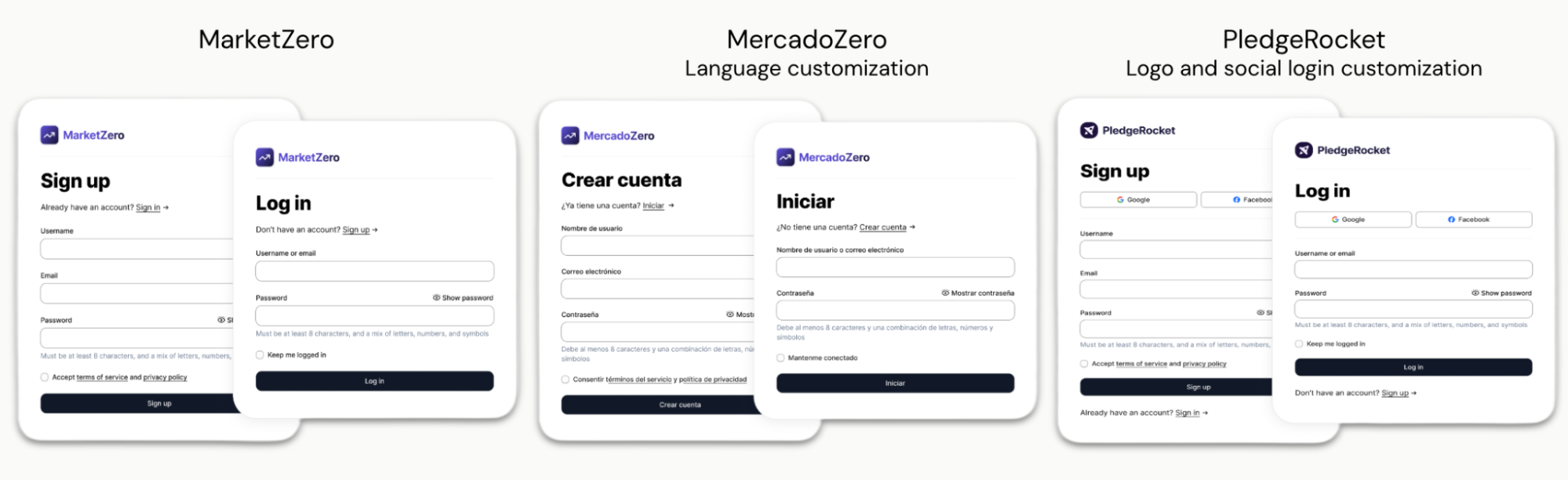
Domains in Advanced Customizations for Universal Login (ACUL)
Advanced Customized Universal Login (ACUL) enables a multi-branded experience per domain.
As shown in the code below, there is flexibility to customize the company logo and login options.
import { SignupId as ScreenProvider } from "@auth0/auth0-acul-js";

export default function SignupId() {
   const sdk = new ScreenProvider();

const formSubmitHandler = (event: ChangeEvent<HTMLFormElement>) => {
   event.preventDefault();
   const identifierInput = event.target.querySelector("input#identifier");
   sdk.signup({ email: identifierInput?.value });
};

return (
   <Card>
         <img src= {`https://cdn.${sdk.domain.domain}/images/logo.svg`} />   // Customized company logo
         <form noValidate onSubmit={formSubmitHandler}>
            <CardTitle>{sdk.screen.texts?.title}</CardTitle>
            {sdk.domain.metadata.show_social === 'true' ? (        // Customized login options
               sdk.transaction.alternateConnections.map((connection) => {
                  <SocialButton type={connection.name} />
               }))
               : <CardDescription>{sdk.screen.texts?.description}</CardDescription>
            }
            <CardContent>
               <Label htmlFor="identifier">{sdk.screen.texts?.emailPlaceholder}
</Label>       <Input type="text" id="identifier" name="identifier" />
               <Button type="submit">{sdk.screen.texts?.buttonText}</Button>
            </CardContent>
         </form>
      </Card>
    );
}
Customized Email Presentation per Domain
Links (that is verification, password reset, and MFA enrollment) all reference a domain. With MCD, context is passed through the management API. Downstream activities leverage this context to generate the correct links. For example, if the link is coming from universal or hosted login, the domain context helps update all headers with the custom domain.
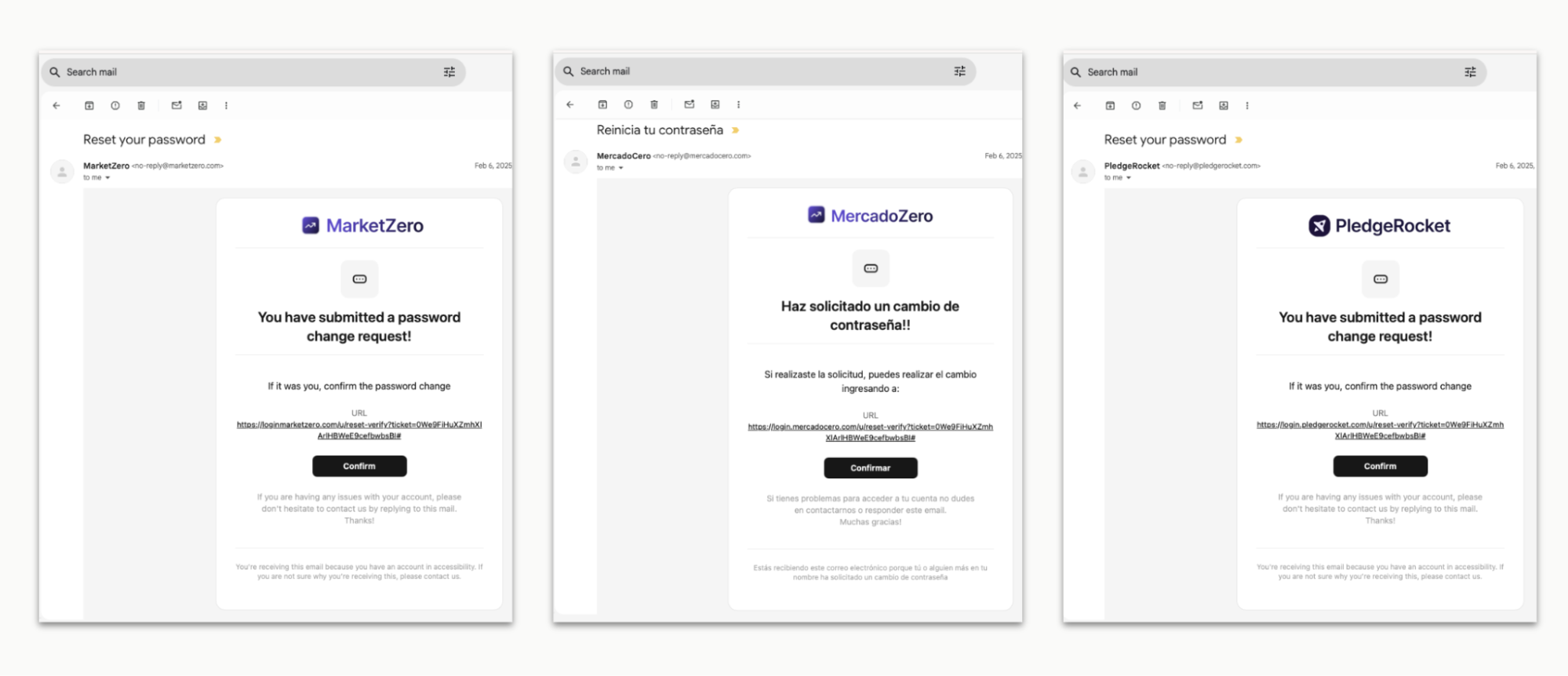
Context Enhancement of Email Templates with Domain
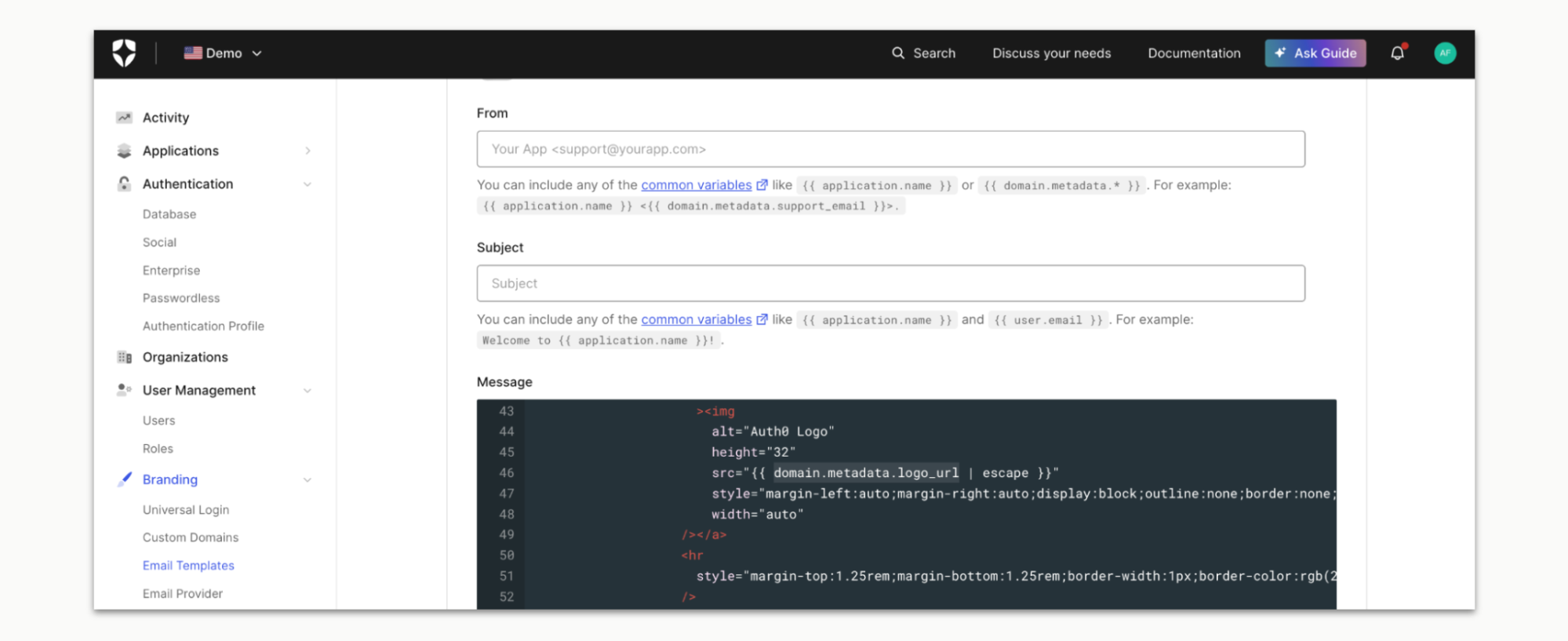
Domains can be added as a common variable to email templates. Users can use the domain to update the template context.
And more…
- Passkeys and Self-Service SSO configured per domain
- Advanced Actions use cases triggered by domain context
Why Does It Matter?
For B2C customers:
MCD makes it easy to scale your brand portfolio and customize customer experiences. Launch a new brand, region, or white-label customer by configuring a new domain, without needing to provision and/or maintain an entirely new tenant.
For B2B SaaS providers:
MCD unlocks white-label authentication at scale. Your customers can offer login experiences under their own domains, send branded emails from their own addresses, and provide a consistent identity experience, while you manage everything from a single tenant.
Get Started
Scale your brands without scaling operational overhead.
- Learn more on our Auth0 docs page
- Review our pricing page
- Sign up and get started, or continue building
About the author

Jessica Shao
Senior Product Marketing Specialist