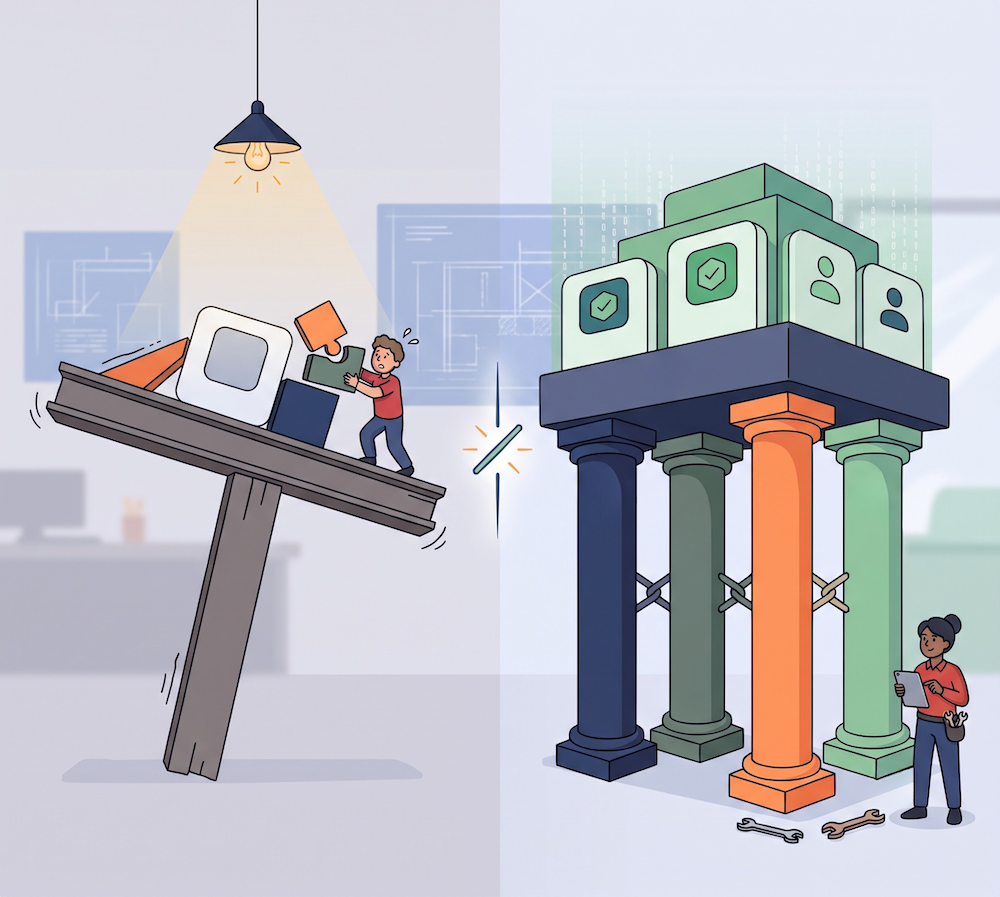
TL;DR: Running development, staging, and live production traffic inside a single identity tenant is an architectural anti-pattern. This guide breaks down how moving to a multi-tenant setup protects your application uptime. Learn how to establish true environment parity using the Auth0 Deploy CLI, enforce granular dashboard access control, isolate security policies, and automate observability through external log streaming.
Most early-stage companies I work with are running a single Auth0 tenant when we first connect. The choice was rarely a deliberate architectural decision; it was simply the fastest way to get authentication shipped, and there was never a quiet week on the roadmap to revisit it.
The wake-up call happens when something breaks in production that a developer thought they were testing in isolation. That is the single-tenant trap: it starts as a quick hack to get shipped and ends as a catastrophic single point of failure.
The Limits of a Single-Tenant Setup
When engineers look to insulate their identity lifecycle from code modifications, they often ask if they can manage multiple environments inside a single tenant. To make it work, developers frequently build custom workarounds, like executing conditional routing inside an Auth0 Action based on hardcoded application IDs. However, this artificial division fails to isolate tenant-wide infrastructure. Critical features like multi-factor authentication triggers, global database connections, and session cookies cannot be partitioned within a single tenant boundary. Testing in production remains an active risk because any structural adjustment to the production tenant affects every live user immediately.
To fix this before your next Sev-1, you need to transition to a true multi-tenant team ecosystem. Here is the four-step roadmap to separate your workflows and protect your active user base:
1. Separate Your Environments Before You Need To
The classic failure mode: a developer modifies a redirect URL, rotates a client secret, or deploys a new Action, and the change instantly brings down login for every active user in production. There is no safety net because staging and production are identical.
You need at least two tenants: one for development, and one for production. Provisioning isolated environment tenants under a single architecture is the only way to safeguard your active user base.
Once you have multiple environments, manual syncing is a liability. The Auth0 Deploy CLI lets you declare your tenant configuration as code. Instead of running manual updates in the UI, you integrate it directly into your Continuous Integration and Continuous Deployment (CI/CD) pipeline. Here is what a basic GitHub Actions workflow looks like to automate promotions:
name: Deploy Auth0 Configuration
on:
  push:
    branches:
      - main
jobs:
  deploy:
    runs-on: ubuntu-latest
    steps:
      - uses: actions/checkout@v3
      - name: Setup Node.js
        uses: actions/setup-node@v3
      - name: Install Auth0 CLI
        run: npm install -g auth0-deploy-cli
      - name: Deploy to Production Tenant
        run: a0deploy import -c config.json -i ./auth0-config/tenant.yaml
        env:
          AUTH0_DOMAIN: ${{ secrets.AUTH0_PROD_DOMAIN }}
          AUTH0_CLIENT_ID: ${{ secrets.AUTH0_PROD_CLIENT_ID }}
          AUTH0_CLIENT_SECRET: ${{ secrets.AUTH0_PROD_CLIENT_SECRET }}
Start with Dev and Production. Add Staging when you have a CI/CD pipeline that makes three environments worth the overhead. Right now, two is enough.
2. Stop Sharing Dashboard Credentials
The problem of sharing admin logins rears its head the moment you have more than two engineers touching authentication.
Picture this at 2 a.m.: users cannot log in, and nobody knows why. After hours of digging, you find out a junior engineer accidentally nuked a critical connection because they had full admin access and clicked the wrong button.
The fix is to treat dashboard access exactly like your production infrastructure: individual credentials with the least-privilege by default. Developers get permissive editing access on Dev and Staging, while everyone gets restricted access on Production. Any change to Production goes through a pull request and your Auth0 Deploy CLI action.
Implementing granular Role-Based Access Control (RBAC) and tenant-specific roles is a lifesaver here. It transforms a painful, hours-long forensic investigation into a 30-second audit log query. When Production breaks, your logs explicitly state exactly which individual account executed the change and when.
3. Apply Security Controls Where They Belong
When you separate your environments, you can stop treating security policies identically across the board.
Your integration tests do not need to pass MFA challenges, but your production users absolutely do. In a single tenant, you are trapped: either disable security to keep the developer experience tolerable, or leave it on and cripple your engineers' velocity.
Isolated environments fix this cleanly. Keep Development permissive so engineers can ship code fast. Enforce advanced MFA factors and breached password detection on Production only, where they protect real users and revenue. This allows you to scale your security posture exactly where it matters without adding internal friction to active sprints.
4. Get Your Logs Out of the Dashboard
When a team notices a spike in login failures, they usually dig into the local dashboard, only to find the critical events have already aged out of the basic 24-hour retention window. Dashboard logs are for quick spot-checks, not long-term observability.
Implementing Log Streaming pipes raw authentication events directly into your existing stack, Datadog, AWS CloudWatch, or Splunk, while expanding your diagnostic window. Instead of a black box, you get rich JSON payloads containing the client ID, IP address, error description, and user context.
Once this data is mapped into your monitoring tools, you build the exact same alerts you use for your app: anomaly detection for login failures, alerts for configuration mutations, and dashboards tracking credential stuffing. Configure this before the outage happens, and you will catch authentication anomalies before your monitoring triggers a pager alert.
Ship to Production with Confidence
Relying on a single environment means a simple configuration oversight can easily spill over and impact your active user base. Separate environments, least-privilege access, automated CI/CD deployments, and real observability are how serious engineering teams ship with confidence.
Treating identity as code and using enterprise-grade isolation gives you the tooling to manage all of this at scale, without burning engineering cycles building it yourself.
Ready to Fix Your Tenant Structure?
Moving away from a single-environment setup does not require a massive infrastructure overhaul. It is a straightforward architectural evolution that you can execute in less than an afternoon. By transitioning your workspace into a collaborative team environment, you instantly lift the single-tenant constraint. From there, you can cleanly isolate production traffic, lock down team access keys, and stop testing changes on your live users.
Read our documentation on how to manage multiple environments, configure your additional tenants, and start automating your deployments today.
If you are working through your environment setup and want to talk through what makes sense for your team's current stage, that is exactly the kind of question the Customer Advocacy team is here for. Reach out to us at customeradvocate@auth0.com. We are here to help you ship.
About the author

Carlos Aguilar
Customer Advocate