As a founder building a B2B SaaS product, you’re busy building the next big thing, and you’ve decided to leverage Auth0 as the complete auth solution for your app. With the Auth0 for Startups program, you have access to one year of our B2B Professional capabilities, allowing your users to more securely access what they need. The startup plan includes: up to 100,000 monthly active users, access to Organizations, inbound SCIM, and more.
With access to these features, how do you enable your business customers to access and use your application(s) more securely? We’ll take a look at four components of building B2B SaaS applications that are solved by Auth0:
- Multi-tenancy
- Custom developer experience
- Customized end-user experience
- Delegated access to business customers
Multi-Tenancy for Building a B2B SaaS Application
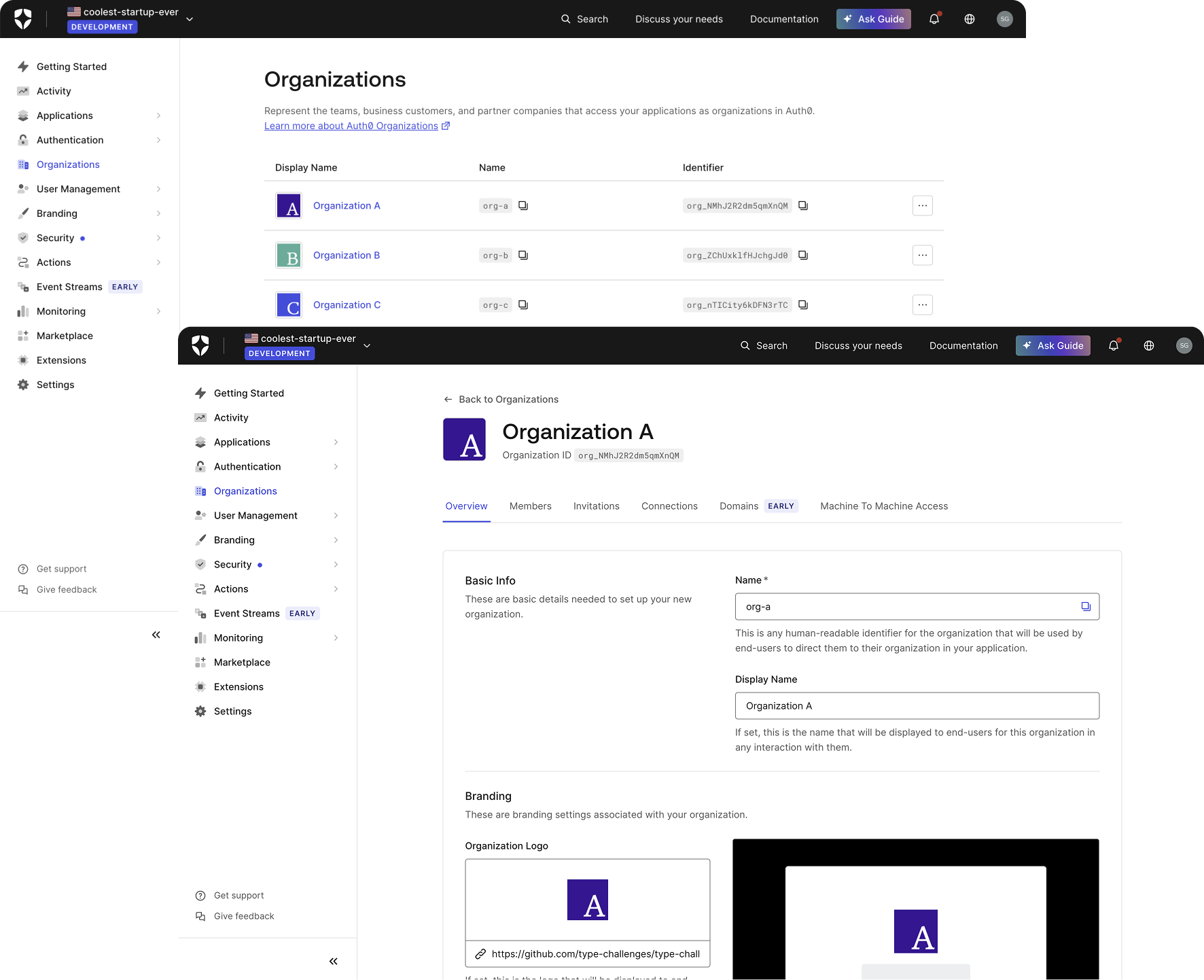
Multi-tenancy is at the core of building user management into your B2B app. That means each business customer experiences an instance of your application that is distinct from that of another business customer, including separated user management, authorization, MFA settings, branding, etc. This can be achieved in Auth0 with:
- Organizations
- SSO (and various identity providers)
- Custom branding for multi-tenancy
You can build multi-tenant user management using Auth0 Organizations, and individualize the login and user management experience for each of your business customers.
Single Sign-On is now a requirement for many large enterprises. Your applications can support common enterprise federation scenarios, such as Active Directory (AD), Lightweight Directory Access Protocol (LDAP), PingFederate, Security Assertion Markup Language (SAML), or OpenID Connect (OIDC).
By default, the Universal Login brand colors can be updated to match your app’s brand colors. However, for each business, you might want to customize the login experience further. These customizations allow you to add specific details associated with each Organization – their logos, brand colors, other metadata, etc – and can be achieved via page templates.
For even further customizations, Advanced Customizations for Universal Login (ACUL) allows you to build custom client-rendered interfaces for each screen in Universal Login.
Custom Developer Experience
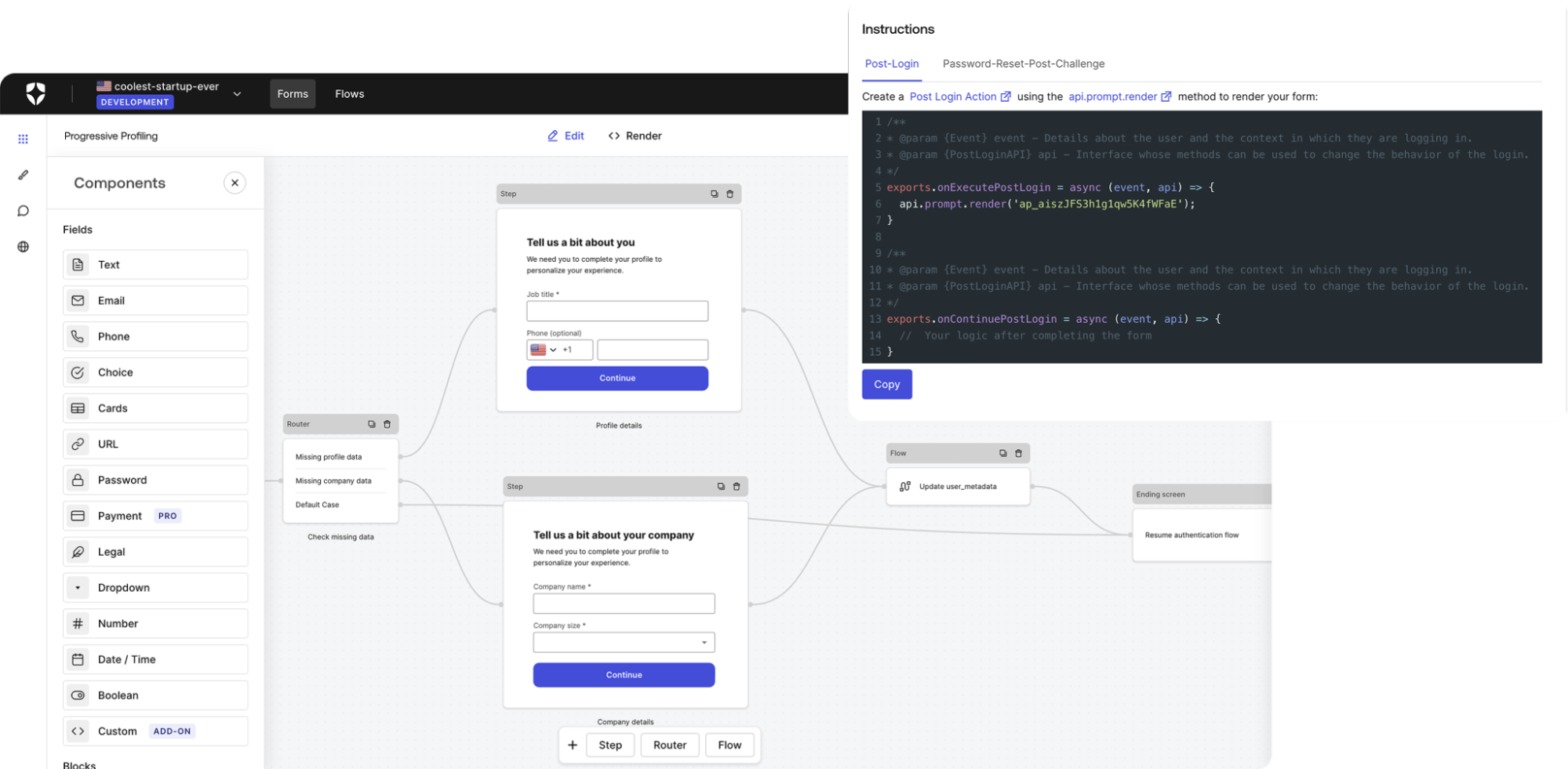
The user identity journey is a dynamic experience. At any point, your app may need to collect information about the user, evaluate whether their login is secure, or send data from Auth0 to a 3rd party developer tool. Auth0 provides several developer experience features to enable these types of requirements:
With Actions, you can write custom Node.js functions within Auth0 to customize the user journey. You can select a trigger within Auth0’s process (for example pre-user-registration or post-user-registration) and select an Action to run whenever that trigger is invoked.
The Templates for Actions page contains common use cases. These can be found within your Auth0 Dashboard: Actions (left menu) > Library > Create Action > Choose a template.
What happens if you don’t want to write out the code yourself? Another way to build Actions is Forms, which is a visual (drag-and-drop) tool nested under Actions in the Dashboard. You can select a pre-built template and update it, or create a new one from scratch. This feature is useful for more complex use cases such as progressive profiling, where you need to review the user’s data and prompt them for additional data over multiple subsequent logins.
Within the Marketplace you can search through all of the integrations that Auth0 offers, including SSO Connections and external tools (for example Datadog, CRMs, etc.) so that you don’t have to build these integrations yourself. These integrations are also available within the Auth0 Dashboard itself for quicker access.
Depending on your tech stack and the complexity of your use case, you may need to depend more on the Auth0 APIs and SDKs. There are three main APIs: Authentication, Management, and MyAccount. The Management API can unlock key abilities for B2B apps, such as enabling your business customers to manage their own Organizations and users.
Customized User Experience
Your users may need additional support in terms of how they access your app, and you can provide options to help resolve potential account-related issues or prevent them entirely with:
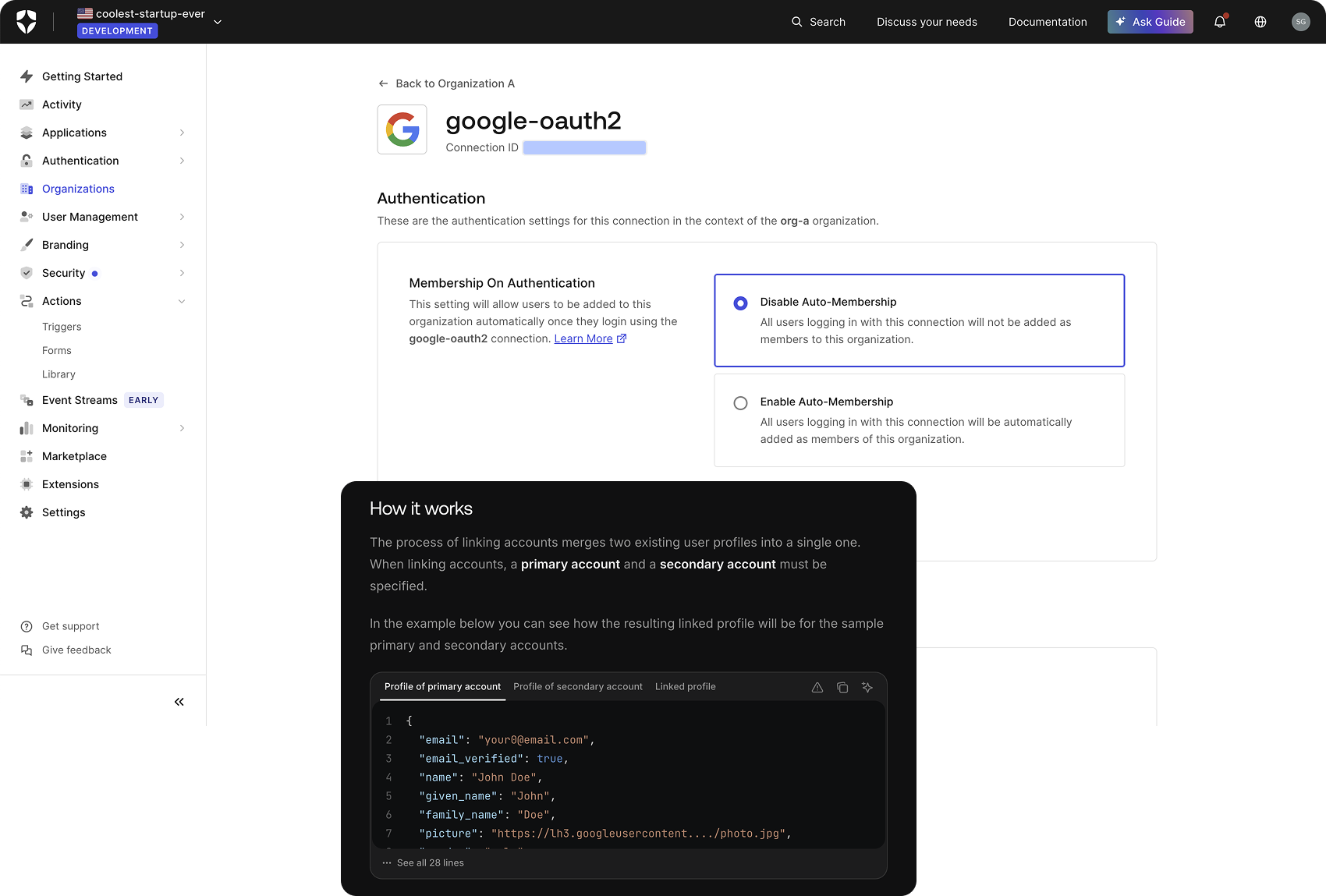
Once the login experience is set up, users need access to specific Organizations. This could be a specific list of users for each Organization, or it could be based on their email domain (name@organization_a.com automatically has access to Organization A without any effort on your part). How do you manage membership for each Organization? You can either invite users by email or grant auto-membership.
Inviting users and assigning their Organizations can be accomplished manually within the Auth0 Dashboard or programmatically via the Management API.
In certain cases, you may want to enable auto-membership, which would allow anyone with a verified Connection to access an Organization. This can also be built upon to restrict users with certain email domains auto-membership via Organization Domains (currently in early access). Additional paths for authenticating users and assigning Organizations are documented here.
On the flip side, you also need to deal with individual users with multiple identities.
Account linking is a very common use case, and we’ve all experienced it. Imagine you’re accessing an application for the first time and you decide to use email and password to log in since it feels like the quickest option. However, the next time you access the application, you don’t remember how you got in last time. You know which email address you used, but did you enter it manually or did you sign in with Google? Google SSO is the quickest option, so naturally you use that method to log in and suddenly you’re viewing a brand new account.
On the back end, the email associated with both accounts is the same, but the user is stuck with two separate accounts depending on which method they used – so they have to contact the support team to merge the accounts. This is where User Account Linking comes in. The feature itself is disabled because Auth0 treats all identities as separate by default. However, once enabled, the user can link another account to their current one, enabling them to sign into the app with multiple methods.
Delegated Access to Business Customers
For certain use cases, your customers might require more hands-on control over their own Organizations. Whether it’s related to managing users, MFA and SSO settings, or something else. In these cases, you need to share just the right amount of access with the customers securely via:
- Delegated Admin Access
- Self-service SSO
Delegated Admin Access can help you provide administrative access to your customers, giving them the ability to customize their own user’s Organization settings. Via the Management API, you can delegate access to invite or remove users, manage roles and permissions, update their Organization name and branding, and more. SaaStart is an open source application built with the Management API to demonstrate some of these capabilities.
SSO requirements can be very specific for certain customers. Self-service SSO allows you to delegate SSO setup to those business customers, providing your customers with more autonomy over their experience and making onboarding a smoother and easier process. This includes an SSO setup assistant which guides your business customer admin through the process of configuring SSO, optionally verifying their domain, and also configuring user provisioning if they prefer.
How Else Can Auth0 Support Startups?
Auth0 offers an entire suite of features that are dedicated to helping developers build B2B applications and manage their auth needs. SaaS applications can get complex, and oftentimes require authorizing machines and other tools – not just humans. Machine-to-Machine (M2M) Access for Organizations allows you to control which Organizations a machine-to-machine app (bot, CLI, backend process, etc.) can access.
If you’re curious about what other features and capabilities you have access to as part of the Auth0 for Startups program, you can review the B2B Professional plan entitlements in the Pricing page.
About the author

Shreya Gupta
Developer Advocate, Startups